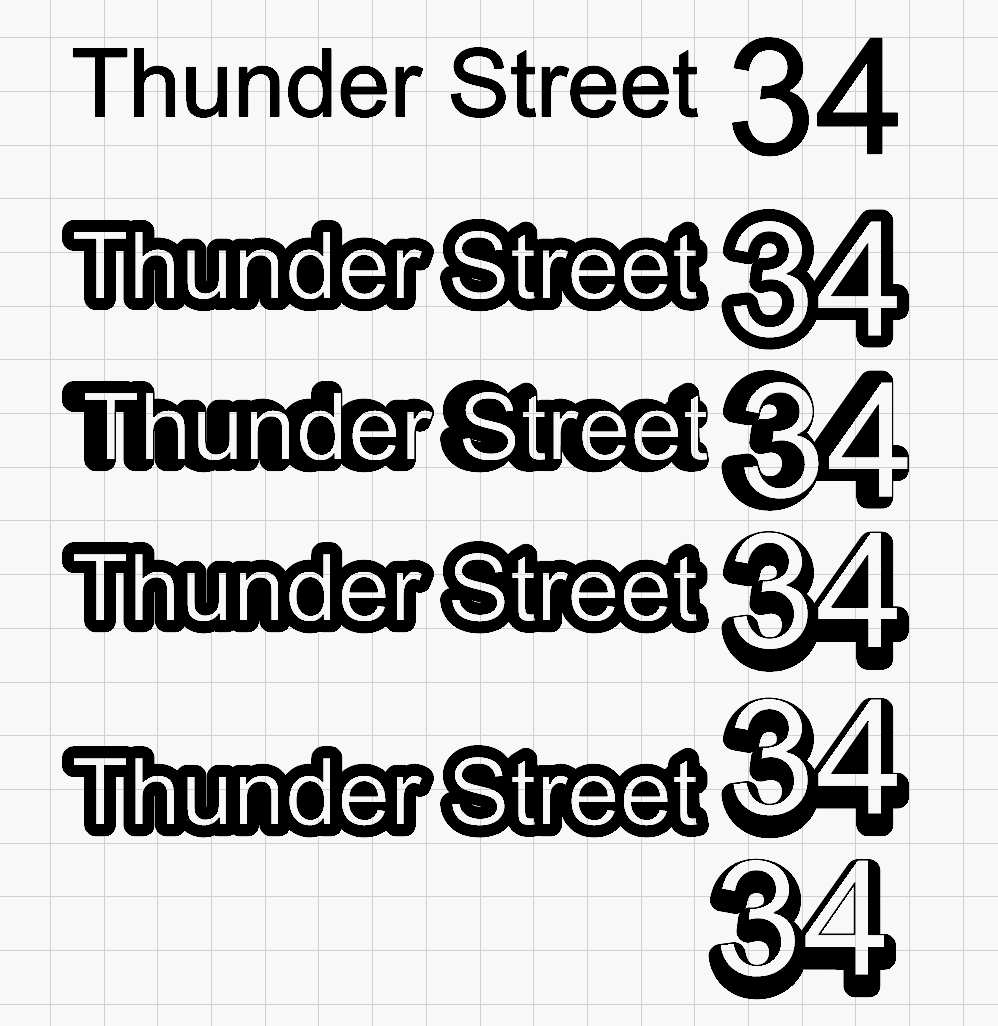
New to Lightburn and want to create a background for text to the general shape, such as making a larger number and keep outline or offset to scale. It’s not clear in the documentation how to do that. I am making an address sign and need to highlight the numbers to standout.
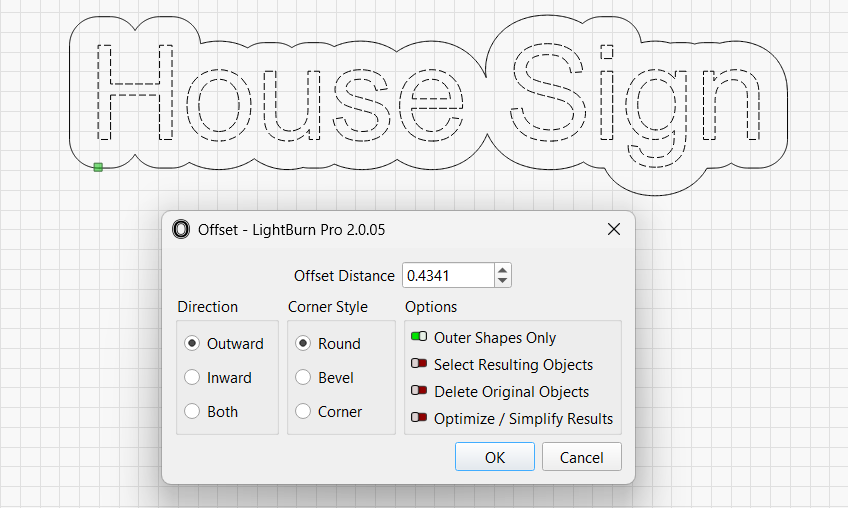
What do you mean you want to keep them to scale? You should be able to get pretty close using offset. Offset outward a set distance, not a percent to scale.
1 Like
To add to the above, lets say you want a 3mm offset, the numbers are a bit far from each other and the offsets aren´t connected
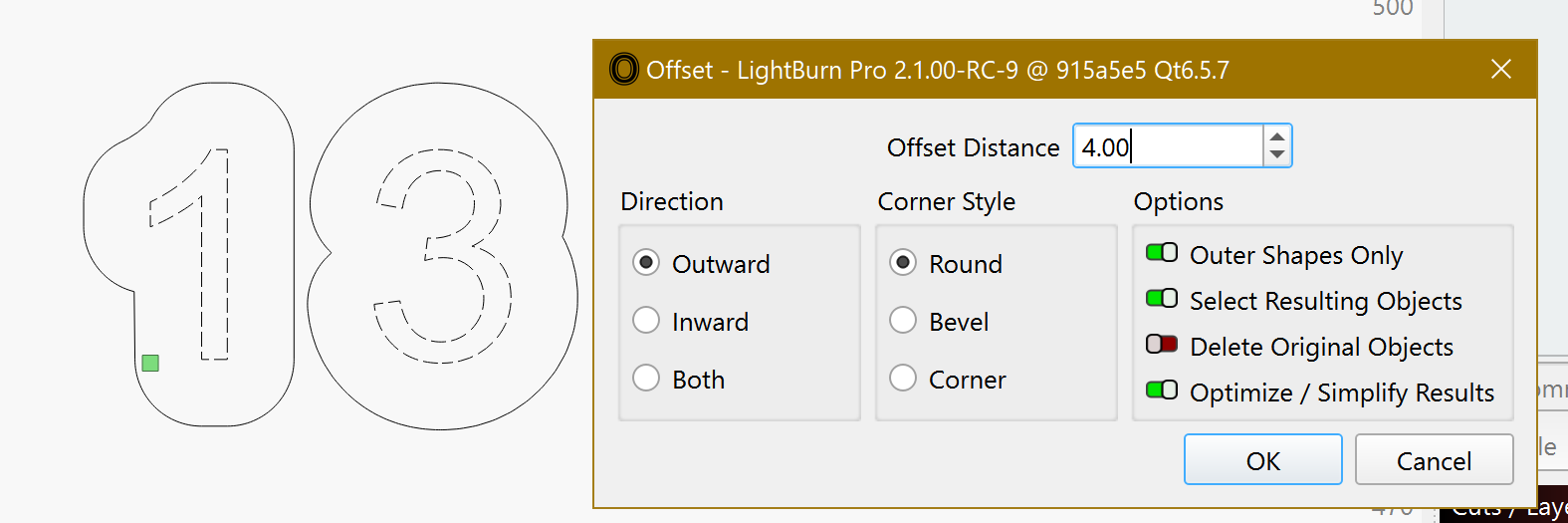
You can make a bigger Outward offset (so they connect)
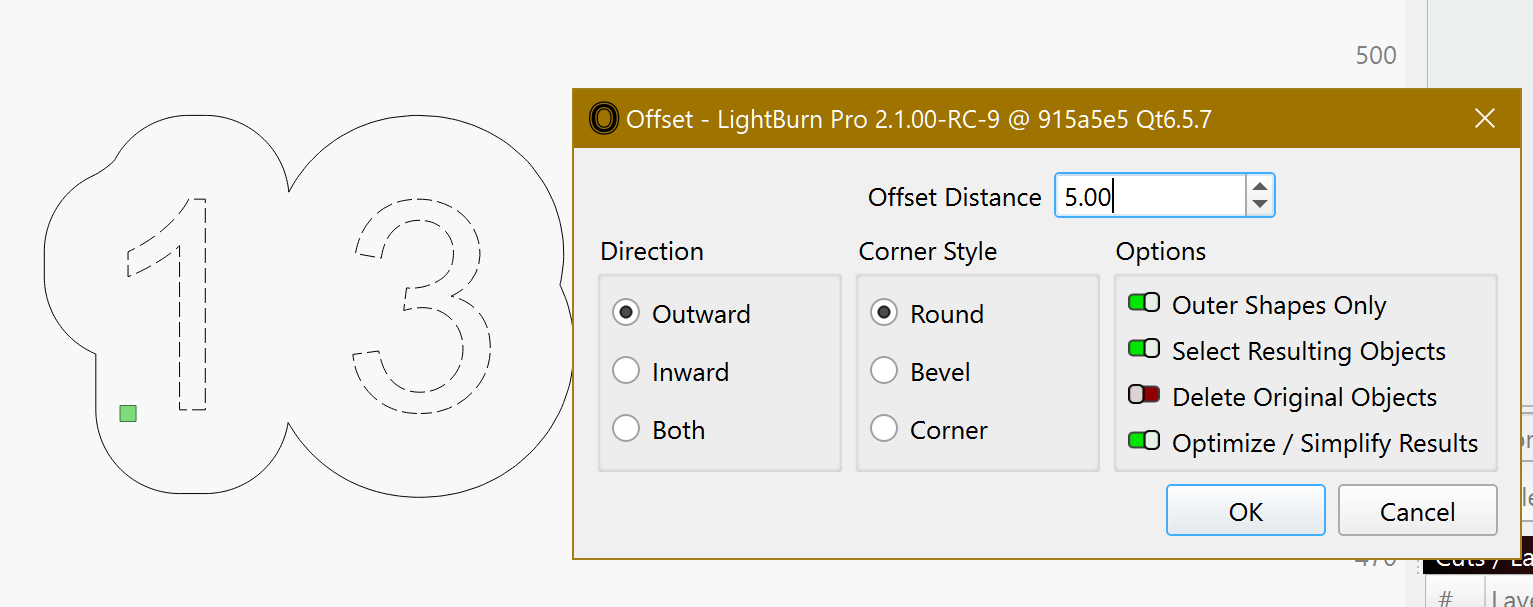
After do a Inward offset by the difference
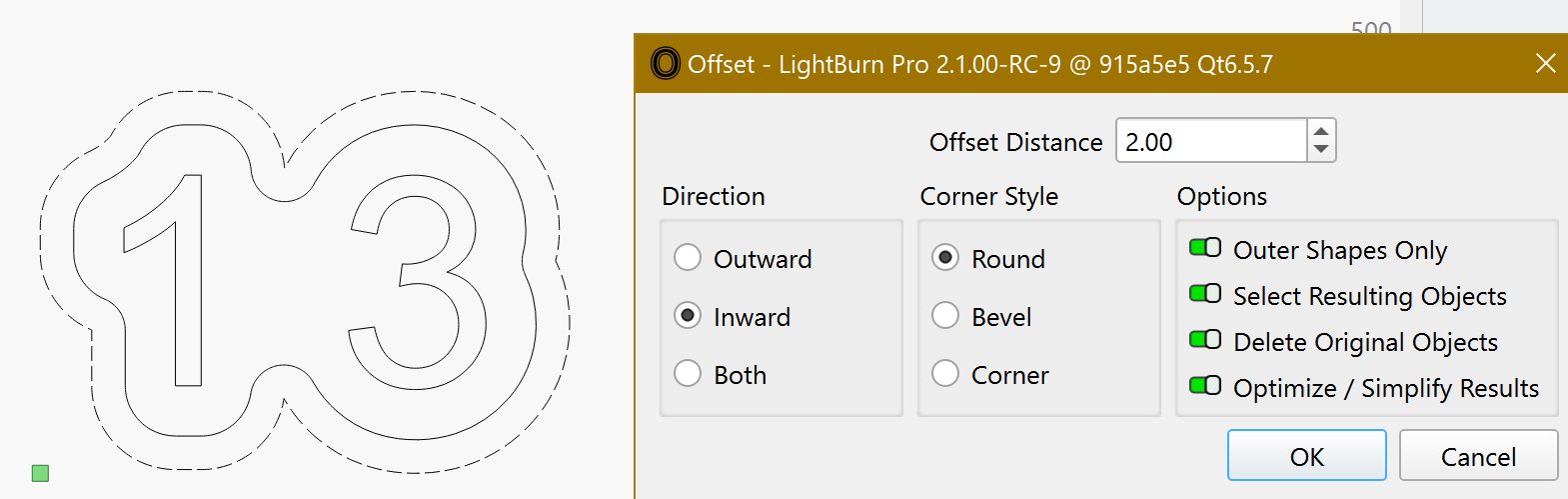
And you get a connected offset around your shapes.
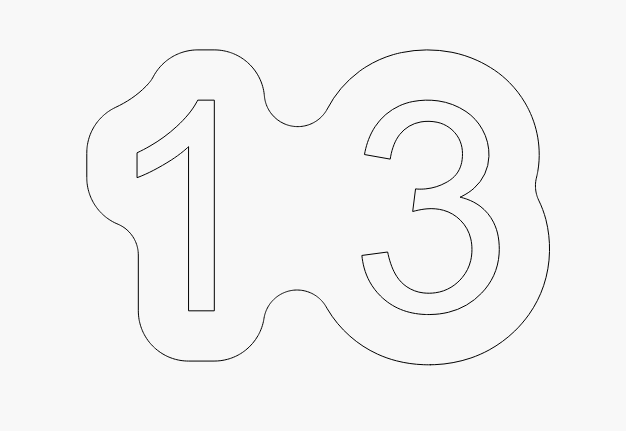
2 Likes
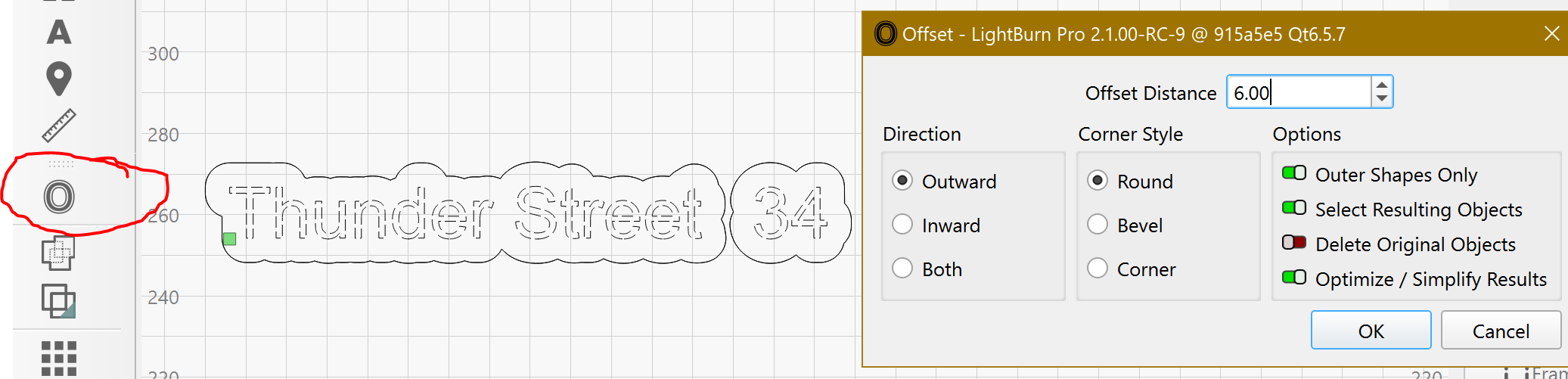
New to Lightburn and want to create a background for text to the general shape, such as making a larger number and keep outline or offset to scale. It’s not clear in the documentation how to do that. I am making an address sign and need to highlight the numbers to standout. Thunder Nova 51 with Ruida controller. Thanks for that, where is this menu located?
Thank you
Thank you for the super fast help!
1 Like
Create 2 “texts” one with the name and the other with the number a bit far. Do a copy and move aside with the arrows keys.
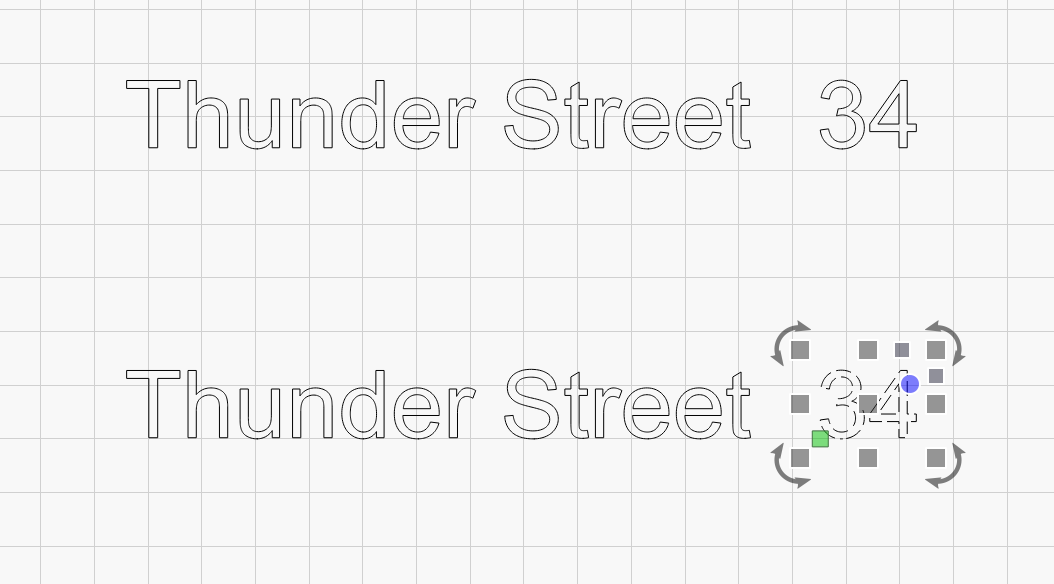
Select the 2 “texts”.
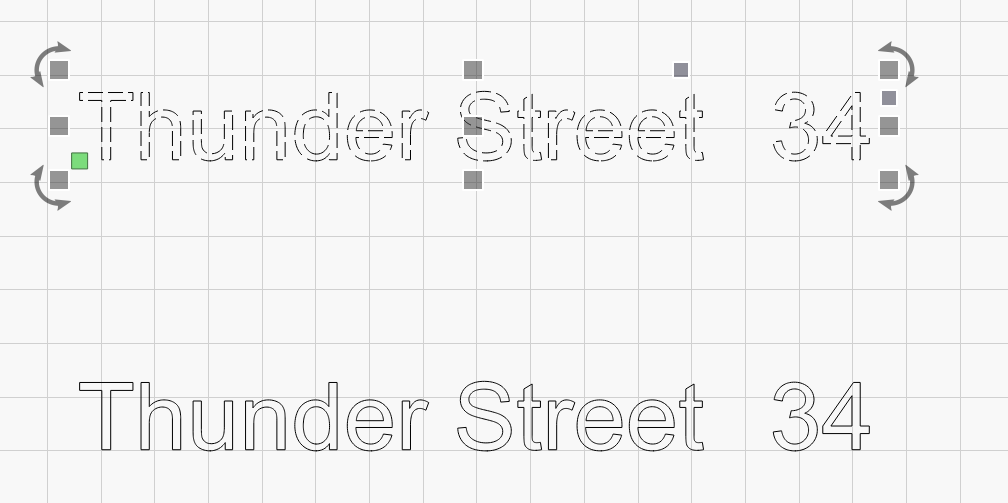
And test with some offset values to find what you like.
Select the copy increase the size of the number and align.
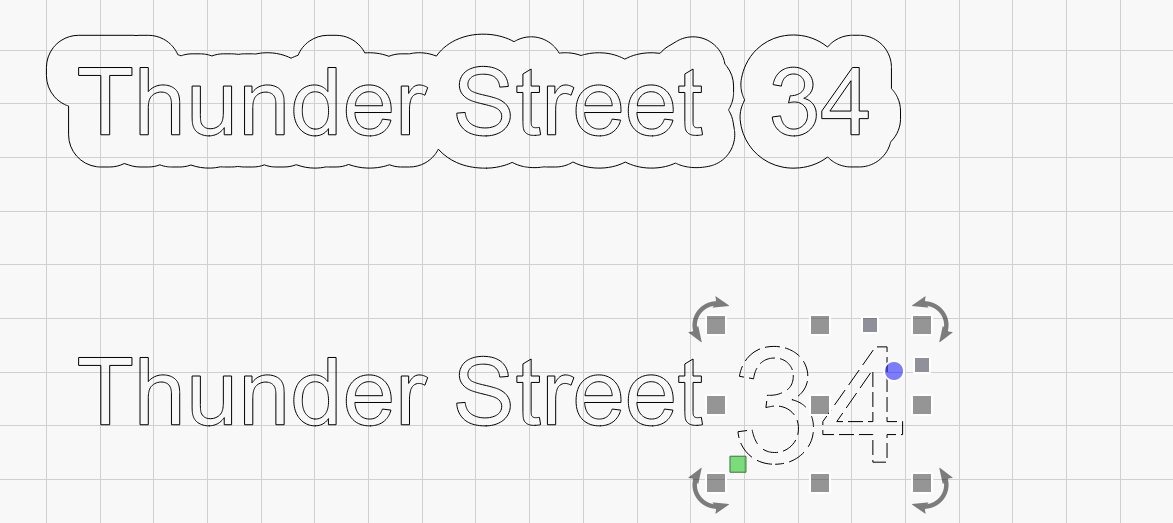
Apply the Offset.
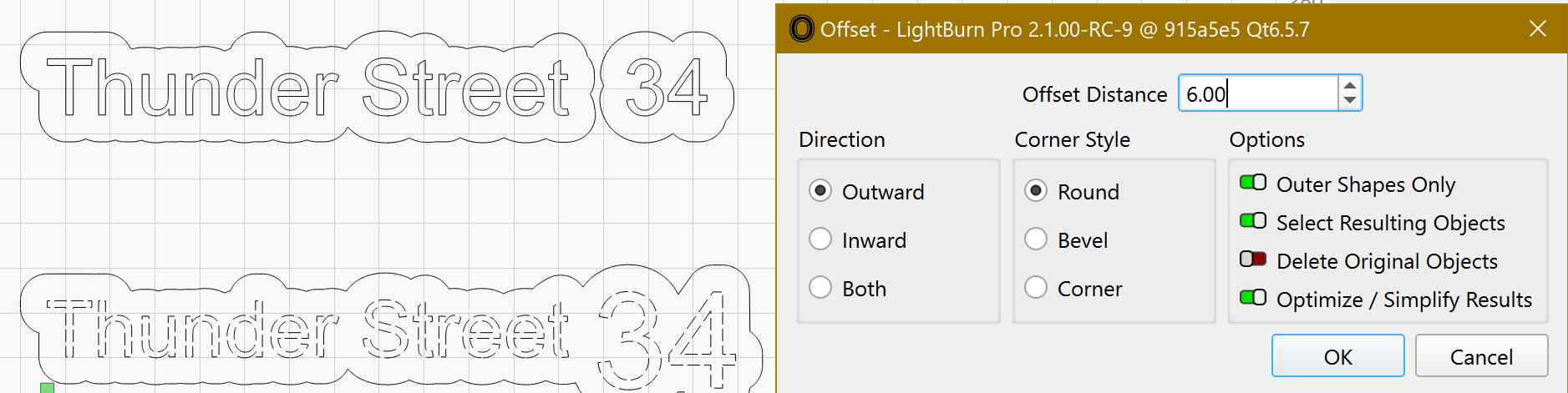
You can also apply some “effects” with lightBurn to all your fonts.