Brand new user. Installed LB on a trial period on fairly new HP Laptop. When I open program it seems not everything is displaying when compared to videos I have watched. Most importantly is the bottom portion when the layers should be is missing. I tired pasting a nip of my entire screen and it seems accurate to what I see. I also cannot access the minimize/mazimize/close toggles on top of screen.
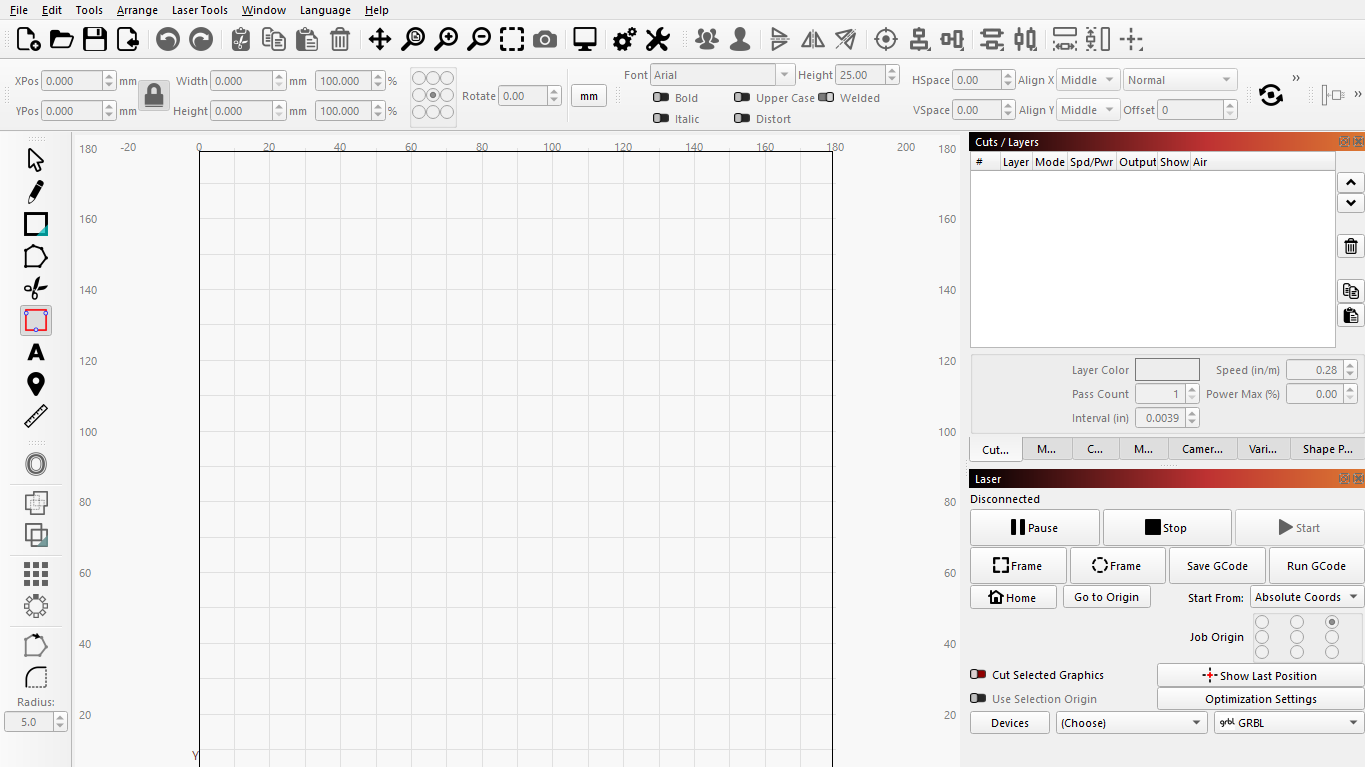
Most often it is a question of screen resolution that is to blame. You do not write what resolution you are using.
But try running LightBurn in full screen mode and reset the settings, see picture.
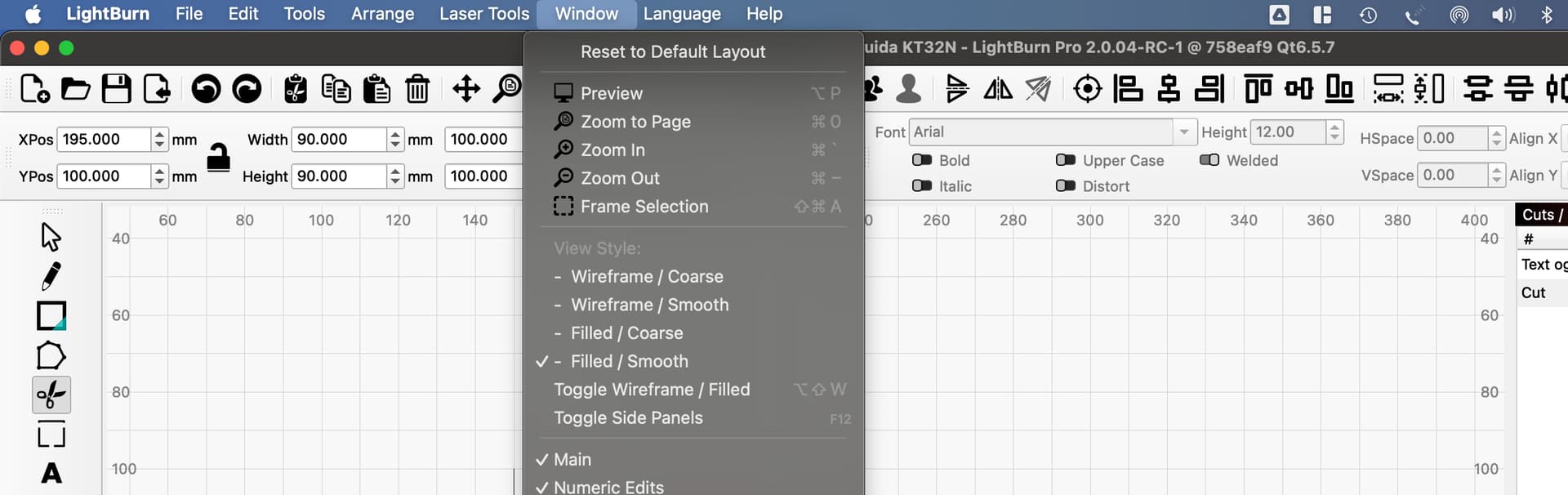
“Reset to Default Layout”
here is also interesting reading on the subject
1 Like
You know I have the same problem, very annoying. I can get it back w/ windows button and up and or down arrows.
Problem with color bar is fixed, but i have to fix it now and then.
The issue with the color codes is resolved.
1 Like
Yes using the windows key and arrows up worked. Thank you. Now if I could get the device settings to work.
I have had this laser, ortur LM2 for about a 3 wks. and have done several projects, NOW, for the last week I can’t do anything. I have a HP with windows and every time I have a job ready to frame and hit the frame button I get a busy indication. Same thing when I want it to home. All I have done on a computer is e mail, facebook and U tube, so I know nothing about all the computer talk. But after I was able to do 4 jobs I thought this was going to be fun. HAHA. Some great people on here told me to try a few things but nothing worked.
This topic was automatically closed 30 days after the last reply. New replies are no longer allowed.