On a second running of a file containing 9 fill images in a series, one image will scan then about halfway through the second “No Enough Space Error” and laser halts. I have run this file dozens of times, once successfully immediately prior to the errors (the only change was a material swap). Has anyone encountered this when processing large (data size) files? I can not upload the file due to copyright and NDA.
I ran through the checklist of known causes for erroneous “no enough space” despite the file completing successfully in the prior session. No stray bits, the selected all size is as expected.
My assumption is a communication issue between current LB (2.0.05) version and Controller Ruida 6445G 100W HLYeah laser or a memory corruption issue due to the large amount of cache being overwritten between runs. Performed a full restart and waiting for results.
If you’re using current position as your start from mode and didn’t reposition the starting point of the laser this can cause problems because you’re starting from a new location for the repeat file.
I understand, but it makes it much harder to assist since we don’t know what you’re working on or any of your settings. Often the error is readily apparent to an experienced user with a visual. Can you at least upload a screenshot of the entire lightburn screen with the project loaded?
Unfortunately the image is protected and private (part of a fraternity and they have asked it never be displayed publicly). I can say they are 112x138mm images x 9 images per row, three rows with 40mm space at each end running 300mm/s bi-directional scan.
Not a starting point issue. I ran the file once, it worked perfectly. Swapped in a new blank and clicked “start” again. Machine resets to 0,0 after each completion and starting point is origin. Also upon closer inspection there are shift glitches in some of the other pieces on the failed run. That is a 4mm shift for maybe 30-40 scan lines, then back to correct position.
After a full power off reset it seems to be running correctly. I am chalking it up to memory corruption in the controller or communication error. I have another 40 to engrave and cut out so if it crops up again I will edit the original post if “full reset” seems to fix it.
Are you clicking start from Lightburn or start on the controller? Best practice is to Send the file from Lightburn, then load the file in the controller and start from there. Another thing that sometimes causes errors is an overloaded controller. They don’t have a lot of memory capacity. Try deleting some unneeded files from the controller and see if that helps.
I have LB set to send the file and begin printing from lightburn which is what I almost always do. Small repeated designs I use the controller pad and just re-run after swapping material.
I don’t purposefully store any files on the controller and assumed finished prints cleared after a reset. Honestly did not think to check to see what is being stored, will have to do that and clear anything once this next batch finishes.
That is not correct. What you are doing is sending the file to the controller, but when you hit the start button from Lightburn you are streaming the file. That is more prone to error.
If you look at your control panel after sending from Lightburn, you will see that there is nothing loaded in the cut window. You have to pull the file from the file list to load it.
Once you have streamed it, it’s loaded in the cut window and you can cut it again by just hitting the start button on the controller.
They do not. The easiest way to see what files are there is from within Lightburn. Go to Window Menu> File List. This will show you all the files stored on your controller and gives an easier way to delete them than one by one on the controller.
I was basing my description from what is stated in the LB docs
”The Start button in the Laser Window is the most common method of starting a project, and is available for all types of lasers.
When you press Start, LightBurn will immediately send the project to your laser and it will begin cutting or engraving.”
I assume this is analogous to transfering the file then selecting it and starting from the keyboard
That’s something I did not know and I was able to see (and delete) the files. Weren’t as many as I would have expected. But based on the listed files it looks like LB overwrites the same file if sent multiple times which may explain the apparent corruption. That or the controller was just having a bad day. No issues since performing a hard reset (power off for 10 min)
No, it is not the same. The Lightburn start button streams the data. The laser begins the operation as soon as there is enough info to start and the rest of the file is sent until the entire file is sent. This way is more prone to data corruption during the streaming process. Sending the file to the controller and loading it from the controller assures that the controller has the entire file loaded before starting.
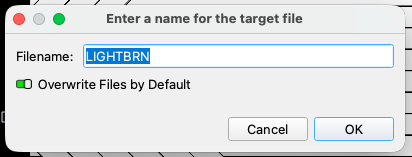
There is a checkbox in the send dialog where you can choose to overwrite Files by Default.