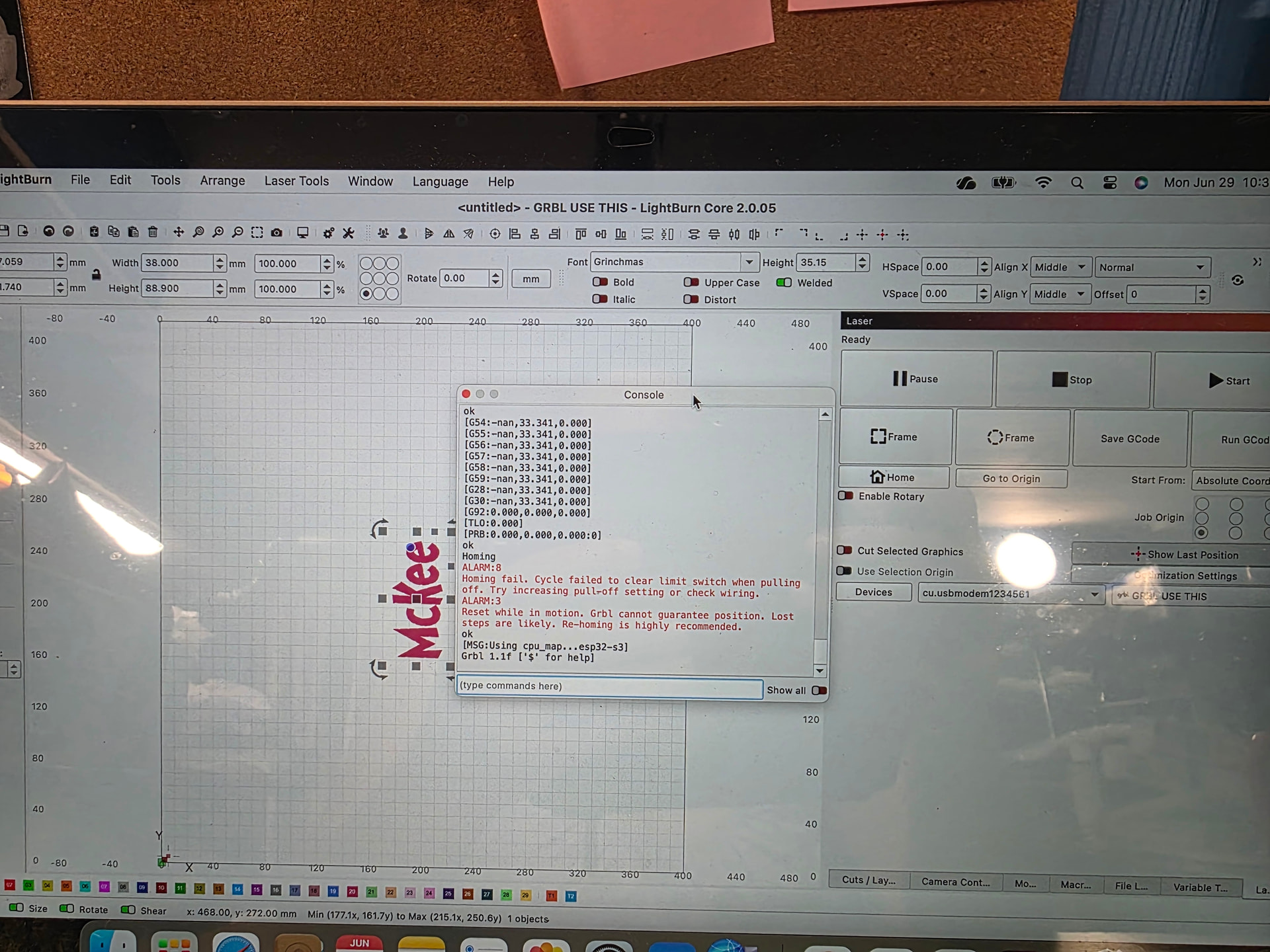
good day, after doing the last update my laser Falcon 2 22w will not move when homing, it just sits there. I use LightBurn. just keep getting error 9 and error 3. how can I fix this please.. it does it when I even have rotary enabled. yes I have limit switches, all cables are connected, tension is good. please help
Might try going to file> preference> load preference backup and pick one before your update.
I did that already, thank you. Rotary enabled still not moving…rotary unabled homing will only move forward then the error 9 &3
You cannot Home with the Rotary. It has no limit switches and is capable of (more or less) infinite travel.
If you have Auto-Home on Startup enabled, turn it off. You also will need to use Current Position instead of Absolute Coords.
Sorry when homing it only moved forward then get error 9 and 3.
When i have rotary enabled it has no idea where its going, i frame and its moves not even close to where i have tumbler set and laser centered … it will movevto the left
You used “it” 4 times without explaning which “it” you were talking about. Please be more wordy in your descriptions. We cannot see your machine or computer, so you have to be our eyes and ears.
Let us figure this out one piece at a time. Power off. Unhook the Rotary, connect the Yaxis cable to the Ymotor, power on, and report what happens when you try to Home the machine.
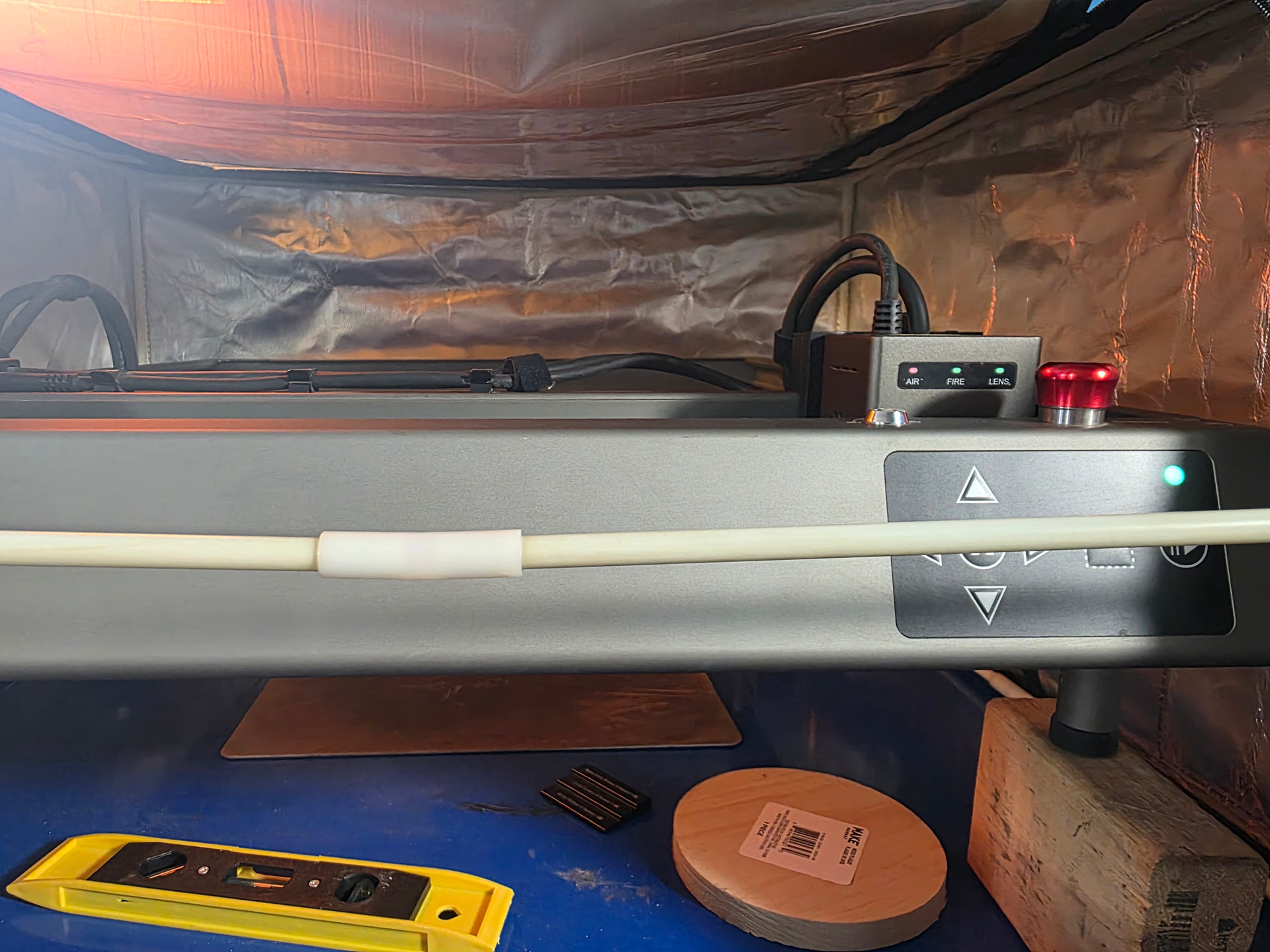
Turn machine off and move laser to center. Turn on machine and home. Does laser move toward limit switches? Does laser hit a rail? Looks like it’s going to front right corner. Not usual for homing position. Is that where switches are located?
I have it set to front left … i do set laser to middle when homing it only moves forward wont go to the left. Sorry in the pic i didn’t move to centre it was to the right, so laser ended up front right corner.
So you have a coordinate problem. I’m afraid I would just lead you into the ditch, so I will let others instruct you on how to straighten this out.
You started with Alarm 9, meaning a switch did not close when it approached the switch.
Your image shows Alarm 8, which means it found the switches, but one failed to open when pulling off.
To ensure you see the Home cycle in the proper sequence, please read the text below. Then do a Home cycle and let us know where your machine differs from the text.
HOME
- Trolley and gantry rapid move towards the switches.
- When the switches are hit, the machine will stop and reverse. First Zaxis must complete if installed, then X and Y. It may not reverse X or Y until both switches are found for X and Y.
- The machine will pull off the switches slowly until the switches open.
- The machine will reverse back onto the switches very slowly until the switches close.
- The machine will reverse and pull off the switches slowly until they open.
- The controller establishes this as the Home (and Origin) position. It is usually shown as something very close to 0,0 as the position if the controller is set for the first quadrant. If it shows large numbers, this can be changed with the G10 command or the CNC Mode switch.
There is no other version of the Home cycle. If you have limit switches, this is how it should work.
If you do not have limit switches, where it powers up is the Origin. Home is a machine mechanical function. Origin is a software design position. They are not the same thing.
As I’m seeing it, it is homing to front right, but should be homing to front left.
I’d suggest you either follow some of the clear directions above and report back. If you want to go it on your own then I’d suggest renaming your Lightburn directory Lightburn_Old and reinstalling Lightburn from scratch in a fresh Lightburn directory. Then remove the rotatry axis in order to simply things and reestablish your Lightburn/laser settings from scratch. If this solves the problem you’ll know it was caused by some setting in the software.
BH
Also if you haven’t already done so make sure all you cable connections are secure.
BH