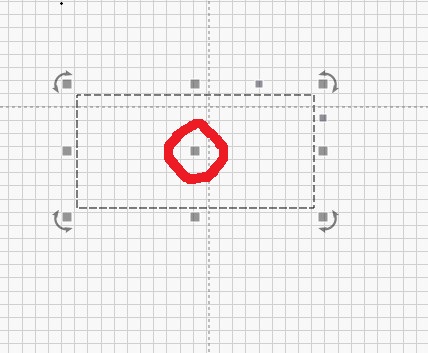
This has just started happening today. When I select an object I normall get four small, grey corner boxes wher I can adjust size or rotation. As well as the corners there are 2 smaller grey boxes around the perimeter for adjusting angles. The problem is the small square in the middle of the object that I grab to move the object has disappeared. How do I get it back?
As @MikeyH writes, it is always an advantage to have a little visual support for the issues, it just makes it faster to “see” )
But I think you have accidentally locked your objects, see picture.

That is exactly the miising part and thankyou so much, I had accidently un-clicked the “MOVE” button. All fixed and much appreciated.