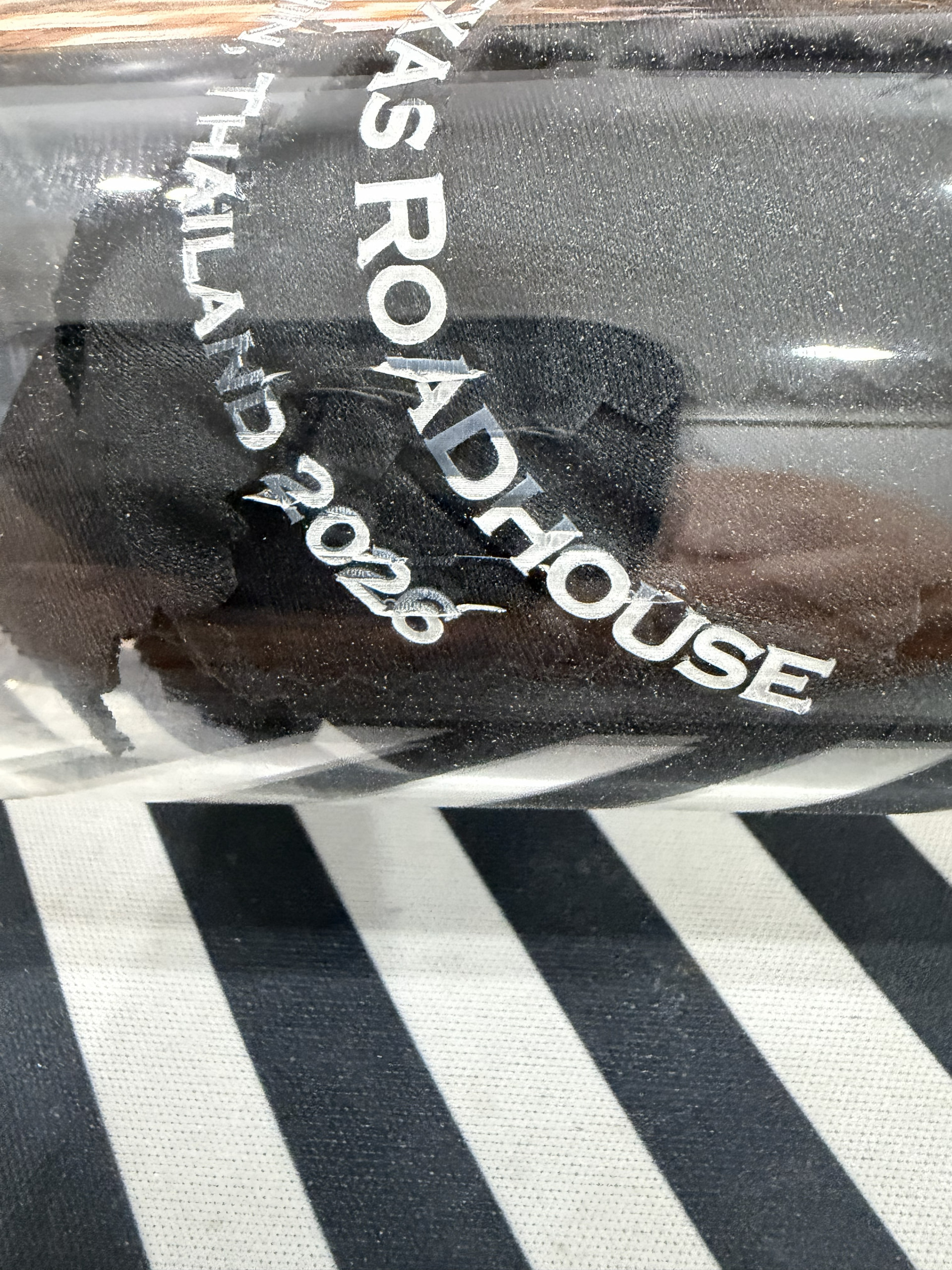
Oh, Laser Engraving Gods! I hope you speak to me and offer some sound advice.
I am using an Omni 1 UV Laser with a R5 Rotary engraving a glass. Parts of the engraving are coming out awesome (these are the parts on the left of the picture and near the front of the bed). The text near the rear of the laser bed (on the right in the picture) has issues where some of the letters are not well-formed. It is always in this area I am having problems regardless of the text.
Here is what I have tried to do to resolve the problem:
- Calibrate the Galvo’s (huge improvement in quality - highly recommend to anyone if they haven’t)
- Change the settings for each set of text (see settings below).
- Made sure the glass is level (it is somewhat tapered, and that fixed a bunch of issues)
The top text, which comes out great and has in most all setting,s is (Speed: 175 mm/sec, Freq: 32, Pulse: 1, Line Interval: .003, Passes: 1, Scan Angle: Parallel with the glass, not perpendicular)
The middle text, which comes out good now except for a few letters, is: (Speed: 100 mm/sec, Freq: 32, Pulse: 1, Line Interval: .003, Passes: 1, Scan Angle: Parallel with the glass, not perpendicular)
The bottom letters which are slightly worse than the middle and have a 50% chance of cracking the glass between letters, is: (Speed: 75 mm/sec, Freq: 32, Pulse: 1, Line Interval: .003, Passes: 1, Scan Angle: Parallel with the glass, not perpendicular)
So I am trying to get the settings dialed in here. If I use the settings from the top text the bottom text is awful. The settings above are the best I have been able to achieve but are not good enough, especially with small cracks in the glass.
Thanks in advance for any constructive advice on how to improve the output.