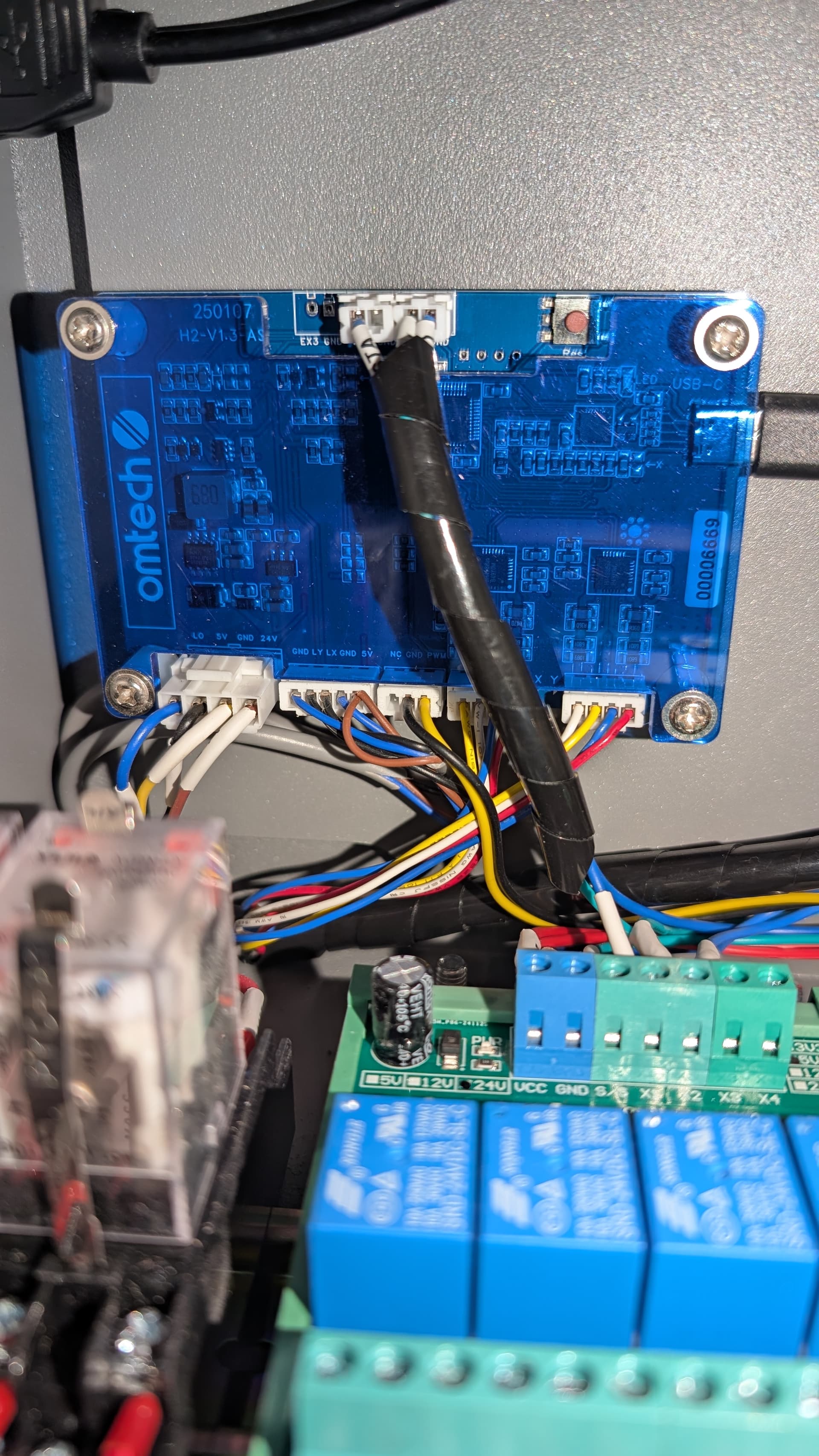
I just got a OMTech laser cutter and can’t get it to work with LightBurn. Maybe someone here has seen this before.
When I try to run a job, I always get this error:
“There was a problem sending data to the laser. The machine may be busy or paused.”
In the console it just keeps spitting out XHPI messages. The machine itself shows as Ready.
What I’ve tried so far:
Installed the driver from the USB stick.
Set up the machine exactly as in the manual.
Tested on 3 different PCs (2× Win11, 1× Win10).
Tried multiple USB cables.
Enabled DTR signal in LightBurn.
On my Windows 11 machines the USB connection kept dropping until I pressed a small button on the controller (under the service cover). After that the connection stayed stable.
I’ve already spent about three hours troubleshooting and couldn’t find anything useful online, specially regarding that “XHPI” message in the console log. Has anyone run into this before or found a fix?
It would be much wiser to just post the first part of these error messages and let someone who knows these give you some kind of idea about what’s going on.
I’m assuming it’s a 32 bit controller.
Copy and paste the first group, from the console, that should cover everything, I hope.
Did you try connecting with LaserGRBL? Just to rule out a settings issue first.
Is the device shown in windows device manager once connected? At the com port section.
I think I figured out that I might have deleted/bricked my firmware on the motherboard accidentally.
When I tried checking the USB cable I most likely pressed on the brown-ish ‘res’ button.
Since nothing worked anyway anymore I pressed this button again while being inside of LightBurn and it shows me this message once per click. Otherwise it spams “XHPI”
“Welcome to hqpi bootloader please key command”
I cannot even find any firmware related software files on OMtech’s website to flash the MoBo again so I messed it up completely as it seems like.
Those buttons usually just reboot the board. But the firmware might be bricked, the message sounds like it. It seems to be waiting for the upload. You need to contact Omtech for the firmware file, it should be possible to flash it again.