I have an OMTech 150w AF4063 running on a Ruida controller with a Windows 10, Lightburn 1.2.0.1. I’m trying to use a Piburn 4.0 rotary.
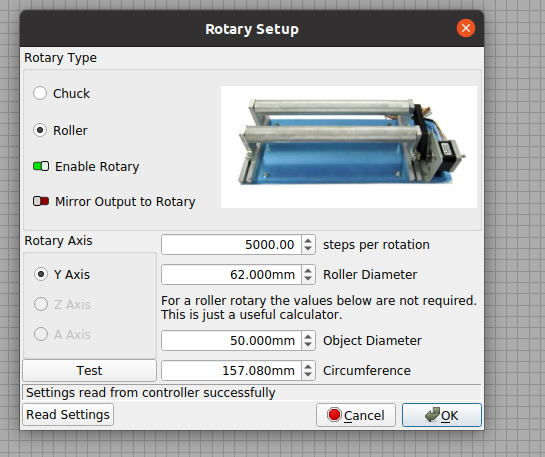
I have rotary enabled, with the changes advised in the Piburn users manual.
The first problem is when I click “TEST”, instead of rotating, the X moves 250 mm to the left (positive on the OMTech). Occasionally it will rotate, but it appears to be doing a “frame” action.
Burning a 100mm height test box at 12,500 steps will yield a 135mm box on the cup. Running at 20,000 will give mm a 100mm box on the cup. However, using 20,000 makes the images elongated. Returning it to 12,500 makes the images more compacted.
The machine is digital from your pc to the output of the driving motors, i.e. the shaft. There is no ‘fudge factor’ there…
PiBurn lays out the proper steps … that identifies the steps/rotation.
How many steps/rotation is your axes set?
What is the gear ratio of your machine? I have the PiBurn 3 and mine is 2.5:1 from motor to driving wheel.
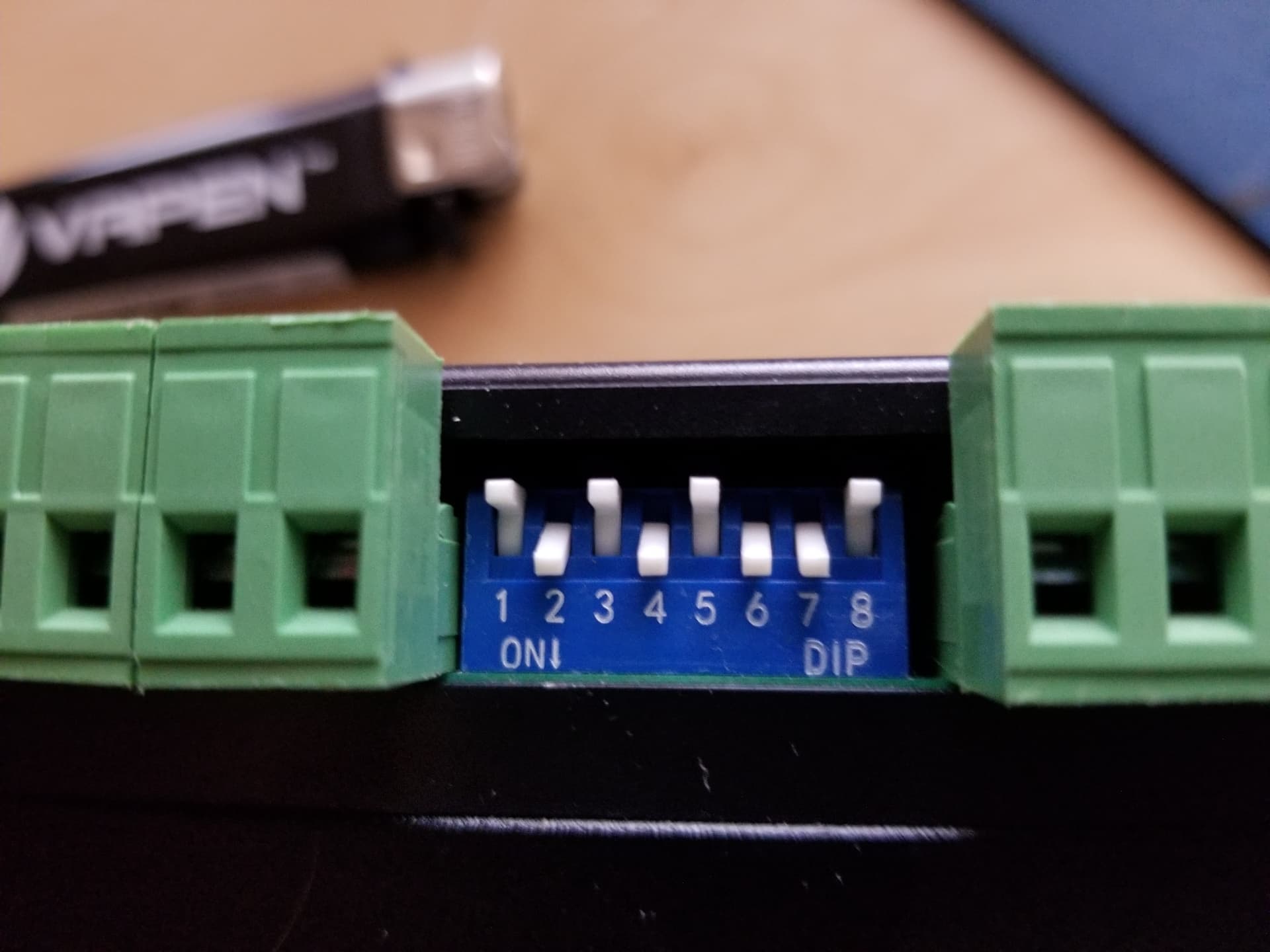
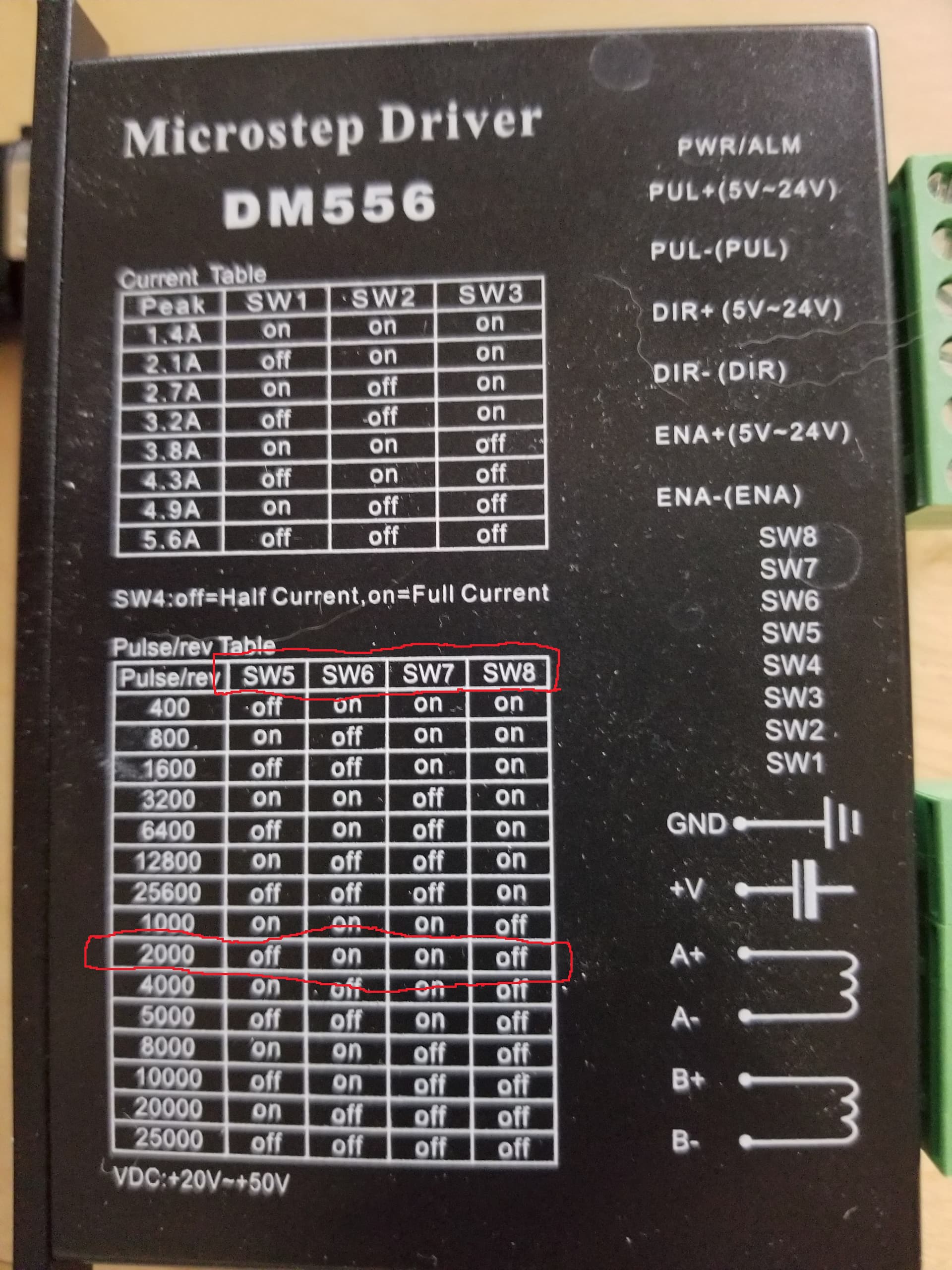
My switches read 2000 steps/rotation …
2.5 * 2000 = 5000 steps/rotation in the Lightburn gui…
If there are ‘adjustments’ they are with the size of the driving wheel… after the motor, it’s kind of analog… PiBurn stated my driving wheel was 63… I ended up with 62…
Thank you for the quick reply. The Piburn 4.0 manual suggests 5,000 or some 12,500. I believe for my AF4063, the correct number is 12,500.
However, there is something not quite right somewhere as when I click the “Test” button, the rotary doesn’t turn. Rather, the X-axis moves 250mm to the left ( OMTech machines that is positive).
When I run a program from Lightburn, the rotary will turn. At 12,500 SPR, a 100mm box in Lightburn will burn a 135mm box on the tumbler.
Changing that number to 20,000 SPR, will burn a 100mm box. However, it will elongate the images. Changing the number to 12,500 will bring the image to nearly the proper dimensions.