is there anywhere an option to catch an ON-Signal when starting lasercutting?
I’d like to activate the air assist pump and smoke extraction only when the laser is in action. Precisely: when it starts the job (not just when cutting). And they should shut off when the job is done.
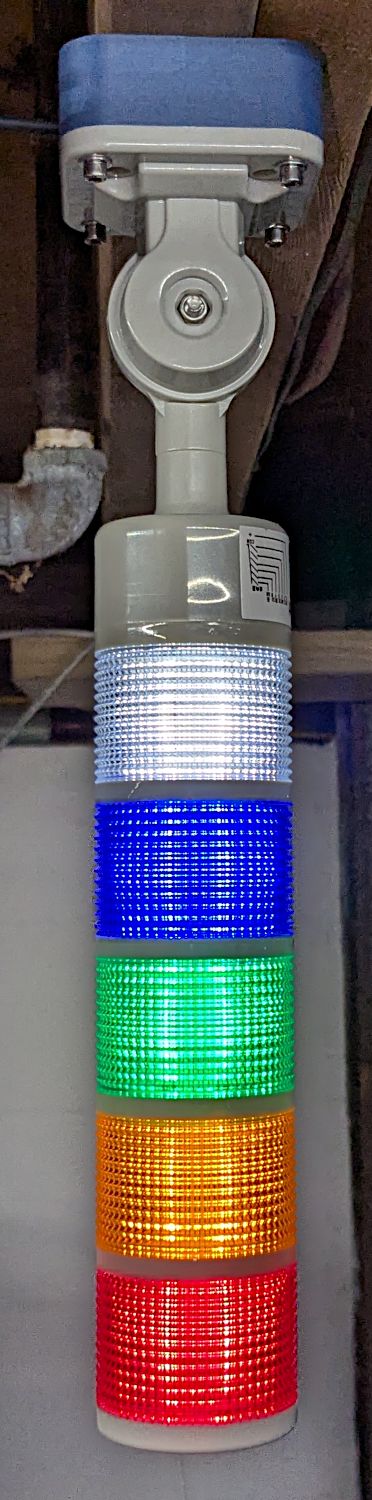
Additionally, I want to install a “busy-lamp” indicating that the laser is (still) working.
I might install a current switch with a sensor around…which cable? Where do I get such a signal?
Or do I get this maybe from lightburn on some computer output?
I could install a current delay relais like for house lamps: once triggered it runs for an adjustable time, so if the signal is intermittend (like laser current), I can bridge the time gaps.
That’s the STATUS signal (CN1 terminal 4) from the controller: active-low when a job is running.
There are no internal delays for the status output, but my KT332N controller can apply delays to the AUX AIR output to let the assist air pump start up and shut off. The 6445 controller doc doesn’t mention those delays, but they may be present anyway. The Machine Settings for your controller may expose them.
The controller output is a transistor with two states:
Off = not conducting
On = conducting
The load connects to the power supply (either 5 V or 24 V) and the output terminal. When the job starts, the controller turns the transistor On, thus connecting the output terminal to common = 0 V, whereupon your load becomes active.
However, I highly recommend using a solid state relay, rather than a mechanical relay, to prevent having the relay coil destroy the controller’s output transistor. Many people use mechanical relays, but some of them show up here with a problem we eventually identify as a blown transistor. SSRs are cheap, controllers are expensive: your choice.
A DC-to-DC SSR handles DC loads like solenoid air valves:
A DC-to-AC SSR handles AC loads like air pumps:
It will be active while the controller runs a job, either from LightBurn or its Flash filesystem.
If you use LightBurn’s Start, the controller begins running it as soon as it gets the first part of the file, which it will store in TEMPFILE in its Flash.
If you use Send, LightBurn stores a named file in the controller’s Flash. Then you poke the Start/Pause button on the controller and it runs.
Either way, the STATUS terminal goes low while the job runs.