I don’t know if this will help anyone, but I see a lot of questions about Speed/Power/Frequency settings. In an effort to jump-start new laser users, I’ve created a completely FREE online database for settings that provides Lightburn material library import and export - upload/download a single setting or a full custom library (vote for your favorite settings). Give it a try at https://laserscribed.com and let me know what you think. As this is just a public service / side-project I can address any issues or problems as time permits. I hope you find this useful.
*As this is in the early phases, it’s really important right now to CONTRIBUTE - the more you share, the more others will benefit.
Recently, some of those databases have popped up. I think vibe coding enables many users to create them 
(I did it as well for my wiki, it was not really meant serious, it was just a test how good vibe coding is - it’s quite ok now, though it still has some bugs ):
In the beginning of my laser journey, I was wondering the same. I searched the net to find settings tables for my lasers. This is what most beginners do.
The answer from all advanced laser users is: this does not really make sense. Settings are individual. You are referencing those users who are asking for settings. Most laser manufacturers also recognized the trend and are offering settings tables for their lasers. The fact that the users still ask for settings is: no setting from somewhere else will ever perfectly fit your setup. So no database in the world will contain perfect settings for each user. The way it works is to test, test, test. Beginners usually learn this the hard way (after searching a database, trying the settings, and failing); the more advanced you get, the more you learn to trust your own intuition based on hours of testing.
So, bottom line, it’s nice to have some values for a start, but a detailed database is unnecessary. It would be better to explain the connections between the laser settings and the results, this would help the users to find theirs.
Though, I’m trying to teach users for years now, and questions never end, so another database might reduce the amount of questions
Here is some additional feedback for the tool itself:
- once you logged in, there are no settings shown at all. You need to search for something, but a beginner might not know what to search for. So the start page should display the latest 20 entries or so.
- The settings need more description. You should mention the laser type in the details, otherwise you need to remember which type was selected before.
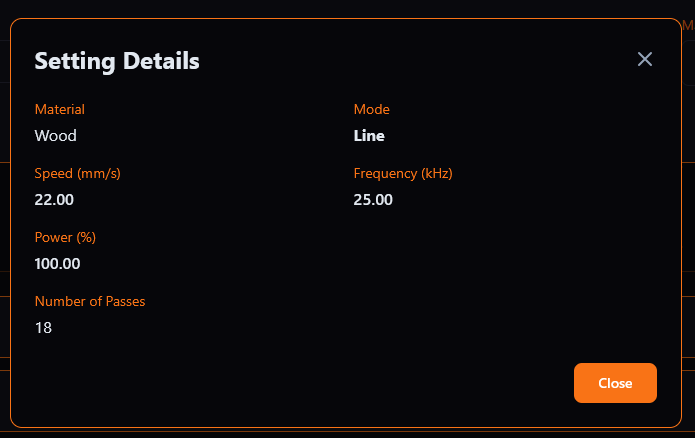
I also don’t get what these settings should do. Is it engraving? Cutting? What type of wood? Thickness?
gotcha - will try to get to these enhancements this week. I’ll post here when completed for verification.
I mostly agree… Now that I’ve had my laser for 2 months, I’m spending more time tweaking settings and less time on seeking settings from others. I do find some settings particularly useful, however - for example, I found a setting for “BLACK and WHITE” on both BRASS and CUPRONICKEL (without having to have a MOPA). Anyway, this whole thing was just (as you said) a vibe-coding exercise. It’s so much fun to see what you can create these days!
The site requires a login and personal data. So I’ll pass.

Yep, sorry about that - I didn’t want “junk” uploaded to the system so I created a user validation process. I’ll add a read-only “unauthenticated” option for searching.