Hi all. I’ve been pretty disappointed with the nesting solution that Lightburn points to, so I’m building something I like better. This not only nests better but also exports directly to LightBurn. I’m interested in feedback.
This isn’t the final URL, just what I’m using while i build it: https://laser-layout.netlify.app/
You can find the code here: GitHub - bdfinst/laser-layout: Automatically layout shapes for laser cutting. · GitHub
5 Likes
As long as the project remains open source and free to all, we don’t have any issue with discussions about it here on the LightBurn forum.
The Quick Nest solution we just released is only the first step, with a more advanced solution coming down the pipe as we speak.
6 Likes
No worries. When I open source a project, it stays that way. 
1 Like
BTW, I’m interested in the nesting method you come up with. I had Claude Opus churning for a few hours yesterday on creating something that got close to what I was able to do by hand. It got pretty close.
1 Like
Hello Bryan,
Thank you for sharing the project here.
Here is my feedback on my scenario.
I cut the packaging boxes from pre-cut cardboard sheets in 600x350 and 500x400 mms. I have 3 different sized boxes which I’d like to cut as many as possible from these sheets. First of all, in all the nesting applications I had tried in years so far, I haven’t seen an option to just give the sheet size (with unlimited or by specified amount of sheets) and the shapes by quantity then to let the process work on the best fit for/on the least amount of sheets. This would have been handy in my case.
After fitting 7 shapes into the given sheet dimensions, it stopped (as intended on time limit) with 17 shapes remaining.Would be nice if in continued into further sheets (by choice) to fit all given shapes into given sheet sizes. (attached image)
Secondly, first I uploaded a lightburn file with the grouped shapes of each box type (3 different layers with my brand on it and folding perforations etc.) - this was not recognized. Then I have taken off all layers but the outline layer - joined the lines (they apparently came out broken up from the box generator software) and uploaded the file with box templates arrayed as single shapes only. It worked this way. (as attached here)
My 3rd comment would be about the nest preview; I did not take a screenshot or paused it at that moment but I think I might have seen one corner of my shapes (it was rotated by around 45-50 degrees) was overlapping another’s edge - which didn’t repeat again to the last generation and when it was stopped.
hkh.lbrn2 (25.1 KB)
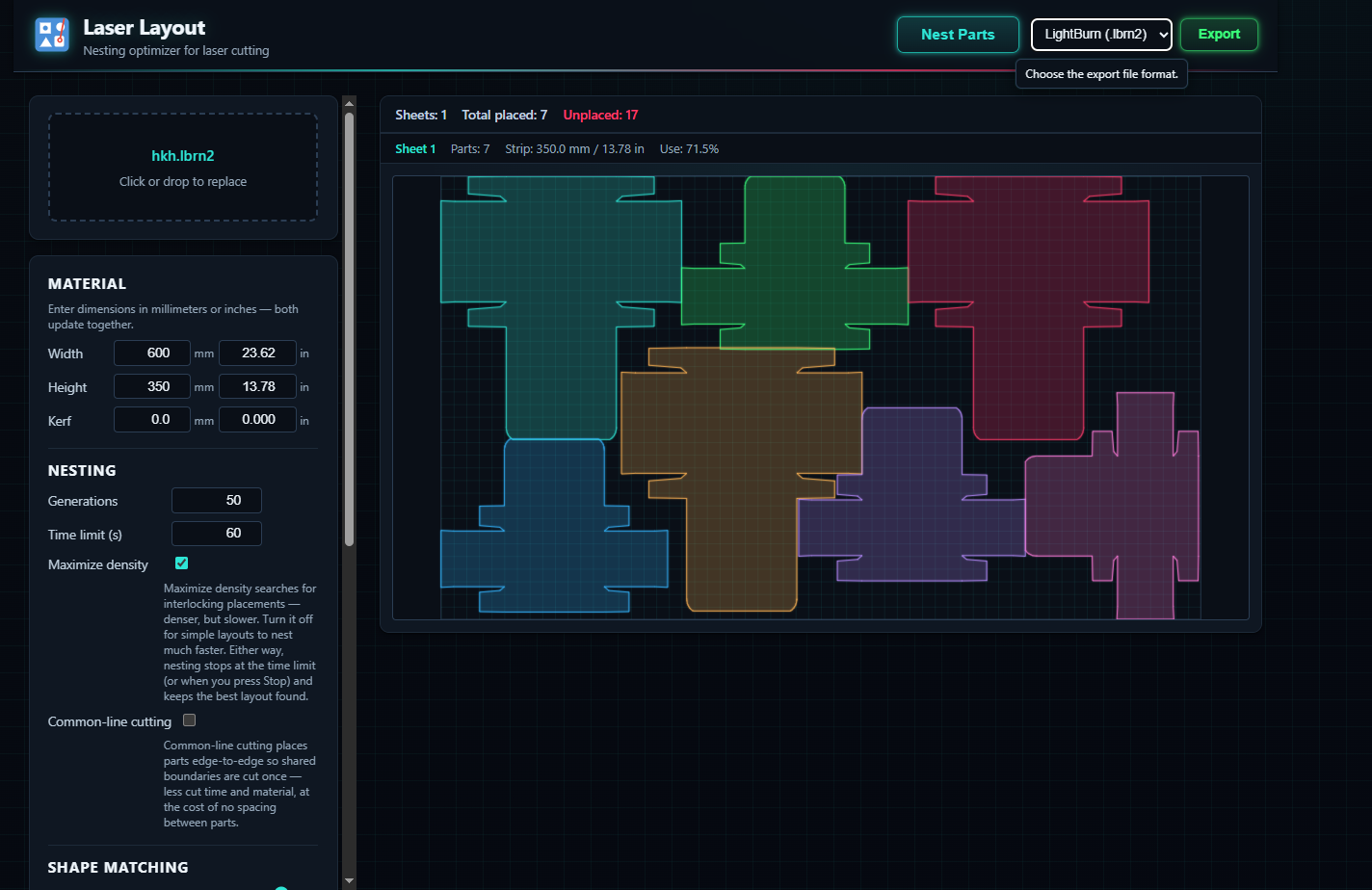
Awesome feedback, thanks. Would it be possible to screenshot the original file or, even better, send me the LightBurn file to use as a test fixture?
Here’s a deploy preview that tries to address your request and bugs.
Lemme know how it does.
What software do you use for packaging design?
I had generated my boxes using Easypackmaker, which is a paid service and using the same boxes since years. If you know of any such service for free, I would appreciate the information
1 Like
I had the lightburn file attached on my initial message. I have all my boxes with logo and folding lines in many different sizes on a single lightburn file and I take each one out for cutting/production as needed. The only difference is that on the original files there is a cut layer with logo, perforated lines for folding and the outer cut for the box; 3 layers in total grouped together on each size/box design. When I attempted them to be nested in groups, it had not recognized the shapes but I have not been able to retry on this issue for now again with grouped layers.
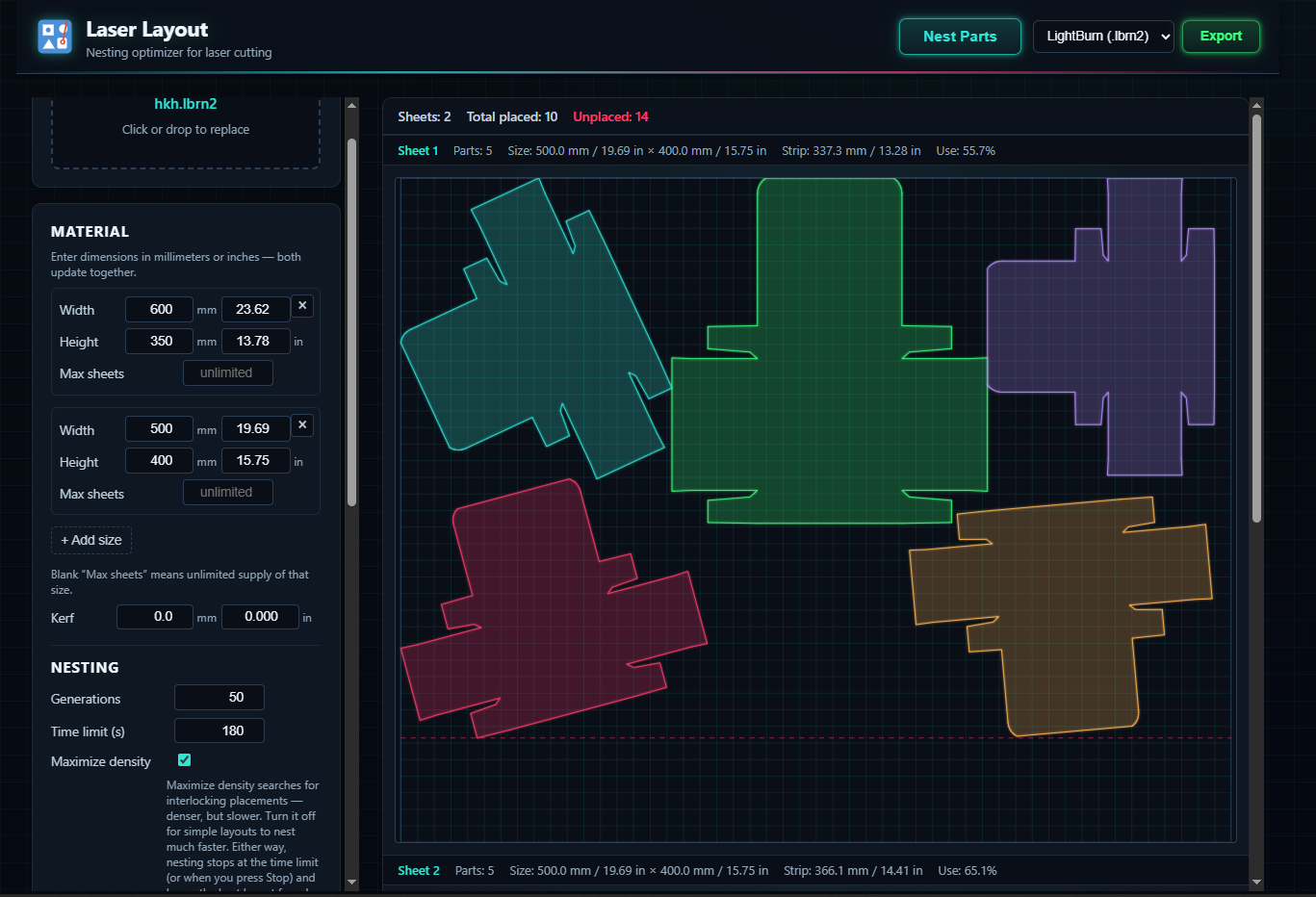
I have used the same file which I had attached previously; 8 of each size. When I specify 2 sheets and seperately 180 and 600 seconds generation time - the generator returned by choosing 500x400 by itself and worked on that size only - it did not attempt to use 600x350. On 600 seconds generation time, it completed the placement of all 24 shapes within 6 sheets of 500x400 (attached lightburn files here), whereas 180 seconds generation time timed out with 2 sheets of 500x400 and the placing of 10 shapes only.(screen capture here)
nested-layout-sheet-1.lbrn2 (8.3 KB)
nested-layout-sheet-5.lbrn2 (5.2 KB)
nested-layout-sheet-2.lbrn2 (6.7 KB)
nested-layout-sheet-6.lbrn2 (6.8 KB)
nested-layout-sheet-4.lbrn2 (6.7 KB)
nested-layout-sheet-3.lbrn2 (6.7 KB)
Thanks so much. Let me play around with these. I missed the file in the original message. That’s very helpful.
I’m only seeing one layer in your original file.
for your consideration, here are 3 sizes of boxes with layers and in groups.
boxes-withfold.lbrn2 (33.7 KB)
2 Likes
I haven’t tried it yet, but a HUGE thank you!
I’ve been using a 25-year-old version of SignLab for nesting because I’ve been asking—practically begging—LightBurn for years to add true nesting. Their third-party solution is crap, but I guess it cleared their conscience because they can technically say they offer nesting.
It really irritated me this morning when I received an email from LightBurn boasting that their relatively new software now has “TRUE NESTING.”
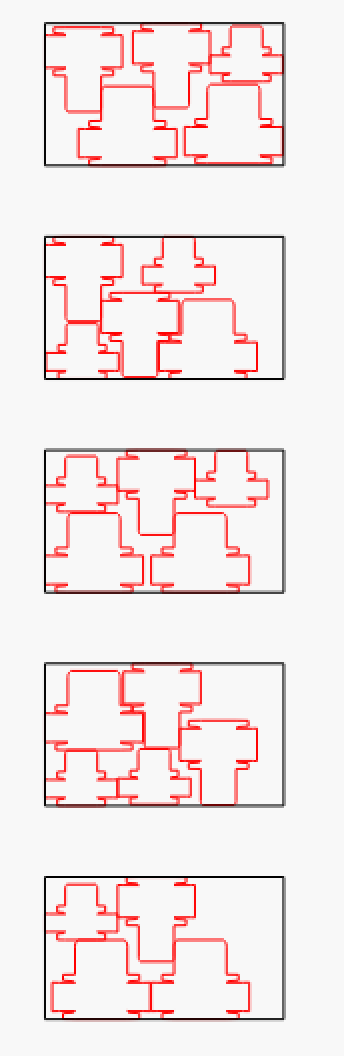
FYI Here is what happened with LightBurn’s new true nesting when I plugged in the box shapes from your earlier post to nest on 600 x 350mm sheets, it took 15sec each sheet.
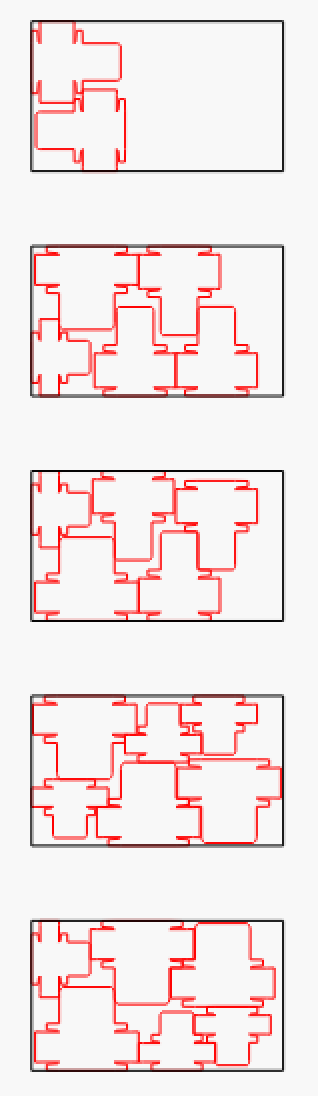
And this is 45sec per sheet option which I thought was pretty good, I restricted the parts to 90deg rotations because that made sense to me:
3 Likes
FWIW, you never want to rotate boxes 90 degrees from each other on the same sheet - only 180 degrees. If the sheet is true corrugated (fluted) material, the main folds are perpendicular to the flute direction. If it is paperboard, the main folds are perpendicular to the grain of the sheet.
2 Likes
I thought you would fold parallel to those ridges. That is the only it will fold when I stuff it in the recycle bin. 
Most of those folds will be a perf ( cut and space), because if it was just a crease, the fold tends to bend on the nearest flute.
2 Likes