Have been using lightburn on my Mac on Windows for about month no issue. Yesterday I ran a project thought the Mac and when I returned a few hours later to run another, Lightburn will not frame or fire the project. Absolutely nothing changed but the hours time between jobs. I hooked the laser to my laptop and it works fine. I do have to use USB-C adapters with the Mac because it doesn’t have USB-A ports, but they’ve been working fine for weeks. Not sure how to get it back up and running. It shows connected and even runs the timer if I hit go, but nothing come out of the head.
I have
*manually selected the port
*reset everything
*swapped adaptors
*checked permissions (not sure if I missed one)
I’m assuming, that’s the Windows laptop?
To rule out changed settings, use the User Bundle feature to transfer your settings from the Windows to the Mac Mini, and run the same project there.
Restarting both the laser and Mac Mini can’t hurt either.
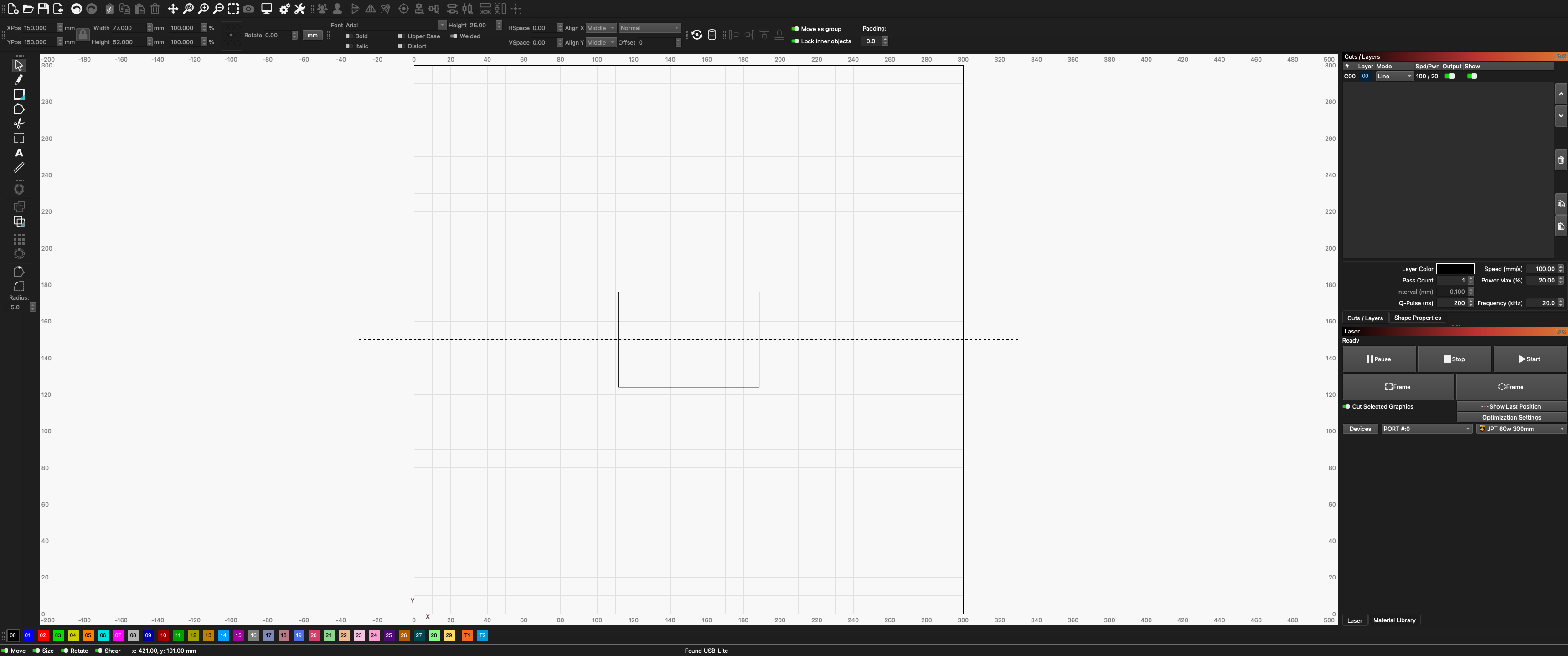
Can you show us a screenshot of the entire LightBurn window while running a job?
The Mac is the one with the issue. I had been running it on the Windows laptop without issue and thankfully I had that handy to complete the job.
As far as the Mac is concerned I transferred the User Bundle a few weeks ago and it’s been working fine up until yesterday. Im not super familiar with how to take a screen shot, but it looks and acts identical to if it was working like it should. The only difference is that it will not frame or fire the laser. The dialog box comes up as usual and if I hit start it will act like it running the job and run the counter as well, except nothing is being output at the laser head.
I have already tried restarting. Ive tried to delete a reinstall but I thing its not fully uninstalling
The fact that you are connected to the machine pretty much rules out the USB connection as the problem, but it won’t hurt to try another cable if possible.
The notice “Found USB-Lite” on the bottom of the screenshot is promising.
If you have any other devices connected, remove them temporarily for evaluation
Does the status in the Laser window change from “Ready” to “Framing”?
My intention was to make sure, you are using the exact same device settings as on the Windows machine. Since it was working yesterday you can restore your settings from an automatic backup:
Go to ‘File > Preferences > Load Prefs Backup’
The preferences backup window will appear. From the list, select a time and date when everything was working as expected.
This will restore your prior settings. You can return to the Load Preferences Backup window at any time to try other backups.