could someone please give me a step by step guide on how to use lightburn pass through have looked at you tube still can’t get my head aroud it thanks
Alan
As far as I know, you would use passthrough for images that have been processed using image software other than Light burn and it prevents any further processing when imported.
You set your Power and Speed settings, then select Passthrough and begin work.
If you means enabling the option in the edit/cuts window, this is used to prevent Lightburn from processing the file before sending to the laser.
I you use ImagR, you tell it size, interval (dpi) the produced image, when imported into Lightburn will be modified to be what you have told Lightburn, I.E. a change in size or interval before it’s sent to the laser.
If it’s processed, then reprocessed by Lightburn, most of the information gained by ImagR will be lost.
Make sense?

Do you mean the Pass-Through for image processing where dithering isn’t used…
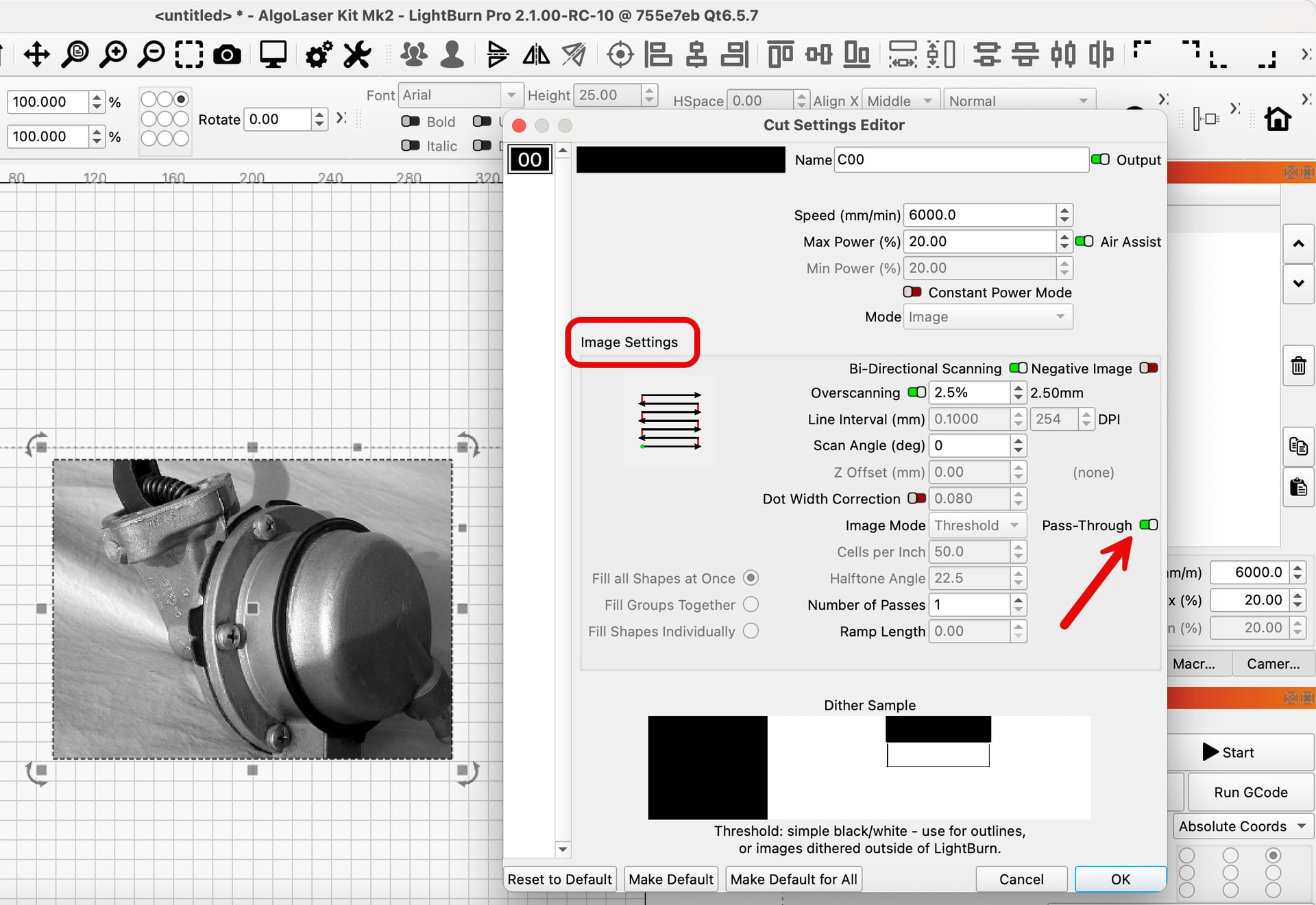
…or the physical pass-through used for engraving a project that is too large to be completed within the machine bounds?
I’m asking because the ‘Print and Cut’ feature in LightBurn is how to make use of the physical pass-through feature in the enclosure of a laser engraver by adding registration marks.
I’ve seen this feature as one thing someone could have trouble getting their head around.