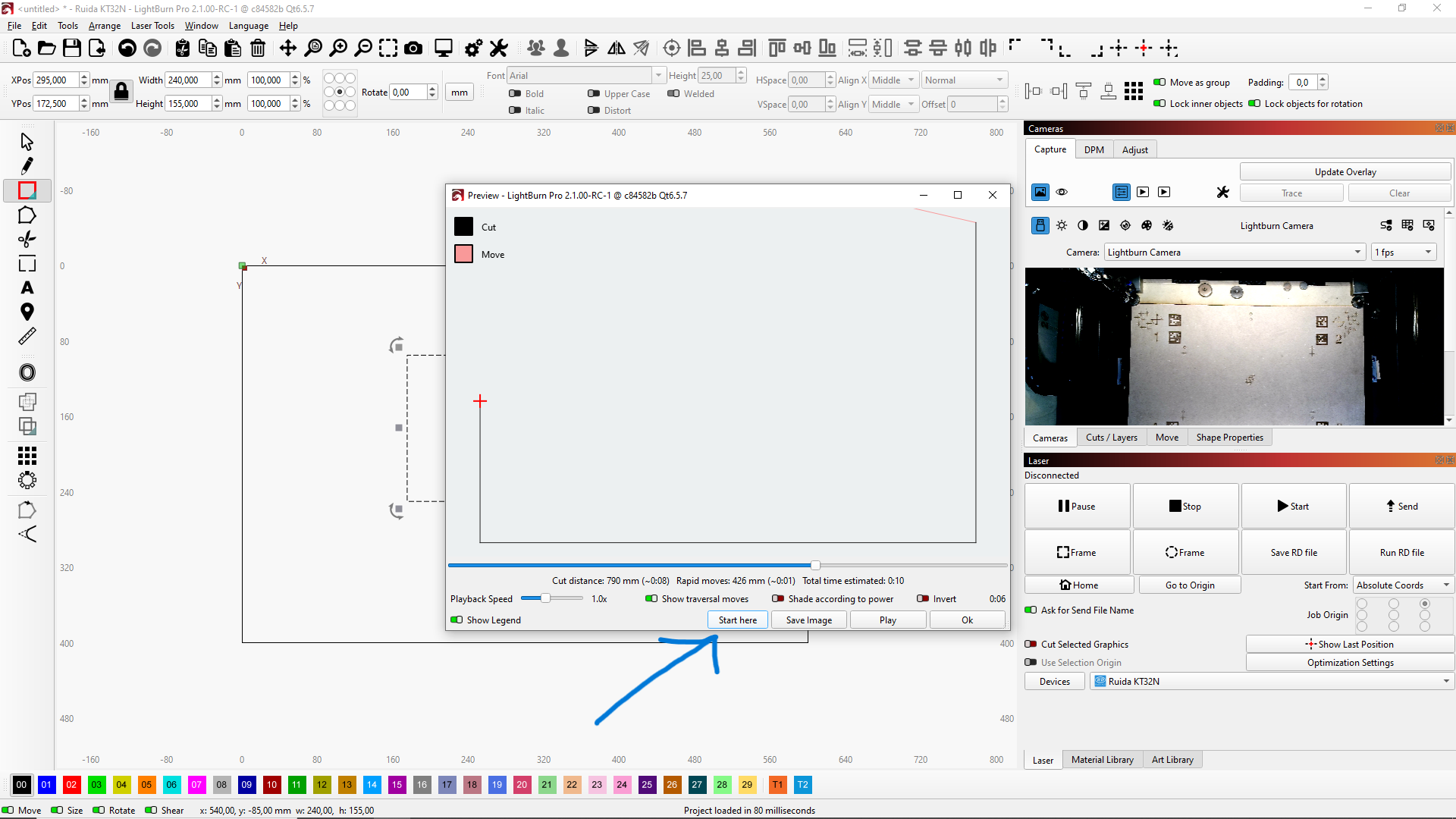
Hallo. I want to ask how can I paused my laser during the work, “home the laser” and then start my project from the paused place.
Thank for advice, L.
Hallo. I want to ask how can I paused my laser during the work, “home the laser” and then start my project from the paused place.
Thank for advice, L.
There are a couple of ways I would do this. Maybe these are not what you are looking for but just thought i would pipe in.
First, you could break your job into multiple parts. Download the instructions i wrote then change the file extension from .txt to .docx. This is a word document. I use this one if i have a job i know is going to take hours to run.
Quick Trick to Break up a Job into Smaller Parts.txt (332.1 KB)
The second way you could do this is to go to Window Preview and Click on Play. Let it run until you get to the point where you stopped your job then Click on “Pause”. Then Click on “Start Here” and Select “Start Job on Laser From Here”. Your Job will run from the starting point you selected.