TEACHER NEEDING HELP!!!
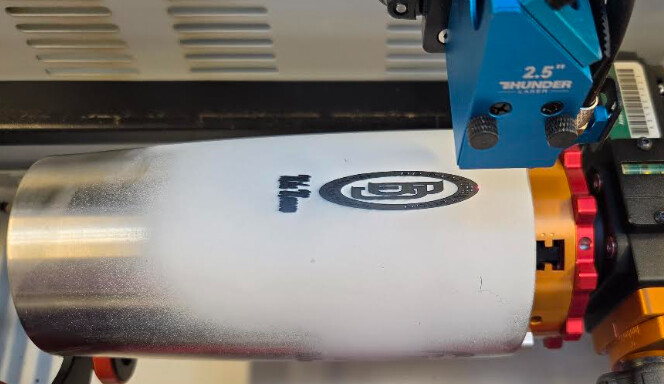
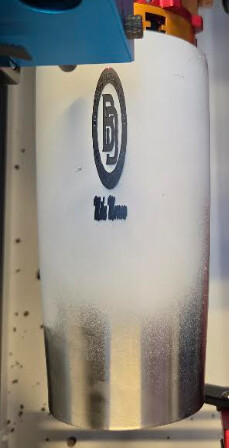
I have a brand new Thunder Laser Bolt with a PiBurn Chuck Rotary. I am running a usb cable between my desktop and laser. Image being engraved is squished compared to actual image in Lightburn. Would somebody please look at my settings to see if something has been missed? Settings in Rotary Setup appear to all be correct. Height in X axis engraves correctly, its the steps per rotation that is killing it. I have been fighting this for the past 3 days, and I am getting super frustrated…
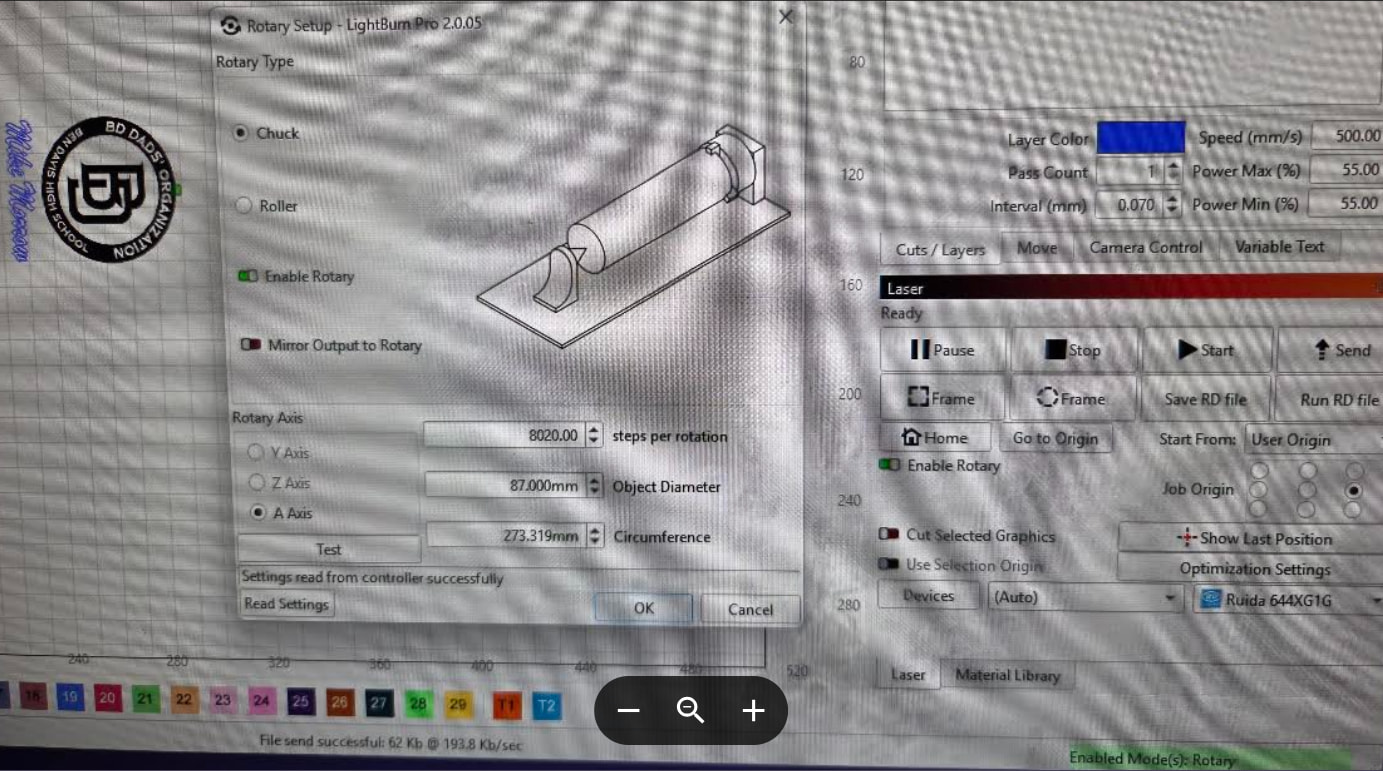
Assuming the diameter is correct, crank up the steps per mm! I’d say at least 2x. Iirc, the normal test is in the config for rotary. Put a piece of tape or similar on the object, and ensure it does a full rotation when you hit the test button. More than 1 revolution → steps per mm too high. Less than 1 revolution → steps per mm too low.
Edit: likely 16384 is a good start
2nd edit: steps per rotation, not steps per mm
Have you applied the solutions from our rotary troubleshooting documentation?
FWIW The steps for a Thunder Laser Nova is 8,000. You have it set to 8025, I’m not sure if that would make a big difference. But it can’t hurt to check.
Circling back on this to see how things are going…
From the docs link I shared previously “If your output is shrunk or stretched in the direction of rotation, either steps per rotation or Object Diameter (if working with a Chuck style rotary), is incorrect.”
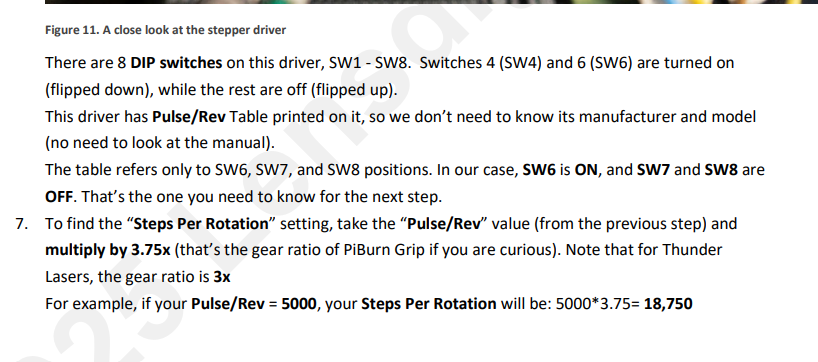
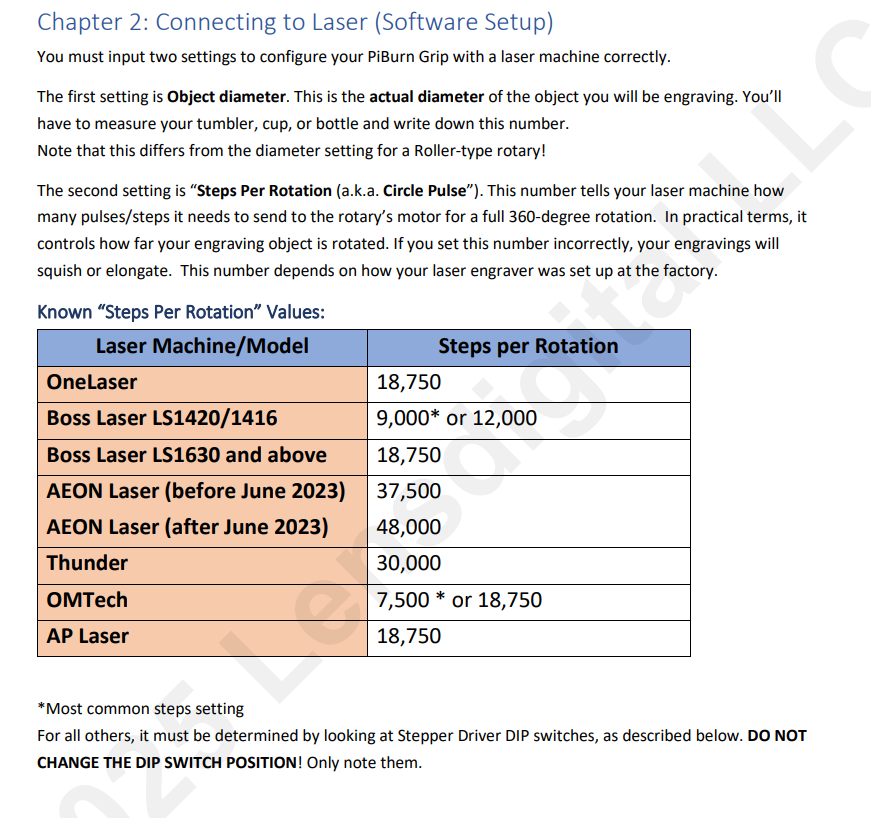
Thanks everyone. It was the steps per revolution I had set wrong