I think i seen this a few months ago as a question but is there a tab to click that tells the router to return to its origin on x and y axis after running a file? Would be very handy
as in origin do you mean home origin or a set position you desire ? eg back of table so u can remove item off bed
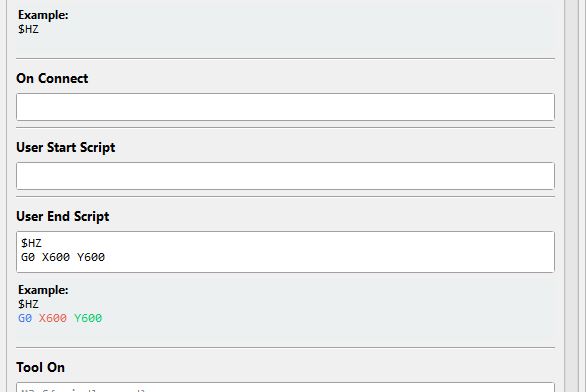
if you go into custom g codes user end script it will go to what you put in there after each job
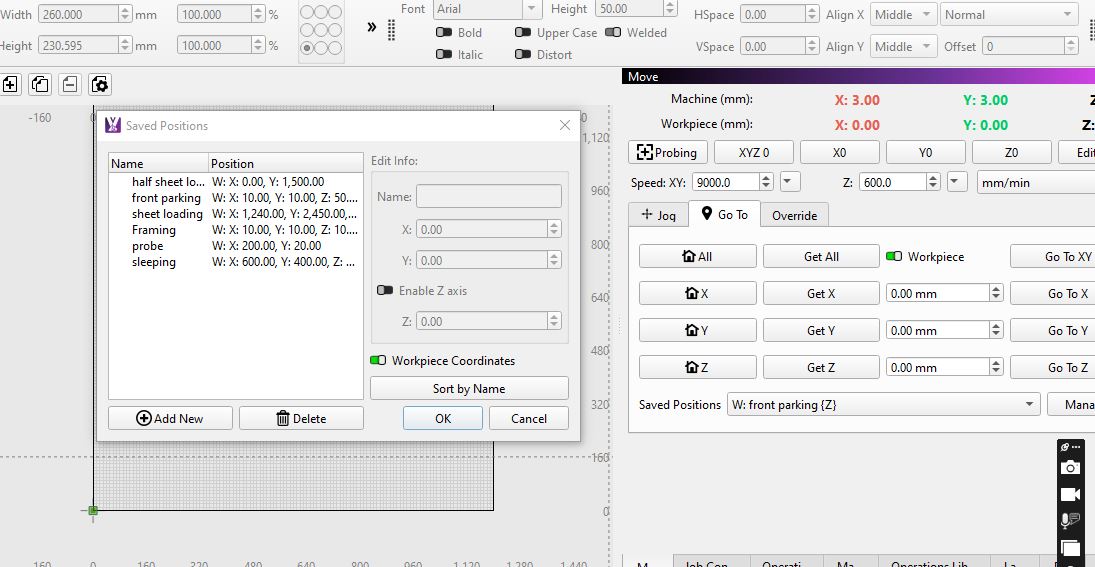
another option is under move tab ,saved positions and click manage and set up any saved positions you want , they become very handy especially if you have a big table
I would like it to go back to where i zero x and y to start the file so when i have multiple operations for one project, i can start the next operation without manually finding my x 0 and y 0.
If the millmage control buttons allow me to to return to x0 and y0 with one button push, then i guess i should be learning to use that sooner rather than later. Thanks for the help.
Im assuming that i have to go back to where i started and zero’d my axis before starting the next operation. Ive been doing it this way every time.
Just for grins, and with no tool, Jog to the center of the table and hit Start.
It should still move to the correct position and begin milling.
I will definetly try it and see what happens
This is what I use all the time. I run multiple jobs or operations on the same part. Put this in your end job script:
G0 X0.0000Y0.0000I will try that, thanks
Back from vacation and i tried running a multi operation without re zeroing the x and y after each operation. I can confirm that it did run successfully .
just re read this part which is diffrent to your 1st post
after running a file to me is end of job, the above replies relate to this
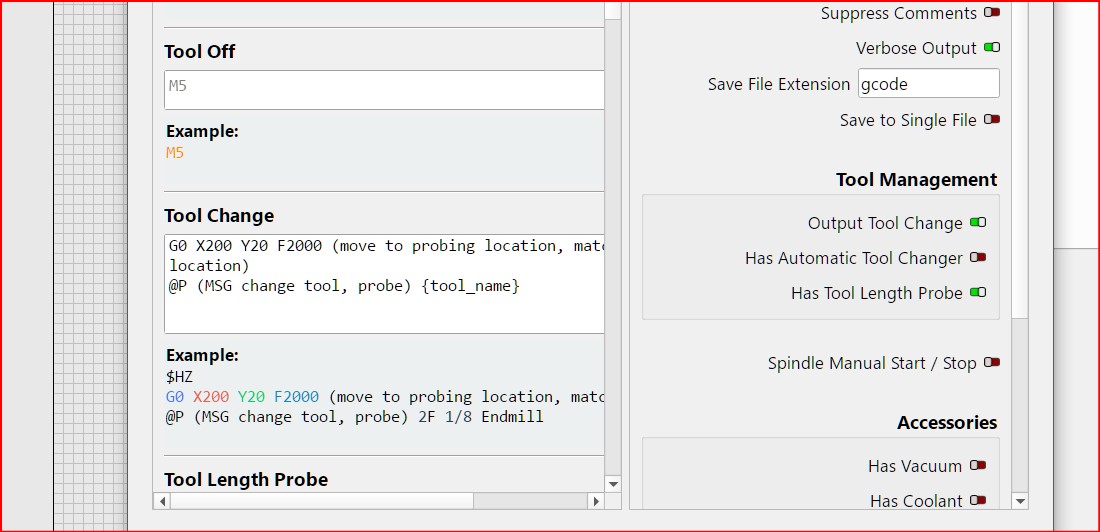
re multiple operations that is different again -( tool change) in custom g codes under tool change this is where you tell your machine to go at end of each operation
unsure as weather you have all operations enabled or manually turn them on and off
This effects how things are set up , if all enabled you only need to find X0 Y0 at start of job after that , tool change can be anywhere as above mine is x 200 y 20, as Z only needs probing after each tool change , if multiple operations use same tool , it may pause and ask you to continue for next operation , or just carry on with next operation with out blinking , (well my machine does that , has mind of its own some days)
end of day its user preference how you set up everything , some like full automation , some manual for everything