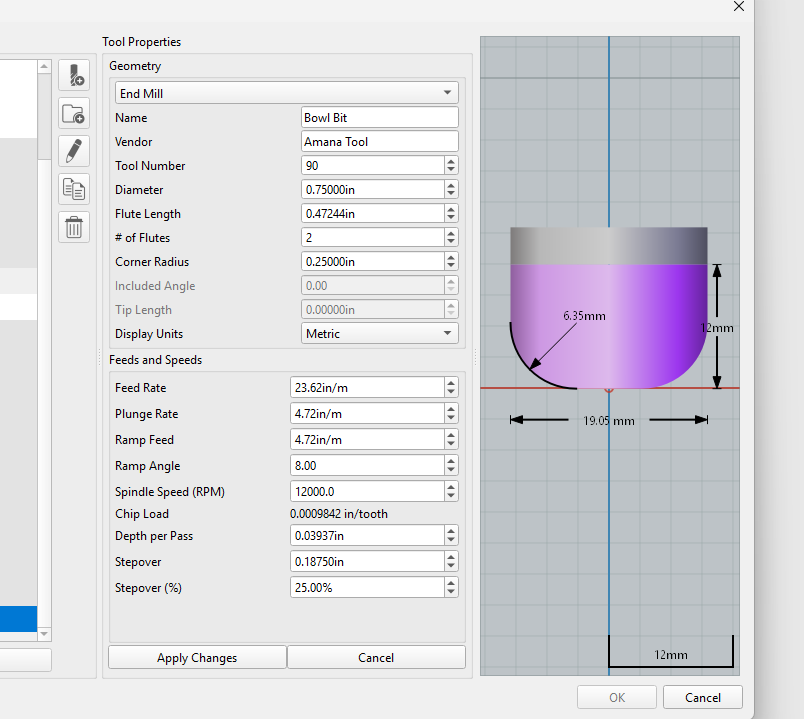
I had made a project in inches and then decided to change to mm. I went through the tools used and changed from Automatic to metric. I discovered some strange settings though Pretty sure in/m is non-sensical. As well, some things did not change at all.
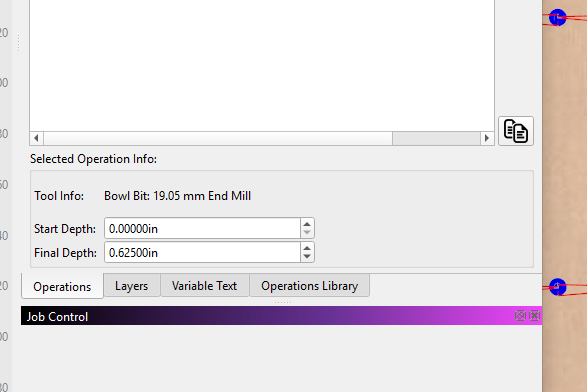
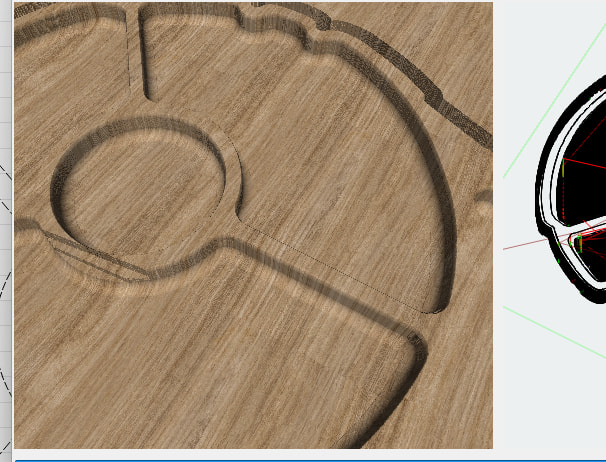
Another thing was the Pocket Lift Height. It was set to 5mm. The pocket total depth of 0.625in. There are multiple pockets and on one of them it created a slash through the material as shown. This should not have happened at all and I had to raise the pocket lift height to 15mm in order to get rid of it.
The pocket lift bug has been fixed already, but I think hasn’t made it into an RC yet.
For the others, without seeing what your original speeds were, I can’t tell you if the current inch/m values make sense or not. I can tell you that 120 mm/min is the default plunge rate, and that works out to about 4.7244 inches/minute, so my guess is they’re fine.
thank you. how about the switching of units on the diameter/flute length and corner radius? Feed rate/ plunge/ramp, depth of pass and stepover maybe should have switched to metric as well I would assume (famous last words). Tools and job were originally setup in inches, but I switched it to metric instead of automatic. I know I switch back and forth between metric and imperial all the time. I find for me at least that I understand imperial dimensions conceptually better than I do metric. But for small things I will switch to metric.
I hadn’t noticed you actually changed the “display units” in the tool window to metric, so everything there should’ve been in mm, not inches. I’ll take a look. Handling the different units has been possibly the least fun thing in this project.
Well, my assumption is that you might purchase a tool in a specific unit, like 1/4" or 6mm, and so it should stay in those units unless forced otherwise.