Hello there ! first post here… I’m playing with my S30 Pro since a week, and since yesterday everything is going wild.
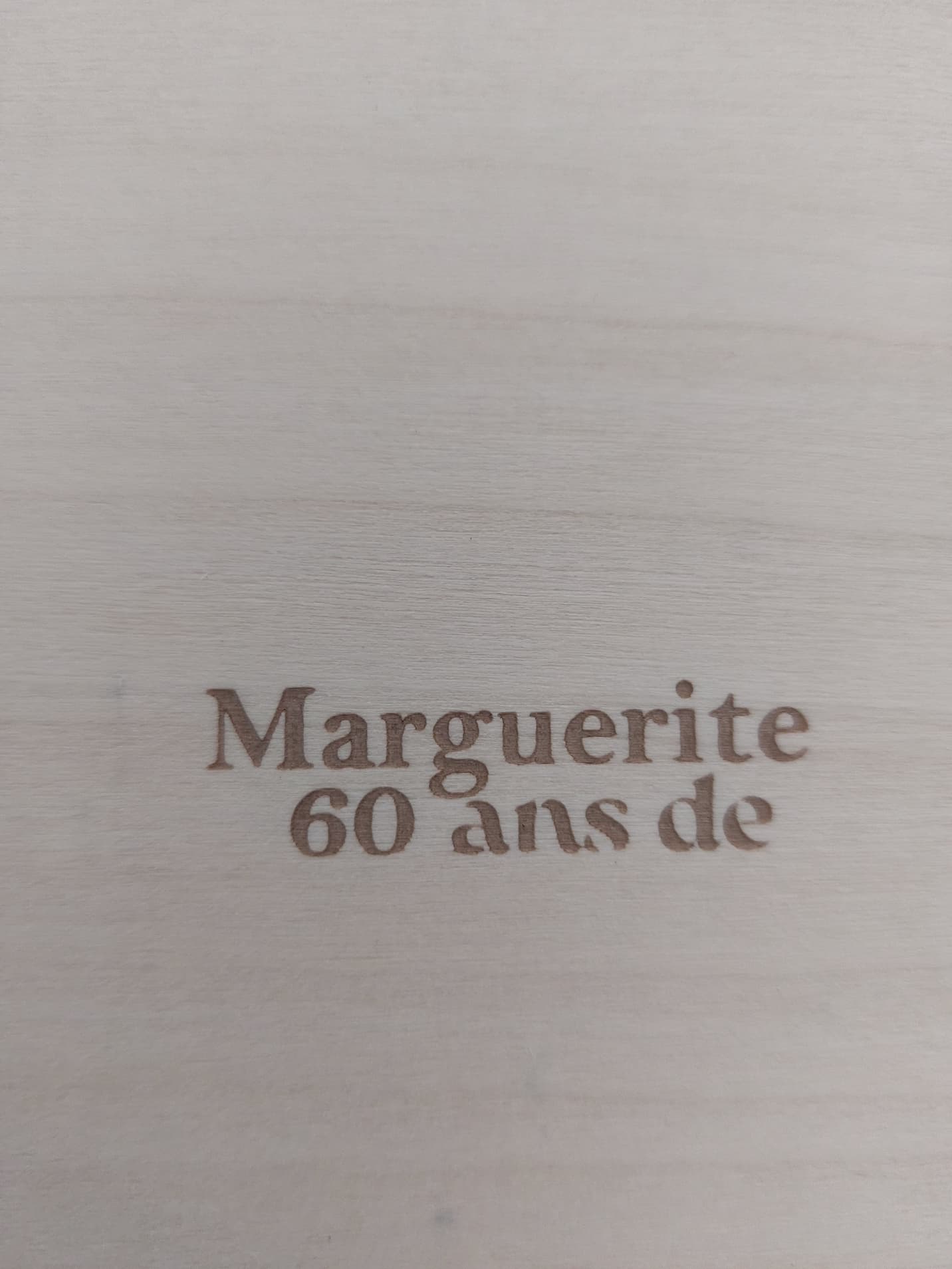
I ran several tests that seemed good, and I was ready to get some project running, but all the sudden my vectorial shapes, texts, everything that is set as “fill” shape looks harsh, as if it couln’t engrave it. I tried to change the max power, lower the speed, nothing changes. The power seems OK since the wood is deeply engraved if i set a high power preset, but the shape is really eird. I even tried to start blank new project, draw a rectangle, set the filling at 100mm/s x 70% power, and the shape looks very very odd.
I had a look at the lens, cleaned it, I don’tknow what’s happening…
Thank you for your help



Hi Platypus
If the power setting is the same as yesterday perhaps it is the speed that has been altered (increased). The engraving this morning may be a little shallower than yesterday and less crisp.
Also perhaps the bottom photo shows signs of air assist being turned on.
Here is a new pic : to the left, the today’s result. To the right : yesterday’s result. Presests are exactly the same, speed and power. The difference is obvious, and affects the cutting line as well as the filling forms, since a 7mm/s x 74% line was ok for cutting yesterday ans is not anymore.
But you were right about the filling problem : is’t clear that the 100mm/s x 82% and 100mms x 90% (the 2 rectangles in the up right corner) is powerfull enough to get good filling.
Eva
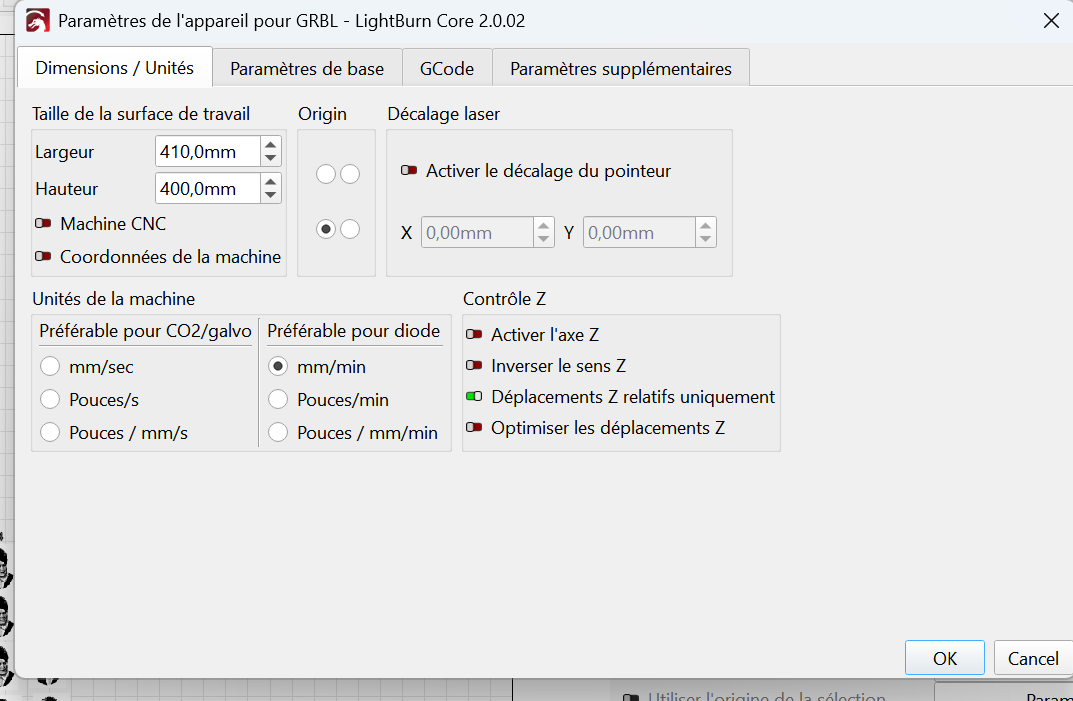
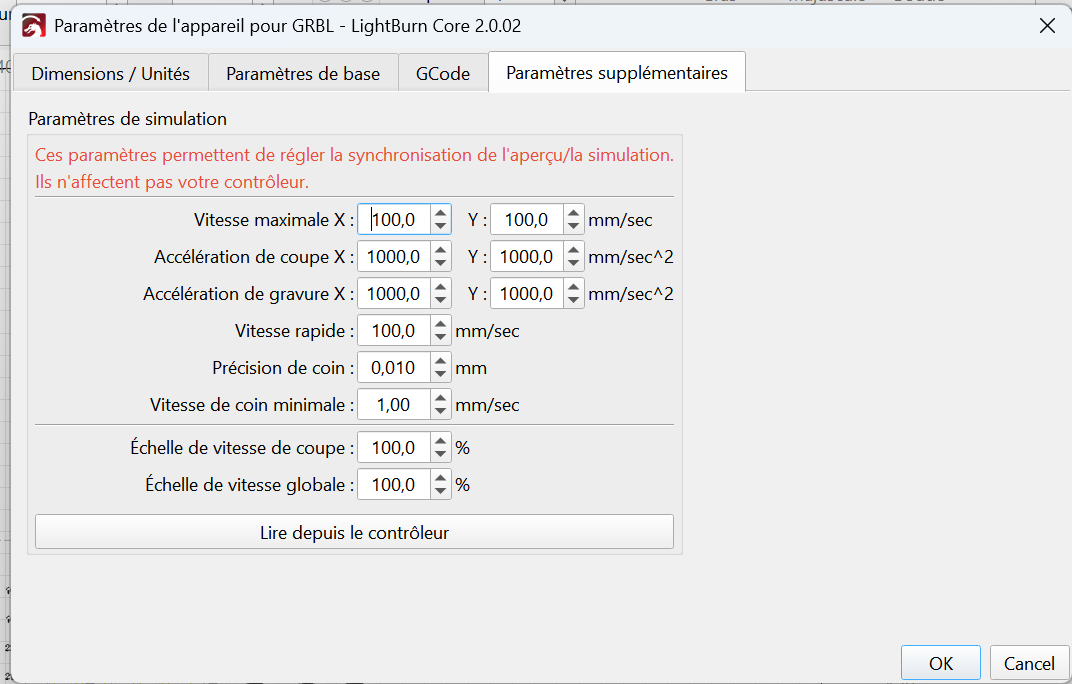
Could you try setting your speed to ‘mm per minute’. It could be an acceleration issue.
Ps…If you post a screen-shot of your settings you will probably get more/quicker replies.



Did you clean the lens already? Check these guides: Quick Start & Overview - Diode Laser Wiki
Yes i did, thank you. It’s weird how the lens accuracy seems perfect, and the power seems totally lowered. Could there be an option in the presets I would have ticked that could have changed the power ?
Hi Eva
My Lightburn version is 1.7.06 and yours is 2.0.02 so we have different screens appearance, also I do not read French.
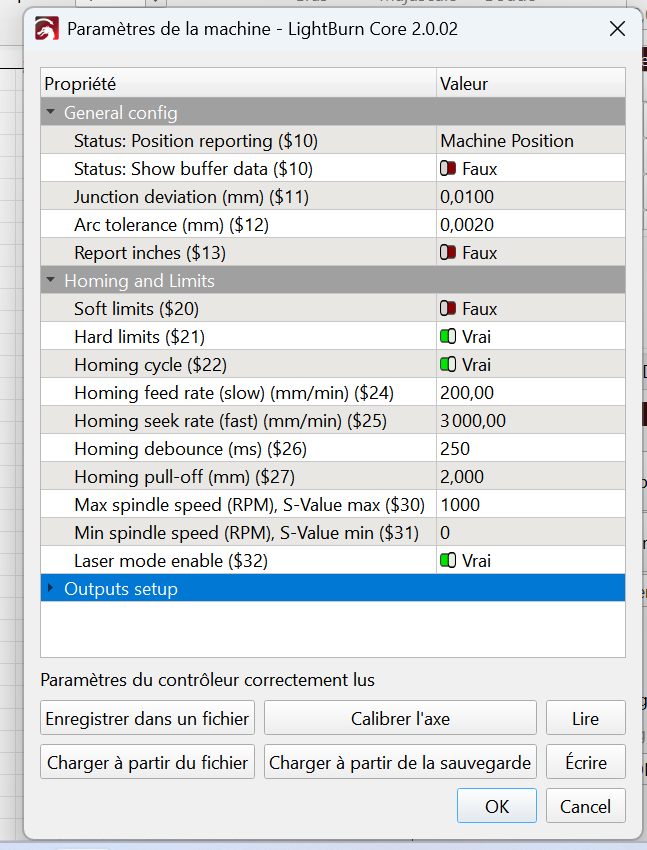
I may be wrong but would someone check the values in the screenshot of “Parametres de appareil pour GRBL”.
If I am looking at the same values listed in the photo compared to my values for “Device Settings”..then they are very different.
Were you running a Speed/Power test in the photo above. I notice the bottom right square is almost a square…bur decreases in quality further up.
Also the three rectangles appear to have excessive smoke residue. Is it too much power and not enough Passes!
If you can, your Cut Settings might help.
Your firmware and device settings seem to be ok. Do the wall test (create a picture of the beam spot on a wall) to check if the beam is disturbed somehow.
Do you think an intermittent may be the cause. Cable, connector or drag chain?
@Pete.IRL 100mm/s is the same as 6000mm/m.. just like 60 m/h is the same as 96.6 k/h, same speed. I run all of my machines in mm/s, mainly because I know what that looks like. Also, I have never seen a reason to enter more digits than necessary, such as 100mm/s or 6000mm/s… I’d take the mm/s. 
At least the user can change it to what makes them comfortable.

Thanks Jack
I thought I was onto something and simultaneously realised I was supposed to be somewhere else at that time so had to bolt.
Must make a chart for mm/s - mm/min…Everytime I see mm/s my brain screams brace for impact!
And it is the ‘Additional settings’ page..Much a doo about nothing, but experience gained.
I’m just the opposite. 
Just know where you have a calculator, it doesn’t screw up, unless it’s the driver.


I think you have a mix of mm/s and mm/min settings, which resulted in incorrect speed settings.
The values in your screenshot are insane and not possible for this laser. The maximum speed you can use is 6000 mm/min (100mm/s). Most of the layers shown in your screenshot are far above that limit.
Do a new material test with 6000mm/min maximum for engraving and 1000 mm/min maximum for cutting.
The beam does not really look perfect, it should be one spot that is nearly square. But I don’t know if the physics have changed in newer modules.
Brilliant!, Misken said what I was trying to put into words.
Also, when you are cutting through, Increase the number of passes rather than increasing power.
For example, To cut through 5mm plywood I set Speed to 1200mm per Min and Power to 95% and I make 6 passes. I sometimes have to adjust because of material quality, but always adjust the number of passes…More or Less. This helps prevents overburning and smoke damage.
Good luck!
Awww ok, I’m gotta run another test. I guess I know what happened. I was disturbed by those mm/min. When I found the mm/s option, I was happy. I made conversions, but very badly, as it seems. Looks like I’m on the mm/s second brain-wired team. Thank you very much for the examples of passes and max speed infos, I was badly struggling with those. back soon with another test, wich will be correct I hope !
