PreRelease 2.2 RC-1: Center Line Trace shapes not closed

Center Line Trace

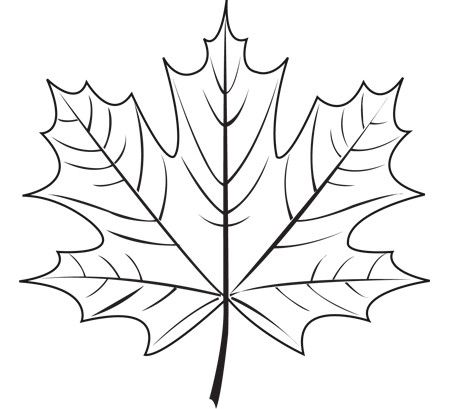
The outline of the leaf is not a closed shape when using center line trace

The outline of the leaf IS a closed shape when using just trace.

It would be better if the outline of the trace shape results in a closed shape.

maple leaf.lbrn2 (388.6 KB)

Maybe you can use normal Trace and Center Line Trace sametime to get it.

Use an offset.

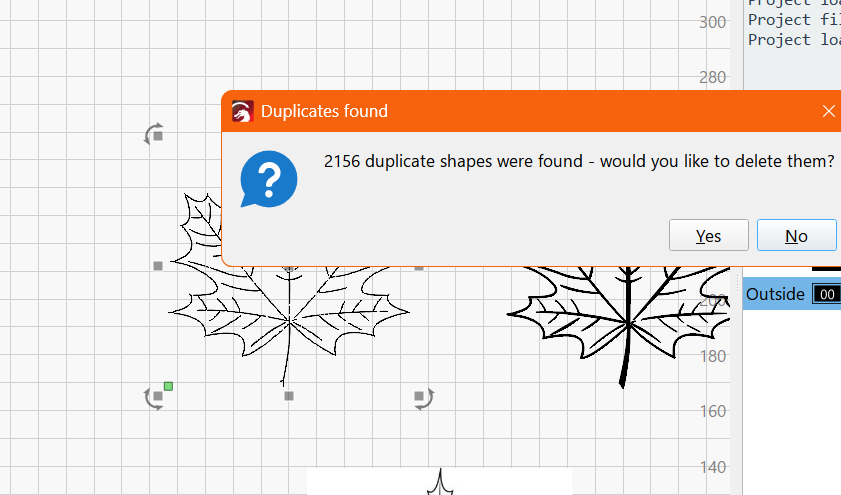
Even worse the Center Line Trace has duplicates:

Yes, I did both before up loading my LB file. The reason I showed both the regular and center line trace in the LB file was to show that the outline can be completed as a closed shape.

To be honest I have other software that center lined this image perfectly and created a svg like yours Ralph.

I noticed that too, but that may have been my fault.

====

These are all great workarounds, thanks, but I thought this thread was meant to point out problems that can be resolved?

Well it is new and most likely transferred from the Vcarve from millmage so can be improved for lasering.

Don’t know if this will be resource intensive but maybe the output (for lasering) should be a “medial offset” shape of the normal Trace instead of a medial axis shape…

@RonSa I moved these posts to this new thread. The release page was the correct place for you to post it, but this makes it more visible.

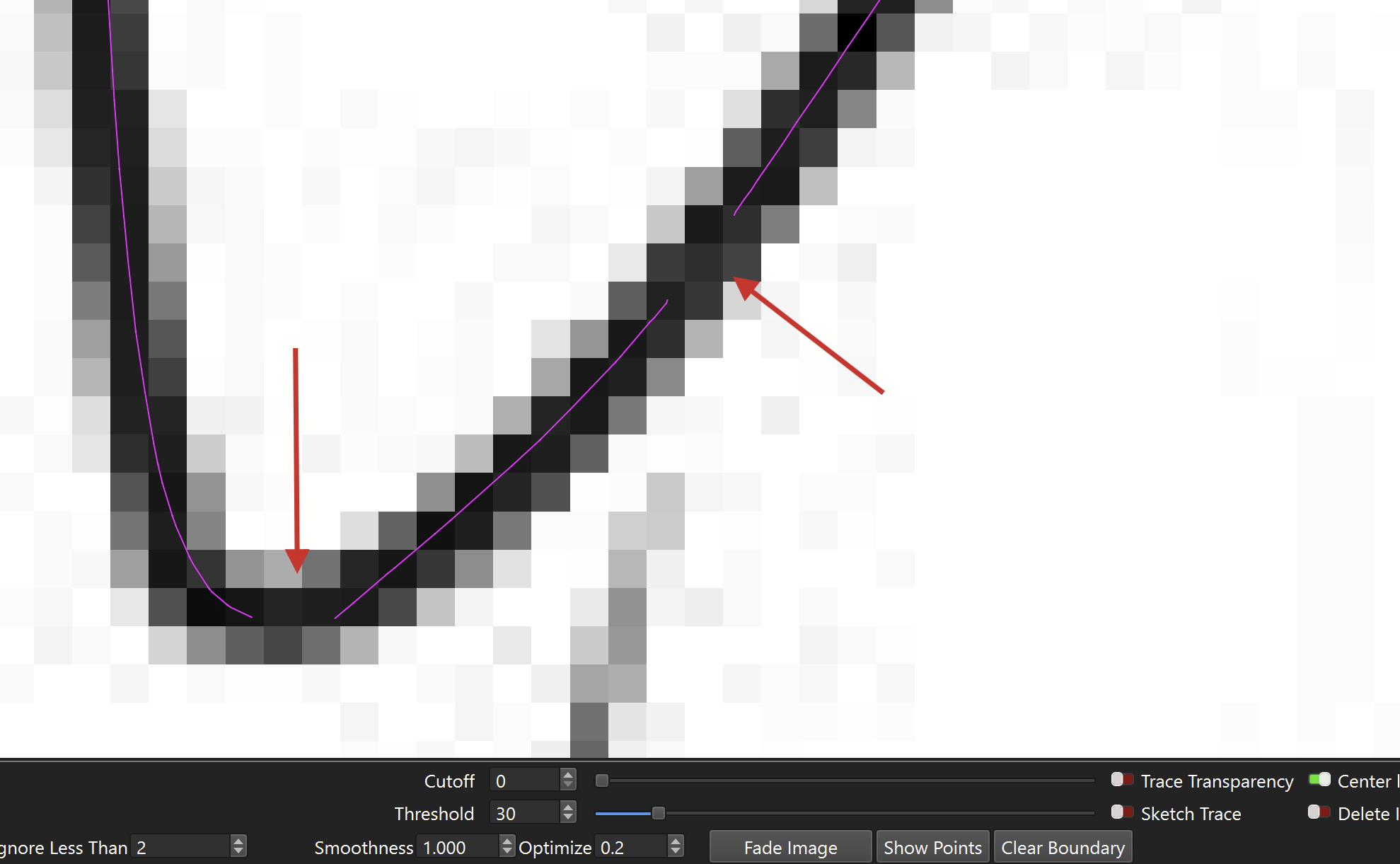
The source image is quite a low resolution. Depending on the “Threshold” setting, it will skip some pixels if they are not true black:

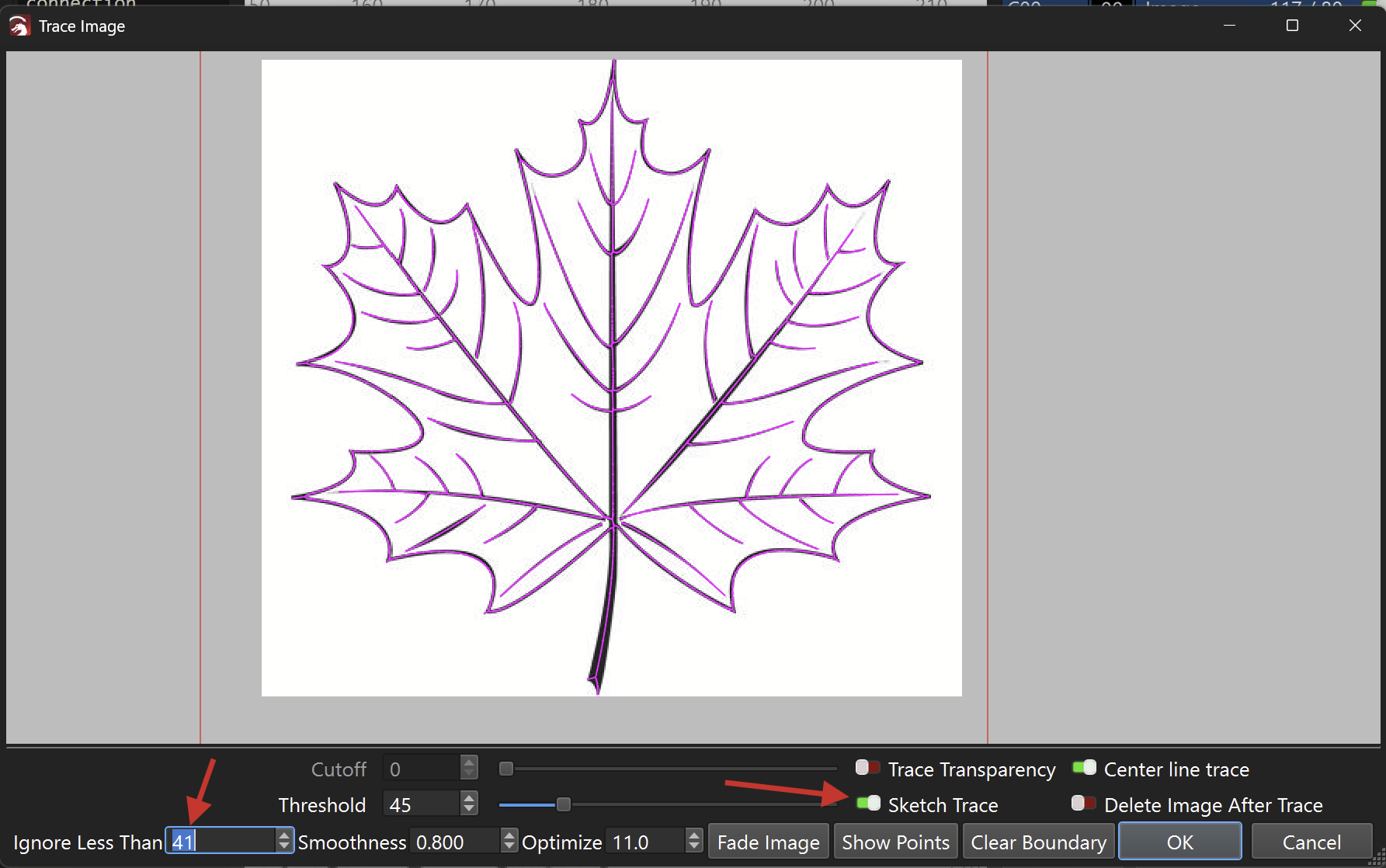
I got decent results by enabling “Sketch Trace” and adjusing “Ignore Less Than”:

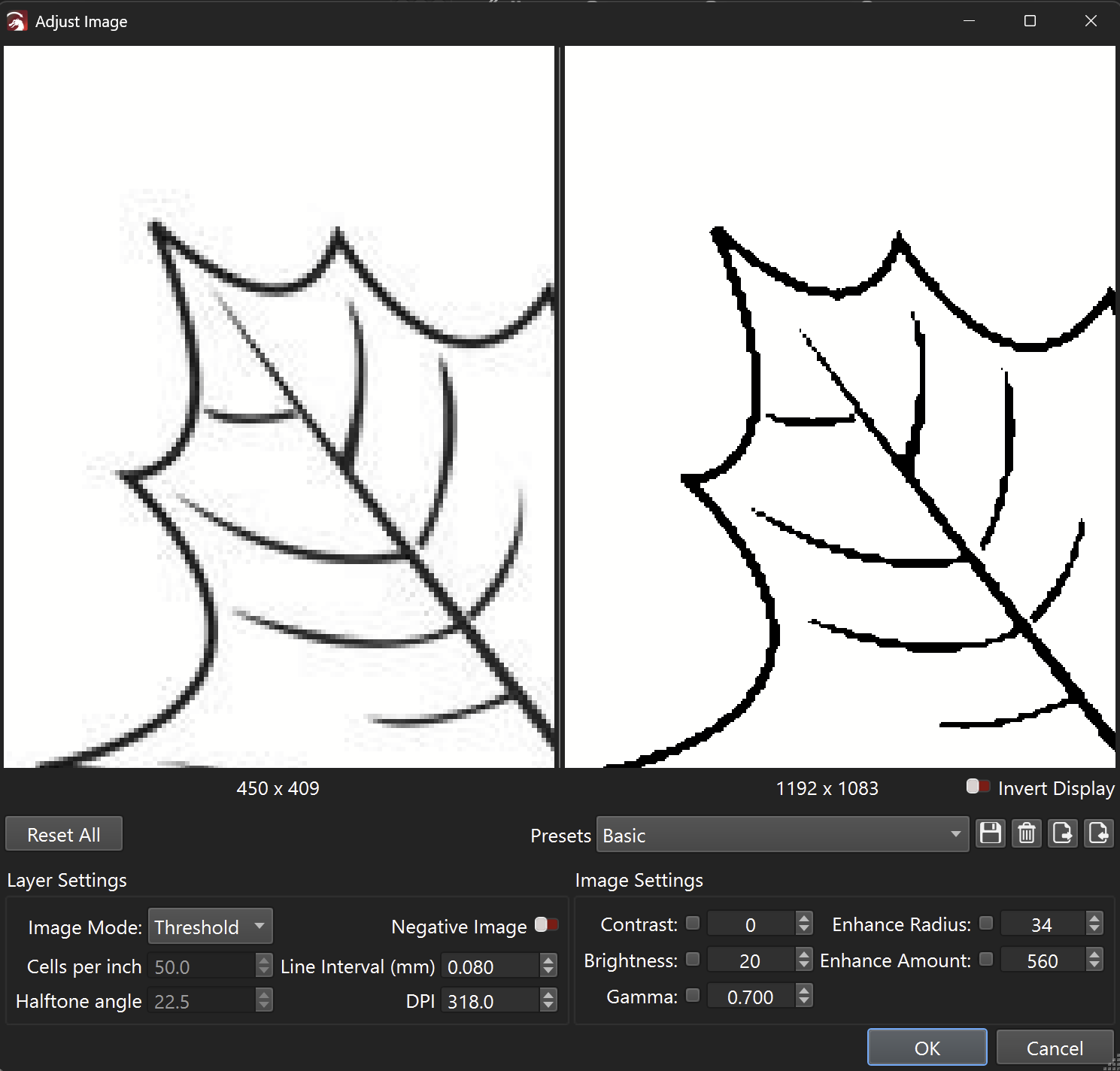
Adjust Image can also help to prepare the image for tracing:

I couldn’t find the other thread that this was moved to so I’m posting this here. Please move to the right thread and please provide a link.

This is from a 1200 DPI tiff file. Yes it is better, but the outline isn’t a closed shape.

maple leaf-2.lbrn2 (606.0 KB)

I’d provide the tiff file but the forum doesn’t allow it. I tried adding .jpg to the file but that didn’t work

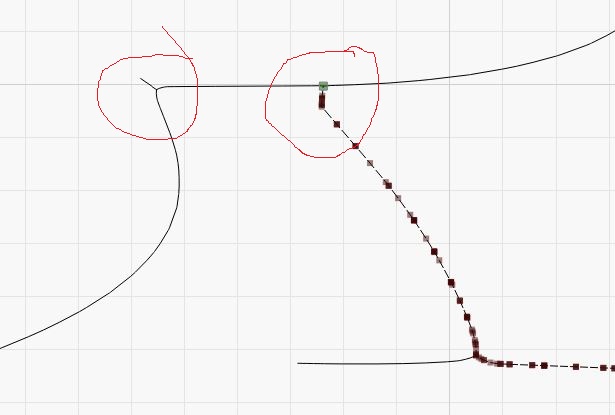
Cleanup work needed. Break the T-joint and remove all the leaf tip spikes.

maple leaf-3.lbrn2 (732.0 KB)

It’s a lot easier to use the other software I have that does the trace correctly.

I meant this thread here, where you’re reading this. I branched off the messages from the main 2.2 Pre Release post, so the Center Line Trace topic gets the attention it deselves.

Which other software, and what’s the correct way? If you can show us a screenshot, or the resulting vectors, I’d be curious to see which decisions the other program made, and the settings you used.


Thinking about it some more, it’s not as trivial as one might think.
Yes, the outline of the leaf could be a closed shape, so you’d use center line trace.

But what about the thicker part of the stalk and the veins? they are straight lines, which can never be a closed shape
That’s a great suggestion! I’ll forward that. :slight_smile:

The thread was moved after I posted asking where the it was moved to