soloyo
February 20, 2026, 4:29pm
1
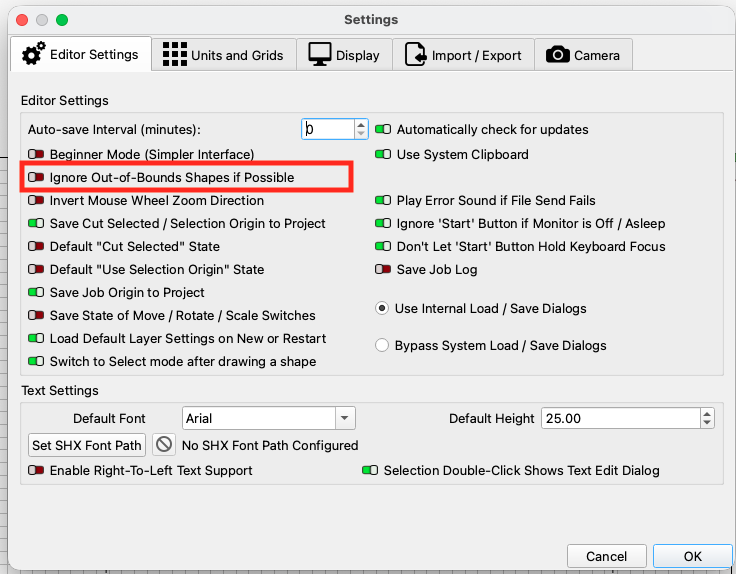
Is there any way to make this thing do it’s job even when the objects are outside the workspace?
I fully understand and appreciate the warning and why it’s there:
But can it be overridden?
It’s not going to be cutting/etching anything from that preview pane, so it shouldn’t matter.
misken
February 20, 2026, 4:48pm
2
Sure. Select “current position” and “cut selected graphics only” and “use selection origin”. That’s all. Actually, that’s my preferred way to work nearly all the time. I never do it differently.
soloyo
February 20, 2026, 5:14pm
4
Thanks for your timely responses,
Misken’s response requires some follow up questions, as I don’t want to mess with any settings for the work area.
however, Thelmuth’s response seems straight forward and with minimal impact to actual production; so I’m going to give that a go.
cheers.
system
March 22, 2026, 5:15pm
5
This topic was automatically closed 30 days after the last reply. New replies are no longer allowed.
 (all layers should be turned on, it will only output the objects you selected).