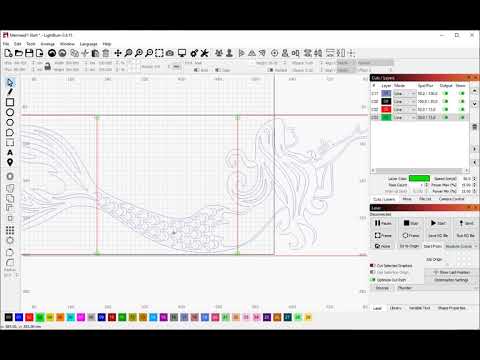
Are you selecting the crosshairs in the right order? Burn a #1 and #2 when you etch them on the wood. If this does not work, I will call in the Guru Guy.
These are the 2 layouts the first one cut perfect.
Then loaded the 2nd and set up the 2 targets. They both get highlighted, I select ‘No Scaling’ then hit ‘Frame’ thats when the laser shoots off back towards home (bottom left hand corner).
The original artwork was created as a .dxf file then imported into lightburn whole, the targets added and then split into 2 as per the video instructions.
I created a simple file in Lightburn and ran Print and cut on a Laserstorm S10 and it worked perfectly.
I then ran the same files on the FoxAlien Pro with the same errors as above. Both machines in Absolute CoOrds
Once the first target is selected and added, I select the second target in the work area then click ‘Jog to target’ and the laser moves down the Y axis and hits the limit switch.
I then compared the GBRL settings of both devices. The Laserstorm has some $codes that the Foxalien doesn’t ie:
$37 = 1
$103 = 100
$104 = 100
$105 = 100
$113/114/115 each = 1000
$123/124/125 each = 200
$133/134/135 = each = 300
All other settings wer either the same or similar regarding speed, acceleration and steps etc.
I lookled at your files and the alignment is perfect. I was halfway expecting to see an anomaly somewhere on the “bottom” file. Can you run this file on the Laserstorm? Even just marking, without cutting will test the function.
I’m going to have to assume the problem has something to do with the fact that this is a CNC and the coordinate system is different. There is either a work offset set that shouldn’t be, or vice versa. What isn’t making sense to me is the “top” works properly while the “bottom” doesn’t.
If you run the bottom file as a stand alone, does it work correctly? Do both files print in the correct orientation with the text readable? In other words, not mirrored in any direction?
On the laserstorm ‘Print & Cut’ works fine. Laserstorm shows X0,Y0 after homing.
But on the FoxAlien CNC machine it will not complete the moves.
I find that when I have homed the machine the position does not show as X0,Y0
but as -397; -397. ‘Machine CoOrdinates’ are selected in Laser settings. If I change that the laser jogs in the opposite direction to the button pressed.
I found another post regarding MPos and followed that. As a result on the FoxAlien “Print & Cut” will now ‘Jog’ (before Jog sent laser to Y0) to the second target. No scaling is selected. But once that is set framing shoots off to the Y0 axis. “Start” gives a message that some objects may be off the workplace.
It seems that once Print & Cut is enacted the WPos gets corrupted.