Problem linking Creality Falcon 2 to Mac laptop

I just gave a friend my Creality Falcon 2 and he’s having problems linking it to Lightburn on his Mac. I had no connection issues with my PC. He’s using a usb-c to usb-c cable.

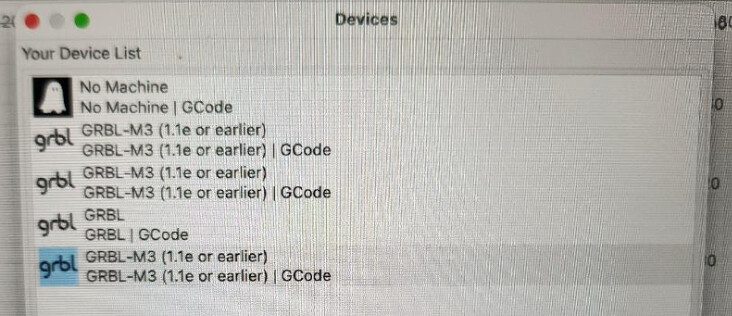
This is a screen shot of the device list on Lightburn. When we click on the device boxes on the Lightburn core 2.0.05, nothing happens.

We can’t figure out what we’re doing wrong. Any suggestions?

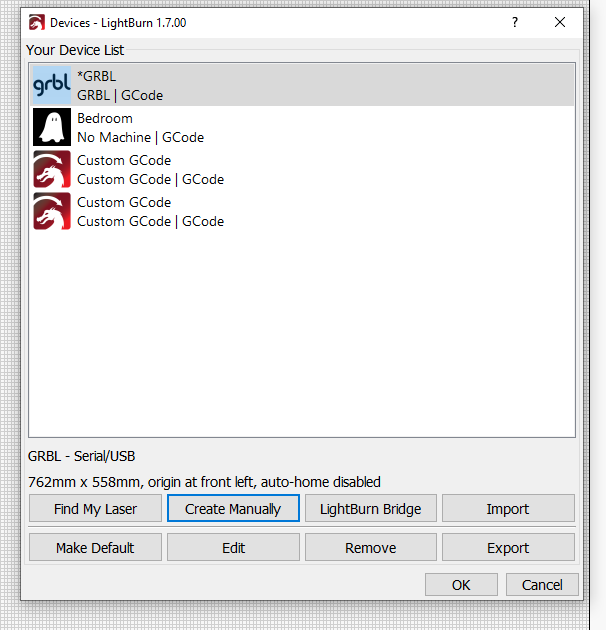
It’s probably just GRBL click create manually and then click next.

Do not use usb-c cables. Use an older usb-a hub in between. Those Mainboards often have issues with usb-c, especially with Macs.
Check if the usbserial port is available. Add the laser manually, as grbl, as already mentioned.
1 Like

:backhand_index_pointing_up: This is the way!!!

I think we tried that but it didn’t work.

Both the laser and the laptop have just usb-c ports, so how do we use usb-a’s? Also, What do you mean by usb-a hab in between?

Thanks.

Use the delivered usb-a cable from the laser. Then use either an adaptor or simple usb hub on the Mac side to connect the USB-A from the laser to it.

1 Like

Mac to USB-C to USB-A to dirt cheap HUB to USB-A to USB-C to laser.

IOS will not downshift from USB 3.0 to the USB 2.0 protocol needed by the laser if it only sees USB-C.