Problem with subtract tool not resulting in straight shapes

I’ve been wasting time for too long with this bug.

Context : subtract rectangle from (any?) other shape results sometimes in no straight shapes.

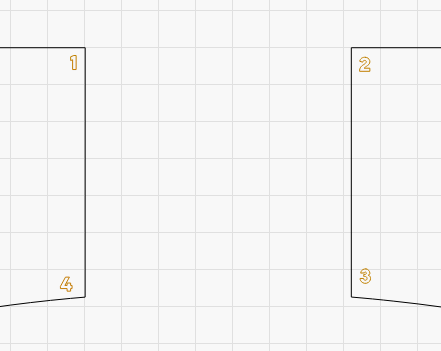
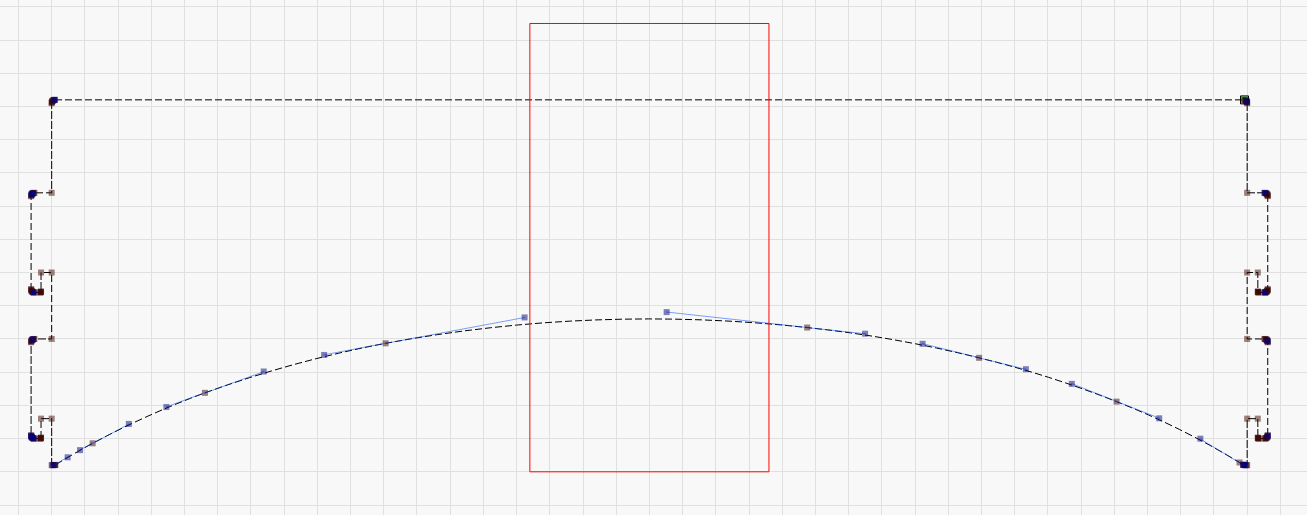
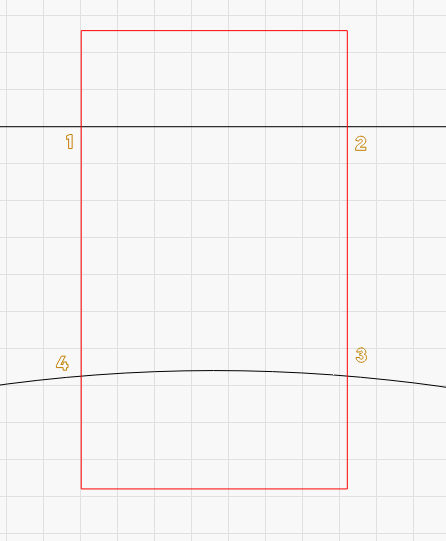
Current example : I want to subtract the red rectangle from black shape.
Numbers 1 2 3 4 are there just to point where is the problem.

Resulting in :

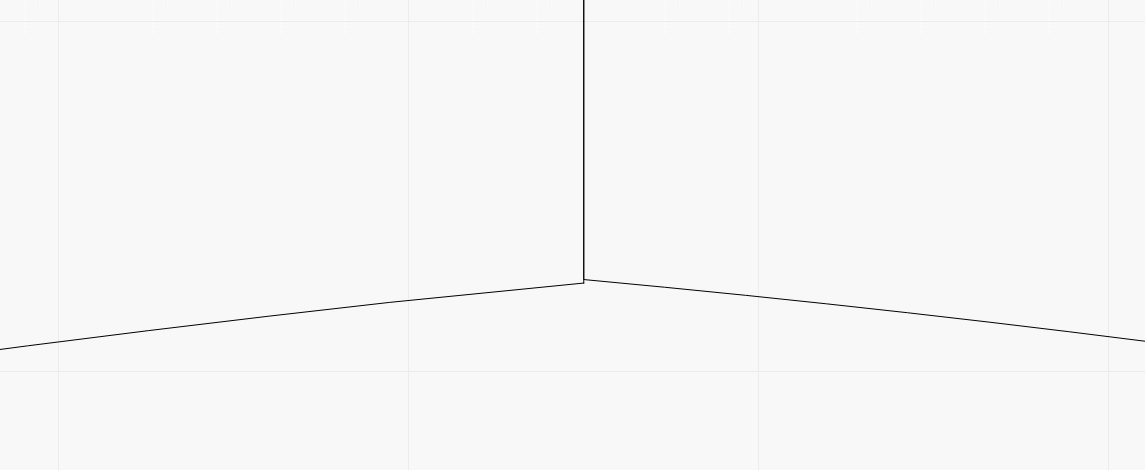
Problem is line from 1 to 4 isn’t straight and new black shapes can’t be docked toghether.

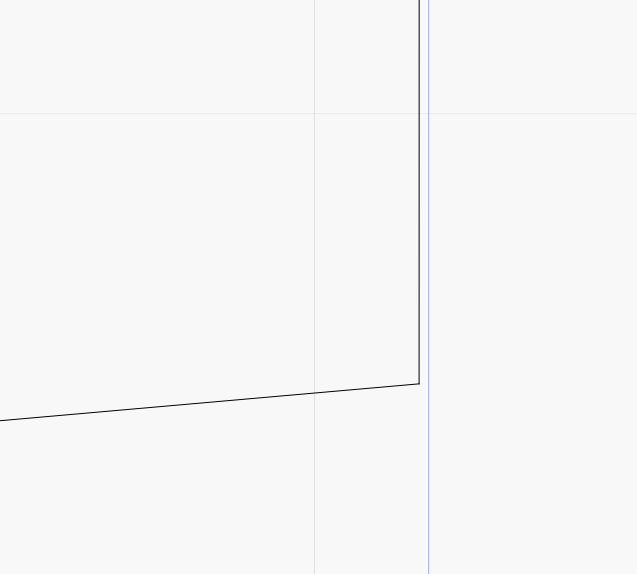
Putting a blue rectangle just to show there’s a very little angle, then insane zoom level in zone 4 :

Points 1 2 and 3 are ok.

Currently under 2.0.02, but problem was present on my previous 1.6.xx version
Using mm unit.
Running on Windows Server 2019 virtual machine.
I guess it happens when there is a curve in primary shape.
Not sure if distance from origin impacts bug.
I bet on rounding problem somewhere.

1 Like

Can you upload your file? I can’t reproduce it here. Both my shapes seem perfectly straight.

1 Like

Subtract problem.lbrn2 (12,2 Ko)

Mine too, using your file. Both lines (1,4 and 2,3) show 90 degrees with the Measure Tool.

HOWEVER, the 1,4 line is 1mm longer than the 2,3 line. The left top line is the same length as the right top line. This means your arc center for the bottom curved line is not perfectly centered between the vertical end lines.

Zoom in and look at the lower corners. The green square is not in the same place, indicating a lack of symmetry. I spotted it when using the measure tool to compaer the first segment on both sides. I measured .25mm on the right and .87mm on the left.

Using v2.0.03 here.

1 Like

Same here for Measure tool showing “wrong” 90°

ok curve center is not correct. But this does not have to affect substract straight result right ?

You mean the -90 degrees?

If you draw a square, you go up, right, down, and left to complete it. One side is up (+90), the other is down (-90).

Yes -90

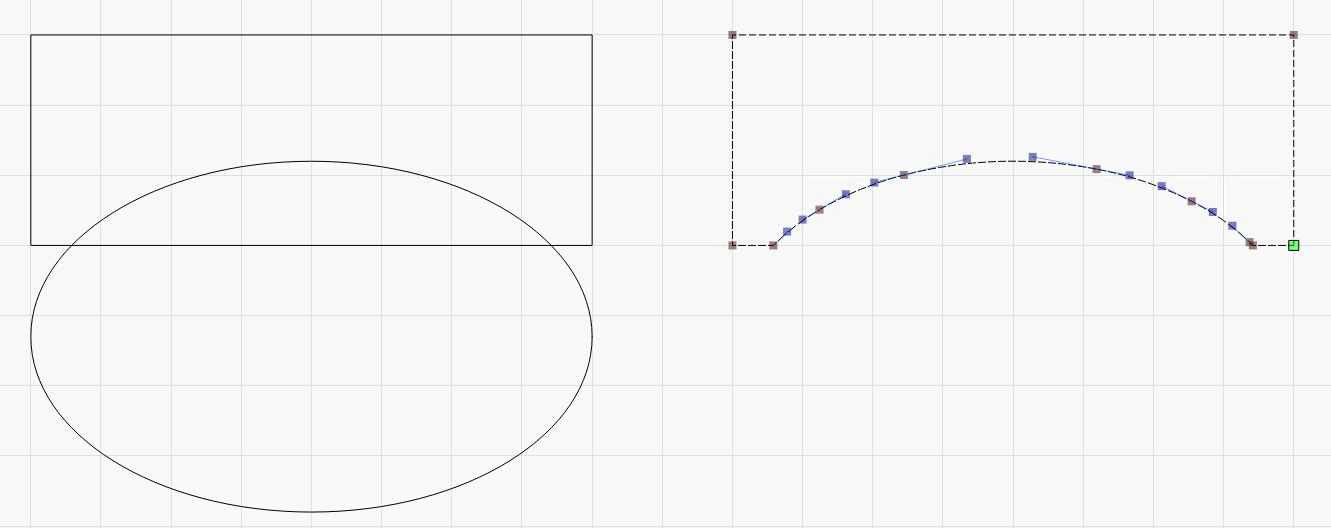
Curve incorrect center is part of another problem : subtract an elipse gives not perfect/centered curve.

Did you align the two (rectangle and ellipse) before the Boolean Subtract?

It does work, see attached LB file…

Subtract problem-MikeyH.lbrn2 (6.8 KB)

Mmh yours is perfect, mine is not ( yes, was centered ).
I’m not sure there’s an option about that ( except the option on curve quality but it’s for display, and it’s already on Perfect ).

Do what I did and upload the Lightburn file. Yours should be “perfect” too.

Seems impossible to get symmetrical result here, I don’t understand why.

Curve problem.lbrn2 (9,1 Ko)

I did not find a problem with your last file. Where are you thinking it is going wrong?

File has notes…

Curve problem-Annotated..lbrn2 (207.7 KB)

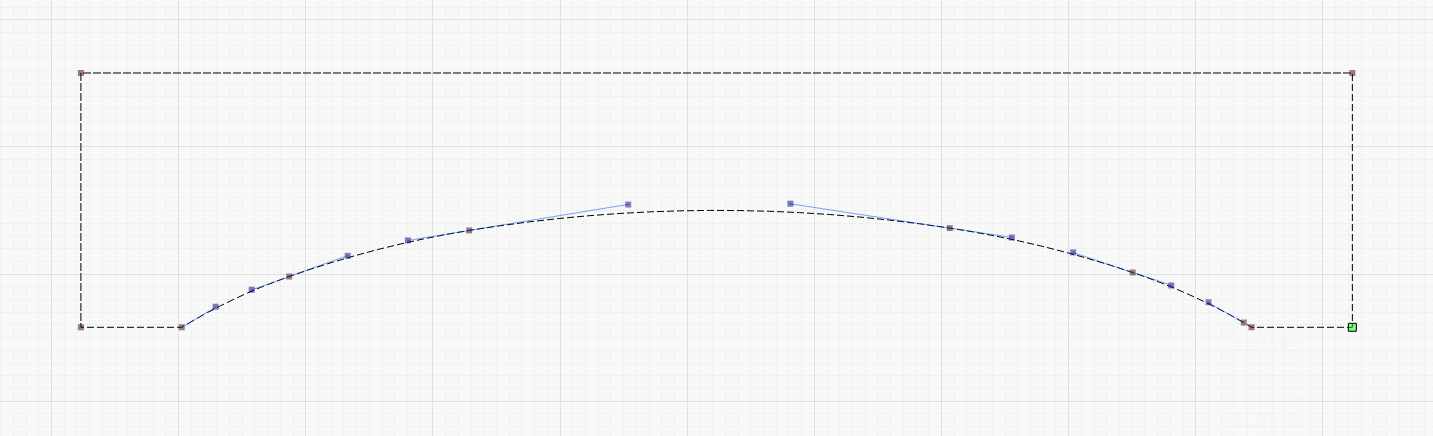
Look at nodes, they are not distributed equally, resulting in “trash” curve.
And then if I need to subtract a part in the middle ( initial problem ), we are back in not straight lines or trash weld, because of not symmetrical curve.

EDIT :
Just used the Scissors tool I’ve never used, and curve is perfect !
So problem is only with Subtract tool.

That is because you did nothing to align any Nodes in the two figures. The node placement along the circle and square are randomized based on how you make the objects and even in which order.

I think the goal is to use CTRL-Z to back up and redo it rather than trying to tweak it to fit something.

You do know you can move nodes around to give you the symmetry you are seeking, right?
Or use the Scissors tool to get you there.

1 Like

This topic was automatically closed 30 days after the last reply. New replies are no longer allowed.