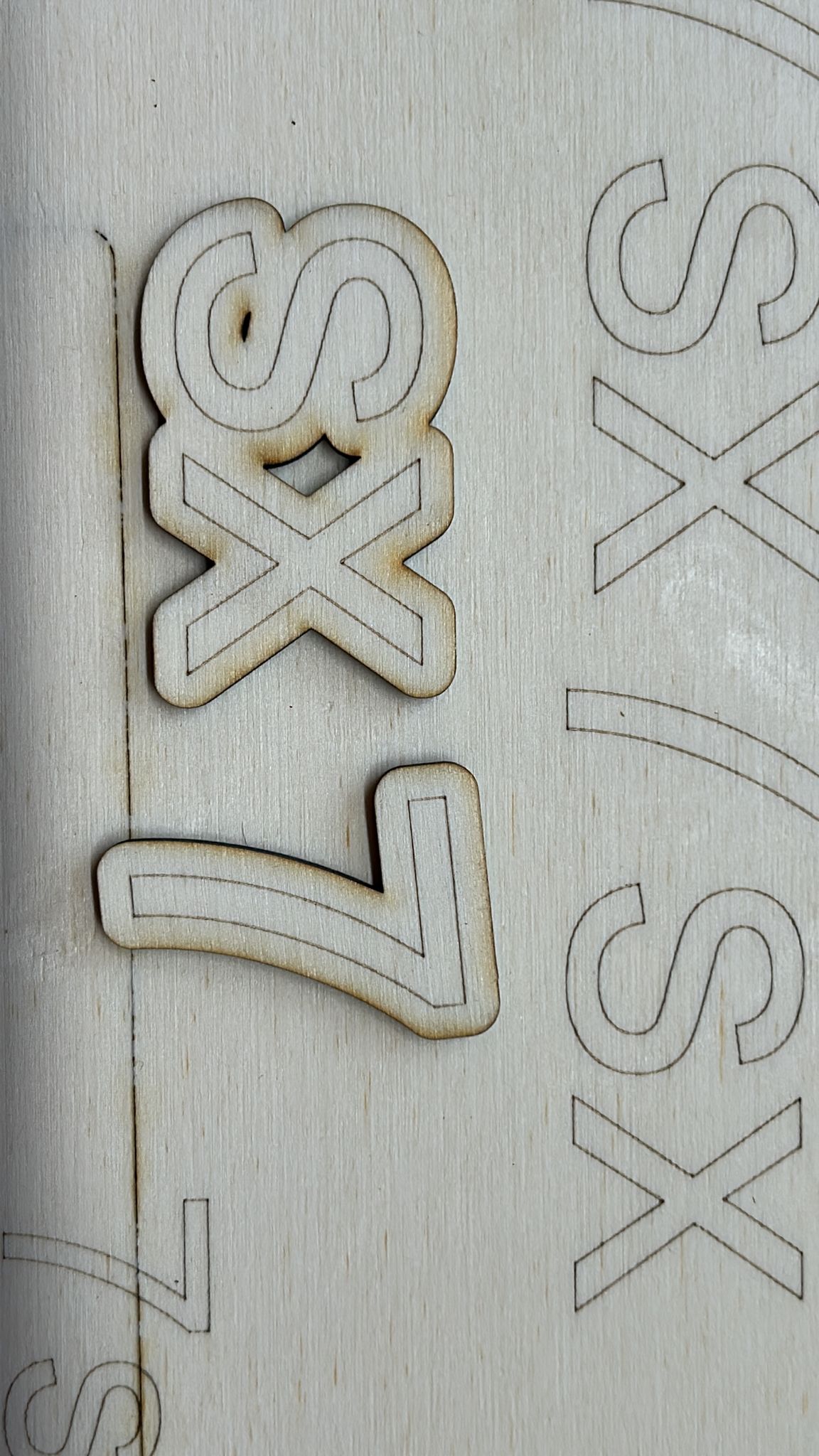
Hi!  I have an atomstack A5 and when i try to engrave small letters or vectors it does a sort of wave at the beginning of the segment! (when engraving long lines long x or y it’s everything fine).
I’ve tried so many things, from switching motors y to x and viceversa, I’ve loose the belts, I’ve tightened the belts, I’ve changed all 9 wheels, I’ve checked with a mate every sort of tool I could check. The problem is already there.
I think it’s a motor or software problem, because I’ve tried to engrave moving by hand the laser module but it does not do these waves. (see picture) 
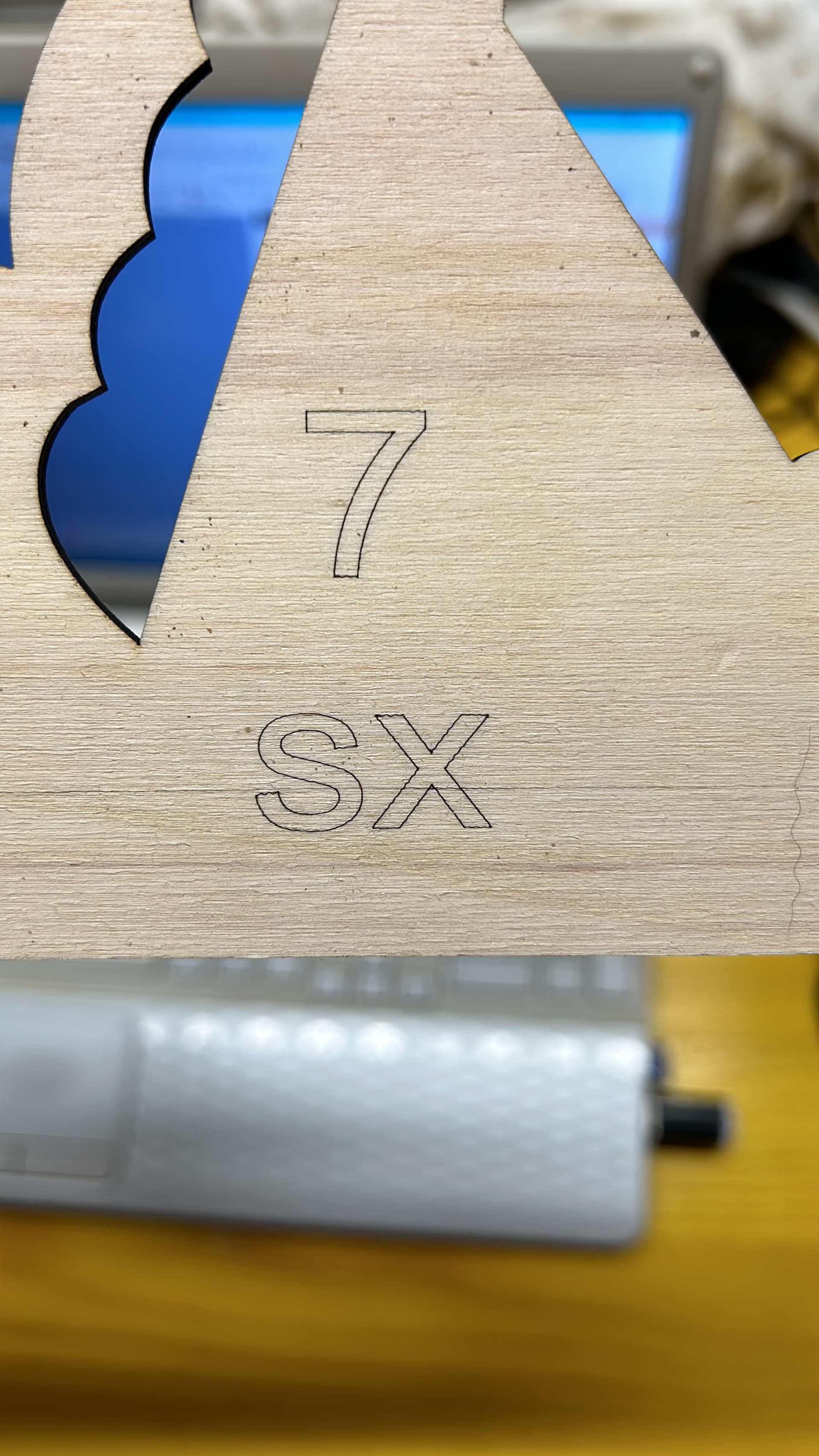
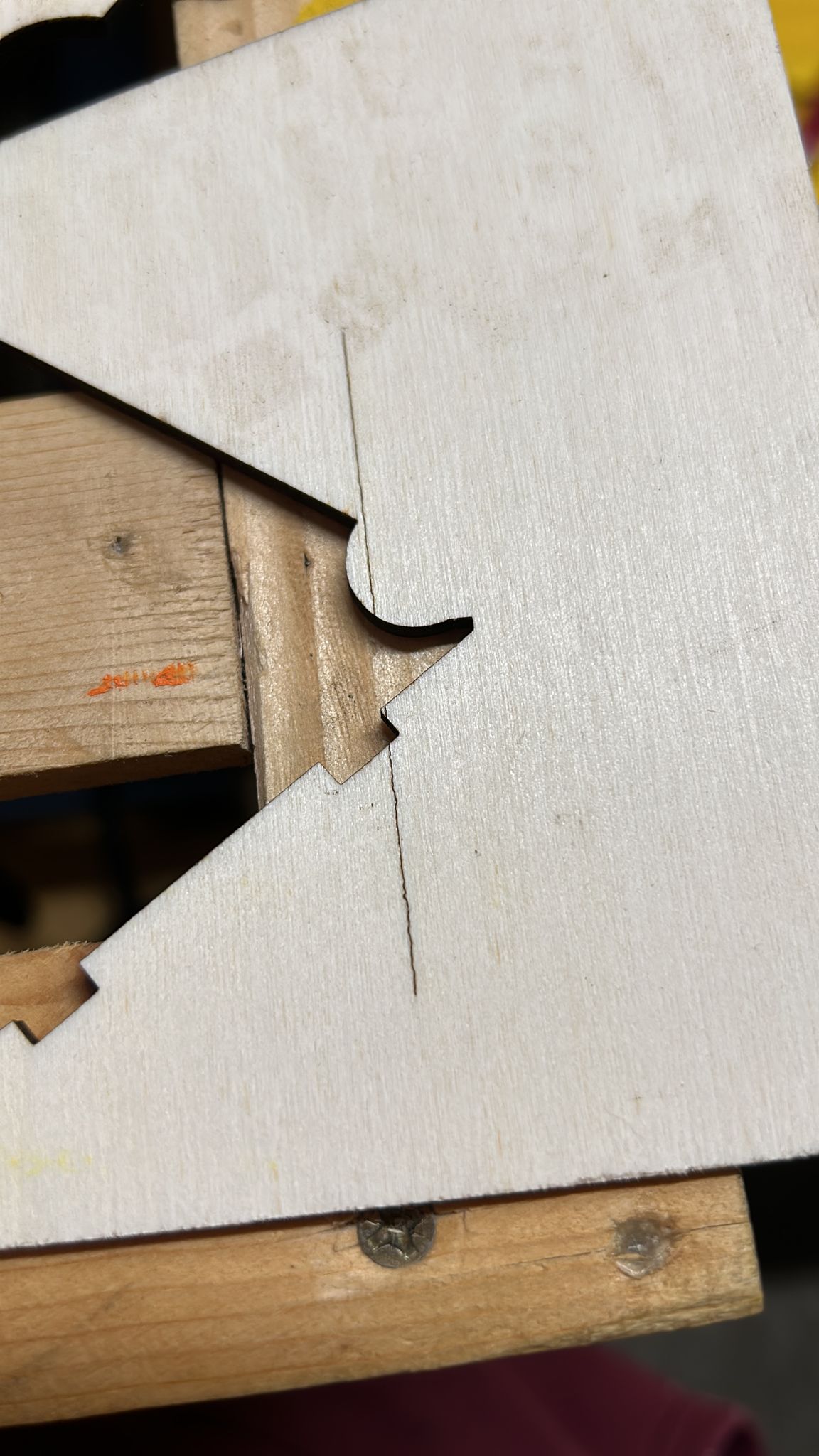
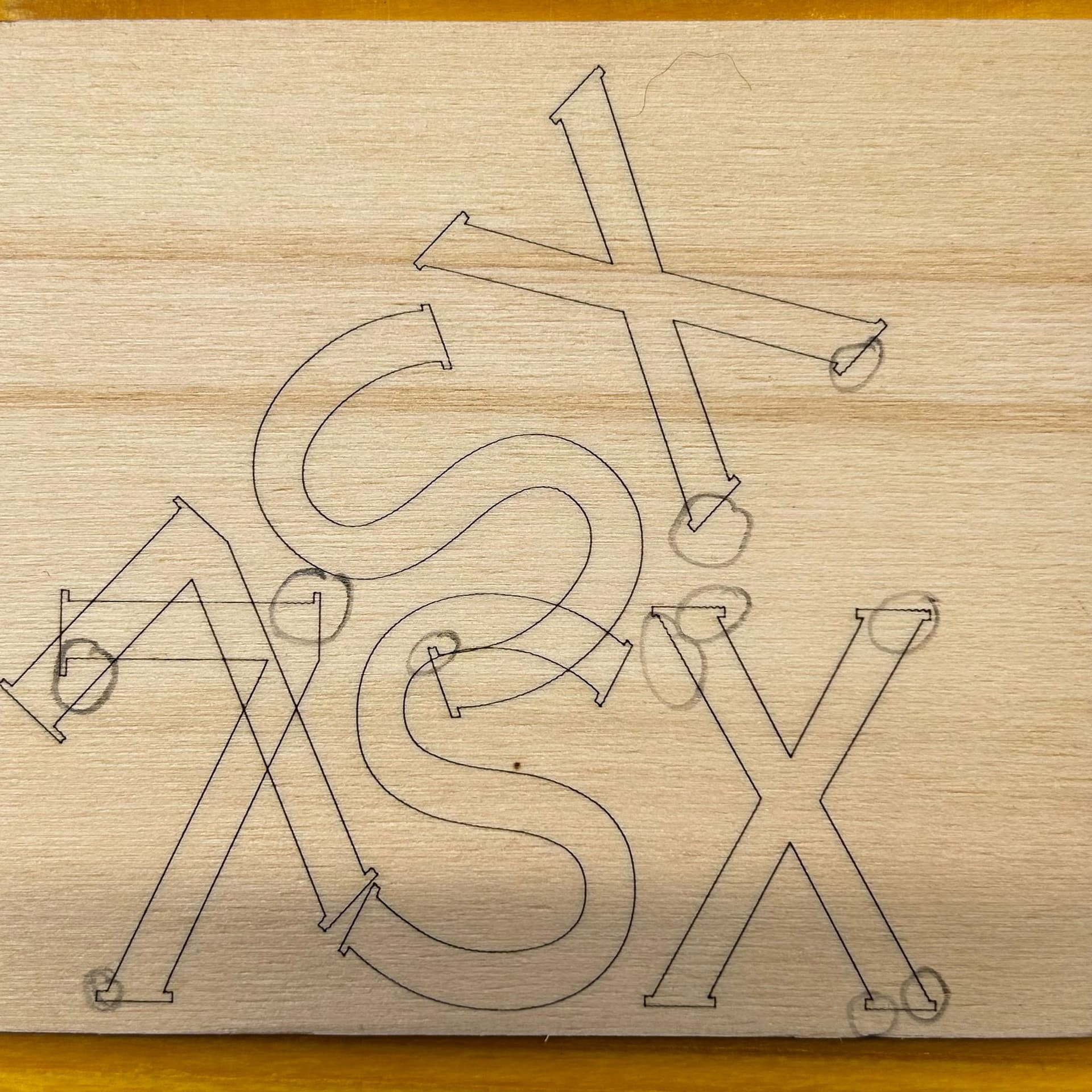
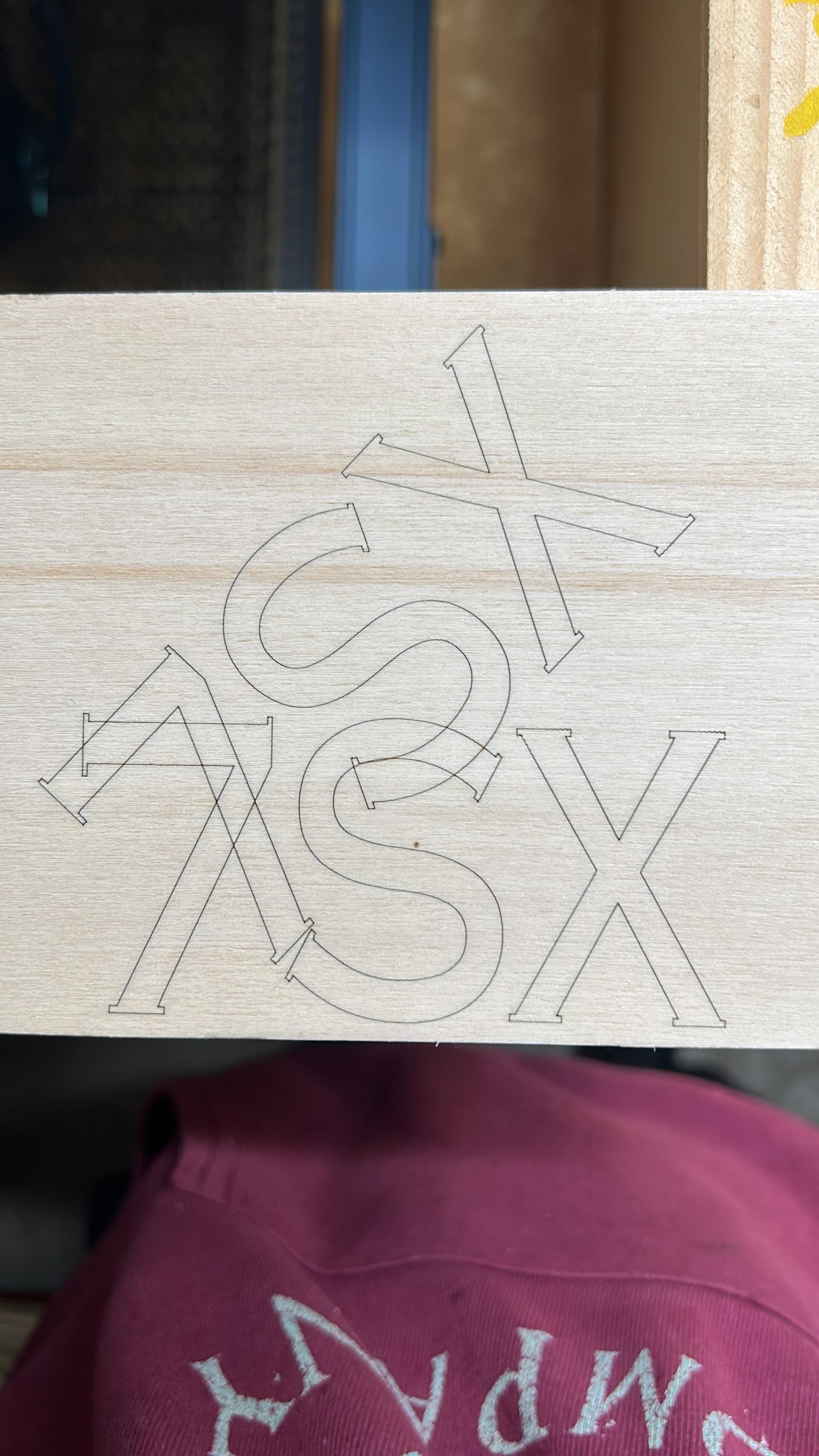
This is the vibration of the laser head. It’s a mechanical problem. You need to make sure that the head runs smoothly and tightly along the frame. Touch the tip of the head slightly with a finger - does it move/wiggle?
If you can’t rule out the mechanical cause, you can decrease the acceleration (firmware parameters $120 and $121) to reduce the wobble. But this won’t cure the original problem.
In my opinion this is 100% mechanical. too much gap in the wheel bearings, loose carrage screws, possibly a bit of slippage in the drive shaft collars or belts. It appears to be happening when there is a change of direction on the Y axis and that would lead me to think the whole bridge was wobbling. I would start checking for play in the Y axis drive components.
Try this, with the laser off and sitting midway of the x and Y axis, grab hold of the coupler on the right hand side of the drive shaft for the y axis and check for any play. Next try and rock the bridge assemby back and forth, not pushing it, rock it. do this on both sides. After that I would check for play in the laser head,but I would assume you’ve checked it for play. Good luck.
Cheers,
Rob