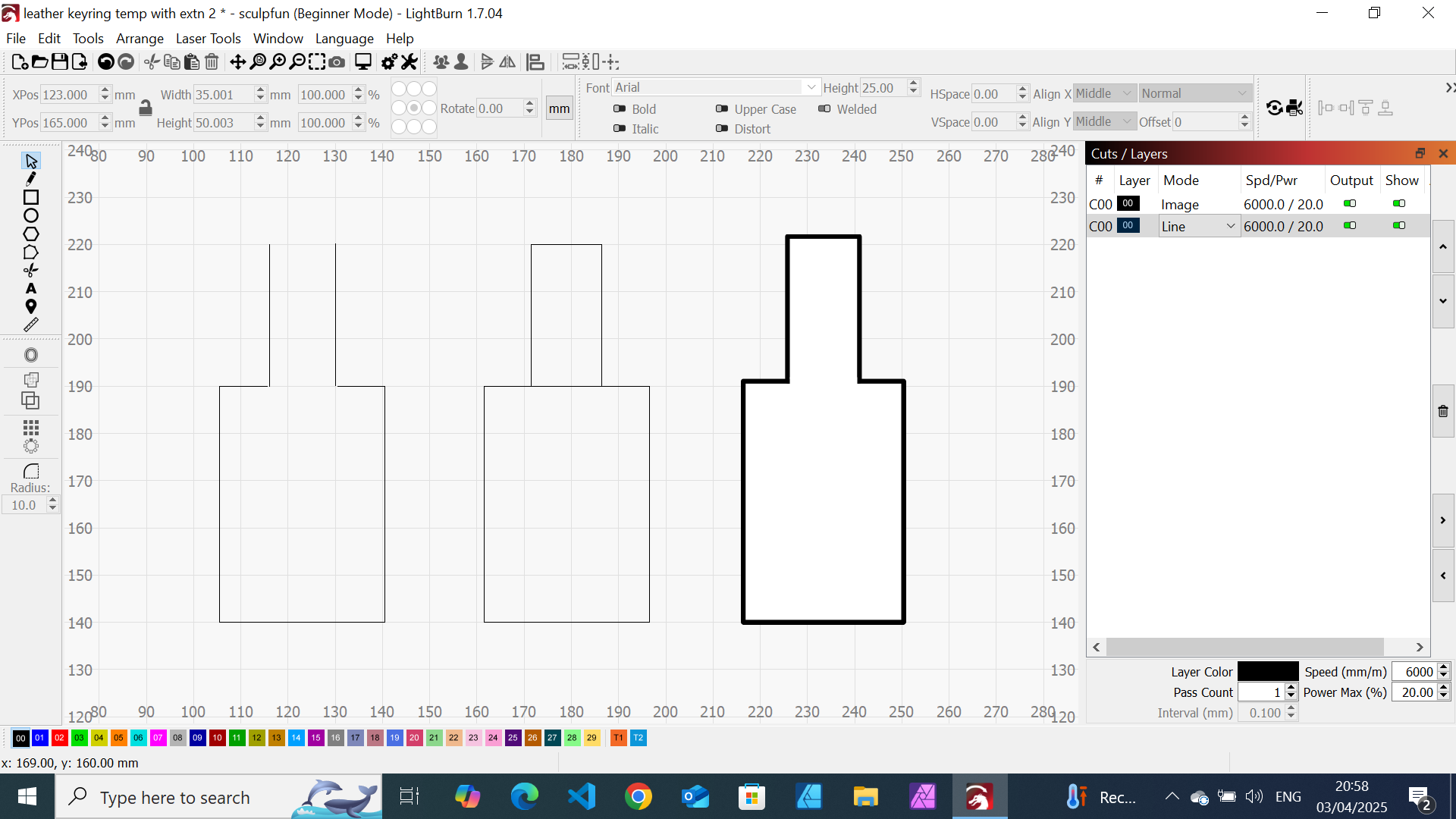
I drew a keyfob shape in affinity and imported it into lightburn. first as an svg file then png. My problem is that I am unable to change the file from line to image. It takes more time than I can drink a coffee to cut! If the screen print uploads the affinity (imported) keyfob is to the right.
I thought that the simplest way around this was to redraw the keyfob the same way that I created it in affinity and then delete the unwanted line at the bottom of the top rectangle or to cover it so that it won’t cut. I’ve not been able to do either. This is the centre image.
I decided to draw the keyfob shape but I am unable to get the lines to join (snap together or whatever). There’s either a small space (as shown) or the lines overlap. Is there a way around this? This is the left image.
You mean the other way around? Changing it from image to line? This is done by right-clicking the image and select “trace image”. The result will be a double line shape, but you can delete either the inner or outer line. (You might need to ungroup it before)
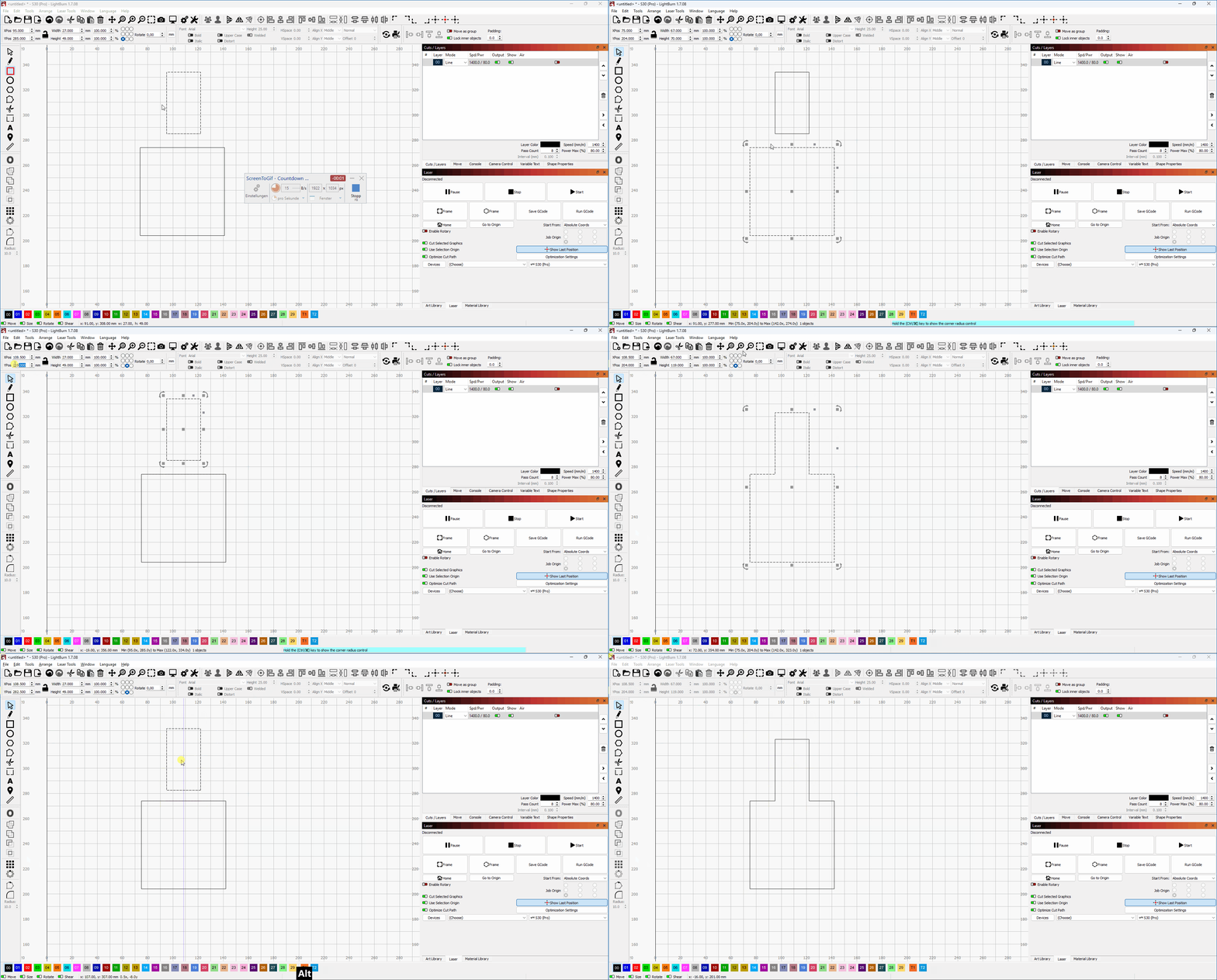
Anyhow, if you have the to rectangles that you want to join, you have two options:
Use the positioning values on the top left to check where one shapes end and set the position of the next shape to the exact same coordinates (y-coordinates in your case)
A slightly more simple approach is to hold down the ALT key while dragging one shape, it will then snap to the other.