Okay so I have a question regarding a Profile toolpath.
I was trying to optimize this cut where its cutting a slot in the board.
I am using a 1/4” bit and need to go 8.5mm deep.
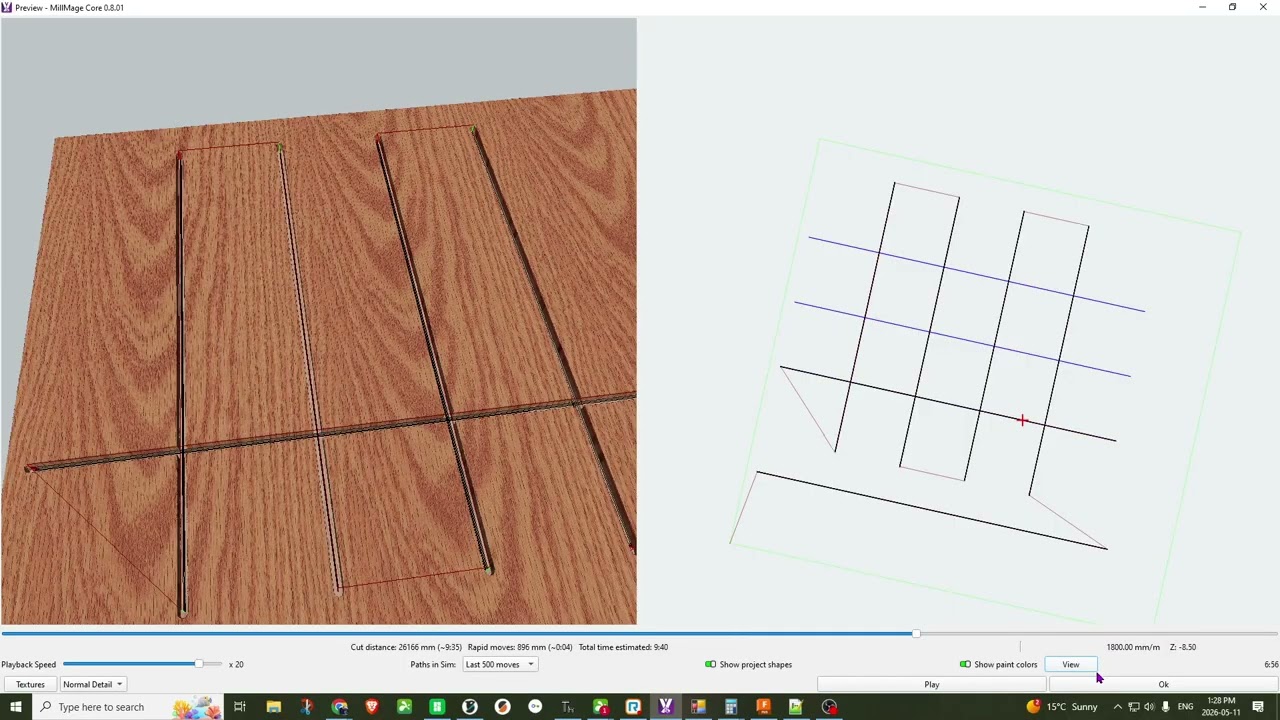
In the my first setup you can see in the video that the toolpath using a stepdown of 2.4mm you can see that its going to lift the bit and come back to the start of the line and then go down 2.4mm and run the line again and then lift the Z come back to the start of the line and go again. This creates alot of extra retraction and travel.
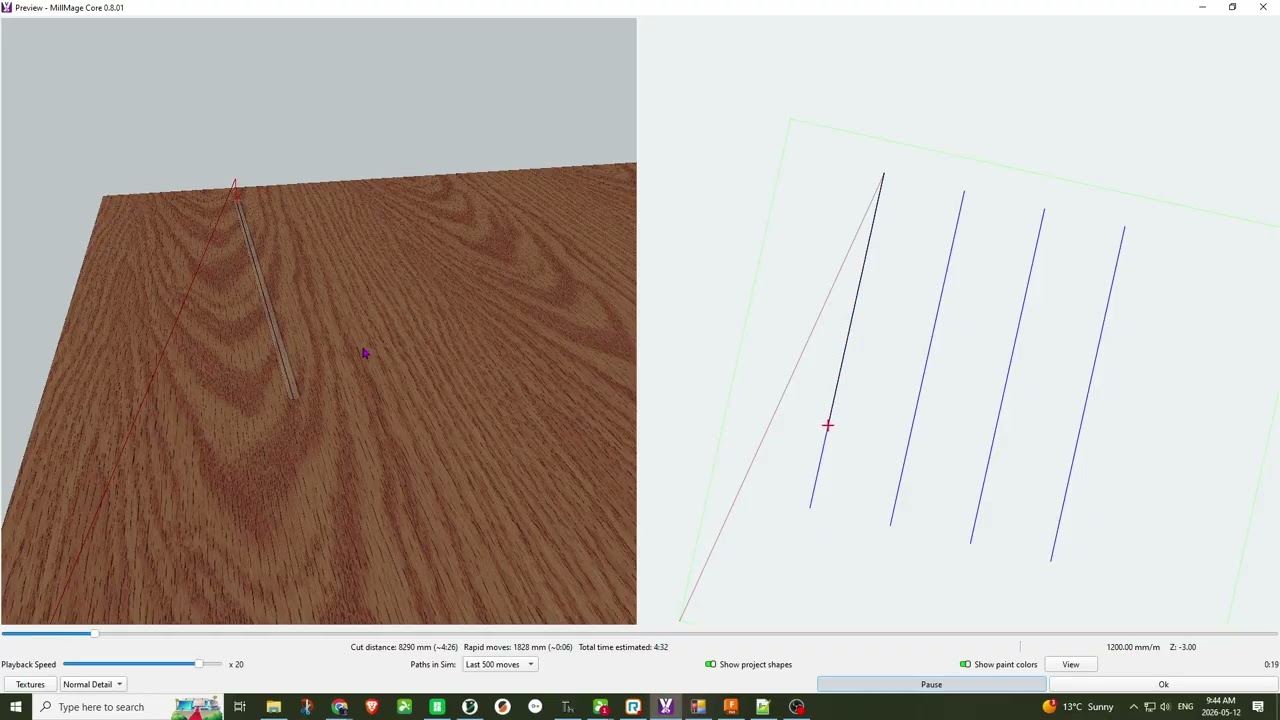
So in the next trial I set the bit depth per pass at 8.5mm and set the ramp angle to be 0.8 and you can see that it goes about 3/4 of the way across the line with a steady ramp and I think it would work well for the bit but it then cuts full depth for the last 1/4.
So I tried to lower the angle further 0.2 and in this example the ramp is just ignored and the bit plunges to full depth and cuts the line.
So my broad question is what is the best way to reduce travel in the instance of this cut?
My assumption is that with multiple passes, it is honoring a Climb or Conventional Mill rule. There is no “Retrace” mode where it would just pass back and forth (Feature Request?).
How I would do it: Do a full depth plunge at a much slower plunge rate (one where the cutter can clear itself). Then make the pass at what the cutter can handle. This being a one-off job, I am pretty sure I would spend more time perfecting it than it would take if I just let it run multiple passes in each slot.
Technically, with an open line, there is “climb” or “conventional”, unless we know which side of the path you’re keeping, so we could assume “don’t care” and have it reverse the direction, but at the moment, all passes run in the same direction.
I think this was actually on my list to fix - I made ‘Fluting’ do reversals like that, and made a note to make Profiles behave the same.
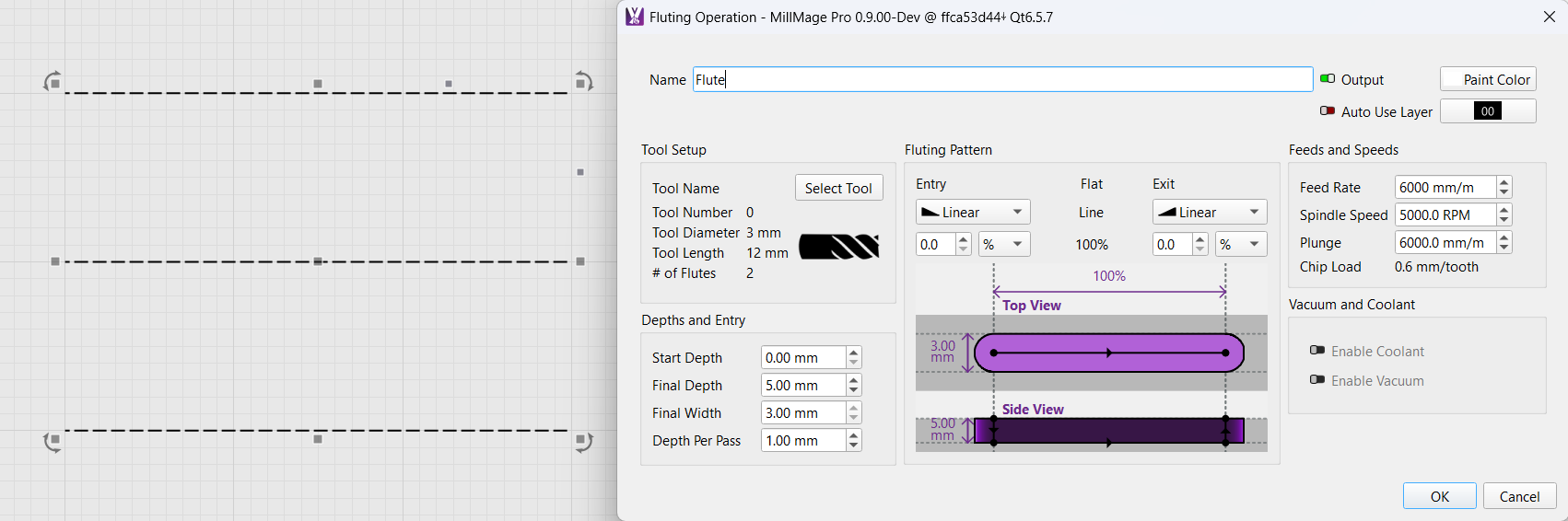
Actually - you could use a Fluting pass, set to plunge at the start and end, instead of using a Profile. Fluting always travels ON the line. Set it up like this, with 0% entry/exit ramps:
Thanks for the great information that’s fantastic.
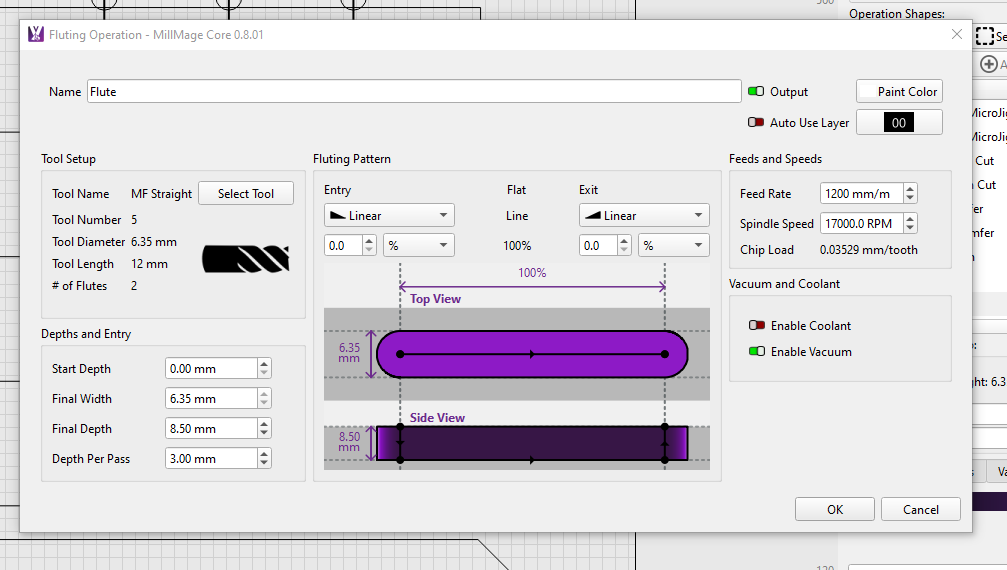
I tried to setup the Fluting operations but it looks to have a similar movement profile when doing several step-downs. Perhaps I missed an option or checkmark.
Correct, when I setup the Fluting Operation it looks to be doing it the same as a profile. The bit lifts at the end of the cut line and goes back to the start of the line moves the Z down to the next stepdown level and starts the cut at the new depth and repeats.
Vs starting with in my example, a 3mm deep cut going from one end to the other, then down to 6mm and come back the other way and then 8.5mm and back once again.
Other than basically tool differences, it looks the same. My guess is that @LightBurn is using a later version than you have. Please remember what he said is a work in progress.
I have your .mage file and I will play with it here.
Yeah that is very possible and yeah no worries at all just wanted to be sure it was working as expected for my version and if its possible consider it for an enhancement for future versions and both of those things sound like they are true.