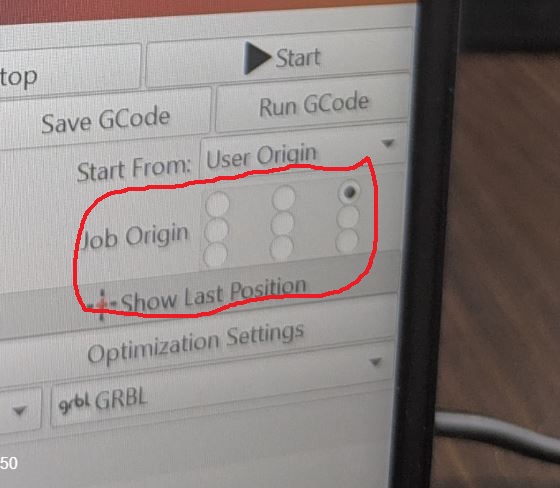
Lightburn is detecting my laser, Sculpfun Pro 10W.
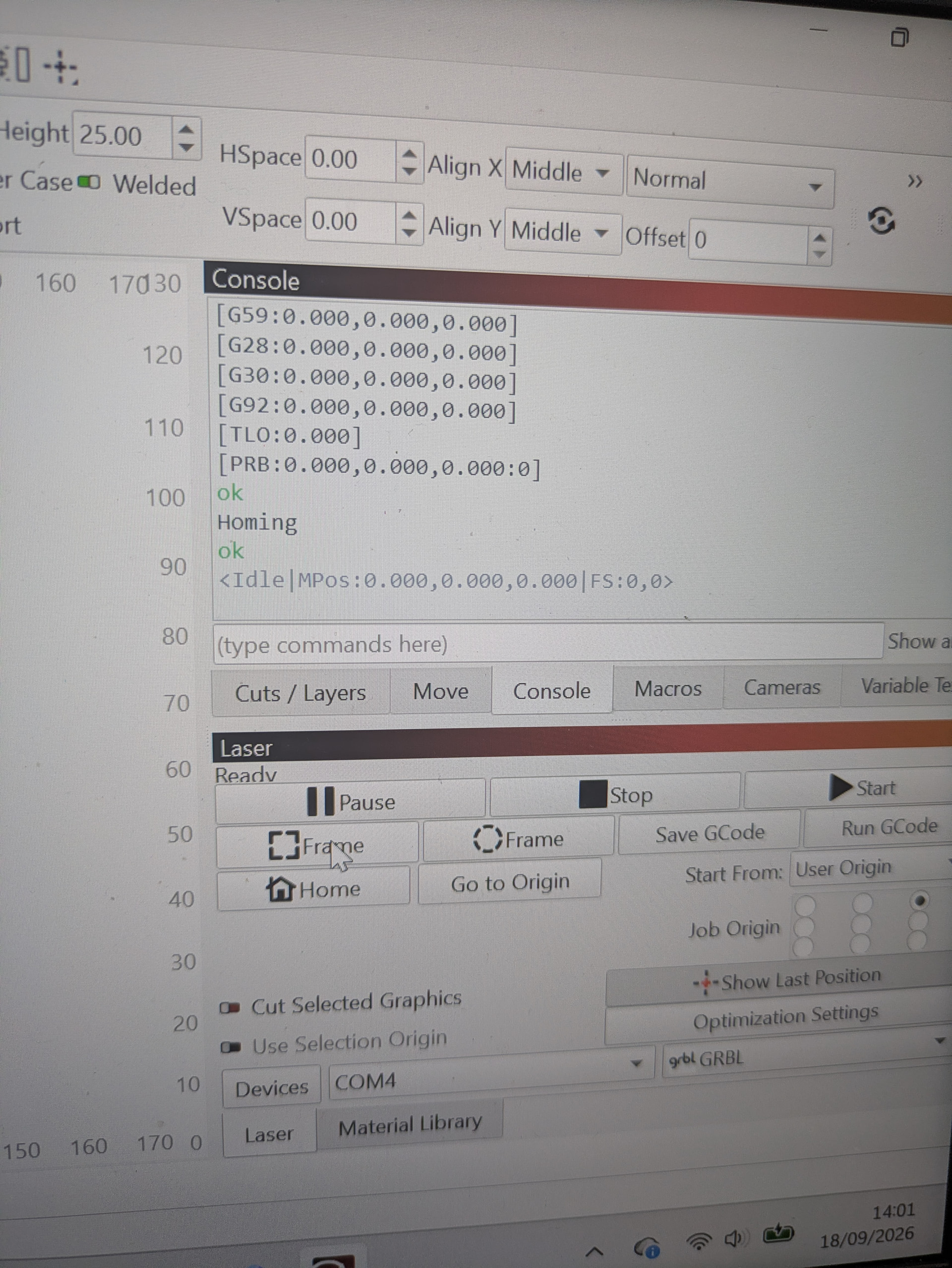
I can move the laser via the console , send to home, trace frame etc.
But when I press the ‘Start’ button to begin burning even a simple piece of text, it does nothing?
Screenshots pleaes:
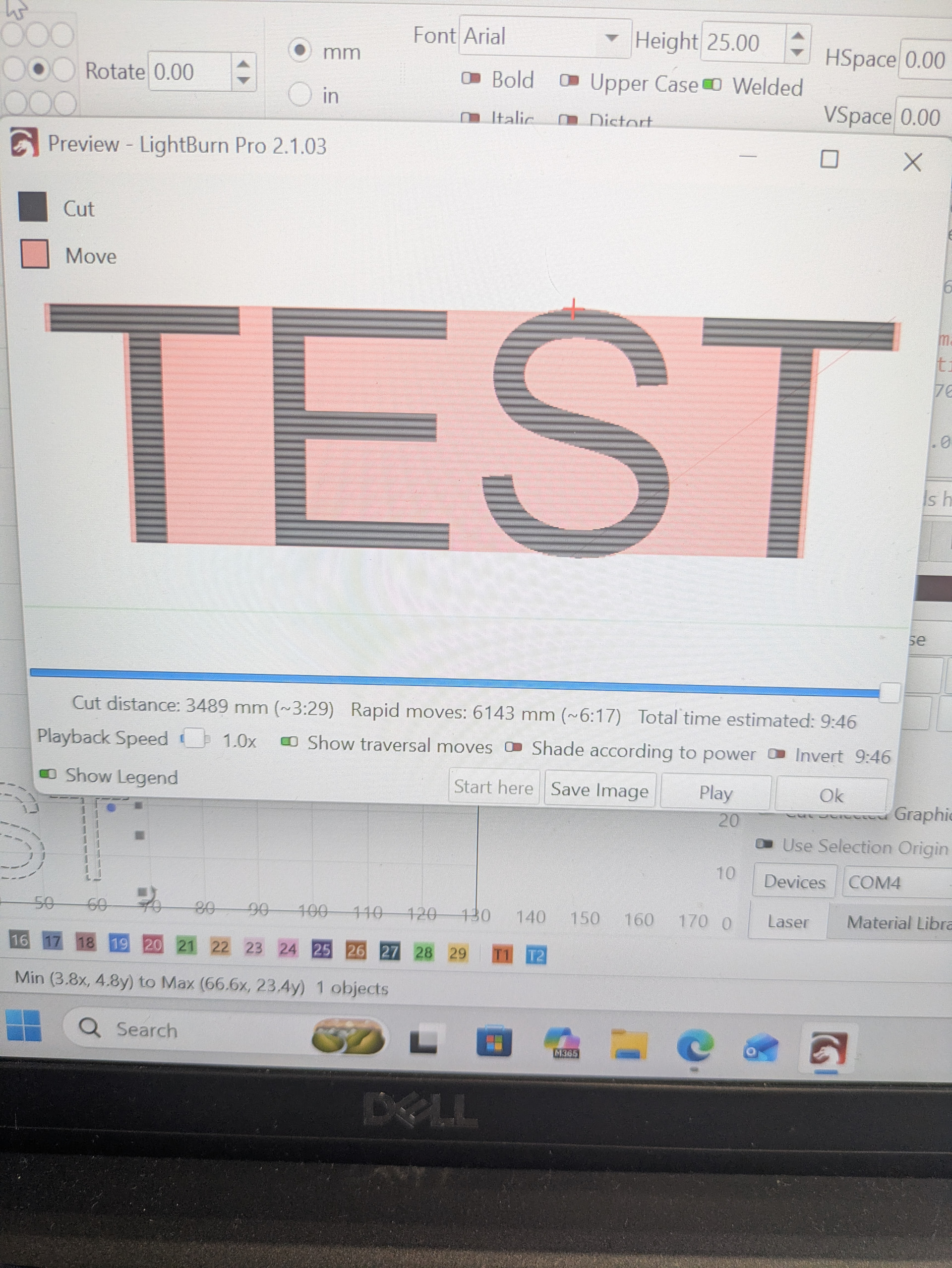
What does your PREVIEW screen look like?
Show us your cuts/layers window
What does your DEVICE window show?
I’ve packed up the evening now but I’ll take a video tomorrow and post thanks
I have one of these, see you in the morning!
No need to double post, everyone can see the first one.
In the future, please use screen capture (SHFT+WinKey+S) instead of a cell phone for your screen images. It provides a much clearer image without distortions.
To better understand what you are getting, copy/paste the contents of the Console window. Start the machine up, Home it, and then try to Run the program.
It may help if you also upload the program that will not run.
Copied from the console when it first connects to the laser
<Idle|MPos:0.000,0.000,0.000|FS:0,0>
Waiting for connection…
Waiting for connection…
ok
[VER:1.1h.2023110301:]
[OPT:V,15,128]
Target buffer size found
[MSG: Using machine:iCube]
[Radio Mode: AP, Sculpfun iCube14513, 192.168.4.1, Not connected]
[SD card is functioning properly!]
[SD Free:119.70 MB Used:304.00 KB Total:120.00 MB]
ok
[G54:0.000,0.000,0.000]
[G55:0.000,0.000,0.000]
[G56:0.000,0.000,0.000]
[G57:0.000,0.000,0.000]
[G58:0.000,0.000,0.000]
[G59:0.000,0.000,0.000]
[G28:0.000,0.000,0.000]
[G30:0.000,0.000,0.000]
[G92:0.000,0.000,0.000]
[TLO:0.000]
[PRB:0.000,0.000,0.000:0]
ok
Homing
ok
<Idle|MPos:0.000,0.000,0.000|FS:0,0>
But even if I move it to somewhere else and press Start, nothing happens either.
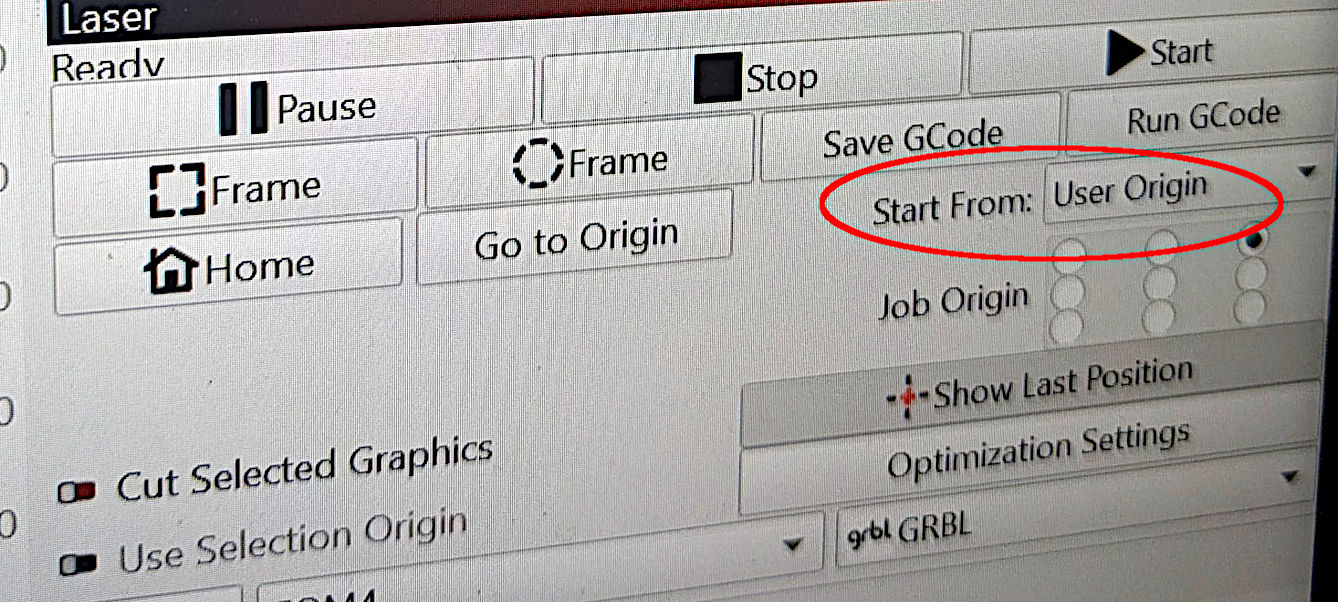
Unless you set the Origin to that new place, you are changing nothing.
Have you studied this Lightburn documentation?
My apologies, it was set to the bottom left but I was playing about with those origin settings to see if it made a difference and didn’t reset.
As I said I’ve tried all the variations of the origins and stuff and nothing is starting the burn.
If I make a graphic larger for example and press the frame button, it frames to that new size. It just point blank refuses to burn.
I would switch to absolute coordinates, move the project to center of workplace and see if that helps. A lot of problems are solved by getting away from corners of your work space.
If that is the case, then with the Job Origin set to the upper-right corner of the design (as shown in your pictures) all the text is off the platform to the lower left of the User Origin.
Most likely, the Ignore out-of-bounds shapes if possible switch is On, which means LightBurn will not sent anything to the laser, which explains what’s going on.
As everybody suggests, switch to Absolute Coordinates and see what happens.