One day I turned the laser and it started doing homing procedure as usually. It came to the top of the working bed and then it started grinding against the right end of the working bed. I stopped it, turned it off and then on, I stopped the homing and put piece of metal to the both sensors to see if the red light would appear, and it seemed they were working. I tried again to do homing, but again the same thing.
So the sensors might work ok, but the signal is not transmitted / recognized. Check the cabling first.
Excatly, when homing the sensors’ lights are glowing, but it seems like it does not stop the x axis from grinding against the end. I checked the wiring already and everything seems tightly connected.
Maybe, something is blocking the transmission of the signal?
I have had this happen as well. All it was, is a matter of wiping the sensor of that dust is not causing a bad contact.
1 Like
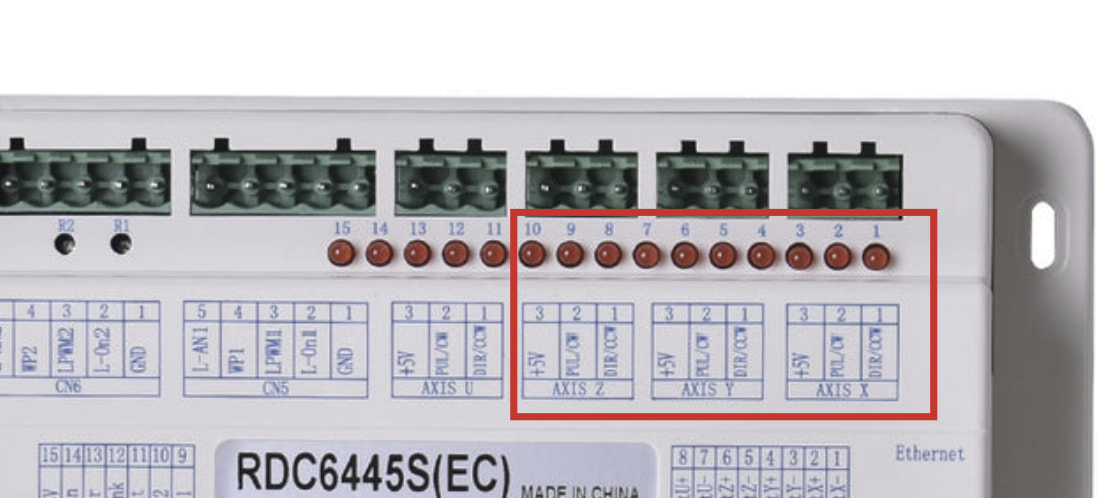
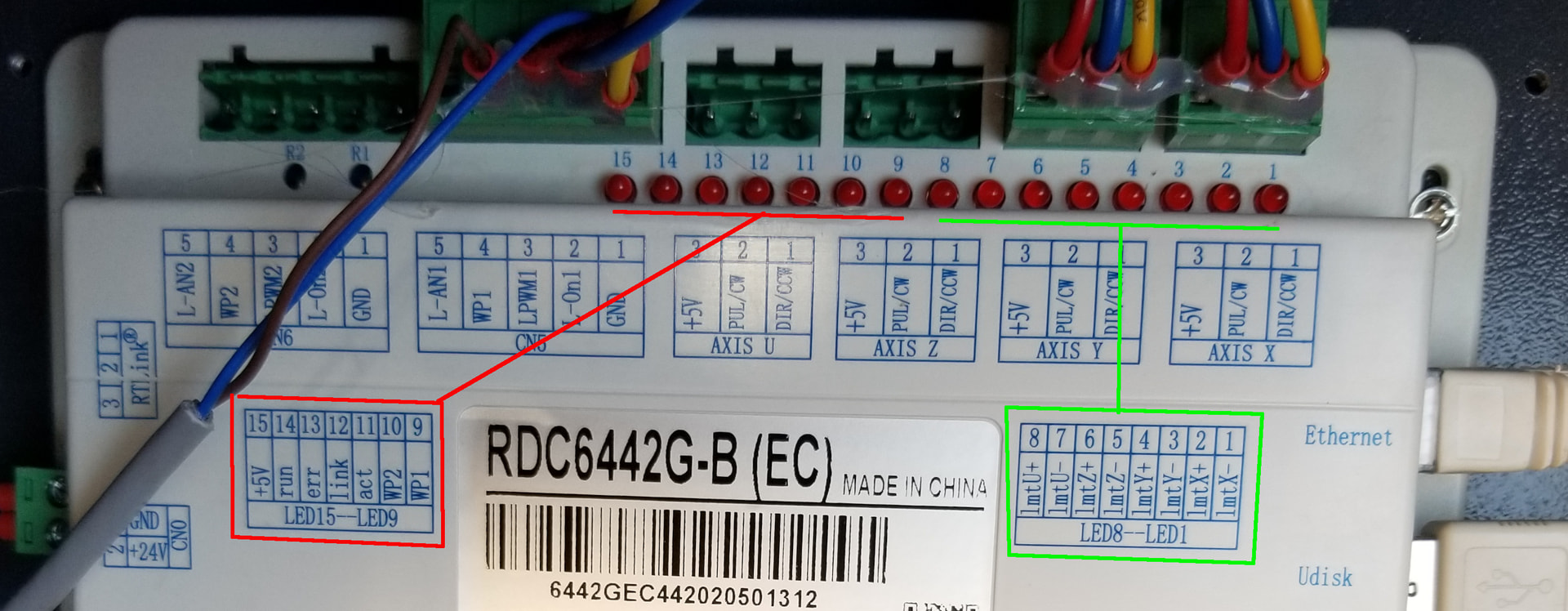
Maybe he can better determine what he wants from this photo. Red box and lines, along with green box and line, shows the represented leds.
Once you <esc> out of it. it doesn’t look at the home inputs any more, so you can lay a piece of metal on it without worry.
Make sense?

1 Like
Now it does! I didn’t think that through. Thanks, @jkwilborn
1 Like
Yesterday everything was working perfectly fine, today same story as at the beginning. I checked the main board, I stopped the homing process and then put a piece of metal on the sensor. The sensor is glowing, and on the main board the first LED in the red line (the red line you had underlined), the second LED is flashing at the red underline part, and the last one in the green line is glowing while metal part is on the sensor.
Is there anything else that I could diagnose to eventually solve the problem?
First led doesn’t tell us much.. since you may normally read right to left…?
Give us the number of the led or it’s mnemonic, that’s much more helpful.
All of these also have a name (mnemonic) on the id label of what they led represents.
They also have a mnemonic, such as 5V, run, err, link, act wp2 and wp1. Both of the wp (water protection) inputs are for coolant flow. 5V indicates it’s producing 5+ internally, run flashes all the time if the controller is away, and link indicates if the Ethernet hard is connected, not if it’s talking. Usually I notice mine flashing as it’s dumping data to the laser.
What you most likely need to look at is your LmtX- and LmtY- inputs to see if the machine is getting the correct signal. Putting metal on the X axes sensor should light up the LmtX- (led 1) input of the controller.
Follow?
1 Like
It’s entirely possible the sensor is working correctly, but the laser head does not reliably trigger it in the home position.
The laser head mounting bracket on my OMTech has a flange passing over the X axis sensor, so either the flange or the sensor could shift enough to prevent the sensor from triggering. That’s particularly true of the sensor, because it’s “fastened” by two M3 screws seated in crudely drilled & tapped holes in the gantry.
Make sure the sensor is firmly mounted in its proper location (wherever that may be) and responds correctly as the axis homes.
The KT332N controller in my machine can home each axis independently without resetting the controller, so I can jog the gantry to the front of the machine and watch the sensor while the X axis homes. Your controller surely has a different menu tree, but the KT332N hides it in Menu → Reset Axes → Reset X.
Good hunting … 
1 Like
Now it is a different situation, I am pretty sure that my sensor is dead. The sensor LED is not glowing nither does the LED on the main board while metal part is touching the sensor.
The new sensor is on the way, I am wondering do I just unplug the old one and plug and assamble the new one?
Thanks!
Yes, basically that. If it’s on the X axes, then it goes through a drag chain and to the controller. The Y axes isn’t required required to run through a drag chain and usually runs directly to the controller.
Drag chains will come apart if you spread the hing plastic just enough to remove a single link. Makes is much more easy to fish a new wire through.