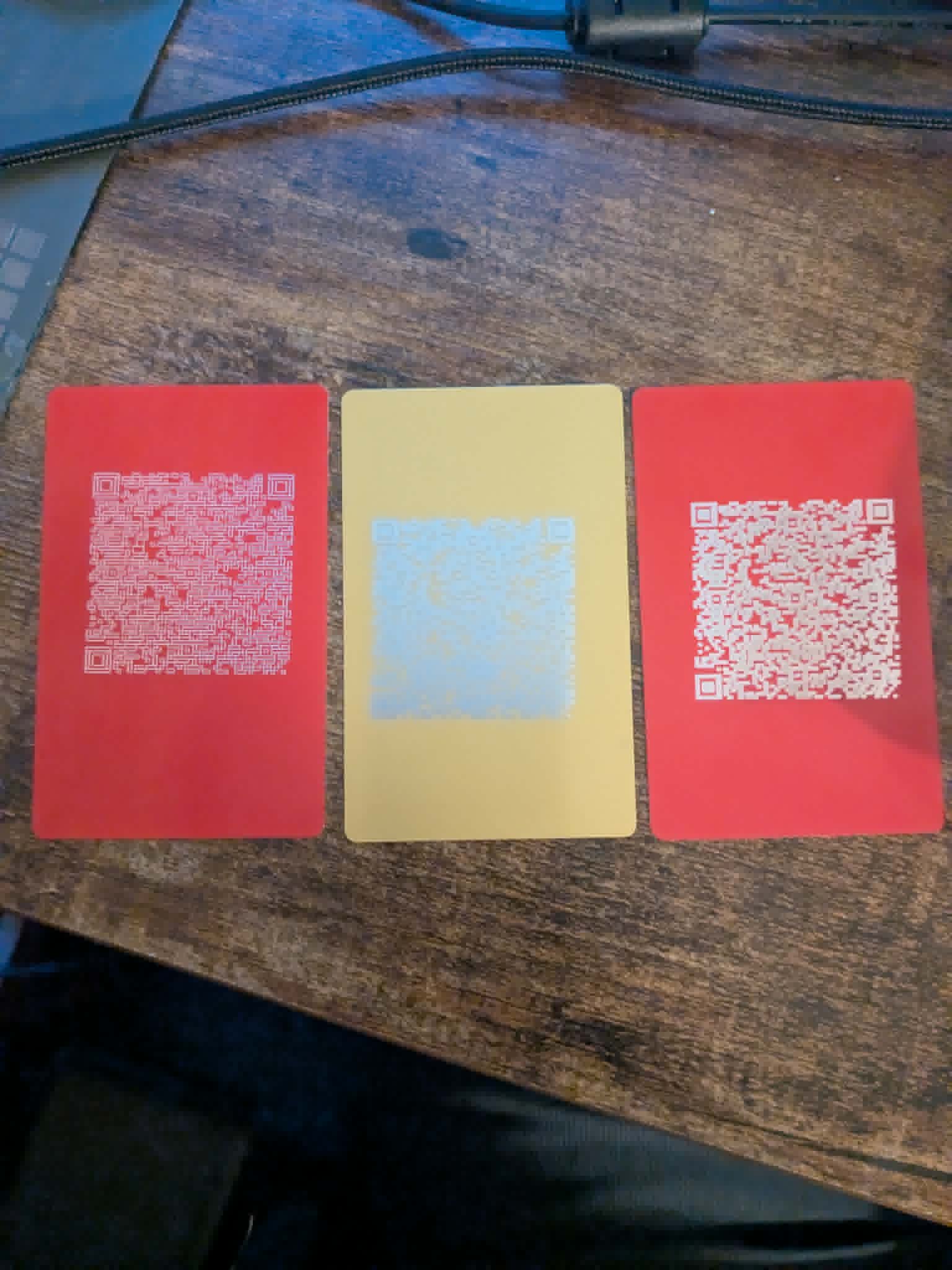
I am doing what I can to get a QR code contact made for metal cards. For some reason, I cannot make them readable. I am working with a Falcon2 40w. I have attempted using high speeds and powers, then I looked up some guidance online, when that didn’t work.
So, I then ran the guidelines from there, which told me: “To successfully engrave functional QR codes with the Creality Falcon2 40W in LightBurn, use high-speed, low-power settings to prevent over-burning, as the 40W laser has a large dot size. Recommended starting parameters on wood or coated metal are 2000–3000 mm/min, 15–25% power. Use Fill mode (not line), a 200-300 DPI, and an interval of 0.08–0.1mm for sharp contrast.” Which that did not work either.
I am at a loss at this point. All it is supposed to be is contact information. I am attaching the image of the 3 different attempts and link to work. Please let me know you thoughts. I truly thank you for your help and guidance.
Anodized aluminum needs nearly no power. You only need to burn the coating, which is very thin. A 3W laser is sufficient. So 10% power might be fine with your laser. I think you can set the 40W to 20W mode, right? Do that. Be aware, the 40W laser will have a beam size that is much bigger than 0.08 mm (that’s the size of perfect 10W beams). So expect it to be 0.15-0.2 (so better try something around 150 DPI).
The pictures are not very sharp, so it’s not easy to see how it really looked like in the end.
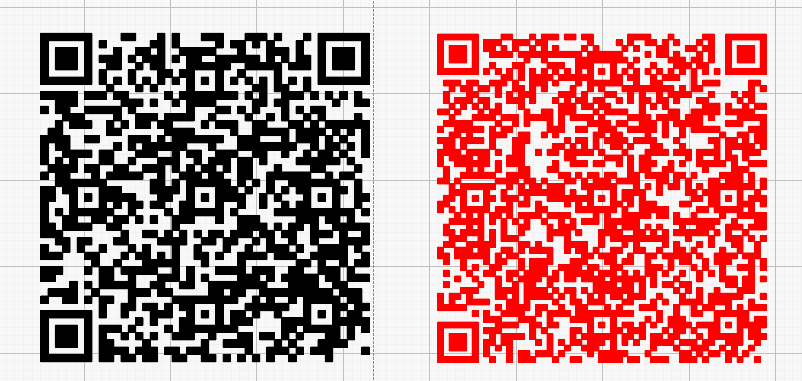
Additionally, if I re-create your bar code, mine uses less data pixels and therefore the pixels are bigger (0.8mm vs. 0.67mm) (mine is black, yours is red). I don’t know why yours contains more information (maybe error correction code).
If you are dealing with aluminum business cards I can help you (or kind of) with my settings.
I have a 5W(ish) optical power diode laser and for this power I use (on black anodized business cards) Power 5%, Speed 2375mm/min, Line Interval 0.08mm Fill mode and “all shapes at once” selected.
If the 40W from your Falcon is optical you need to lower the power way below from 5%. If the 40W power means input power or consumption power then you can use the settings I provide your as guide lines.