For some time now I have been using ‘Move selection to’ with success, primarily I use it to jog to a given corner of an object in my workspace. I’ve only noticed this since upgrading to MillMage Pro 0.9.00/0.9.01
I’m just reaching out to see if anyone has encountered this behaviour before I try an earlier version (That worked for me)
It does exactly the same, I’ve also tried different shapes at different positions, a new template, changed different x y configurations…I have a 2nd seat on another pc and that does the same
Well that is strange, under normal circumstances one would assume it was my set up one way or another…I am still wondering how my using an earlier release works fine for me
Yes I do understand how different micro permutations can have an effect in certain scenarios. I am also aware that in ‘essence’ there are no real differences between Pro and Core apart from added functionality, leaving the core (in the true sense of the word) engine with shared functionality remaining the same.
The fact remains that in my particular situation the only thing that has changed on the surface of things which is affecting me is the release version, where an earlier version works and the latest does not…so as with any fault finding exercise the first question I was taught to use first is ‘What has changed’
I have reached out directly to Lightburn and will await their response.
Please note that my comment ref a ‘Special version’ was a tongue in cheek comment hence the laughing emoji
Did you get to try the earlier version? Sometimes rolling back made no difference.
I was just suggesting a possibility. One thing Lightburn uses is the C++ Runtime executables. It could be a coincidence that the change was made between your Lightburn updates.
In any case, I will defer to @Colin to investigate.
Thank you Mikey, only this morning I tried again to just to double check my findings.
I re-downloaded then reinstalled MillMage-v0.9.01 Did not work
I re-downloaded then installed MillMage-v0.9.00 Did not work
I re-downloaded then installed MillMage-v0.8.02 Worked straight away
I have yet to/could manually uninstall then reinstall rather than let Millmage overwrite itself, I could also try installing to a new parent folder under the same criteria needed after renaming the original folder.
ive had it the odd time with after updates it will just randomly changes settings , dont ask me why or how, ive had it load an old prefence file which isn’t even in my millmage folder
open version that was working and 9.0.1 at same time cross ref everything
Good suggestion thanks, I have however started from scratch.
Uninstalled any Millmage versions, deleted the Millmage folder.
Downloaded and installed 9.0 and 9.01 (Individually) and used with just the installed Millmage folder (No importing or anything just plain vanilla)
Downloaded and installed various 9.0 RC versions with the associated Millmage folder.
All of the above did not work for ‘Move selection to’ Uninstalled each version and deleted Millmage folders each time.
Downloaded and installed 8.02 (Again with only the pre-installed Millmage folder) Worked straight out the box.
Now that I had a working version, just for fun I Uninstalled 8.02 but renamed that Millmage folder,
then re-installed 9.01 then deleted the Millmage folder from that installation then renamed the Millmage folder from the 8.02 install…Back to not working!!
Out of interest, every version framing worked every time.
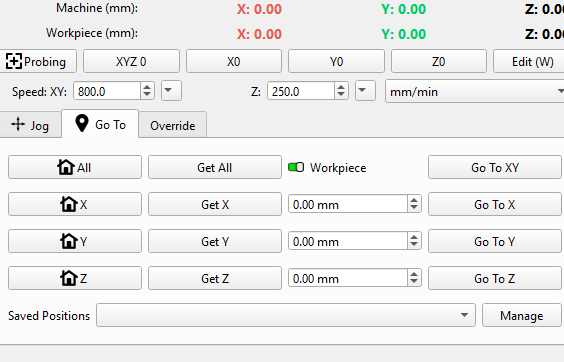
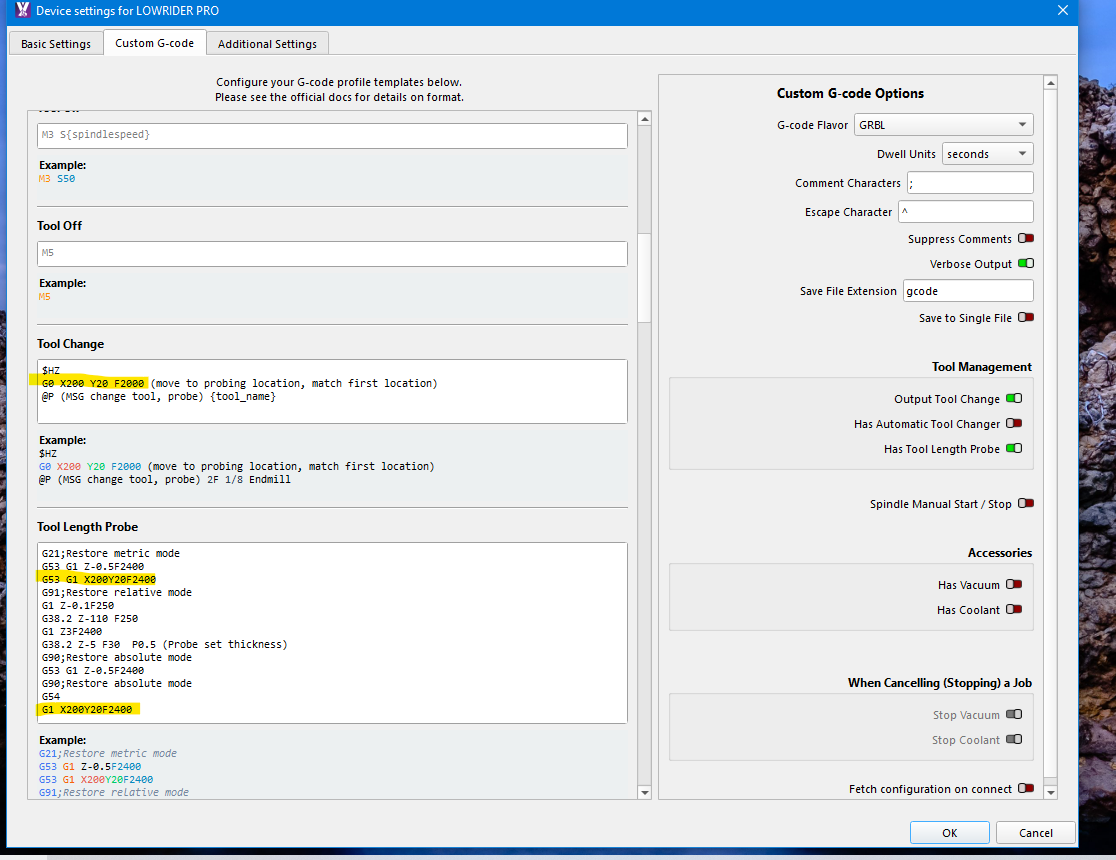
I have a similar problem with the GOTO panel. When one operation finishes it stops where the bit finished, so to change bit for next operation I would like to use the GOTO XY 0,0 of the work piece but it returns the machine to a point at the rear that’ been previously used. I would have thought that the GOTO XY would allow me to get back to 0,0 without manually resetting the 0,0 position of the job. This capture is not from my CNC computer which is currently working, it’s from my office computer. But if I select GOTO XY nothing happens on the CNC
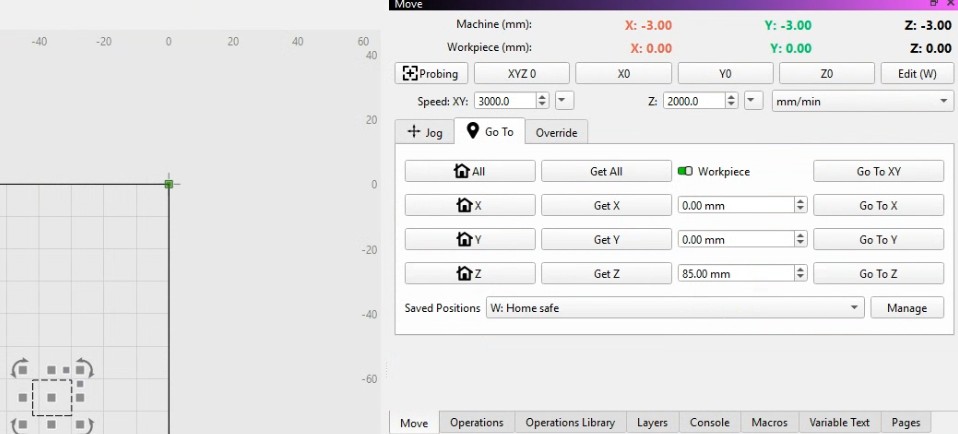
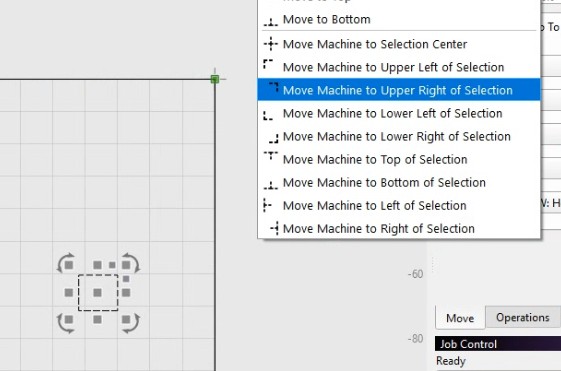
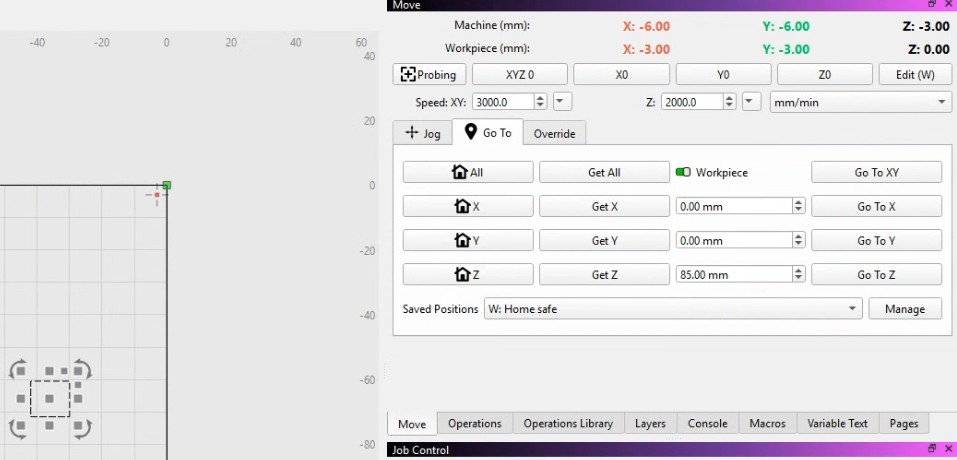

 Gremlin??