Quick nest appears to have to options….padding/spacing etc
Are you referring to these options?

If you don’t see them, you might need to click the right arrows to unfold the menu, or resize the window for the buttons to appear

Quick Nest is still being worked on, and more options are in the pipeline.
2 Likes
Yeah that’s the ones……the ones that were lurking behind a small arrow 
Thank you for your reply…actually while I have your attention I made a comment about the viewing pane not acting the same.
1 Like
Hey Aaron
has this just been added or have i missed it completely, another cool addition  the pressure this will take of my brain yah haha
anyway having play with it. L , R , UP , DWN do sort of what i would assume, padding seems inconsistent in some movements , do realise your still working on it and will get it fine tuned 
is padding per piece, eg 15 around each piece giving say 30 between 2 pieces or 15 in total between pieces
445 under table right up stands.mage (14.2 KB)
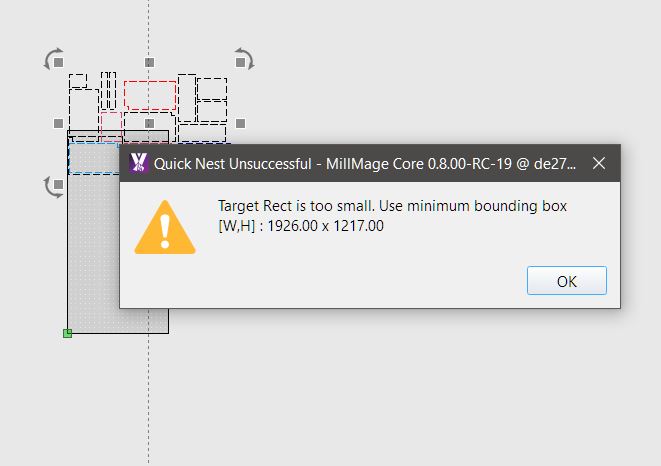
when clicking box with triangles this appears
this is how it looks using other buttons, ( changed colours to see where pieces were moving to)
file they are all black

cheers
Terry
This has prob all ready been thought of :), will there be option to nest pieces on to say multiple sheets at once, to optimize to full potential
eg my attached file 445 under table cupboards.mage (11.6 KB)
that is 2 cabinets Caresses on a 2400 x1200 sheet set out like that , i have 8 to cut out, Optimised i reckon could get it down to 3 sheets, not 4 as per this set up, the red is the door to be cut from different material , hence why not in work area