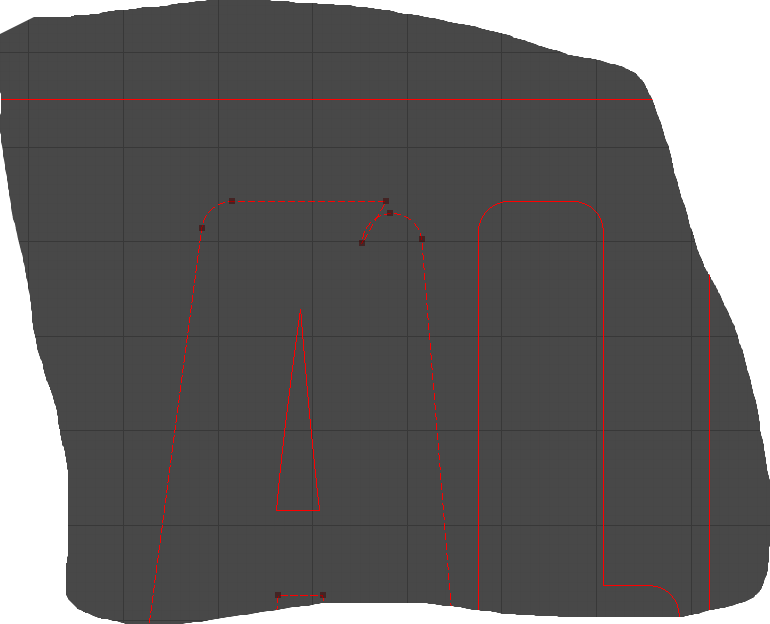
Is there anyway to keep this from messing up? And is there a way to automatically radious all corners in a selection instead of one by one?
This looks similar to have imported some art work and doesn’t 100% go where you expect. I’ve had a number of these from boxes.py.
These can be fixed using the node editor. This does take some practice, so don’t be impatient.
Where did you get the artwork?

Not at this time.
Can you provide the file you were working on, before radiusing any corners? I haven’t seen it fail like that before.
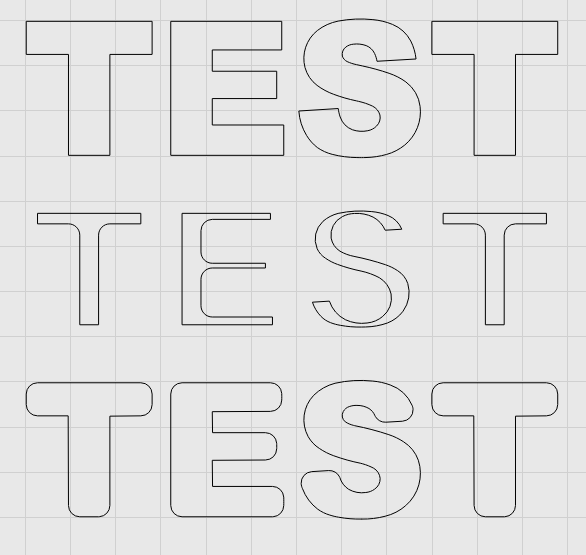
Kind of:
- Select the shapes
- Use the offset tool to offset inward by the radius amount. Enable “Select results” and “Delete Originals”
- Now use the offset tool again to offset the result back outward by the same radius, with the same options.
This is what that looks like from top (original) to bottom (result) :
Oh man, thank you so so much. That is going to save me so much time.
In return, can you attach that file so I can figure out why it went wonky? 