Raster image g-code bug?

Hello people, please let me start this message with my FULL GRATITUDE for all your wonderful work and effort spent for our lovely Lightburn.

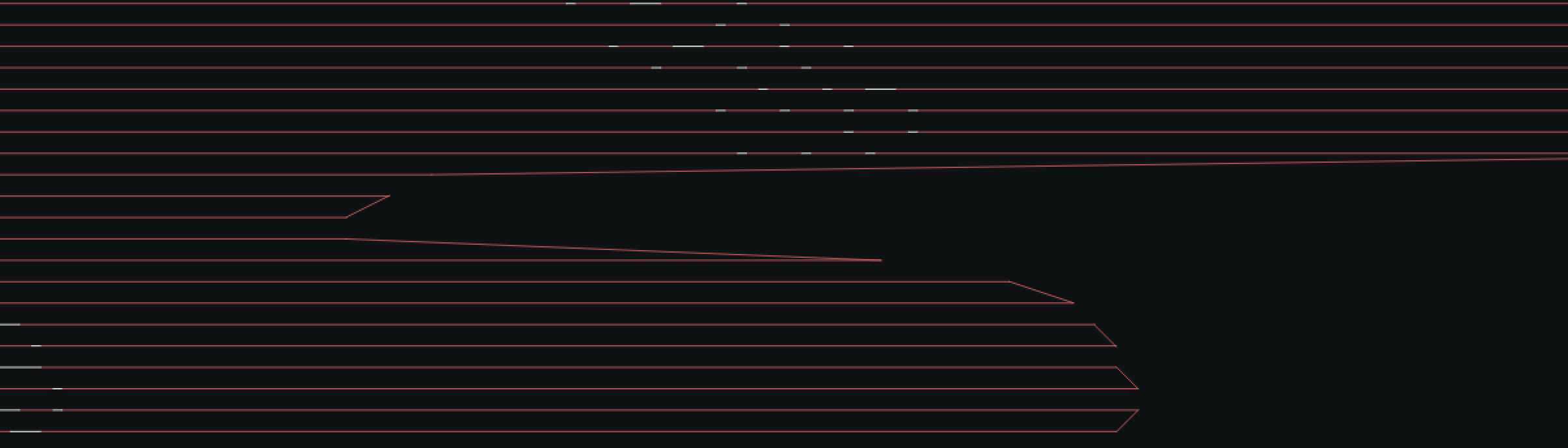
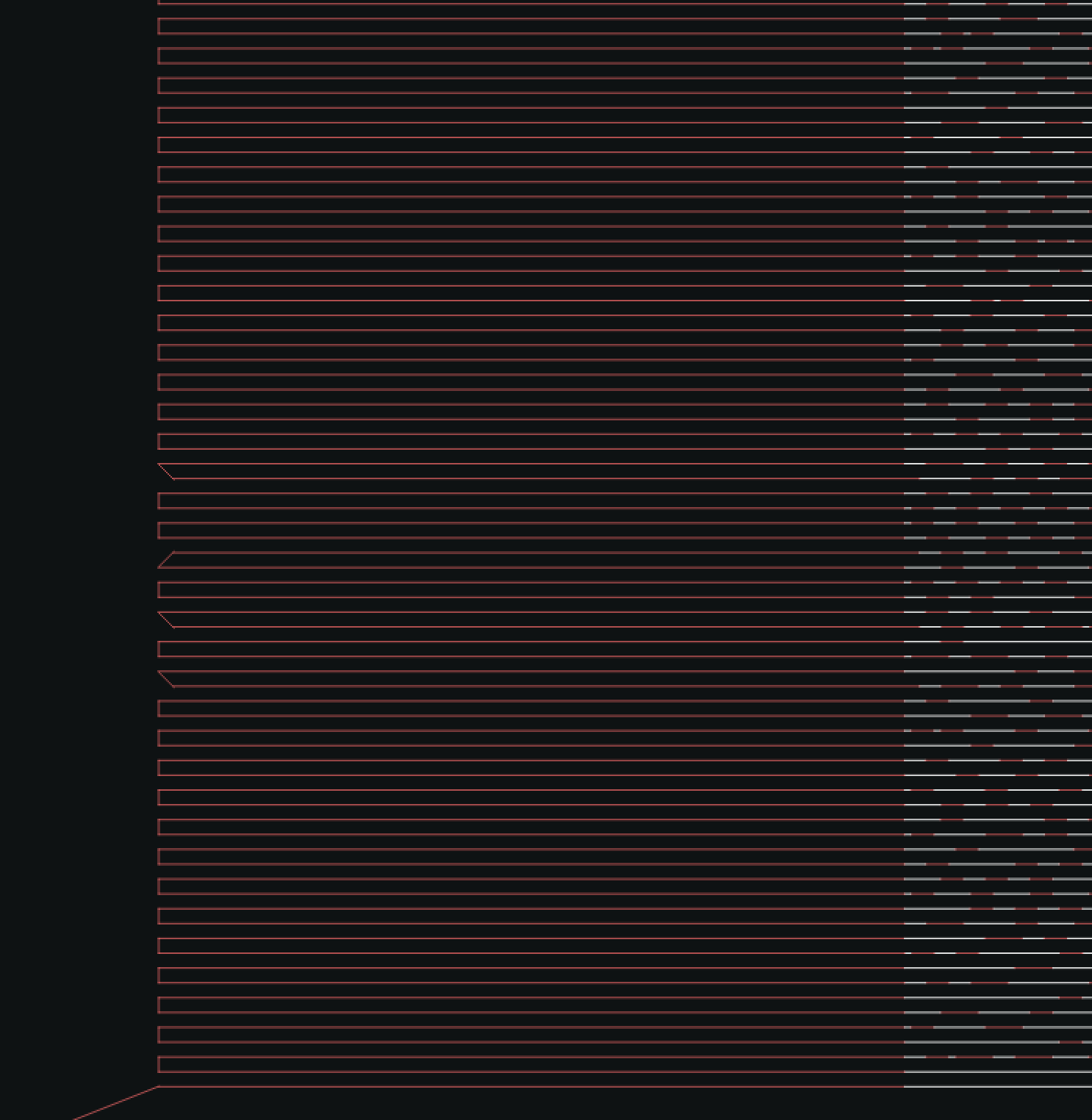
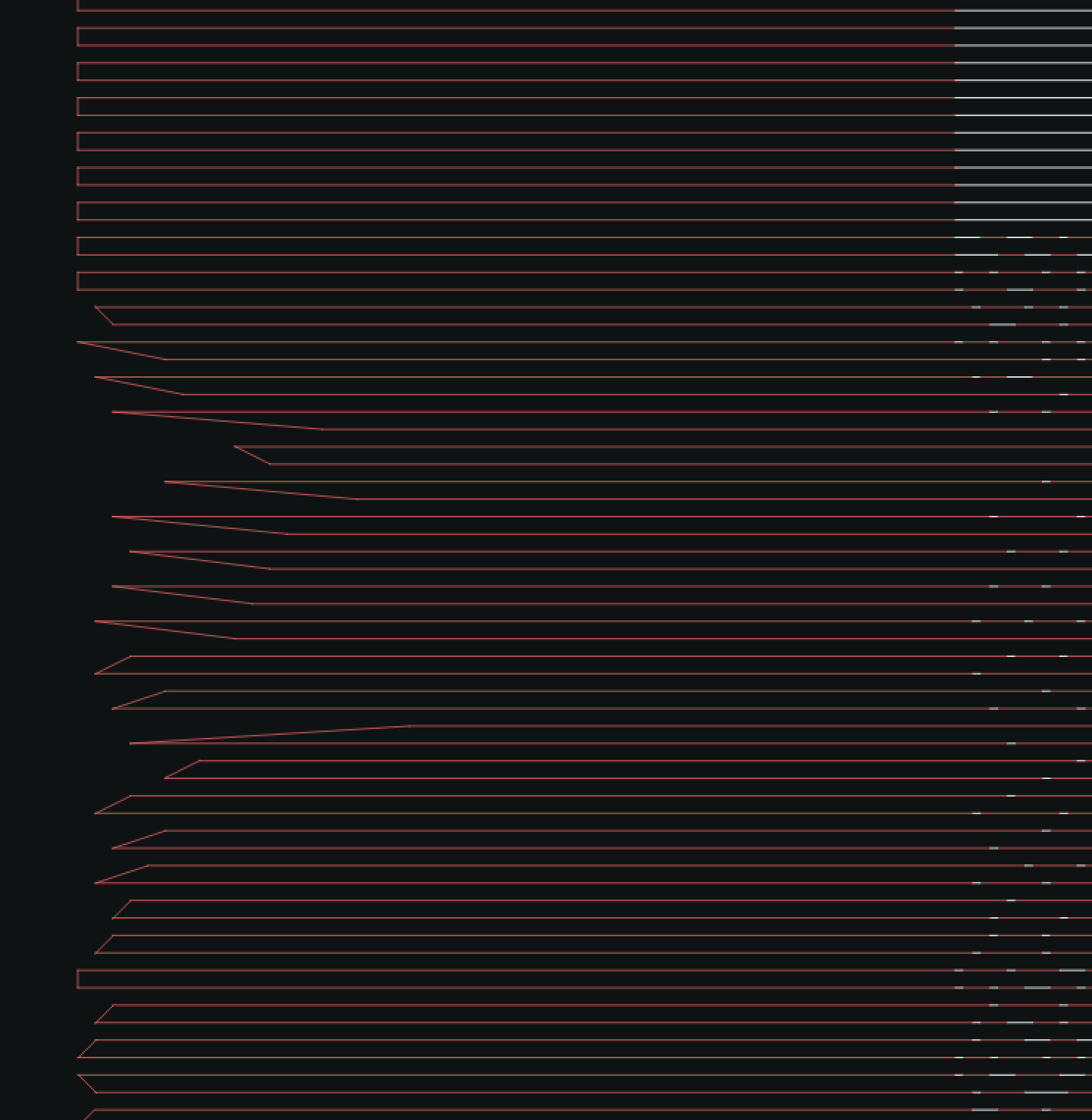
I’ve been struggling with some kind of issue happening during my raster image engraving: image seems engraved correctly in its global appearance (image perception) BUT it’s skewed right-way (engraving direction is from bot to top of working area, 0° degree scan angle). Moreover the image doesn’t have a really straight diagonal lateral edge, but more like a wobbling path (but constantly toward top right).

I’ve been dealing with all kind of possible hardware problematics like belt tensioning, axes calibration, frame skewing etc. but nothing helped solving this problem (everything was setup correctly). I’ve then re-aligned everything with the wasted engraving (talking about 4 hours job) and re-run the SAME EXACT job with 0,5 power to just let machine run the g-code path without real engraving effect. The result was EXACTLY the same, finishing at same shifted end of previous one. Just to give some references, I’ve framed the image BEFORE the engraving and everything was fine (let’s say a 40/60 cm rectangle, nothing to complain about alignment and correct squaring). After running the engraving, I’ve re-framed the same image and, as expected, the laser head framed the rectangle in the new shifted position, not corresponding to the initial “real” frame.

I’ve then gone through the g-code to analyze what was going on and, I’d say, I’ve found something strange happening.

Here is part of it, I’m running 10000 mm/min at 0,1 mm interval with 3% overscan (which means around 5 mm extra travel):

Laser is travelling left to right -
G1 X0.139S5 (ending the line)
G1 X5.03S0 (overscan)
G1 X-0.1Y0.1 (movement upward) here is the first strange thing, there is that X -0,1 which, combined with the Y movement, generates a diagonal move IN OPPOSITE DIRECTION (negative) which is hard to understand and can provoke some shock IMHO
G1 X-5.03 (overscan back)
G1 X-0.139S5 (first engraving of new line)

everything flows correctly until the next switching point

G1 X-8.64S5 (final segment)
G1 X-5.03S0 (overscan)
G1 Y0.099 (there is no X movement - which is correct IMHO but a different behaviour from previous one, and it’s NOT 0,1 as presumed but 0,001 missing)
G1 X5.03 (overscan back)
G1 X0.14S5 (first segment of new line)

I’m pasting next switching moments and you’ll see by your eyes that something random happens:

G1 X0.039S5
G1 X5.03S0
G1 X0.2Y0.1 (NOTICE correct direction but 0,2 instead of 0,1 - if it’s meant to be)
G1 X-5.03
G1 X-0.139S5

G1 X-1.04S5
G1 X-5.03S0
G1 Y0.099 (STILL 0,099 INSTEAD OF 0,1)
G1 X5.03
G1 X0.04S5

G1 X0.139S5
G1 X5.03S0
G1 X-0.2Y0.1 (NOTICE NEGATIVE VALUE)
G1 X-5.03
G1 X-0.039S5

I’M JUMPING THE BACKWARD LINE 'CUZ IS SIMILAR TO THE PREVIOUS ONE, here is the next point

G1 X0.04S5
G1 X5.03S0
G1 X-0.2Y0.099 (AGAIN NEGATIVE & 0,099 INSTEAD OF 0,1)
G1 X-5.03
G1 X-0.04S5

G1 X-1.44S5
G1 X-5.03S0
G1 Y0.099 (NOTICE)
G1 X5.03
G1 X1.44S5

G1 X0.04S5
G1 X5.03S0
G1 X-0.3Y0.1 (ABSOLUTELY RANDOM -0,3)
G1 X-5.03
G1 X-0.04S5

G1 X-0.64S5
G1 X-5.03S0
G1 Y0.099
G1 X5.03
G1 X0.44S5

G1 X0.04S5
G1 X5.03S0
G1 X-0.4Y0.1 (NOW -0,4 !!! )
G1 X-5.03
G1 X-0.04S5

and keeps on … I’ve generated also a Gcode with no overscan and, except for those 5,03 back and forth movements, everything else is equal.

I TRULY BEG YOU to let me know what is happening 'cuz I’m totally stuck with my job and it’s something I do for living.

Thank you SO MUCH GUYS, I LOVE YOU

Peace - Zovi
Hello Zovi

Thank you for the very detailed explanation of the issue.

In order for us to better understand, could you provide a visual description of the issue on an engraving?

Also, could you clarify which laser engraver you have?


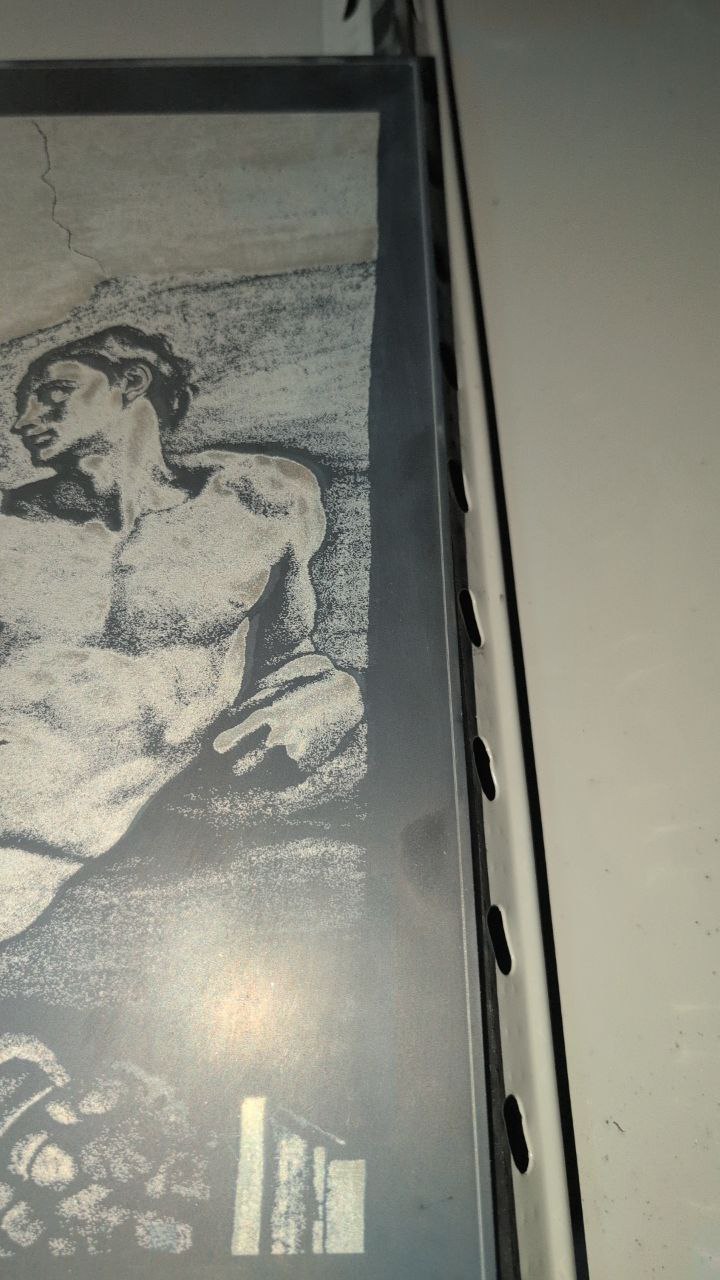
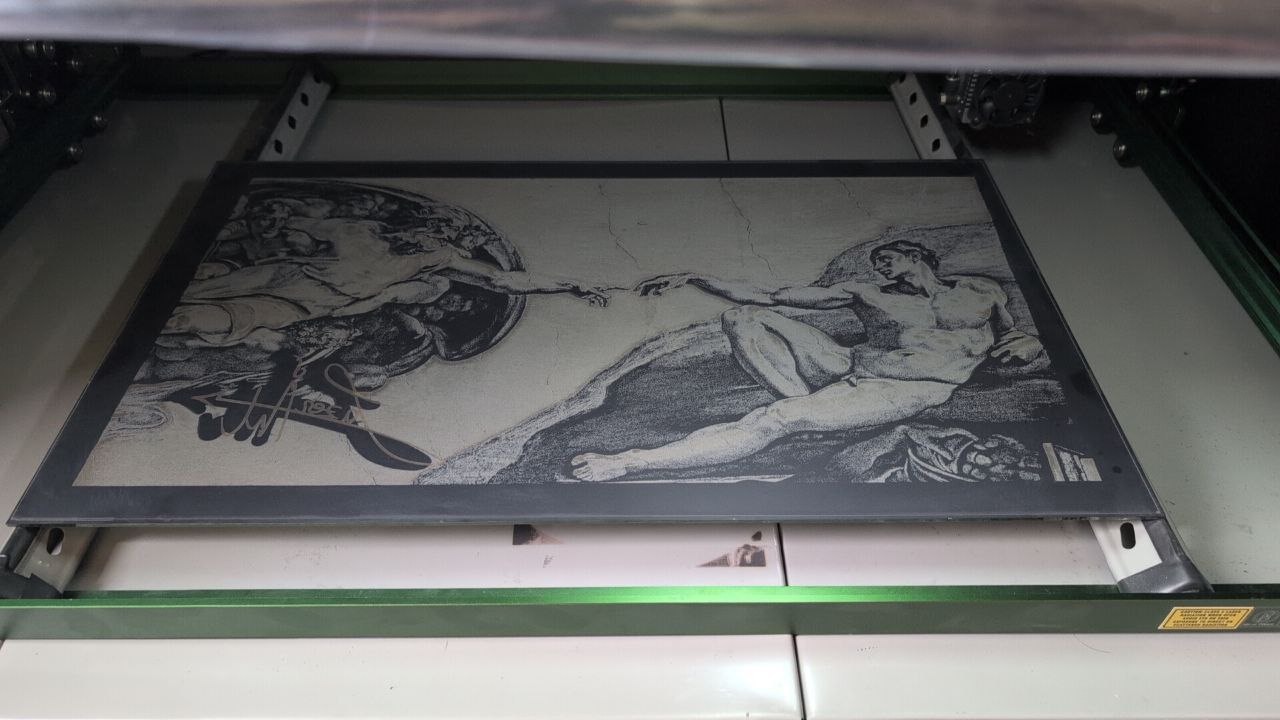
Here is the engraving, it’s an image run on mirror with Lightburn Atkinson algorithm (as negative). You can see the external engraved rectangle (running close to the external edge) and that’s a STRAIGHT rectangle, nothing strange about it; it’s made before any other engraving for later/eventually need to realignment. Engraving is run after it and it starts from the correct offset (bottom part) and then going always skewed to top right (see second image for detail). You can even see (first image) my signature made after image, it comes offset from initial image mask (it’s supposed to be right in the middle of mask).

After this first engraving, I’ve reset my machine (NEJE MAX 4) and then re-aligned (with big rectangle) and re-run the engraving with 0,5 power to just see if the ending point will be the same and… IT WAS ! Same final offset, signature would have been done again in the same offset position.

Thanks for your quick response, I love you even more <3

I have seen this error before, but based on firmware issues.

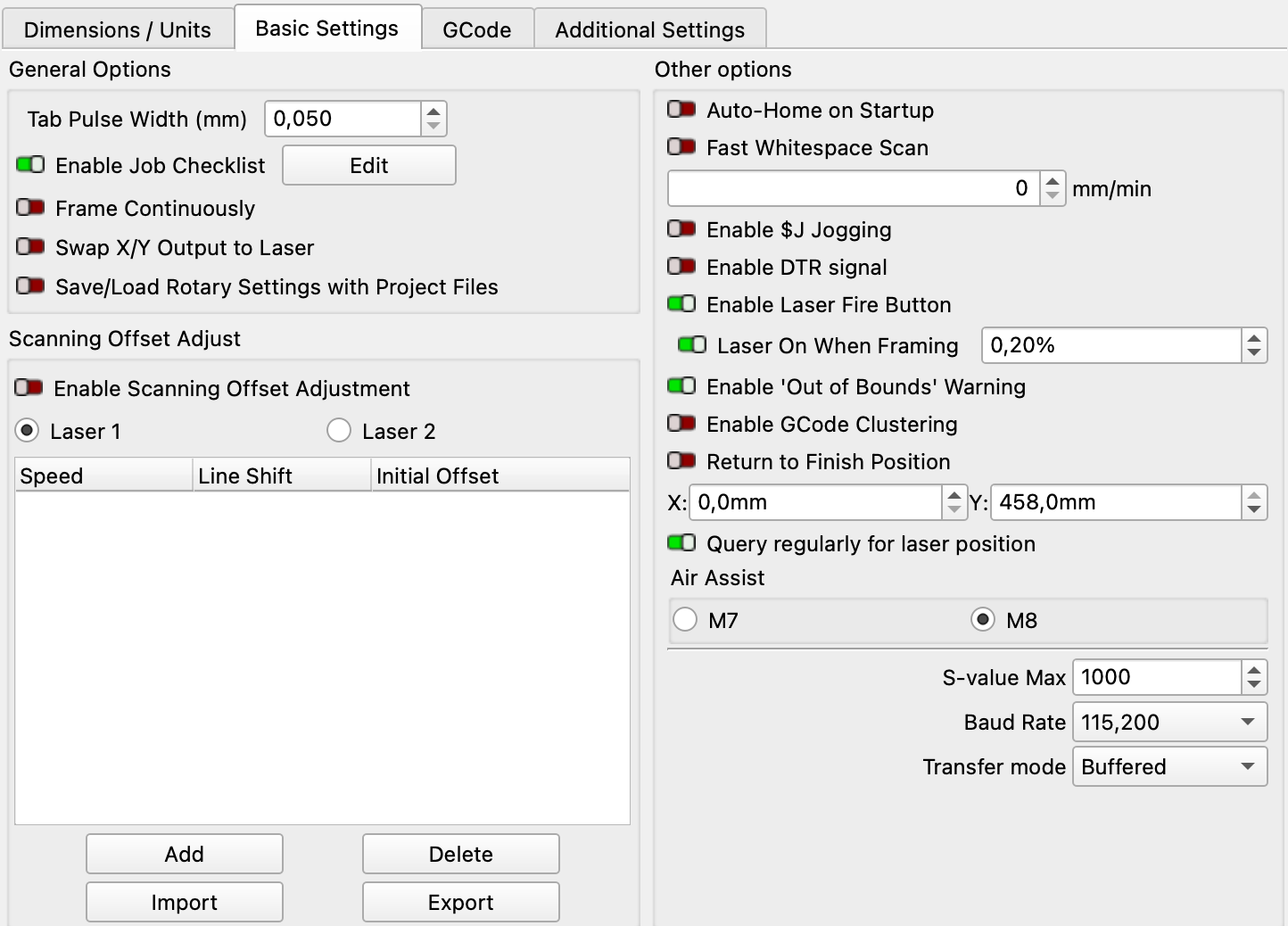
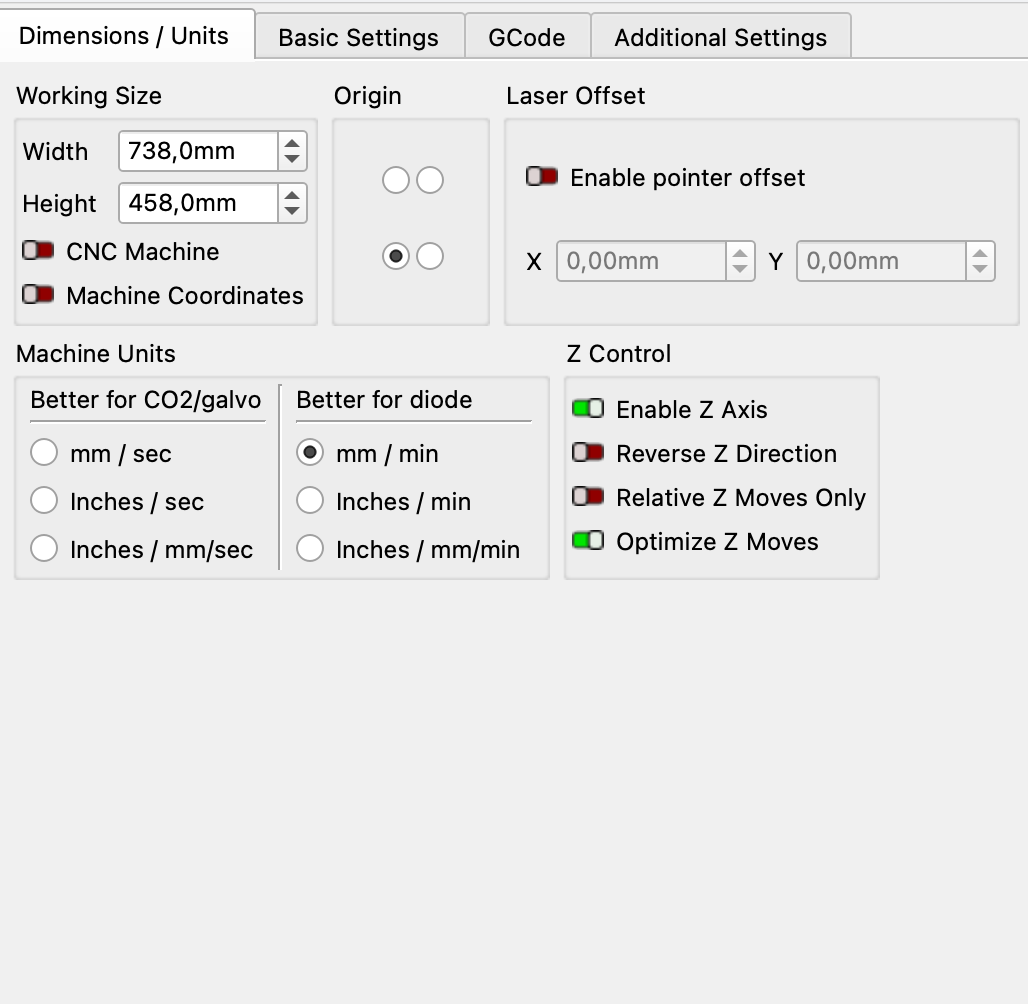
Question, could you share your Laser Tools > Device settings
Screenshot of all tabs please


Try this for me please

disable “Query regularly for laser position”

This basicly keeps sending ? queries to the controller, which might be causing some latency on the serial port.

I’m sorry to say, but it didn’t solve the issue, G-code remains the same. I’ve also installed the Lightburn 2.0.02 but didn’t help aswell… I’m from a Mac btw


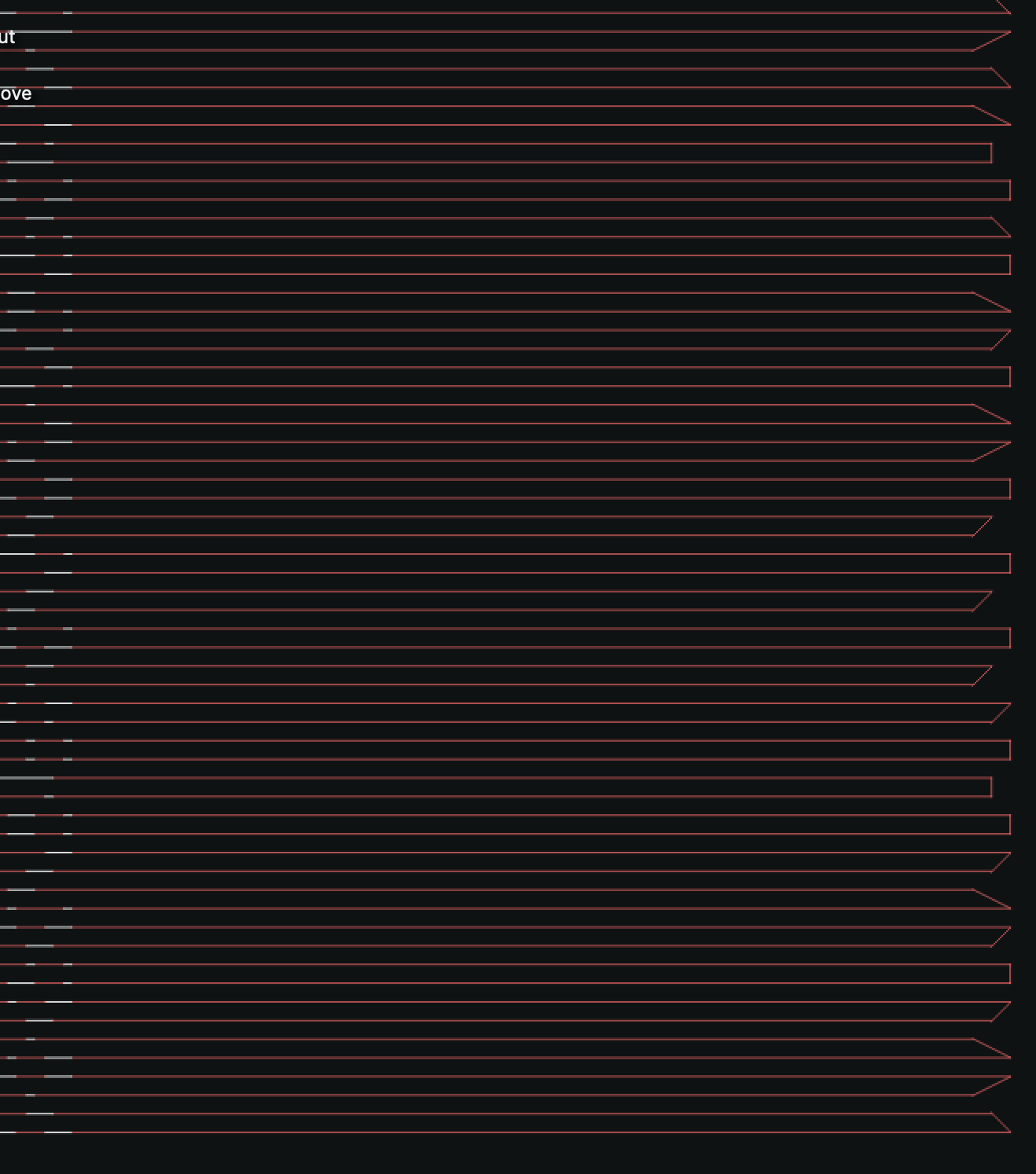
I’ve opened the preview with traversal moves and it is really made like that zig-zag … is that the correct way? Moreover I also please you to notice some really oblique lines here and there

I feel like the Y movement computation is blend together with the next line delta, you can see where lines start at same point (X) the corresponding Y travel is correctly 90°

I’m thinking about that query / latency … it should affect both ways left and right, shouldn’t it?

could you send us the LBRN that generated this pattern
also a full backup of your preferences. Ideally to support@lightburnsoftware.com

To backup preferences go to File > Preferences > Open preference back.
Zip the full contents and send please.

Done right now ! Thank you SO MUCH <3

1 Like

Have you tried a slight increase in overscan?

:smiley_cat:

Yes, but still weird gcode, moreover it should affect both ways

OK guys, MAYBE I’ve got it …

I’ve RUN AGAIN (4 hours) the same project on the same mirror (obviously after re-aligning) and, in the end, laser has finished in correct position. What I’ve changed is the workflow: I was using the Neje $REC function (it sends all the gcode to Neje motherboard and then laser works offline without USB connection need). I’ve tried working with direct streaming from Lightburn AND IT WORKED MAGNIFICENTLY !!!

So … Now … I please you guys to feel free to go deeper into this issue or just leave it, it seems to be a Neje issue, I’ll contact them BUT, whenever you’d feel the interest into, you’ll be so kind to write Neje about this, I’m sure YOU ARE SOMEONE instead of me reaching them as a normal user.

THANK YOU SO MUCH, please let me know if you find something new about this and, PLEASE, keep in touch with me if you want me to go into some tests for you.

KISS KISS KISS, THANK YOU ALWAYS FOR EVERYTHING

Peace - Zovi

This is interesting, as it seems the controller didnt have read ability. You have a good SD card? IF its a slow read/Write card it might be part of the problem.

Neje Max 4 has no card slot, it has 256 MB inner memory that you can write with that $REC command, is something they’ve done as an update

Just an update, I’ve just re-run all job in offline mod ($REC function) and also unplugged USB cable … keeps giving same wrong output, so it’s nothing about that continuous ? position query from Lightburn, just a Neje problem … what can I say? They aren’t answering me on their “support” forum

OK GUYS, WE’VE MADE IT!

I must congratulate with Jack Wong from Neje for his ABSOLUTE efficiency, he followed my requests and found the issue & solution, a new firmware update has fixed this.

Thank you Neje !!!

1 Like

This topic was automatically closed 30 days after the last reply. New replies are no longer allowed.