These are all laser cut on Okoume 4mm plywood. Original designs are dye sublimated onto the plywood, then the lines are engraved out and darkened.
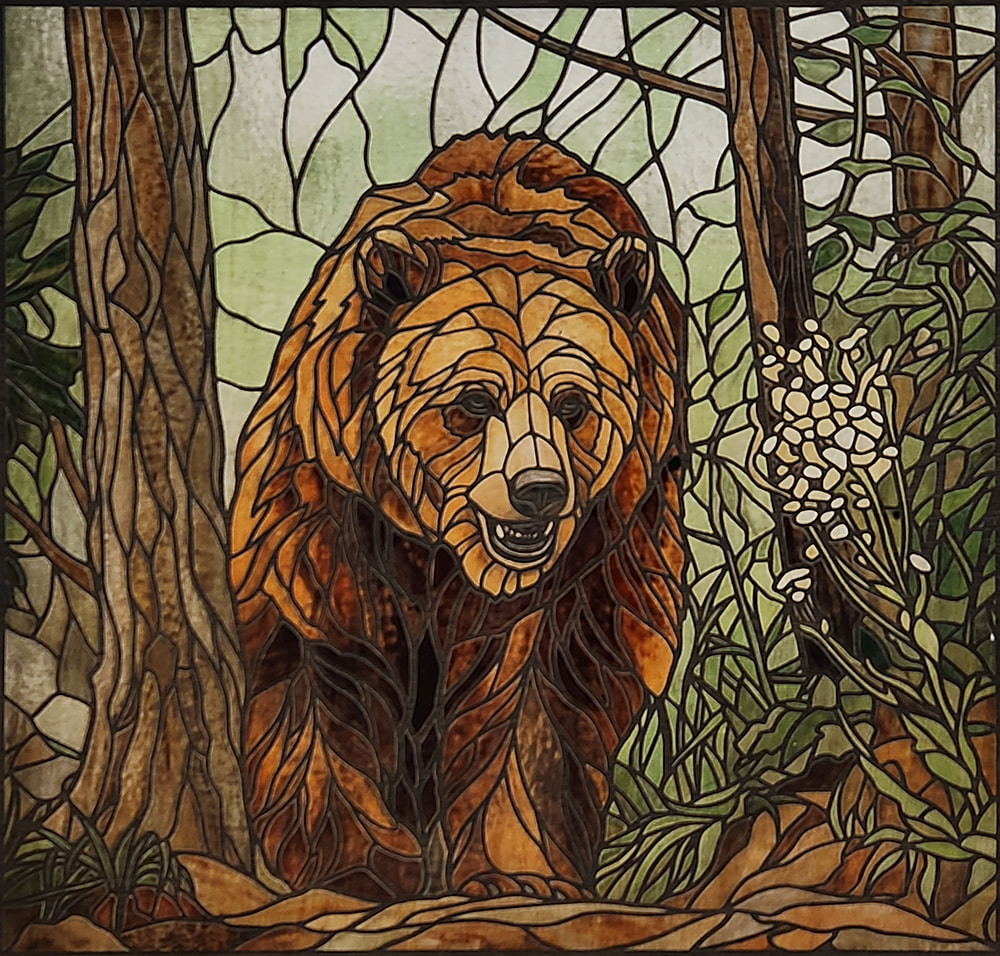
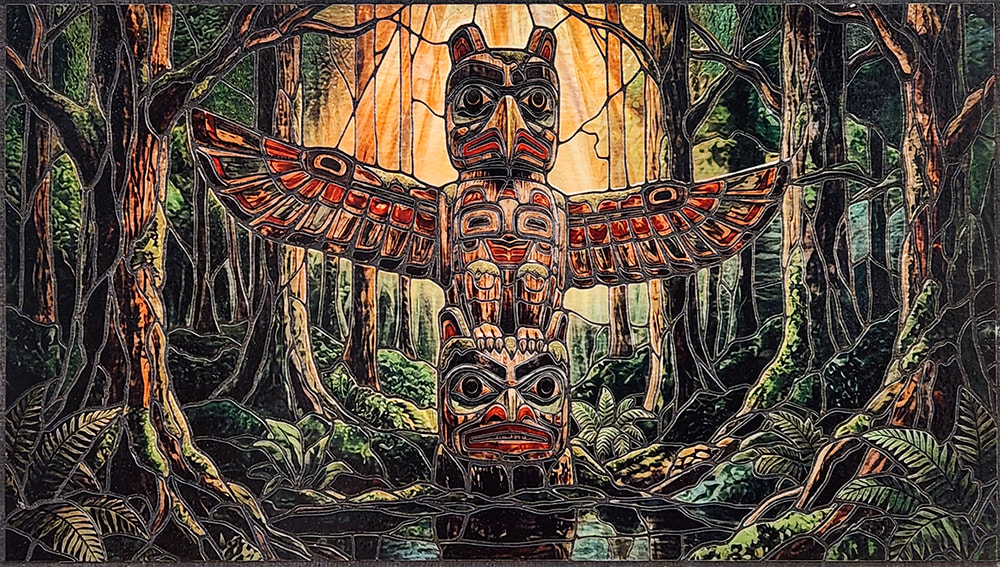
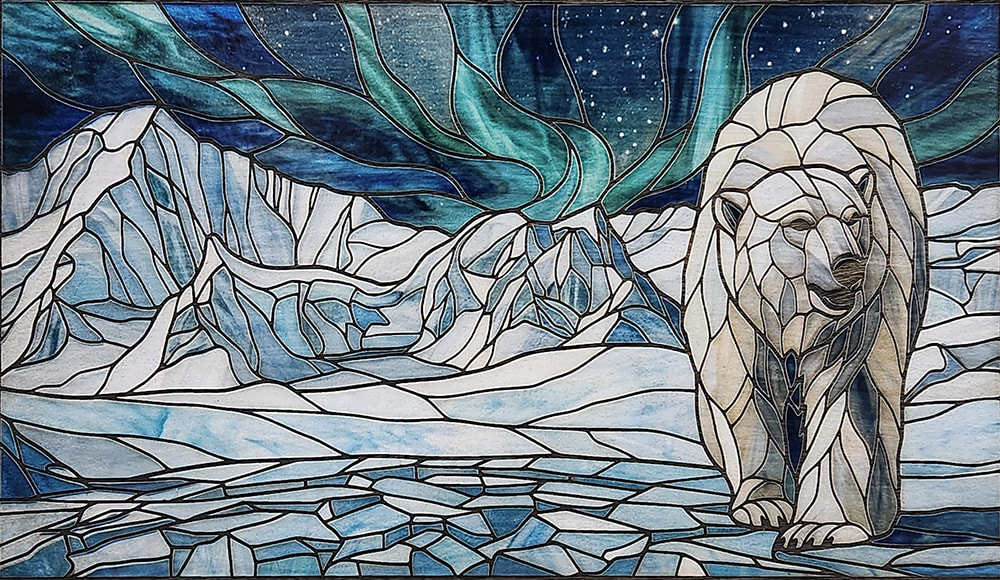
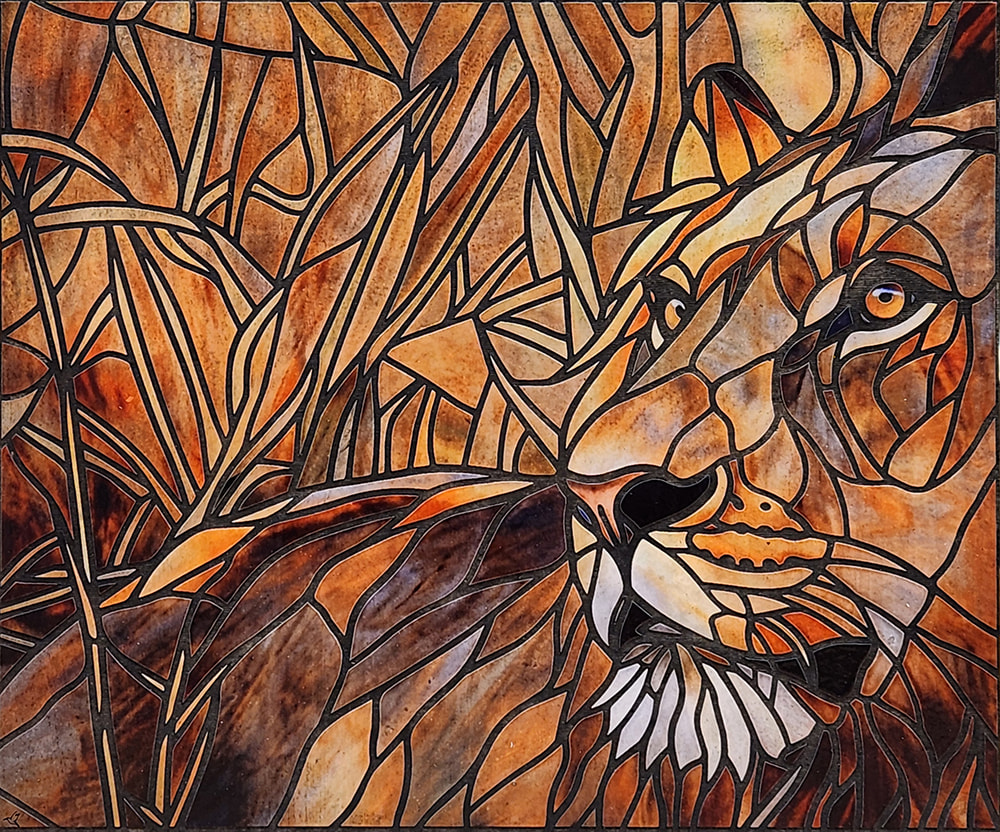
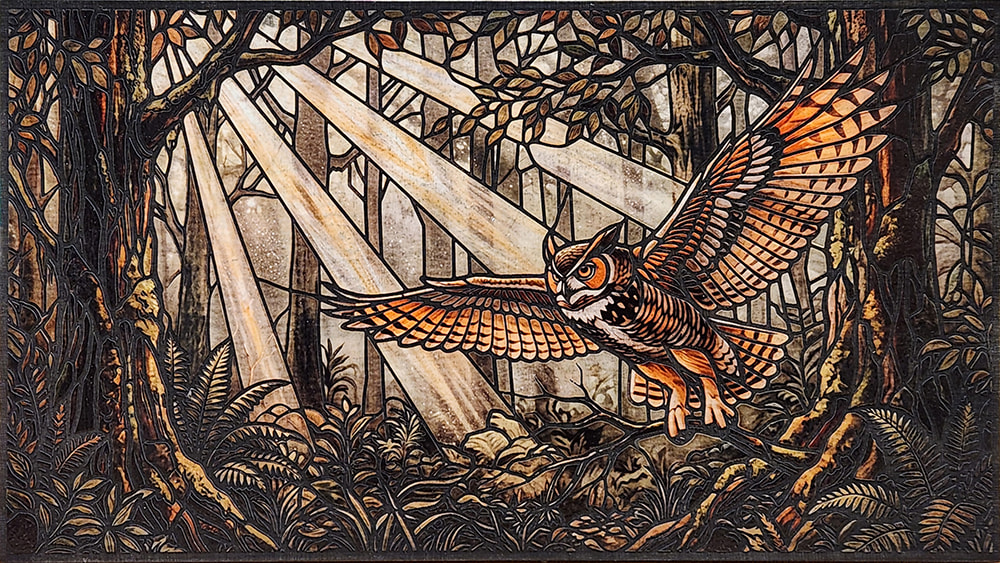
16 Likes
Mark,
Those images look really good!
I’m curious about the dye sublimation method. Did you use normal sublimation inks or a special formulation? Is the plywood specially coated or just bare wood?
Shaun
I use dye sublimation inks run through an Epson Eco-tank inkjet printer. I print on specialized dye-sub paper, which gives the best ink transfer, although its possible to use just regular copy paper. The results won’t be as good though. You also need a heat-press of some kind. There are hand-held versions, similar to a large iron, but I got a heat-press designed for t-shirts to allow me to do larger patterns on the press. For the transfer substrate (what the design ends up on), it can be wood, acrylic or even metal if it has the proper coating on it. For wood, I prime it first with either primer or white gesso, then I can either use a heat based laminate sheet or coat the gesso with Polyacrylic. There are a ton of videos on Youtube that show the process, just look up something like “Dye Sublimation on wood” as the search.
1 Like
And don’t forget to print the mirror image!
(We’ve all made THAT mistake.  )
)
4 Likes
Thanks Mark,
I’ve played around with dye sublimation in the past using Ink Owl sublimation paper and ink in an Artisan printer I converted. I’d really only used it with commercially prepared ceramic mugs, etc. I’d never experimented with polyacrylic or laminating sheets as a transfer medium. That’s definitely something I need to try some day.
Shaun
2 Likes
Lovely results.
1 Like
So you use registration marks on the substrate then open that image in LB, trace the outlines and line up the marks?
Yes essentially. I put registration crosshairs at opposing corners outside the image area then import the image into lightburn to trace the lines & registration marks. I clean up the line work and set it up to engrave. Last step is to put the image with reg marks that is dye sublimated on the wood into the laser and use the Print & Cut tool in Lightburn to register the image with the Lightburn engraving.
1 Like