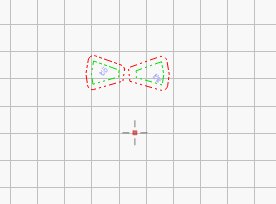
I have loaded version Lightburn Core 2.1.04 and started using Lightburn again after pausing for some time. I seem to remember in the previous version (but I may be wrong) that when I had positioned the ‘red dot’ (see picture) it stayed in that position until I used the option to move it again. It now moves when I then use Lightburn for cutting. I found it very useful that it stayed where I last ‘positioned’ it. Is there a way of getting this behaviour
The red positioning target appears while you are using the function itself (“Set laser position…”) and disappears with the selection of another tool.
However, you remember correctly, in some older LB versions the small red cross remained visible - which many users (including me) found irritating.
If you need to reuse a specific position for positioning your items, “User origin” or “current position” is the right choice.
The red crosshair is the Show Last Position indicator. With regular position querying enabled, LightBurn updates it from the position reported by the machine. With it disabled, it should remain at the last deliberately reported/moved position until you use the positioning tools or Get Position again.
Give that a try and let us know if that restores the behavior you were expecting.

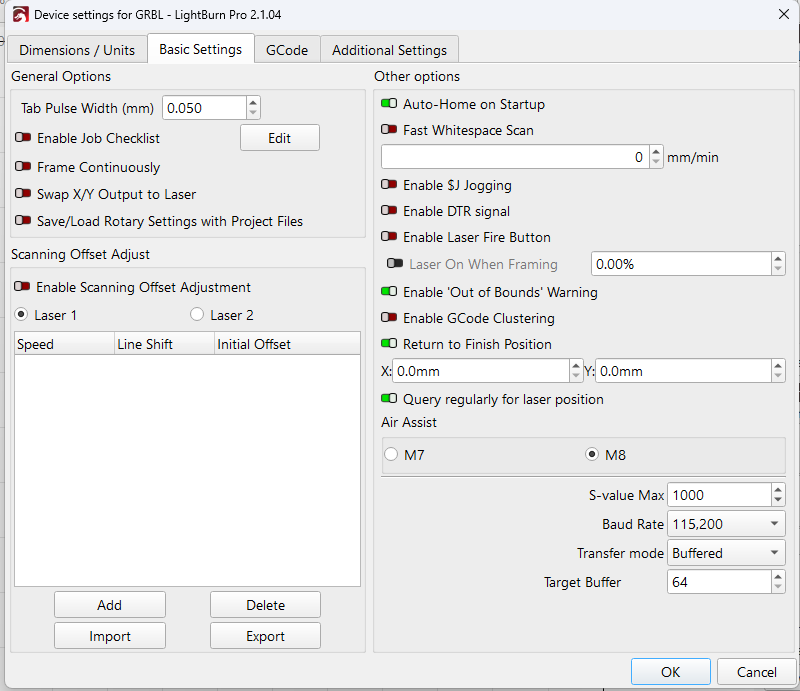
 , so the red position marker will not update normally.