I need help with a workflow issue on my CO2 Galvo.
The situation: I often need to work slightly outside the defined 300x300mm workspace.
Engraving: LightBurn actually handles this fine—the laser marks the geometry even if it extends beyond the workspace limits.
Framing (Red Light): The problem is with the preview. When I use the Frame (F1) function, the red light stops exactly at the edge of the 300x300mm field. It refuses to travel outside the boundary to show the full outline.
The comparison: In EZCad, the red light frames the entire geometry perfectly, even the parts outside the workspace.
My question: Since the machine is physically capable of moving the mirrors there (and it does so while engraving), is there a setting to unlock the Red Light Framing so it doesn’t get clamped/clipped at the workspace edge? I need the preview to accurately show where the “out of bounds” elements will be placed.
The code that runs the preview is functionally identical to the code that runs the job itself.
Are you saying the red light “holds” at the edge and won’t go outside it, but the laser does, or are you seeing the red light actually cut off at the edge?
“The red light stays at the edge of the workspace boundary (clamped to the edge) while it should be moving further out. It looks like it hits an invisible wall at the 300mm mark.”
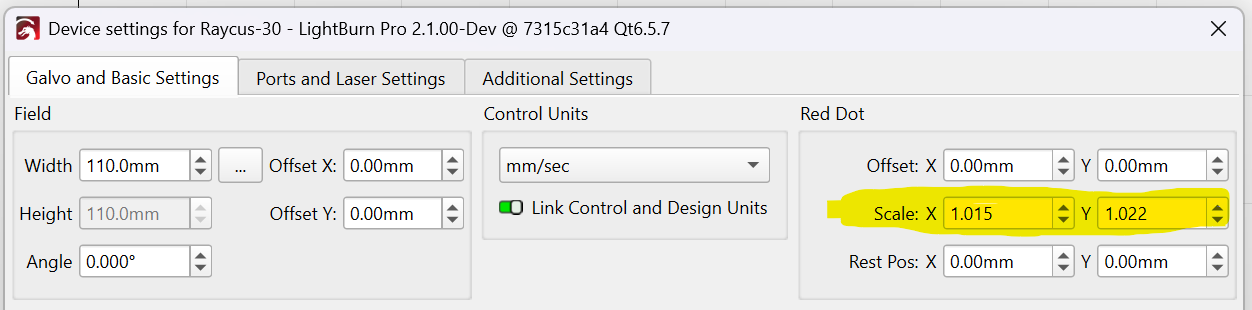
There is nothing in my code that does that. It does clamp the red light (and the main laser) to the physical limits of the galvo mirrors. Do you have a red-light pointer scale applied in the device settings?
If your red-light pointer requires scaling, it could be that the scaled-up coordinates are hitting the physical galvo limits, in which case moving past that point isn’t possible.