Hello All, I have a Chinese 40 watt laser with retrofit Cohesion 3d board. I have had problems for the last 2 years with it stopping in the middle of a run and lightburn saying it was still running. After trying a new cable, changing the settings on the new computer to keep the USB ports from sleeping and other minor things, Today I hooked up a ground wire from the chassis of the laser to an electrical ground. The problem seems to be fixed ‘at the moment’ and it was really acting up prior to the ground wire. BTW, the new computer is an HP tower with windows 11. I didn’t hook a ‘scope’ between the laser and ground, but I did use a VTVM set on AC and was getting readings around 150 - 200 microvolts from chassis to the electrical ground. The ground wire eliminated that. However, I now see the machine homing about every 1 to 2 minutes when idle. This is something new and am wondering what could be causing this now. I have run a few jobs without any failures so I guess the homing is not affecting performance. I am just wonder what could cause the homing? Any ideas out there? mz Lowell, Indiana
Do you have auto-home on startup enabled? If you are seeing the machine rehome every few minutes it could be that the board is intermittently restarting. That issue combined with the fact that you need to ground it could indicate that the power supply is bad. Either that or faulty cohesion board. Disable homing on startup and see if that condition goes away. That could be a good way to indicate whether or not the machine is doing a full restart/boot cycle.
I did turn off the home-upon-startup and didn’t notice the homing problem. I have to run it for a day to see if that is the problem. I don’t think the board is rebooting though, because the screen for the controller does not change.I would think that if it was rebooting, the screen would run through it’s routine. this whole thing has been a head scratcher. I did read online that if it was a comm problem over USB that I could use an ethernet connection which would bypass and usb problem. I don’t see any ethernet connector on the cohesive 3d board. I guess lightburn supports ethernet too. It sure is a great program.
The cohesion boards do not support Ethernet.
What do you see in the console window when the machine is doing the random home routine?
No special error messages No homing message. Ok on the no ethernet as well. thanks
That is definitely weird. I would suspect it has issues. is there a firmware update available ?
my money is on power supply failing
the one for the cohesion 3d board? That would be easy to prove out. I have other supplies to ry. Good though! I am wondering why the screen does not reboot and the funny thing is the machine runs fine now through a long run now. That is after I put the ground wire on the chassis of the laser to ground.
So the homing issue is completely gone now since you disabled home on startup?
I just got finished testing and what I did was run the last job with very low power and the machine did not stop in the middle of the run and go to home. Then I kicked it in high gear 80% power, it ‘lost connection’ in a few minutes during the program. So what I tried was rerouting the USB cable away from the machine at 90 degrees with no loops in it. The job ran all the way through without stopping. So I am thinking noise from the laser was getting into the cable and clobbering the signal to the machine. As I stated before in my post, I did ground the machine and was hoping that would protect the cable and computer but apparently not. As far as homing by itself while idle, it hasn’t happened today at all. I am hoping it isn’t some sort of intermittent as far as the homing issues. My main concern was the stopping in the middle of the program and going to home. Thanks for all suggestions. I will try anything to eliminate these random hiccups.
Given your recent test results, I would recommend using the shortest possible USB cable with a ferrite bead, which is designed to prevent electromagnetic interference with high-frequency signals. 
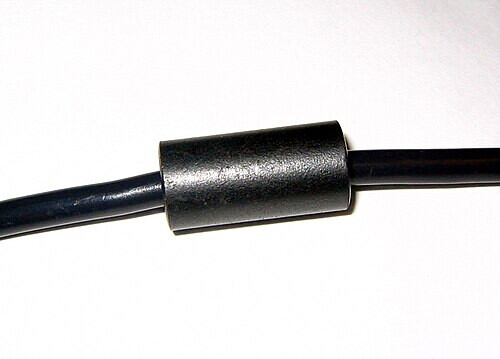
Thanks for the suggestion, but that is the cable I am using. It is 100% shielded and there is a toroid on each end near the plug itself. I am wondering if it could be because the cohesion 3d board is inside the cabinet about 5 inches away from the high voltage supply for the tube. I even put a toroid on each axis ribbon cable when I installed the board 3 years ago. The thing is I didn’t have this possible interference problem until Uncle Bill told me my old computer would not support windows 11 and I bought this HP computer. This never happened before I changed computers. Maybe the HP usb port signal levels are flakey or something related. Anyhow, thanks for the tip on the cable. mz lowell indiana
My homing problem came back today. I did notice that when the machine is idle, the home position updated about every 2 seconds. Then I got a console message that said. “smoothie ware, homing”. Something is definitely resetting with the cohesion 3d board because I had just ran the laser on a job and that would set the board to inches. When I first turn the machine on it is in millimeters. Then if I run it, it is set to inch mode because that is what I use. After the homing incident, the machine was back into mm mode. So now I am looking at the 24V power supply I am using. It is rated at 4 amp 24 volts. So I ordered a new one rated at 10 amps 24volts to try on monday. What gets me is that when the machine does the homing thing, I look at the controller screen and it doesn’t change like it does when it is booting at startup. It never changes but the board must be resetting because it does go back to mm mode. And the homing occurred when the machine was idle. So I hope the new supply will fix it. I was also thinking maybe the SD card was acting up but if it is, I have no way of getting a new copy of the firmware for the board because the company is out of business. I would have to get someone to clone their board and send me the image to reburn it. Ok, thoughts? comments?
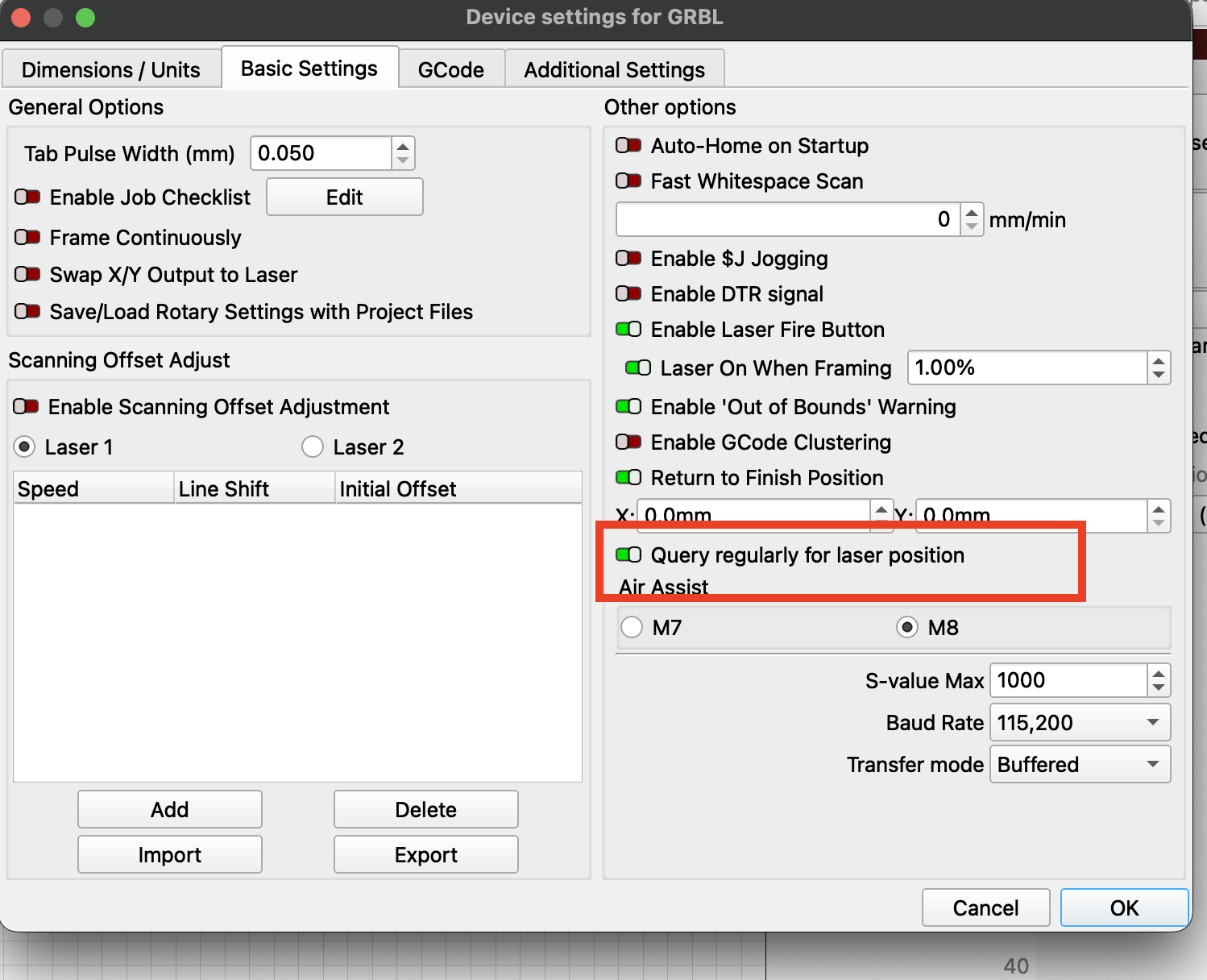
I installed a new 10 amp 24 volt supply from Amazon. Believe it or not the problem got worse. The laser was homing every 3 to 5 seconds. I tried something else that I think may have solved the problem. I had my usb cable from the laser plugged into the blue usb 3.0 port on the back ot hte HP computer. I pulled it out and placed it into one of the black ports (2.0) on the back. The homing issues went away and I ran it for 2 hours without 1 hiccup. So I am thinking that the Cohesive3d board and or Lightburn does not like the usb 3.0 port. I will run it fir a while and see if it is fixed. This one was a beast to figure out. Thanks all for your suggestions. mz Lowell, ind.
Glad you figured it out. USB is generally pretty dependable if the cable is OK and should not be bothered by extraneous RF interference.
I’ve also see lots of issues with USB 3.0.
Is there some reason you tagged this with Galvo?

I am not a wizz at these message sites. I just typed a new response to my problem to the last responder. I don’t know about the Galvo thing. Anyhow, I think my problem is solved. I have a new power supply installed with higher wattage and better filtering. Also the laser is running fine now. Thanks to all who helped, this is community spirit at it’s finest. MZ Lowell Indiana