Hi all, I’m trying to remove multiple tabs in one go…I cannot find how to? Can anyone advise please…thanks
I would use the Node editor. Select all tabs along a line and click D key.
Thanks for your reply but I am looking to delete tabs in bulk, selecting individual tab is quite a tiresome job for me as I have many to delete. I have seen mention via AI that this is possible but cannot pin it down?
I do understand that AI cannot always be correct but here it is:
To clear holding tabs from a vector shape in MillMage, choose one of the following methods depending on whether you want to remove specific tabs or clear all of them at once:
Delete Selected Tabs
-
Select the Add Tabs tool from the Creation Toolbar on the left sidebar.
-
Hold Shift and click on any red tab dot to delete it individually.
-
Alternatively, double-click a tab dot to remove it .
Clear All Tabs from a Shape
-
Select the shape containing the tabs.
-
Open the Add Tabs / Tab Wizard tool from the toolba r.
-
Clear or set the Tab Count / Min Tabs value to
0, or click Clear Tabs to remove all tabs assigned to the pa th.
Mention of AI is kind of tabboo
So is the word ‘Tabboo’ 
I did put a disclaimer in 
Did it work?
did you originally create tabs in MM or is it an imported file with existing tabs
if you created them in MM click on tab icon change to max of 1 and than you will only have to delete one per drawing or just turn off apply tab on your operation
if imported with tab , i doubt you will be able to as it will be part to the vextor /dxf
Clear All Tabs from a Shape
-
Select the shape containing the tabs.
-
Open the Add Tabs / Tab Wizard tool from the toolba r.
-
Clear or set the Tab Count / Min Tabs value to
0, or click Clear Tabs to remove all tabs assigned to the pa th.Tab count will not allow 0
I would imagine that AI assumed that as the tab count was a variable it could be changed to 0.
Although I do wonder where AI got the ‘Clear tabs’ from.
Tabs were created in MM, thanks for the suggestion…yes I had pretty much resided to the fact that reducing tab count to one per shape was my only option 
Just a shame that the tab count won’t allow a ‘0’
It could be worse…I only have 728 tabs to edit 
That is what the clear all tabs is for, I think.
I must be wearing the wrong glasses as I cannot see ‘Clear all tabs’?
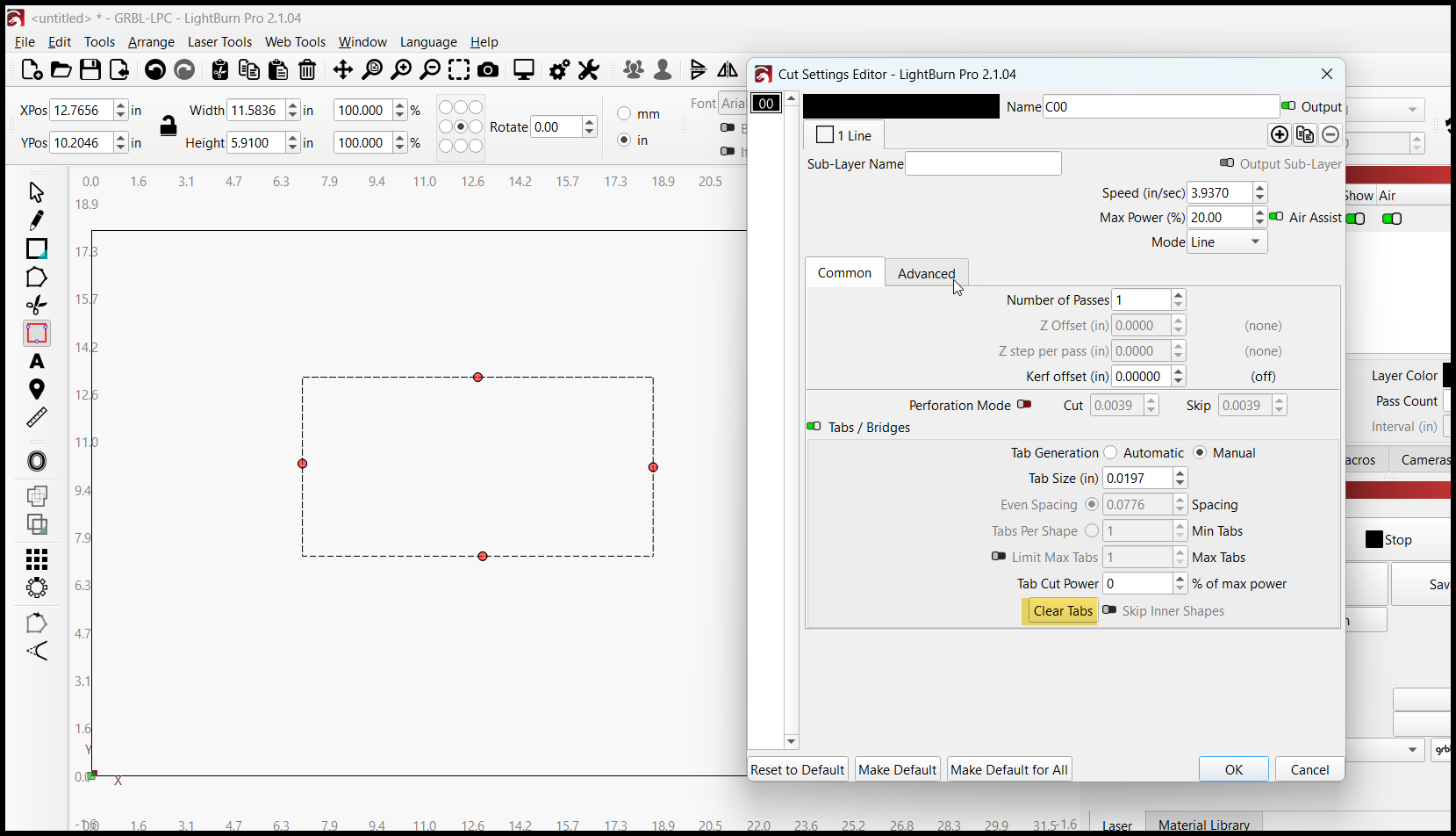
I don’t have Millmage, maybe it’s different than Lightgurn. And doesn’t have clear tabs.
Whilst not a MM solution this is a great workaround thank you!
Lateral thinking at it’s best  MM team may want to take this into consideration?