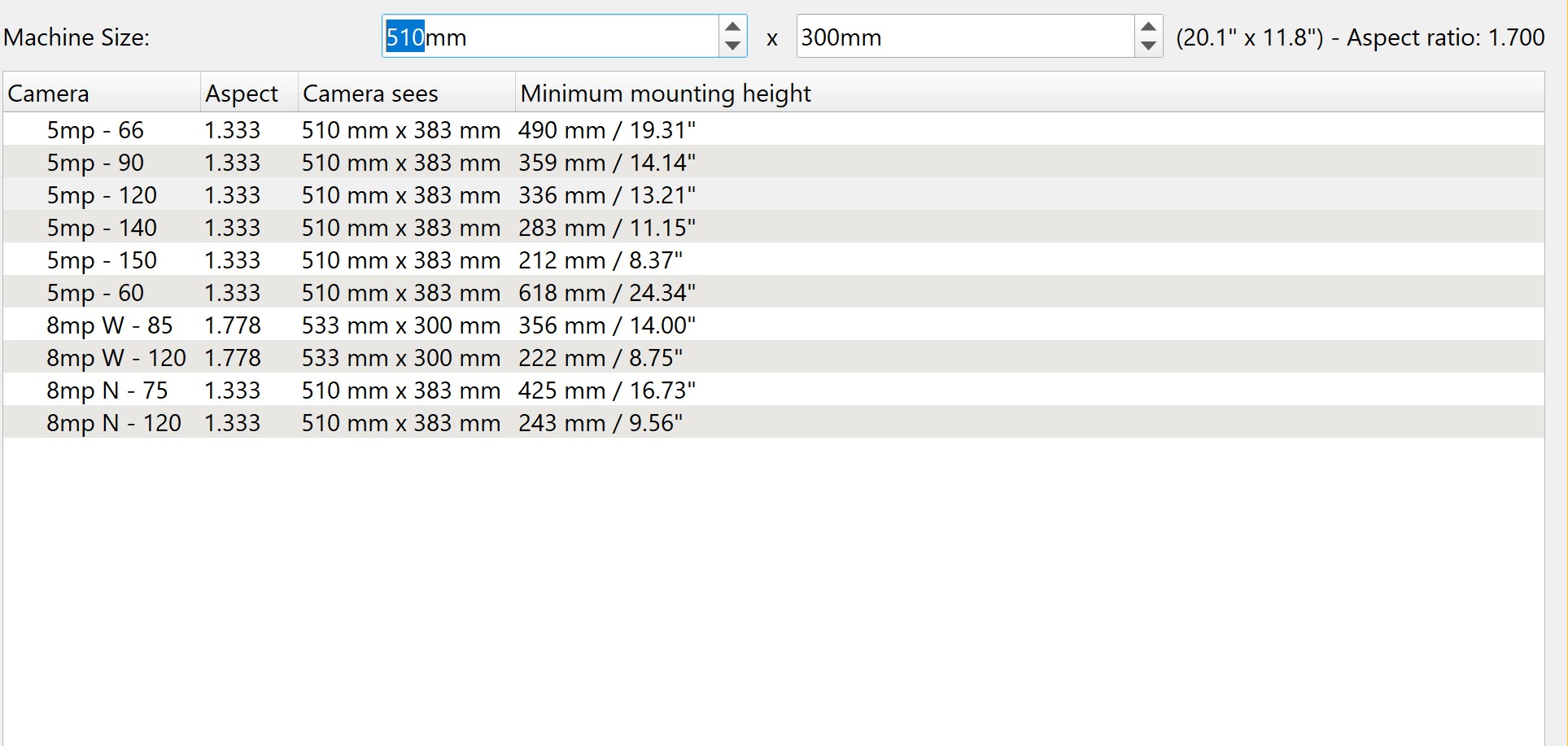
I have the Onyx Monport 55W co2 laser. My camera broke and I contacted support. They told me it is a non replaceable part. Probable because it isn’t even their camera, it’s a Gweike camera and board.
So I would like to get on of the LB cameras but not sure if any will work with my mounting distance of 6.421" The LB camera selection show several to choose but the minimum mounting height makes me think I can’t use one. Any help here would be appreciated. If I can’t use one of the LB cameras is there anything out there I can use?? Thanks
You can use a LightBurn camera, but you’ll likely want to mount it so it operates in the lid-UP configuration. You might be able to get away with an ultrawide camera lens, but they often have pretty significant distortion at the edges of the frame.
We don’t have specific guidance yet for a 3rd party camera as far as vendors and model numbers, but we do have some general guidance here:
I’ve talked about my 16MP Arducam setup a few times.
Key thing is a varifocal lens improves the setup enormously, you adjust the zoom to cover the whole bed and nothing more so it won’t waste a lot of pixels of resolution on area you aren’t interested in.
You do need a specific varifocal that fits the imager’s dimensions and if the imager has a built-in IR cut filter, the varifocal should not, and vice-versa. Also need a metal adapter ring.
I also 3d printed an adjustable mount (same as a laser mirror) to fine-tune the angle so, again, we minimize the imager resolution being wasted by being outside the area of interest.
This may have been more trouble than needed, an adjuster nut got loose and lost- it would make sense to 3d print a fixed angle mount with an angle parameter built into CAD, see how far the angle needs correcting, and just change the parameter and reprint a second time with the exact angle you need.