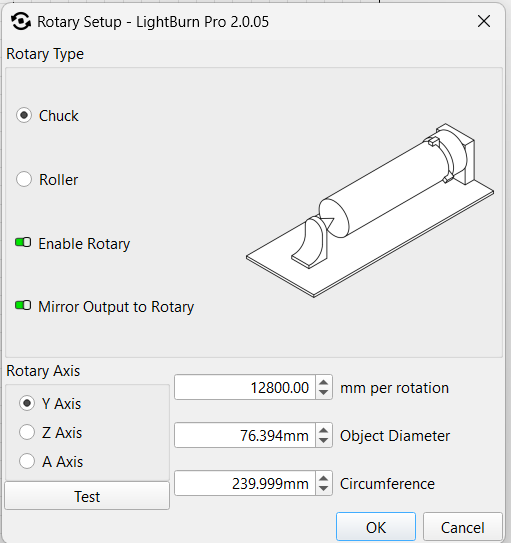
I have an Ikier 36W Ultra. When i do a test of the rotary with the chuck or roller, it continuously spins and the laser moved VERY slows in one direction. I’ve had this machine for 3yrs with no issues.
I had been using Lightburn on a Fiber laser and rotary with no problem. I haven’t used the Ikier since Christmas.
I tried rebooting the laptop, rebooting the laser, re-seated connections to the rotary - all no help.
Alarm 9 is not caused by Framing. You need to take one issue at a time. For the Rotary, does the chuck or roller rotate once and back when clicking the Test button?
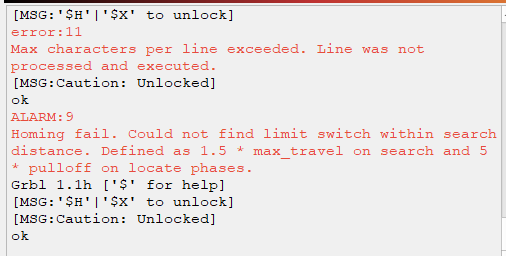
When you try to Home, the rotary will go until it covers the max Yaxis travel while looking for the switch. Then it throws the Alarm 9 message.
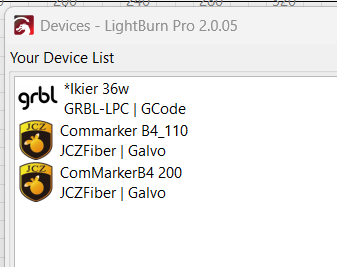
I loaded a new device manually as just plain GRBL, no help, still spins contiguously during test and during framing. It spins twice as fast during framing.
I also loaded one by clicking “find my device”, not help. Still spins continuously.
Thanks again for any help. Crazy this just all of a sudden happened. I was using it on my fiber just fine. then switched to the Ikier and here I am.
Yes, I’ve engraved 100s of mugs with the Ikier. It worked at Christmas. I switched to cut some plywood projects. Then switched it the fiber laser. Then switched back to the Ikier and set up of for the rotary and that’s when the continuous spinning started.
I found one other person in the LB community that had this problem. I contacted him, he said he doesn’t know what fixed it, it just started working after the current LB update.
I see that the X axis selection is missing. Don’t know when that happened and I don’t know how to get it back.
The spinning happens with the chuck and roller rotary.
I do not know that there was ever an X option for diode lasers.
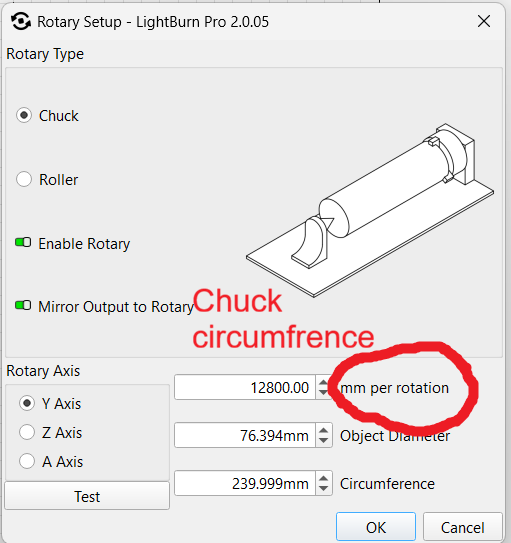
A chuck rotates once in the Test. That means the linear distance traveled is the circumfrence of the chuck. You entered 12,800mm, meaning your chuck has a diameter of 4074mm, or about 160 inches. Or a little more than 13 feet.
My setting in that box is 132mm. Try entering 128mm and see how it does with the Test button.
I’m an idiot. I grabbed the wrong rotary manual. It does call for 160mm/ration. After testing, I had to adjust it to 129. Thanks for setting me straight! Getting old sucks.