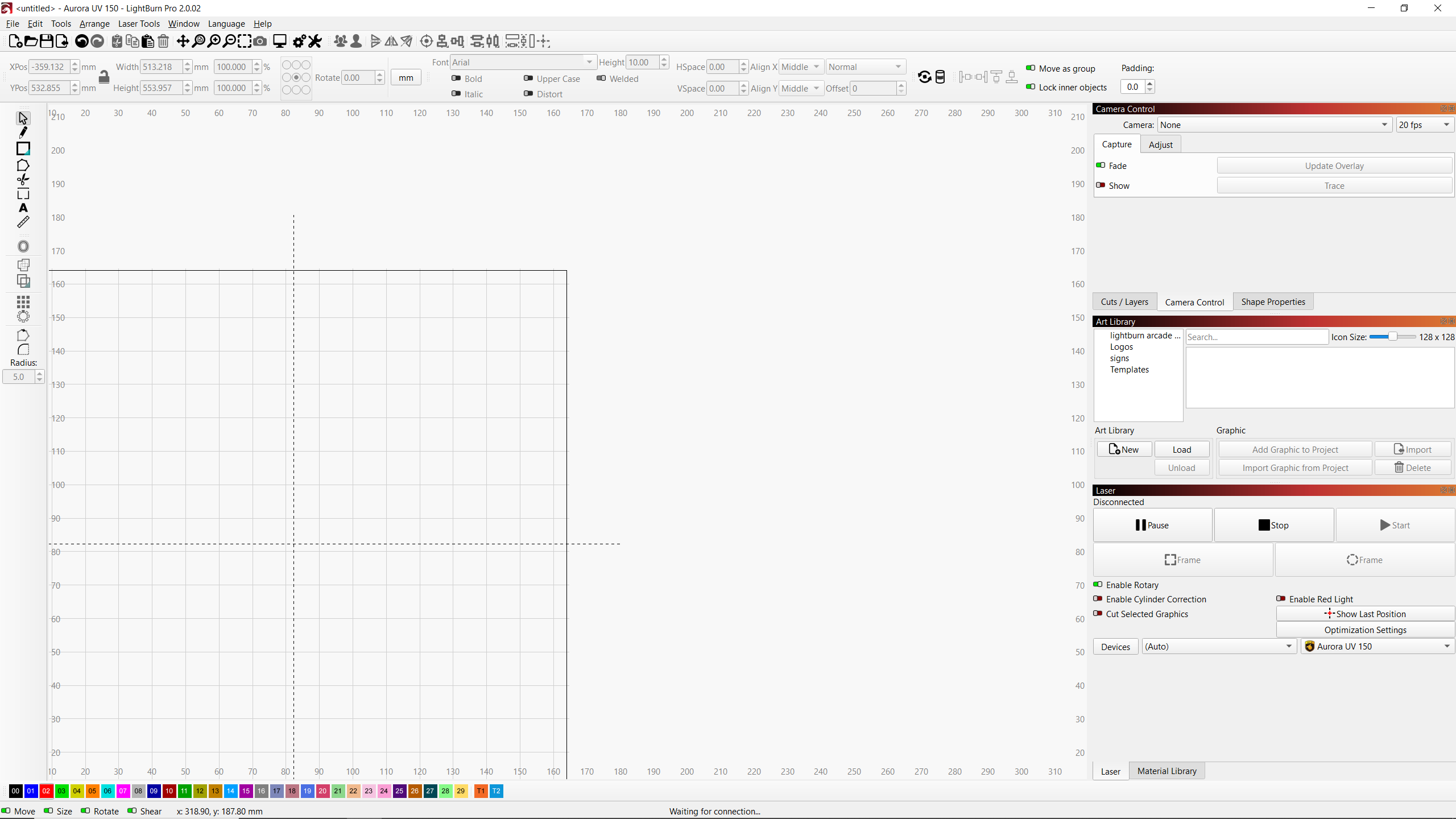
Hi
recently upgraded to lightburn 2.02
i have come across an issue where in the laser controls tab the enable rotary is green but the rotary icon in the tool bar does not have the green dot - going into rotary settings shows rotary is not enabled - enable / disable in the rotary settings will enable / disable in both the rotary settings and the laser control tabs. so is misleading thinking rotary is enabled (laser control tab) but is not enabled in the setup.
Now i found if i enable the rotary in the setup (both will indicators will show enabled) but then click on Enable cylinder correction in the laser control tab will disable the rotary (and no longer indicate in the toolbar rotary symbol but laser control tab will still show rotary is enabled. the cylinder correction symbol in the tool bar will now have the green dot. If i disable cylinder correction in the laser control tab the green dot will go off but the rotary enable will still remain green in the laser control tab..which is confusing as the rotary is disabled (in the toolbar setup).