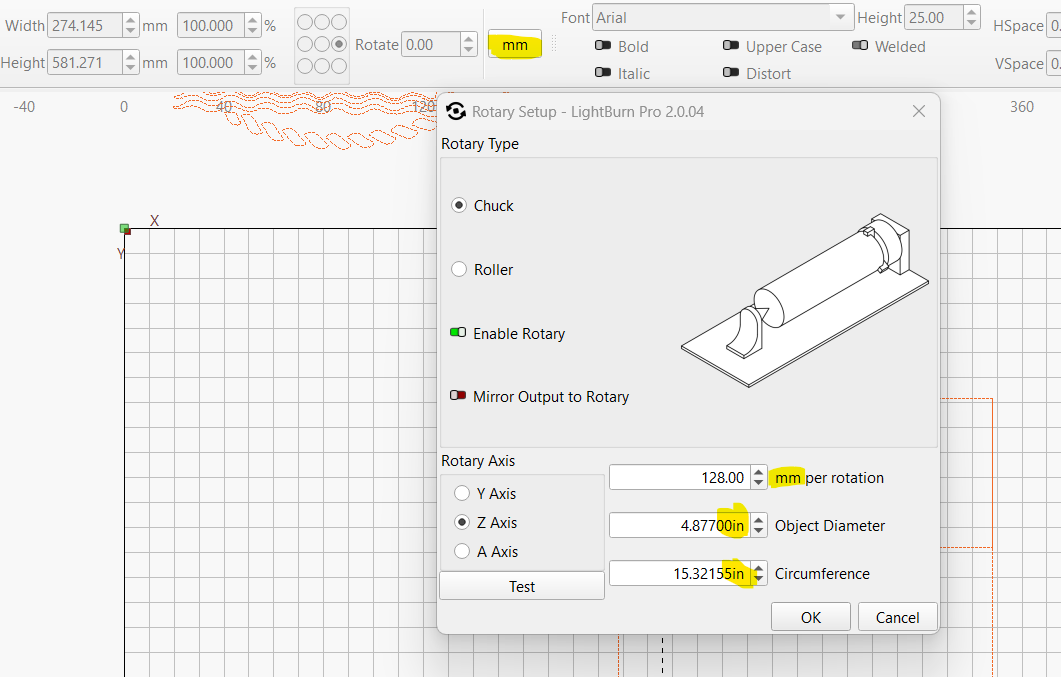
Does anyone know how I can get this issue fixed? Used to be that if I had selected “mm”/Metric, my rotary tool setup displayed all in metric. After I upgraded to 2.X it is split between both standards. Is it a Windows issue or LB?
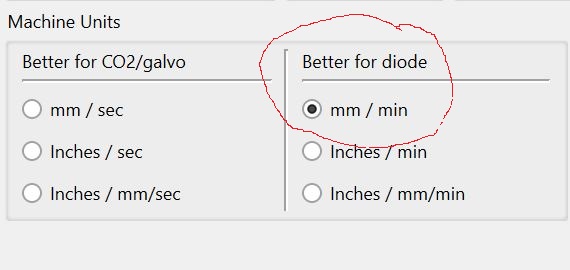
What is your selection for Machine Units in the Device Settings window? I think that bottom one may give mixed Units in some Lightburn windows.
That’s because the mm/rotation is kind of a firmware / laser dependent setting. All values in firmwares are in the metric system. Like steps/mm. You will never find steps/inch.
The other two are “user dependent”; it’s just a calculation help, and LB will translate all inch measurements to metric units internally (since only metric values are sent to the laser).
1 Like
Starting with version 2.0, Lightburn changed how design units and machine units are adjusted.
1 Like
You guys are awesome! That’s where it was. In Device Settings. Thanks!
This topic was automatically closed 30 days after the last reply. New replies are no longer allowed.