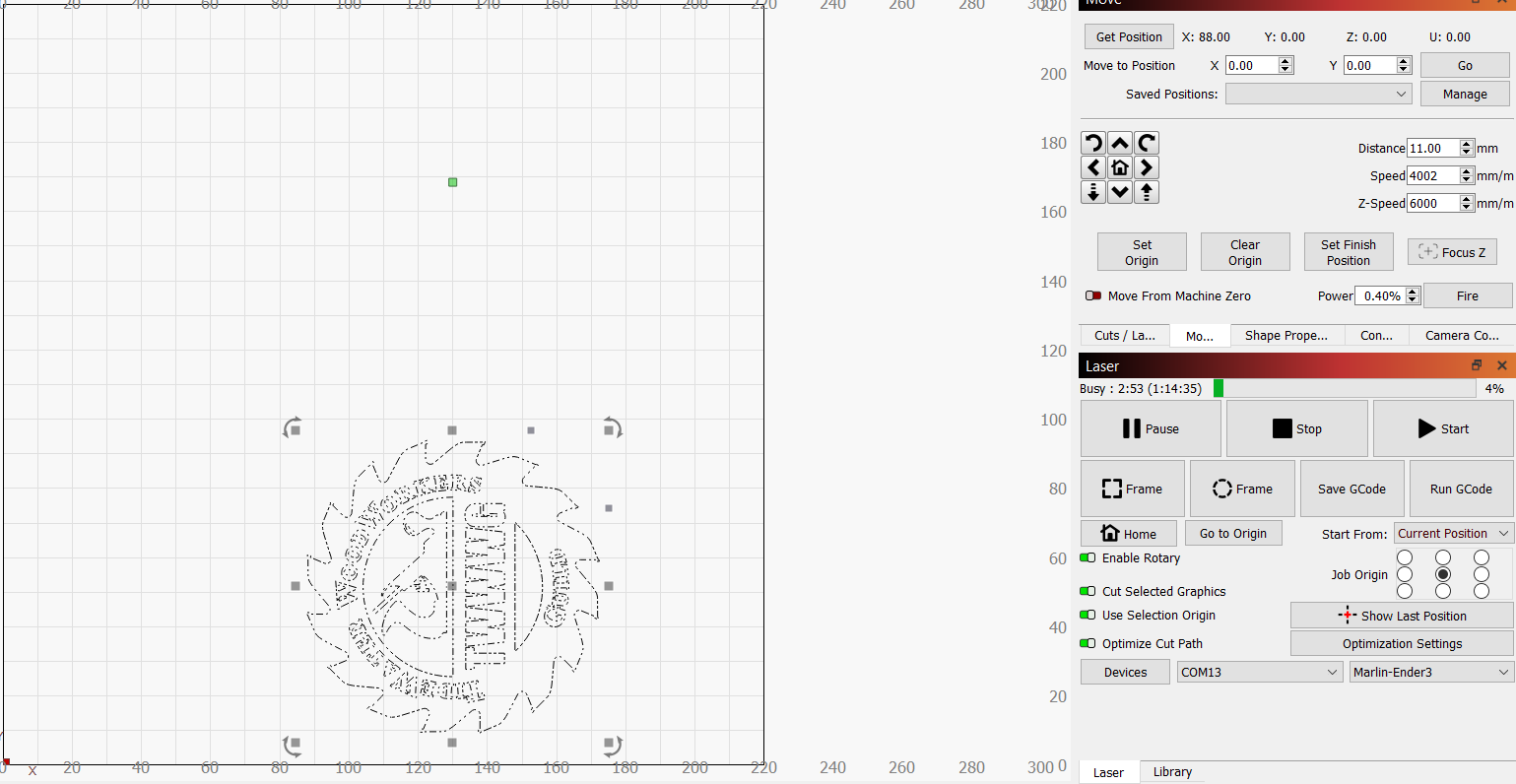
On my Marlin 3d printer, I connected the Xtool RA2 rotary axis to the controller’s z-axis output. The first thing I notice is that there seems to be no correlation to the actual position of the rotary axis to the screen when I have the rotary axis enabled, so absolute positioning is not feasible. If this is just a limitation of that configuration, I understand.
More problematic though, when I switch to using “current position” the job origin seems to appear at random locations in the work space. More times than not, in spite of selecting a location (e.g. center of frame), the green dot representing the origin will not be in the center of the selected geometry. Example is provided in the attached image. I have found I can clear it by unchecking rotary axis, then re-checking it, at which point the origin marker is no longer visible (appears to be obscured by the grey control points), but the part does cut in the middle of the part.
Unless you have some type of 'home’ing enabled/working for the rotary there is no way for it to know where it is.
I don’t know how your machine really works, but I set my ‘job origin’ to the center left ‘dot’. I then can set the mugs manufacturers logo to the center of the image when I setup the mug.
You’re right about the home sensor being needed for absolute. I’ll set absolute positioning aside for now. When the job origin is working properly i can align it perfectly, as you said. Where I’m struggling is that the job origin moves to a position that is not at the location it should be given the selected items and graphic. Based on the settings in the earlier screenshot, I’d expect the origin to start in the center of the logo. But instead, it is starting way off to the top where the green dot is. Unchecking the rotary axis, then rechecking it fixes it and the dot moves where it should, and the part burns appropriately. This happens even from one run to the next, so have to really watch for that error.