Ruida 6040 60W (RD5121) – Vertical banding/stripes during engraving regardless of settings

Hello.

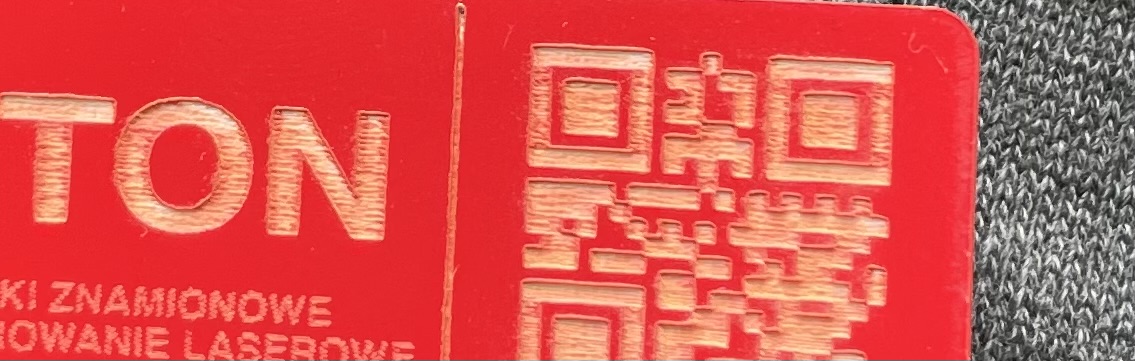
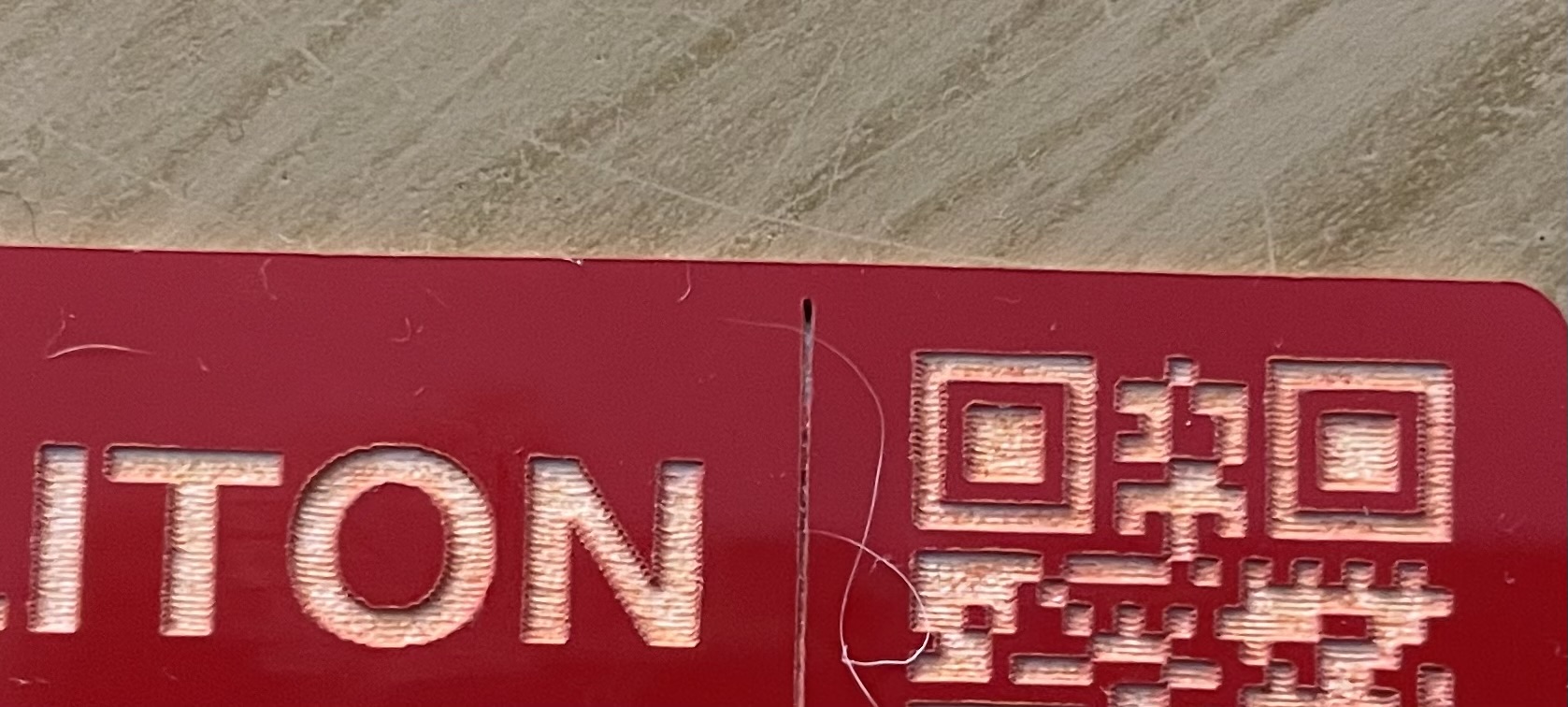
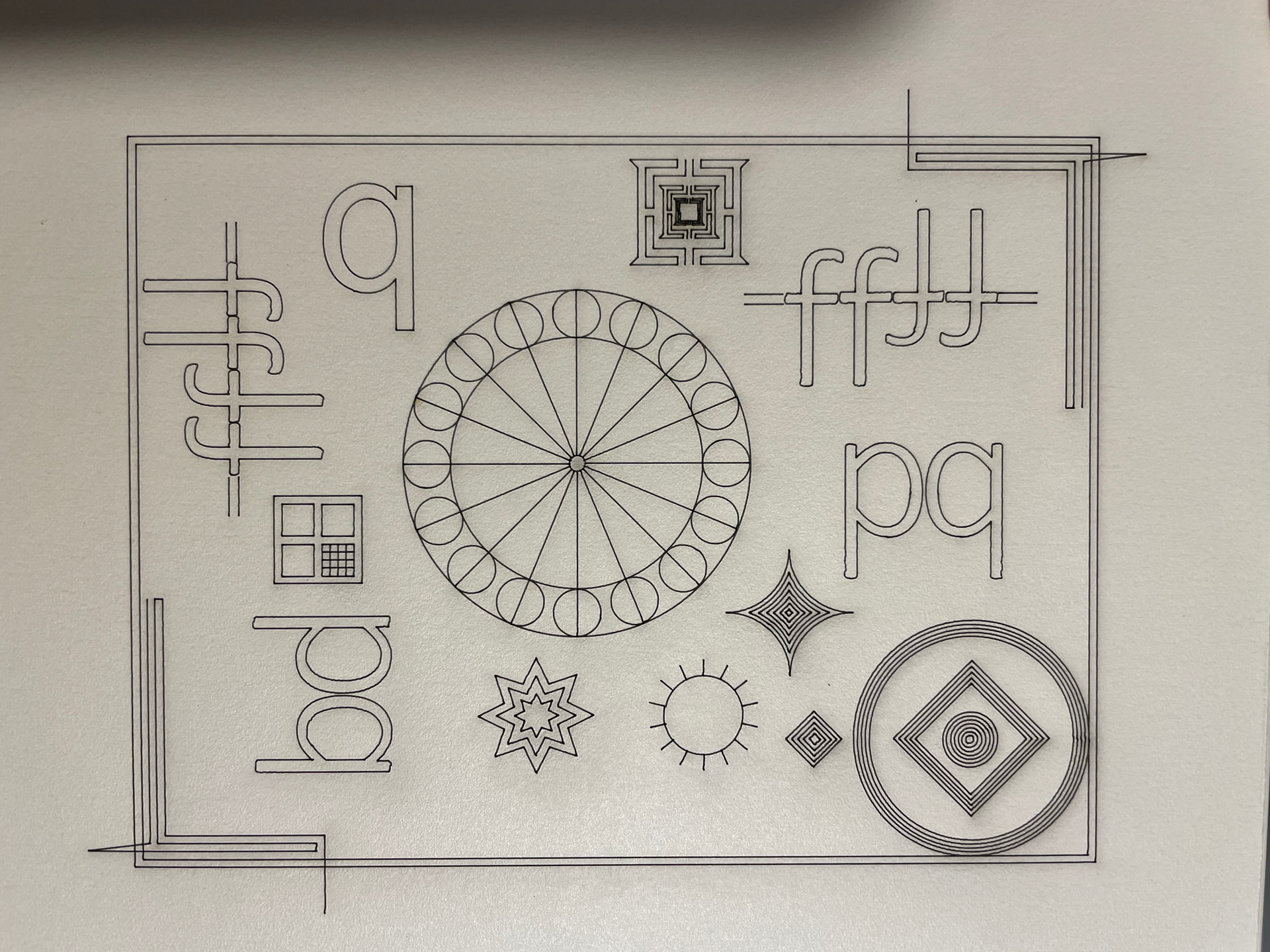
I am a novice when it comes to CO2 laser plotters. A Ruida 6040 rd5121 60W plotter has come into my hands and from the very beginning I have been having problems with engraving. Specifically, the plotter produces stripes parallel to the direction of the head movement (I changed the engraving direction and the stripes changed direction accordingly). Changing the line interval does not help, nor do changes in speed. The mirrors are clean, and so is the lens. I am attaching photos to illustrate the problem.

Any suggestions would be greatly appreciated :grinning_face:

Thank you in advance :folded_hands:

Best regards


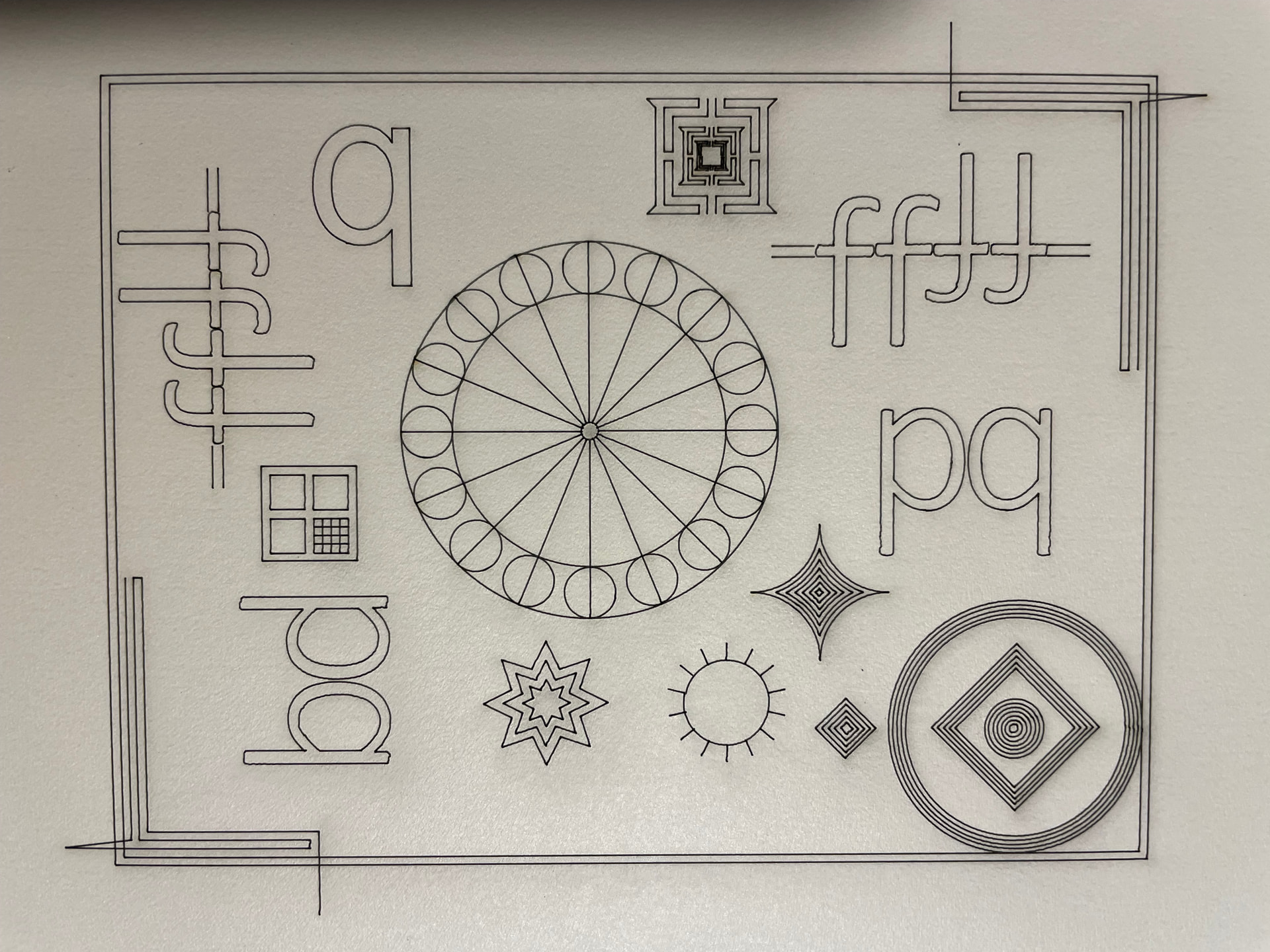
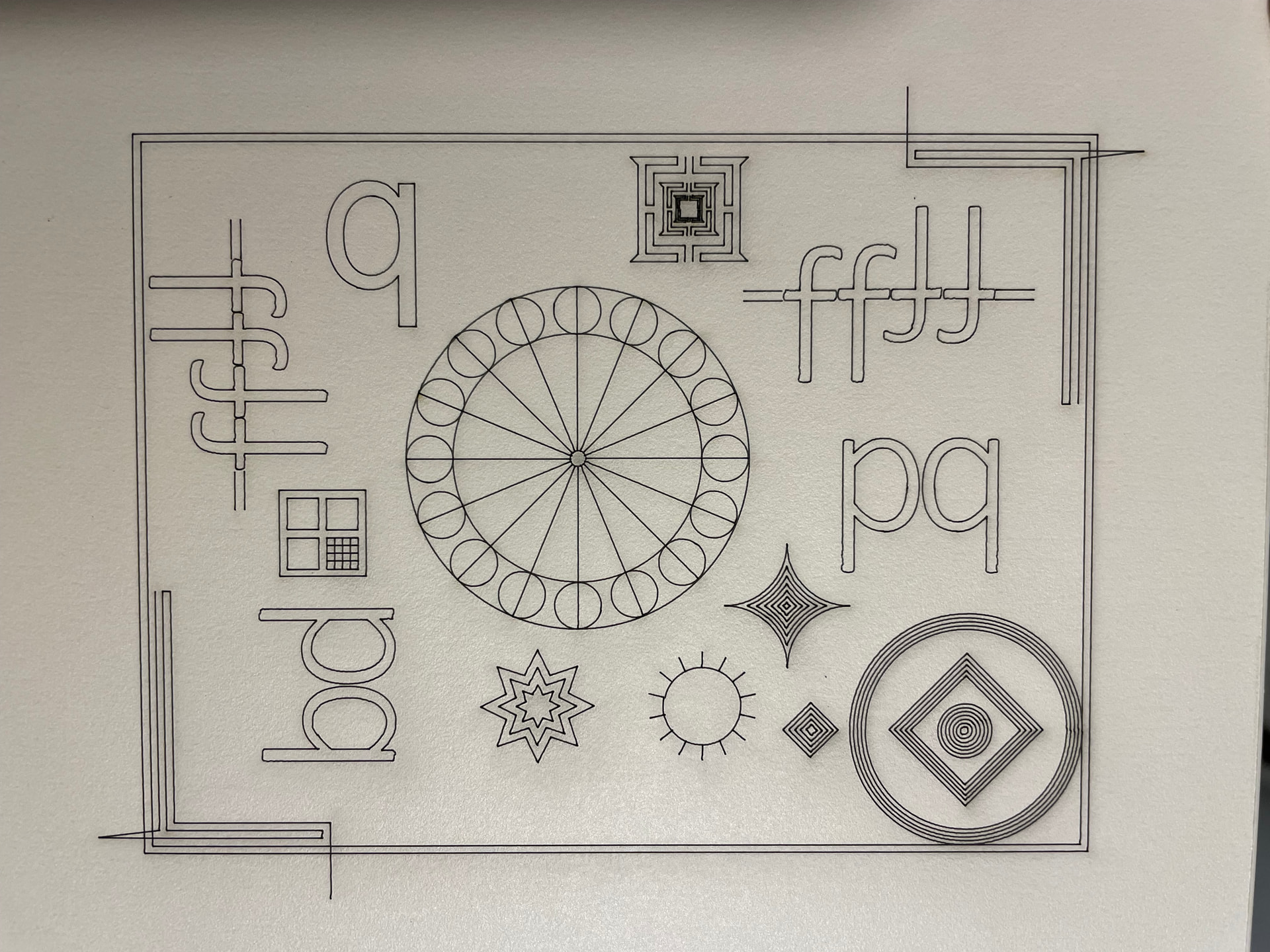
As a start check with this file and post the output for us to check:
___BacklashTest.lbrn2 (90.3 KB)

2 Likes

The engravings on the red material look too deep, which suggests:

  • Too much power
  • Not enough speed

A previous discussion may be informative:

4 Likes

First of all, thanks for your interest.

I ran the file and here are the results. It doesn’t look good in a few places, but unfortunately that doesn’t tell me much.

Cheers


I was going to say these all indicate backlash but you might have a loose mirror or two. Do a complete checkup, especially with the set screws and any locking screws.

1 Like

Hello,

Thank you for taking the time to help me.

The banding seems to be an optical issue. I misaligned the 3rd mirror and the banding disappeared, but then the material would no longer cut properly. After realigning the optics, the material cuts again, but the banding has returned. I’m going to perform a complete alignment from scratch — tube leveling, all mirrors, and the nozzle/head assembly. I’ll also check for any loose in the mirrors and lens mounts.

I should add that the machine was supposed to arrive fully calibrated and tested before shipment. :grinning_face_with_smiling_eyes:

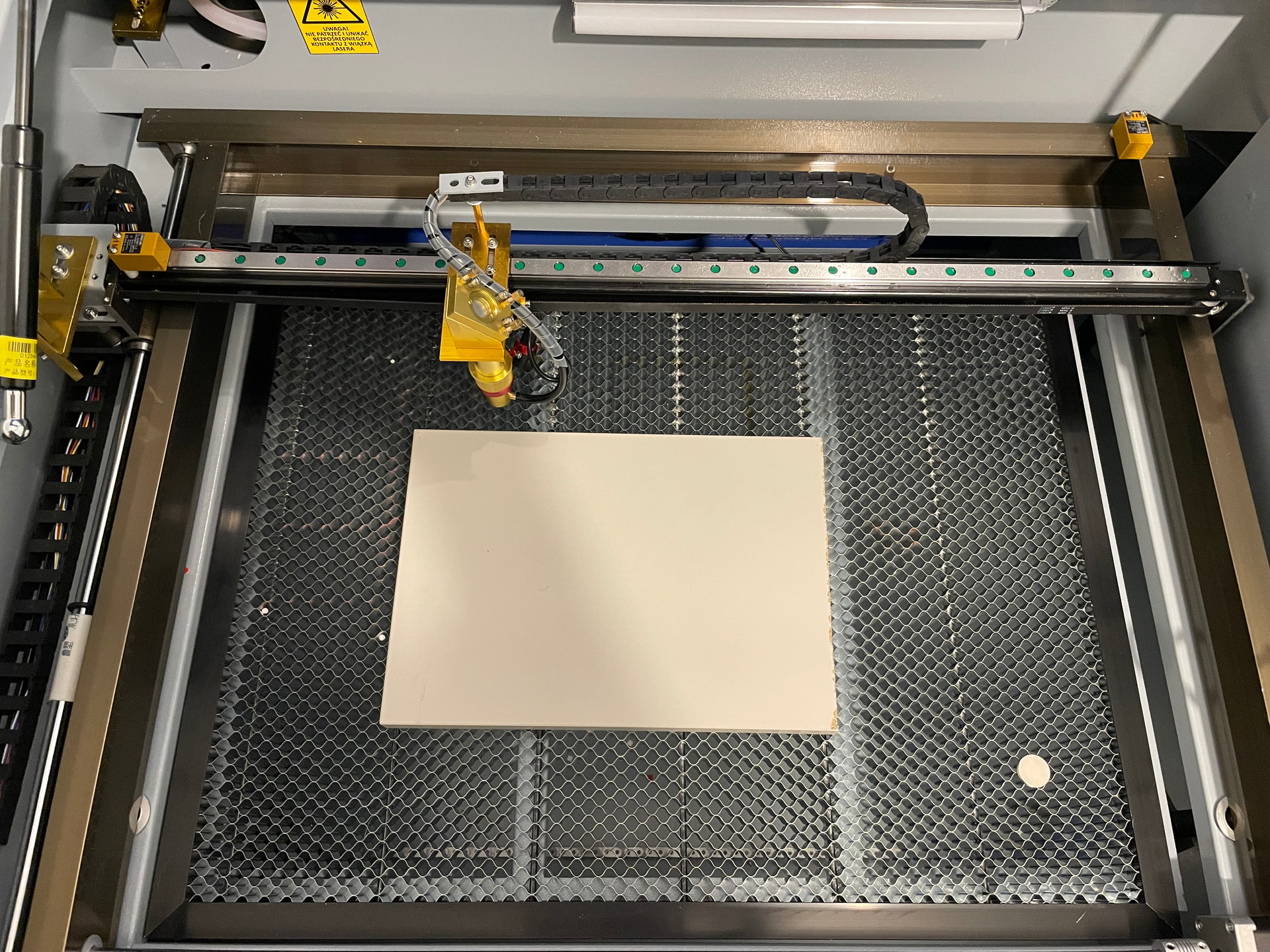
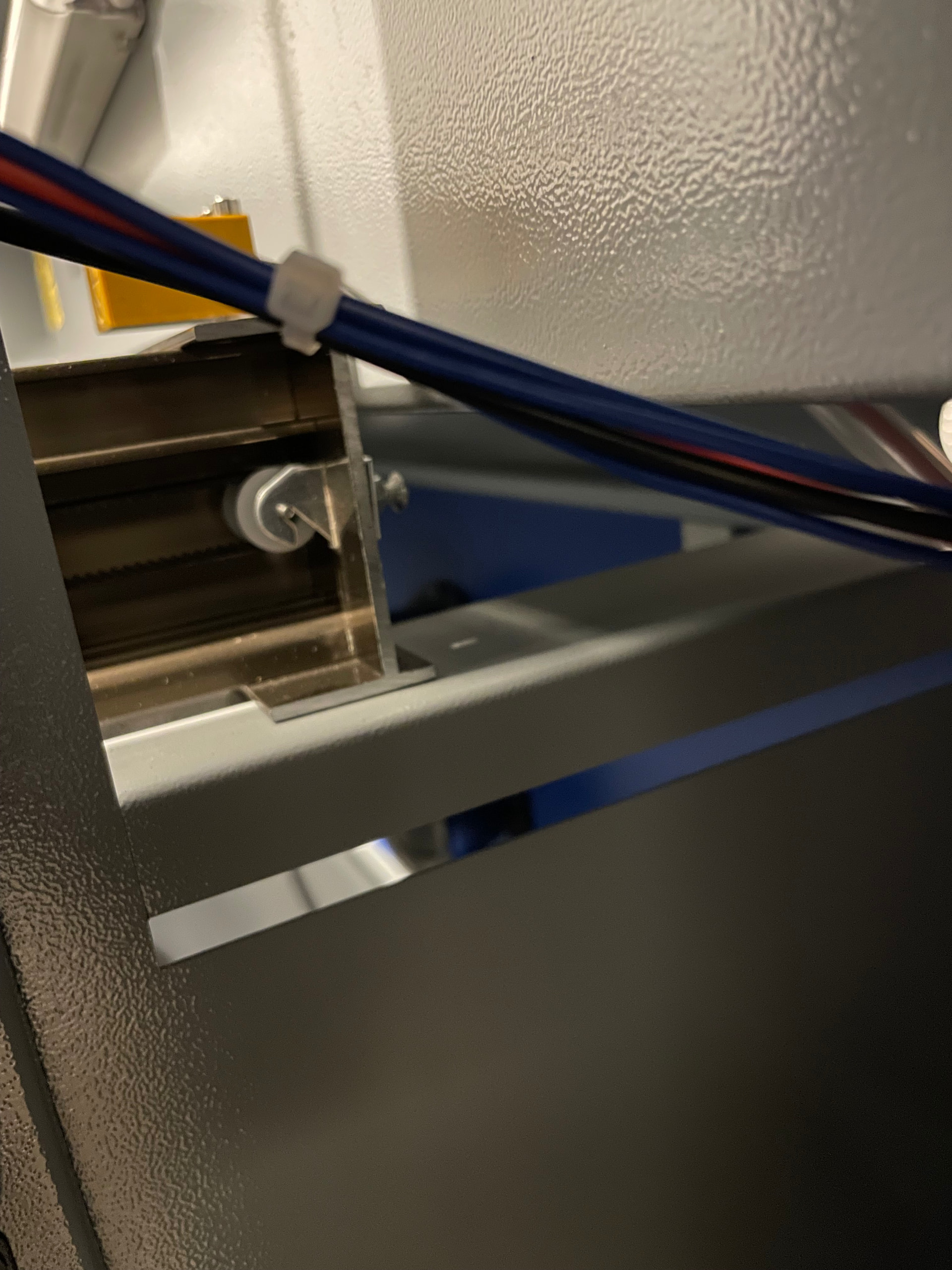
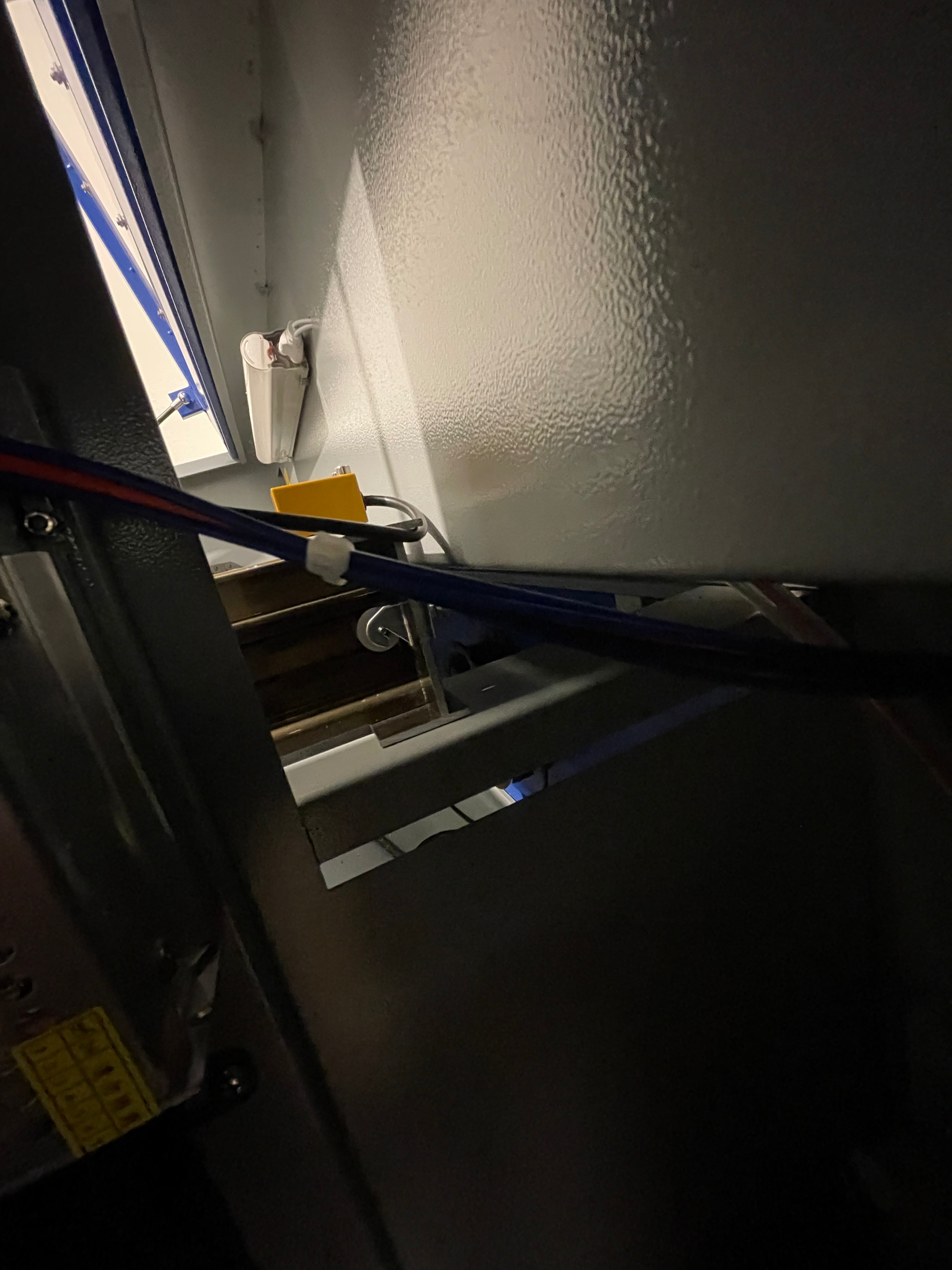
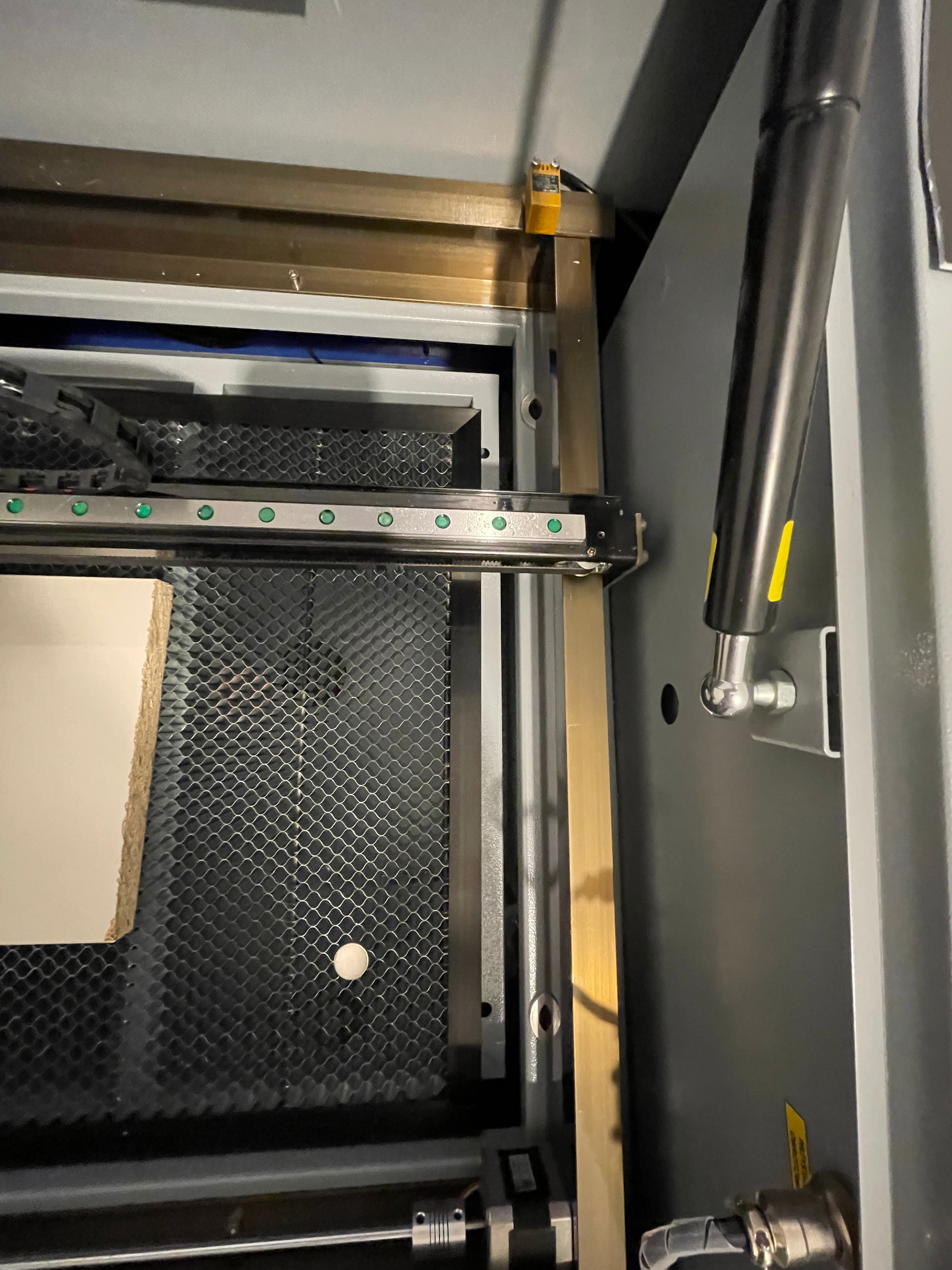
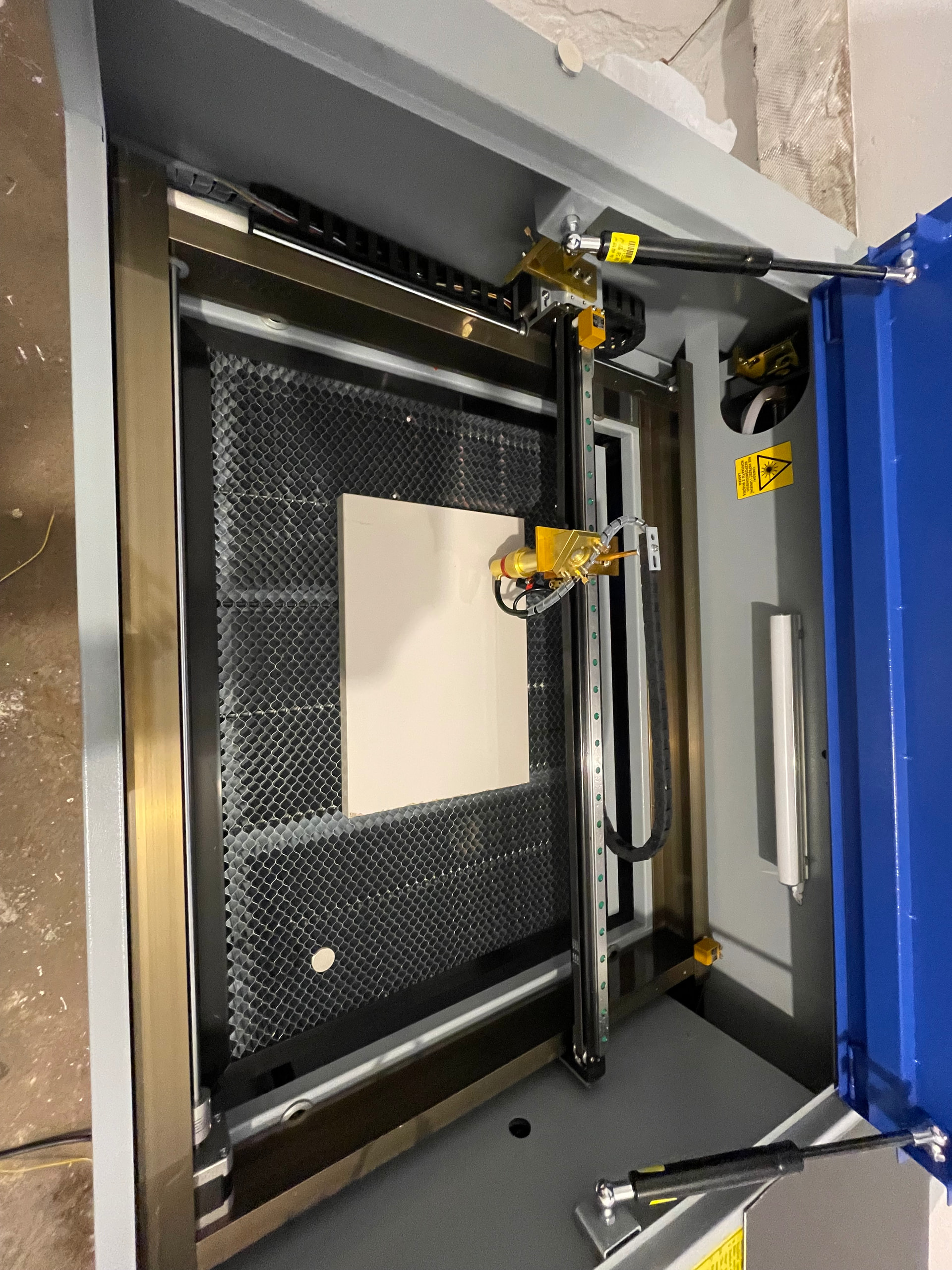
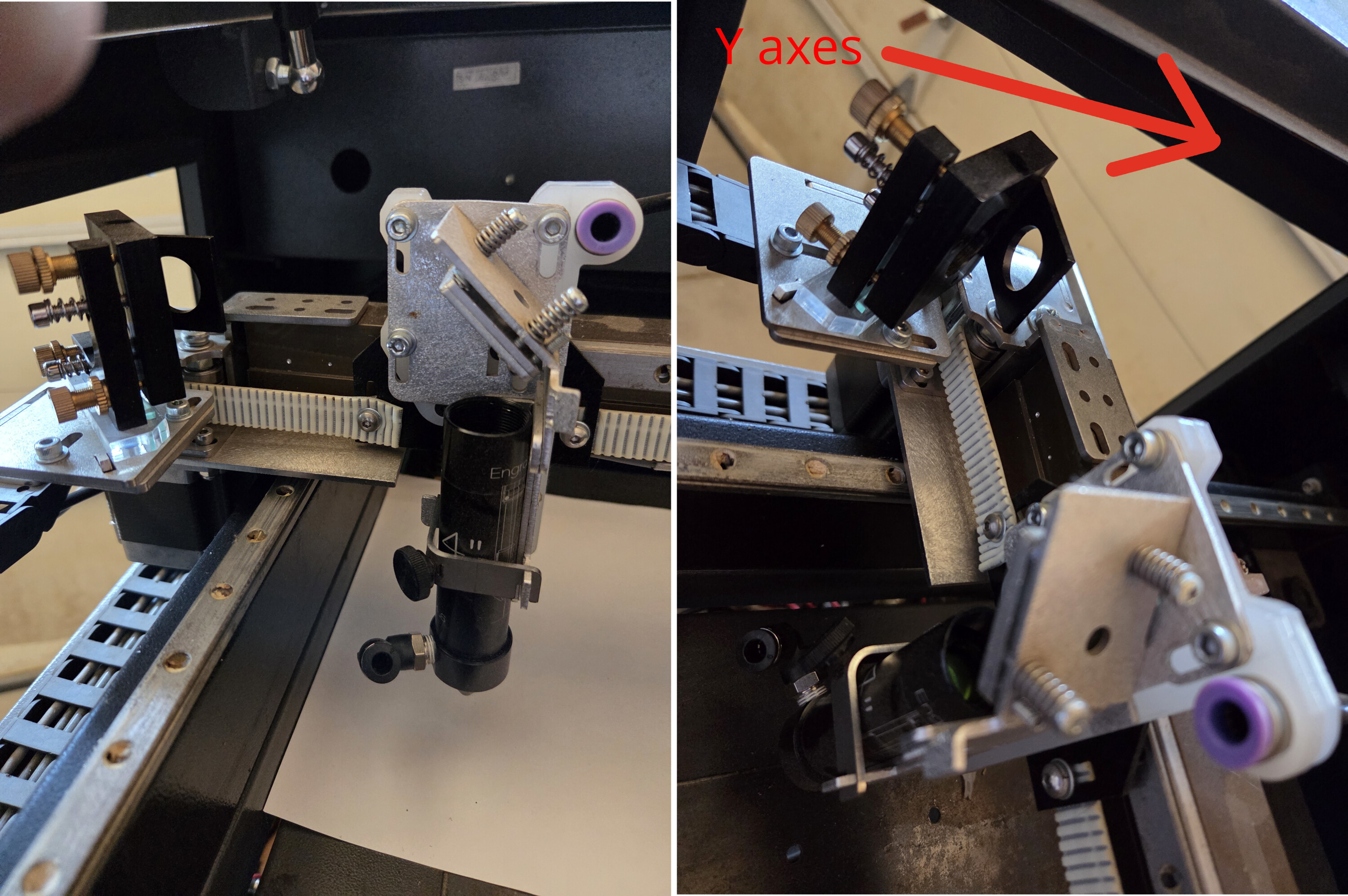
As for backlash, I can tighten the X-axis belt — in my opinion, it was a bit loose. Regarding the Y-axis belts, I don’t really have access to them. The left-side panel is not removable, so I’m considering cutting service access holes into it. On the right side, I have limited access at an angle, but not to the gantry mechanism itself.

It seems that I could tension the belts using the adjustment wheels at the rear of the machine, but the left one appears to already be tightened to its maximum position (surprisingly, the right one is not), so I have no way to further tension the left side.

I haven’t found any noticeable play anywhere except that the gantry lifts slightly in the Z direction. This is more noticeable on the right side, since the left side is supported by a guide shaft. Would adding linear rails be a good idea?

This is my first laser machine, so I had no idea what to expect.

I have attached some photos for reference.


1 Like

Also check for proper TEM00 resonance in the laser tube, because everything depends on having a nicely shaped beam. A previous discussion goes over the details of what to look for and how to check it:

Beam shapes in different modes:

1 Like

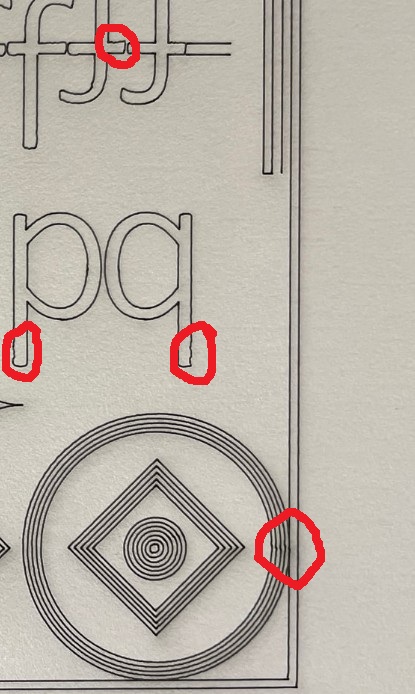
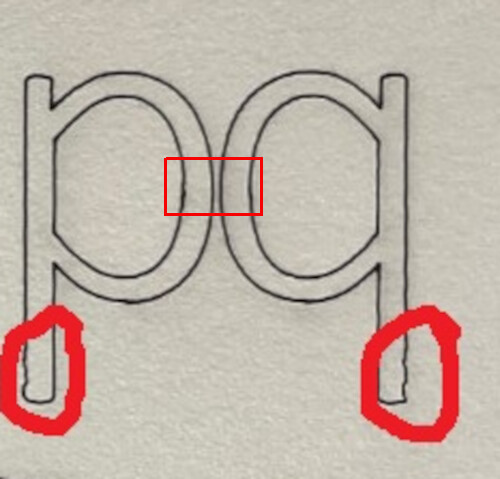
@MikeyH post pretty clearly defines the issue.

If you examine both Y paths that Mike circled, they are wiggling. You can see part of the anomaly where I marked the center of both characters. This is definitely an mechanical issue.

This usually indicates an X axes issue, since the X axes should not move doing either of these characters. In the center these two axes are changing direction, so any problem with one axes you’ll see when it changes direction.

Anything with these could probably be a so called optical issue, but whatever this is, it’s changing in multiple places, so I’d classify it as mechanical. Meaning if your lens, mirror mount or head moves, that’s going to cause issues.

Great, I have a bridge, across the SF bay, you’d love to own.


You mention the Z moves, is this up and down? Which direction does it move?

I have a 6 year old OMTech China blue 50W and it still works fine. It’s head is on a bearing and doesn’t wiggle.


Suggest you check the X axes for some kind of mechanical anomaly.

I doubt, if you’re new at aligning lasers, it’s really aligned… You have no idea how often we hear this and it turns out not to be true. Until you get your head around how exactly it works, you’ll be surprised – multiple times.

Sometimes I think about how I could create this with a vertical line, I don’t believe you can, so, it has to be some kind of mechanical issue.

There must be some way to get to them. These belts must be adjustable… Might post a few photos and maybe we can help you find them.

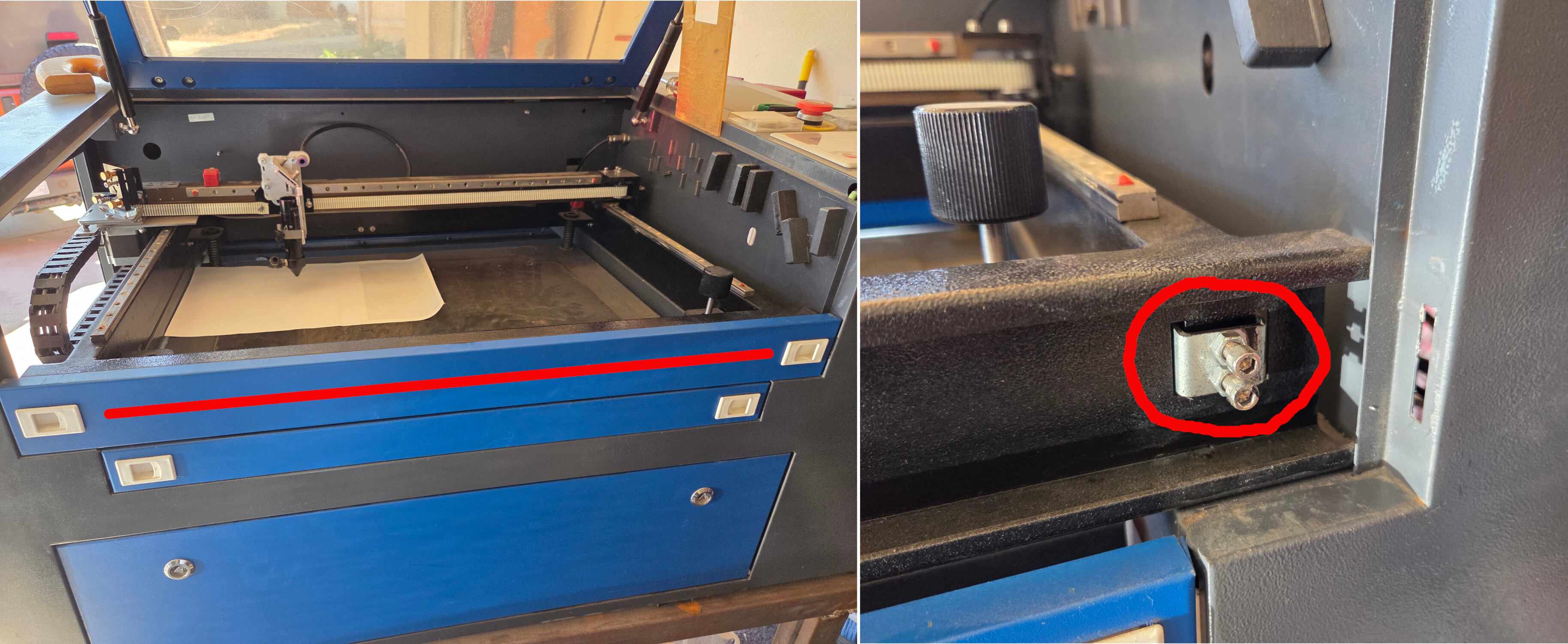
On mine, remove the red (that I put in) striped panel. Behind it (on the right, circled in red) is where you adjust the right hand side belts of the Y axes.

Good luck.

:grinning_cat:

1 Like