When I turn on the engraver, the laser head bangs even though the limit switches are sending a signal. It no longer reads the XY origin. I reset the controller, but it doesn’t work. What can I do? Thanks to anyone who can help me.
Did you do a factory reset? If you did you likely lost the vendor settings which you need to re-load. I hope you saved them at some point.
When you have a failure, don’t reset things unless you have a good reason.

Unfortunately yes, I reset to factory settings and did not save the original settings.
Your profile says a diode laser, rarely do we see diode lasers with a Ruida controller. Maybe I have the wrong machine in mind… If that’s the correct machine in your profile, it might be ok to reset it.
Which machine do you have and how did you reset it?
The engraver is a 50W CO2
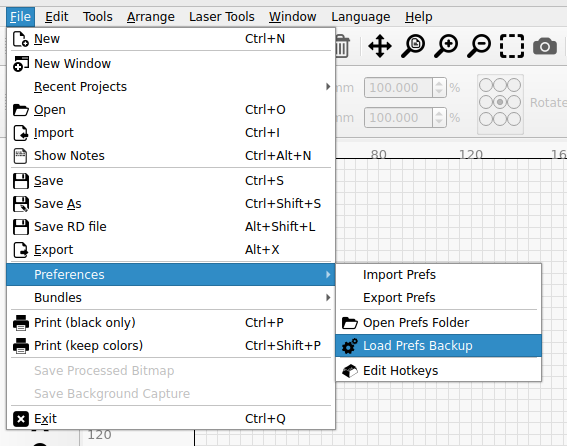
Does the engraver need to be turned on to import from backup?
I have version 1.2.04
You can import, but tt needs to write data to the controller, so yes the controller must be powered up.
oh, this version is almost vintage 
I hope you have a prefs copy that works
I did as you said, but everything is the same as before. It doesn’t work.
Can I manually move the head to its zero point and then memorize the position?
I tried restoring from backup, but it doesn’t work
Whether it’s because of your slightly old version, I don’t dare say. But, if it were me, I would collect all relevant data such as controller number, end stop position, X and Y length…, and then either restore the settings myself or hope that another user with the same machine will make their file available.
Hello!
Basically, the laser head is somewhere and with the new Lightburn version 2 I would like to send the head down by 1 millimeter or 1 cm to get it into a better position but the head does not move, as soon as I noticed this problem several times after the update I put the 1.7.08 version back and there I manage to send the head down in any direction.
(I have not had any other problems with the built machine so far but the version update does not make any movement.)
The combination that works well so far:
RUIDA 6445G Lightburn 1.7.08

I had something similar happen to me recent with My RUIDA 332 controller, in my OMTech 50W grey laser.
My controller went to 10000, 10000.
I do not think that I reset the controller, because I do not have the PW.
here is what happened afterwards.
I opened my backup file in LB and wrote it to the controller. I rebooted and it all worked again for two runs.
Then I switched to my Rotary. As a was positioning everything, I tried to job the laser (X axis), to align with the top of the Tumbler. I tapped the right button, once. Then head took off to the right, beyond the limit switch. I hit the E Stop. Reboot and I saw the controller had returned to 10000, 10000.
I tried to reload the machine settings (same as before) and but now it is not working.
When I reboot the controller, I get 0,0 for about 1 second, then it beeps and it shows the position as 10000, 10000 and the head no longer try’s to go to a home position.
Hello Paul and welcome to the forum. 
Usually 10000 on the X and Y axes means it did not home properly. I would expect some type of error message from the Ruida.
I haven’t seen a Ruida with limit switches in eons, are you sure you have limit switches?
Most Ruida have a pair of home switches. Once the Ruida has booted, these home switches are no longer used. You need a total of six switches for it to home and have limit switches.
If you haven’t done a factory reset of the device, that’s best, you shouldn’t need too.
In it’s current state, when you power it on or press the reset button on the console, does it attempt to home of just sit there?
Look inside the electronics cabinet and see that none of the motor drivers have red lights. The Ruida should have some led illuminated.
Is your Ruida really a 332 or could it be a 4332?
Maybe @gilaraujo can move this to a new thread…this is an older thread and really doesn’t fit your issue.
Hello Jack
Thank you for the feedback. My mistake on the controller, it is a KT332N RUIDA controller.
You are correct, there is a ‘Limit” error light on the controller. Which I think, makes sense, because it tried to beyond the limits.
I could be wrong about the switches that are located at each end of the gantry. The switches are little red squares, and when you trip them, they have a red light.
Do you know of any instructions to get the controller set back to 0,0, while it is in the work space?
If it’s homing correctly, then it should know where 0, 0 is located.
Is the Ruida set to return to a user origin? That’s programmable within the Ruida.
Can you move the head to the corner with the home switches?
Do you have six switches? Two home switches and 4 limit switches?
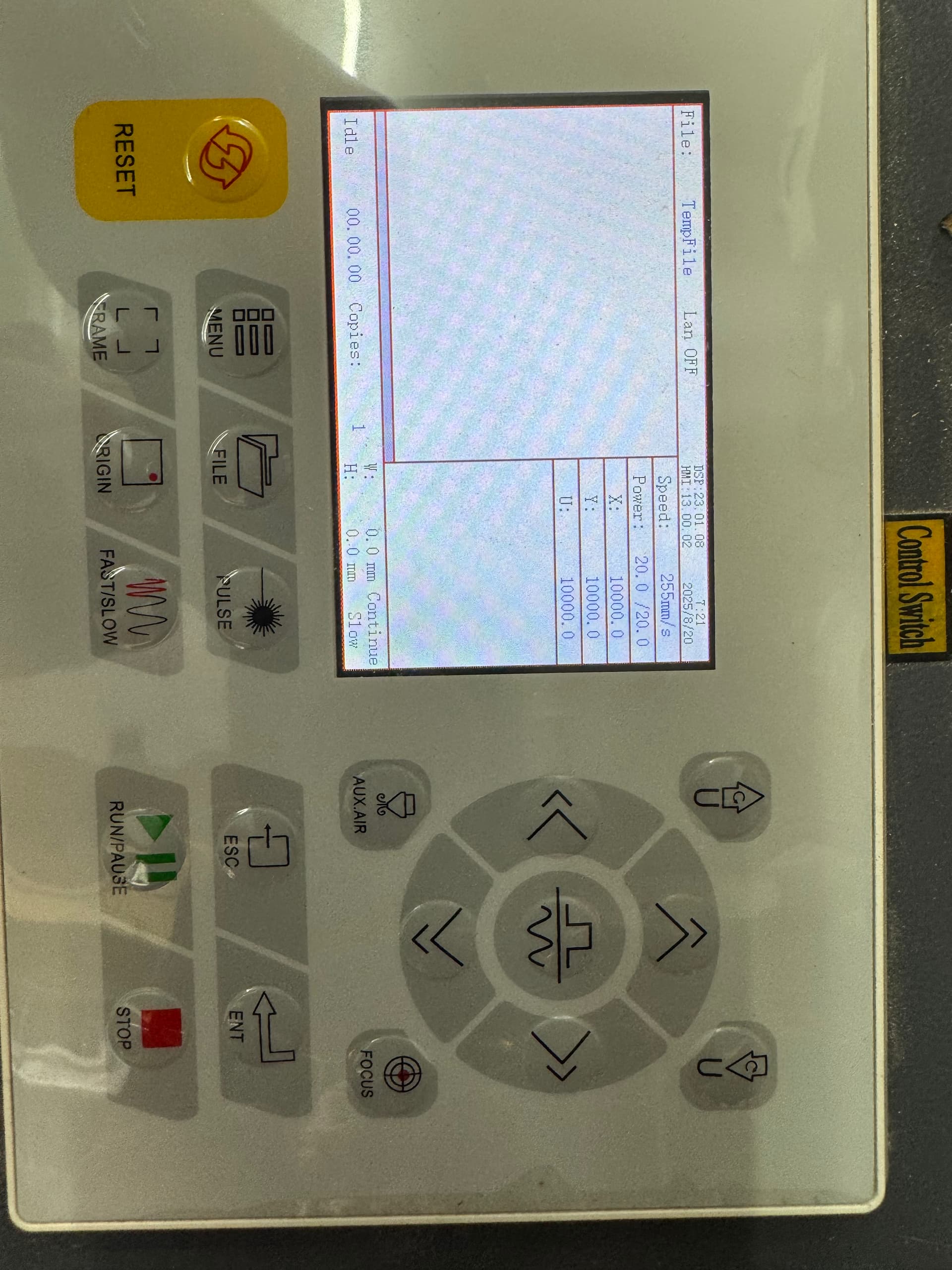
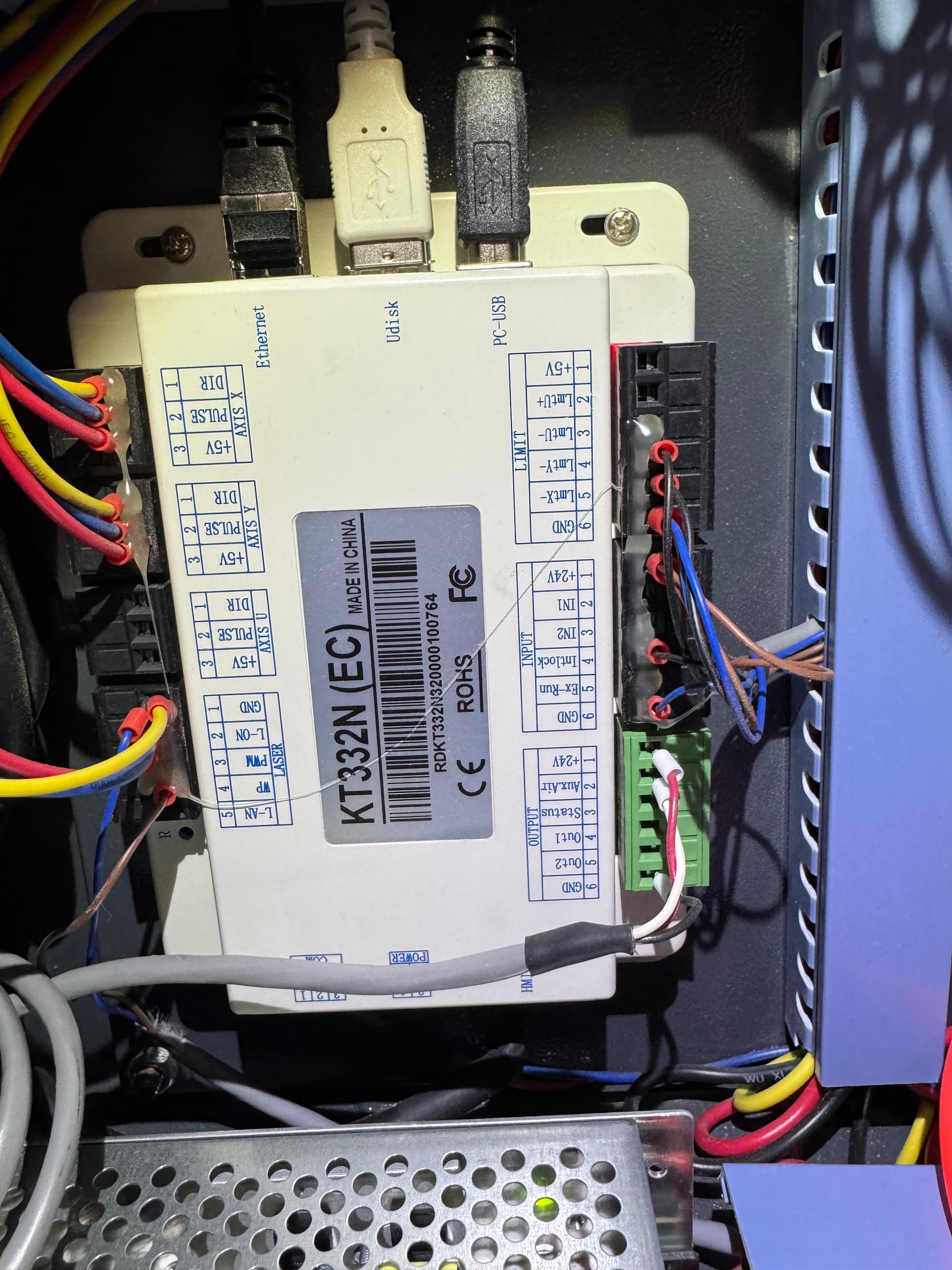
I don’t think the KT332 has limit switches. You are not wired up for them.
When the machine attempts to home, it should go towards the home switches. Usually when the machine indicates 10000 on the axes, that axes failed to home.
If you can’t get it to home properly, you can correct where it thinks it is.
Can you give us more detail on what exactly it does when you power it up. There is no error messages on the Ruida console?