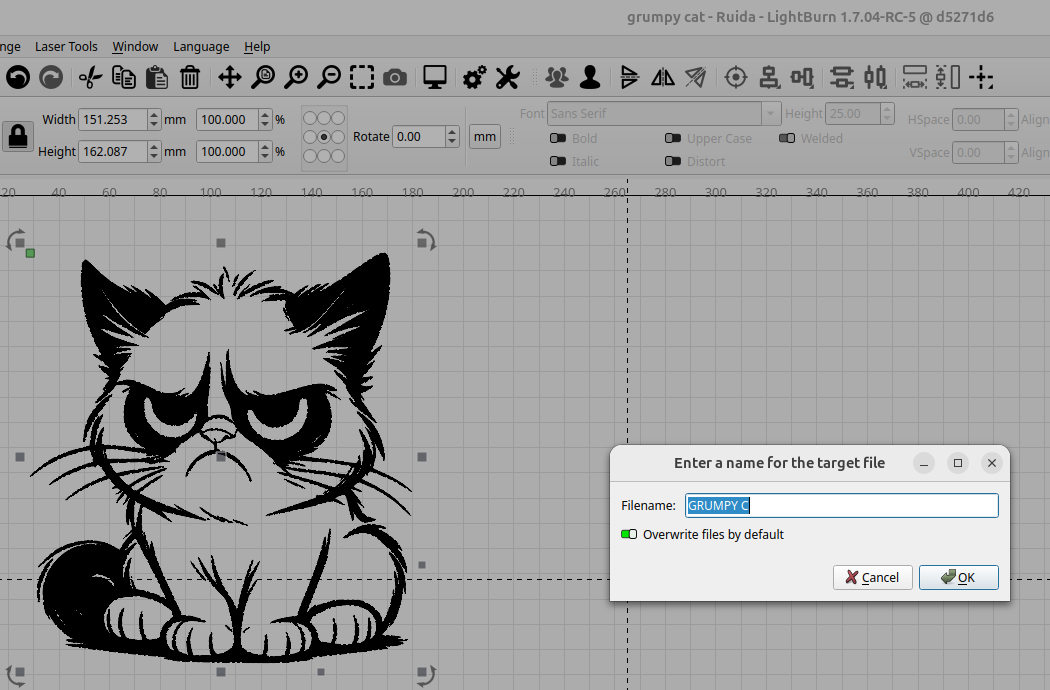
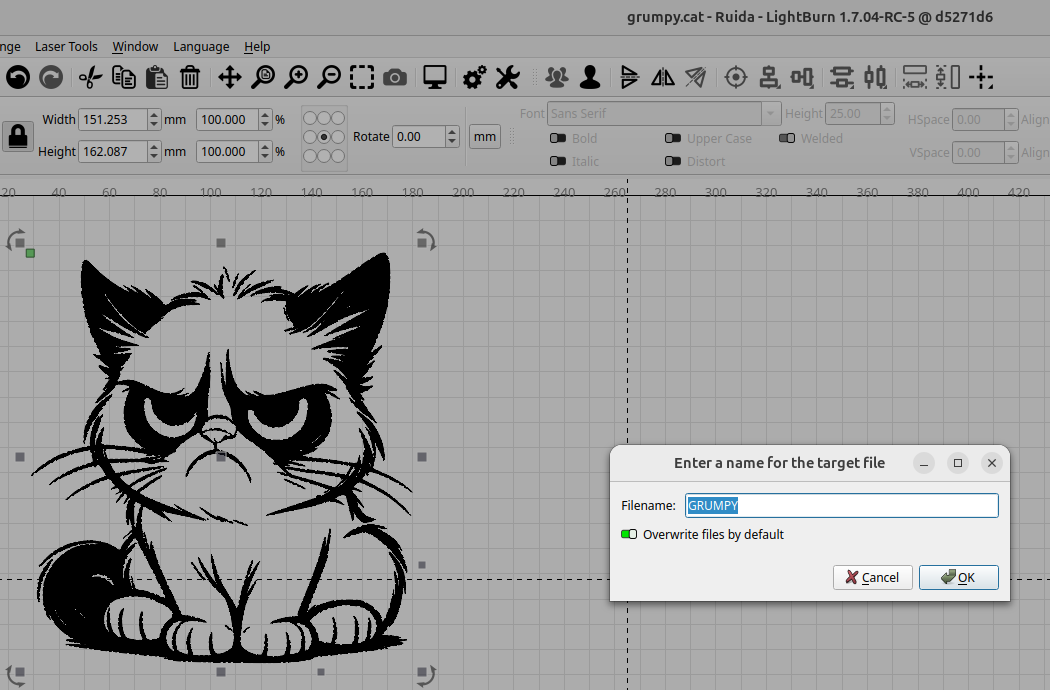
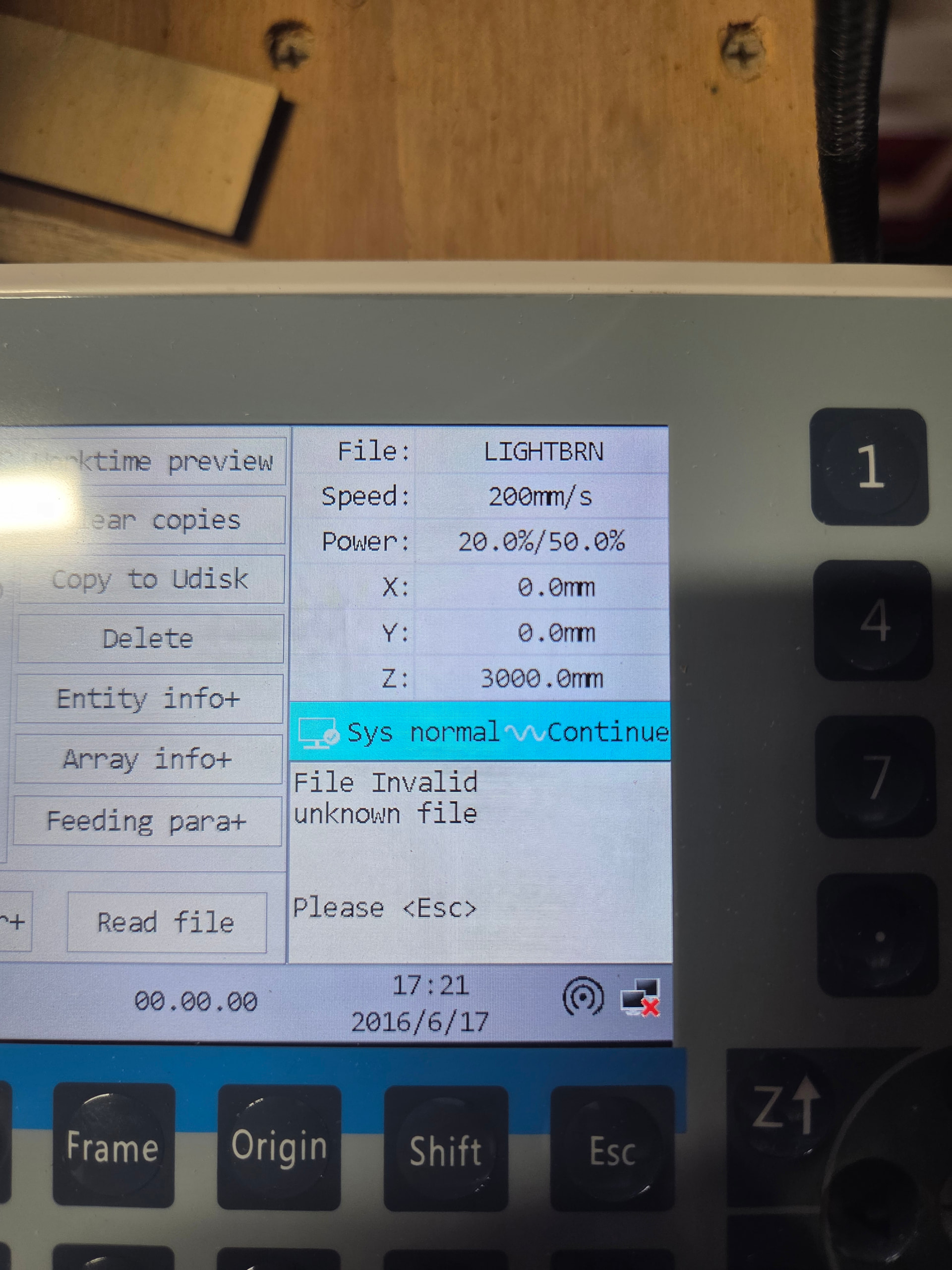
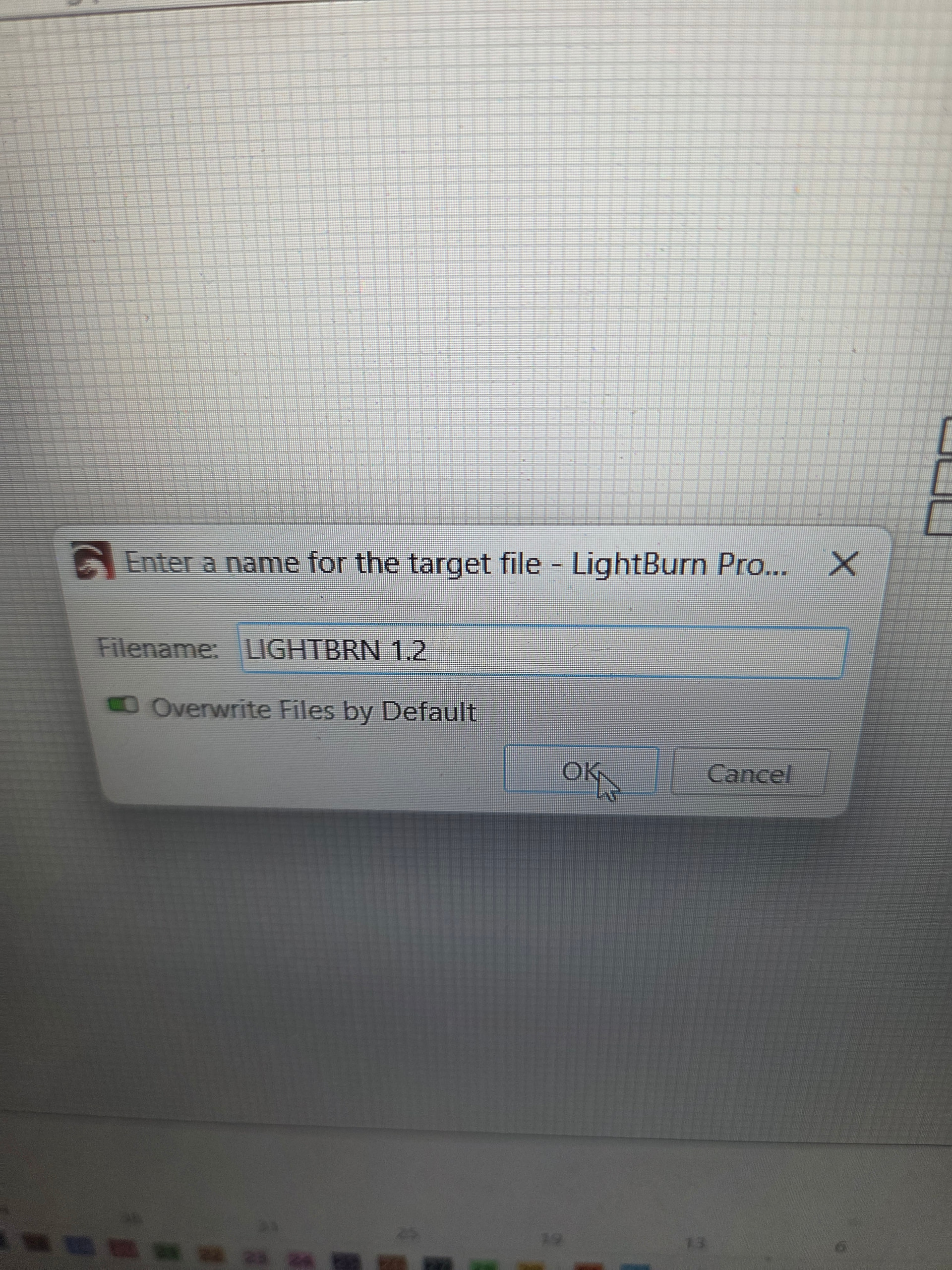
Well, you’re the comment got me to thinking and started irritating something in the back of my mind, did I use weird characters when I sent us file names? Did I try multiple file names? So I just tried to send a file using a very simple name, and it seems to have worked.
On my Ruida (6442g) it truncates at 8 characters, just like MSDOS. I believe as @EdDee advised. It appears that’s all the display can handle.
A word of warning, don’t guess with these. The simple facts are that you now have a firmware change that in itself could cause issues. This would just add to more variables to the problem when trying to fix it. If there is something a certain firmware version fixes, then great, otherwise don’t. I’ve seen many bricked controllers, although not a Ruida, with a firmware update.
@NicholasL – I thought these had some kind of encryption?
Oh no I didn’t change the firmware. That’s what it shipped with, my thinking was if i received a controller board with firmware that was newer than the latest version the light burn team had access to. That’s why I was pointing it out.
The file naming convention never occurred to me. That’s why i’m glad Ed pointed it out.
Grbl machines, data is streamed, so it’s usually based on your machines OS. Whereas on a Ruida it’s generally stored in controllers memory then you can re-run it from the machines console.
I have a few lasers, all different firmware and controller styles, just haven’t set up or updated my profile fully…
And no, as to streaming, grbl and derivatives have allowed file dump and cut/deposit for a long time… either by onboard means or by use of a remote “mini server” such as cncjs for instance or in other realms octoprint… Other grble based units allow dump to mem card, ssd or whatever is setup on the hardware side and spooling from there… One little 5W I built and use to engrave table tops etc in situ runs on FluidNC … In fact, I only once ran it online and spooled from a pc to it, and that was to calibrate and test it… Since then it has been dump and engrave exclusively…
On all of my local lasers, the 40W Falcon, my 60W Ruida, the 5W FluidNC… I NEVER run them direct linked… all are remote stand alone units, with remote streaming cameras suited to their specific tasks. The Falcon has a mediocre webcam built into it.. Good enough for playing around and rough positioning, the Ruida uses an 8Mp RTSP based IP camera which I live port into lightburn for more accurate stuff (OBS is a handy tool here)….blah blah….
But back to the file situation.. Override the suggested filename with non FAT16 type nomenclature on my local Ruida - Motherboard firmware ver RDLC V35.01.14 - and similar filing errors occur… And yes, there are reasons I have found to override the suggested filename - particularly when engraving glass and making comparative samples for a client to choose from for instance… This might be particular to the Linux version of LB that I am running, but I do not think so…
EDIT: Before y’all jump into a lecture about remote spooling dangers, I neglected to say that even though they are operating fully stand alone in different locations, they are NEVER run without constant monitoring….
I’m using the mobile app, so I had to do this in 2 posts. I just tried uploading a file using the numbers. 1.2 and I had the same issue. Immediate failure to get into files. So yeah, that seems to be the problem. It won’t accept anything except basic file names without spaces or special characters
Interestingly….. The 8445 as touted by Ruida says in its manual that it is long filename compliant….Or words to that effect anyway… Was one of the reasons why I went for a chinesium unit with this particular controller… An “upgrade” on my old offsite one…
Oooooh…. I need to change feet…. aside he spits out the right foot and inserts the left foot in its place….
I have the 6445 controller, not the 8445 unit… Essentially the same barring a few improvements on speed, storage capacity and the addition of wifi… Got me knickers in a twist because I investigated the 8445 and found, at the time, the 6445 gave a reasonable enough performance and a better value for money than the 8445…(I will blame it on being scatterbrained and definitely not being old..)
Wifi direct for job playout for me is a no-go… far too unreliable for long jobs in my environment (and most other environments I have had to advise on professionally in the past) … This was another reason I opted for the 6445 controller… The small inconvenience of less cabling is far surpassed by speed of access on a hardwired upload. (for me anyway.)
Right, now that my conscience is clear, I hope my attempted advice did/does not, lead any poor soul astray…
Hallo zusammen
Ich schreibe hier in Deutsch, weil ich der englischen Schrift nicht mächtig bin
ich nutze seit einiger Zeit den RDC8445S mit Lightburn 2.1… immer in der neusten Version, im Netzwerk mit zwei verschiedenen Rechner (win10 win11) es gibt keinerlei Verbindungsprobleme, auch wenn beide Rechner gleichzeitig zugreifen, selbst im Mischbetrieb mit RDWorks zusammen.
Dateinamen dürfen allerdings nur A-Z a-z 0-9 und der _ verwendet werden, keine Umlaute (äÄöÖüÜ) oder sonstige Sonderzeichen, dann ist die Datei nicht nutzbar und muss zwingend gelöscht werden.
Der Hauptgrund für den 8445 war der größere Speicher und die 16 Zeichen für Dateinamen, beides funktioniert zu meiner Zufriedenheit.
Gruß aus Deutschland
Kersten
Hello everyone I’m writing here in German because I don’t know the English script
I’ve been using the RDC8445S with Lightburn 2.1 for some time now… always in the latest version, in the network with two different computers (win10 win11) there are no connection problems, even if both computers access at the same time, even in mixed mode with RDWorks together.
However, file names may only be used A-Z a-z 0-9 and the _, no umlauts (äÄöÖüÜ) or other special characters, then the file is not usable and must be deleted.
The main reason for the 8445 was the larger memory and the 16 characters for filenames, both of which work to my satisfaction.
Can you use RDWorks to generate a file of a simple rectangle (Output to UFile), and then do the same thing with LB (Save RD File), and email the results to support with a link to this thread? I can look at what’s different between the two.
We did make some changes to 2.1 to improve support for these controllers, so it’ might work with the update, but if not, there may be more things that I need to tweak.
Hello , I found your post and I’m desperate looking for help with same model of ruida . No matter what I do I cannot connect ruida to my pc , usb or Ethernet directly to my pc , or via internet.
Already spend hours to try fixt this and nothing works, could you help me what you did and how did you fix it ?
Read this thread very carefully, there is a problem when naming files and sending to the controller. You can try oz’s suggestion and email the results of the test. He requested.I haven’t gotten around to it, sorry oz.
It’s on the splash screen of the controller, as you turn it onIt’s on, power on the controller, look at the control screen. Did the virtual c++ work? You also need the newest version of R. D works.