RuiDa RDC8445S(EC) WiFi, and bust. Total Communication Lockout across USB, LAN, and some success in Wi-Fi

Order a new RuiDa 6445, I did.

​Take the brand new one, they said or wait until after Labor Day.

​So I do a quick Google search and see indeed, yes, brand new RDC8445S(EC) and has WI. Fi, Shiny!

​Okay, I’ll take the upgrade, I say.

​At this point i’m feeling happy, but what happened next was unearthly, my five day shipping turned into three day shipping, turned into it, arrived the next day.

​The physical installation is complete, but I am hitting a total software communication block.

​Windows Device Manager proves I have a solid, healthy physical connection through the USB-B port. The assigned COM port shows up active and working perfectly with zero error flags.

​However, no software can actually talk to the board. Here is the exact progression of what I have installed and tried so far:

  • ​Fired up the physical USB connection, verified clean Device Manager enumeration, and installed standalone driver packages directly from Ruida’s site.

  • ​Attempted to download RDWorks directly from Ruida’s official website, but kept hitting dead 404 error pages.

  • ​Tracked down a mirror on FabCreator to successfully get standard RDWorks V8 installed. Running the USB port test failed immediately.

  • ​Installed RDWorks V8 Lite to test if the newer branch contained updated board definitions. The port test failed on that version as well.

  • ​Installed Mantisolo on my mobile to test alternative software routing. That works and lets me connect.It’s a crude version of RDworks but it does allow me to move the gantry remotely, score!

​Because the computer clearly sees the hardware on the COM bus, I am convinced this is a missing driver, an uninstalled dependency, or a protocol lockout specific to this new RDC8445S(EC) architecture.

​What specific driver package, dependency, or configuration step am I missing to make this controller accept a software handshake? I am completely out of ideas on where to look next.

Which is apparently supported only in LightBurn 2.1:

Using the Ethernet port, rather than USB, will avoid a myriad problems with USB. Using wired Ethernet will avoid a myriad problems with unstable WiFi.

The Ruida controller must be in the same subnet with everything else on the network:

Which doesn’t explain other software failing to make it march, but …

Yeah, but I can’t get it to move with R. D works. I can’t even get RG works to connect to it. The mantisolo that works, and it’s sort of a play on rdworksYeah, but that’s not really helping me figure out the problem. My best guess is. I’m just missing some drivers.

Unless you have a compelling reason to beat your head against the wall, use the Ethernet port and move on. :grin:

I knew it had to be a driver issue.I found it.I need the latest version of Microsoft’s visual c++ redistributable and the latest version of RDworks version 8.01.68

Well, the saga continues, I successfully figured out how to get my computer and the board talking to one another I had to find and install the latest version of RD works and yeah, update some communications drivers in windows. So now the board is actually talking to each other, but I’ve run into a new problem. I’ve got light burn 2.1 and when I send a file to the ruita, either from the wireless connection, which hooray I got working or from the wired connection, it corrupts the data in the folder inside the ruita, and then I have to go into rdy works and actually delete the file Before I can access the files menu in the arrita

I’m not sure where the dev team were at with the RDC8445s - I believe @LightBurn has one, I’ll ask around…

Does that also happen with wired Ethernet?

I just tried to connect, it’s the bored to an ethernet cable and then connecting that directly to my Windows 11 machine. No luck and I do not own a router.

Ok, so this controller should be fully supported in 2.1

Have you tried a few different jobs?, and the same thing happens for all of them?

That controller should actually have a built-in wifi router? - have a look in the manual pg.49 & 87
RDC8445SStandalone Laser Cutting and Engraving Control System - RuiDa Technology

I just now got direct ethernet connection successfully. Talking to the controller, light burn and Artie works both successfully. Manipulate the gantry ensign commands and receive status from the controller. I am using light. Burn 2.1, but anytime I send a file from light burn either through wireless Through usb, or now, having successfully found I’ll work around for ethernet.It corrupts the data

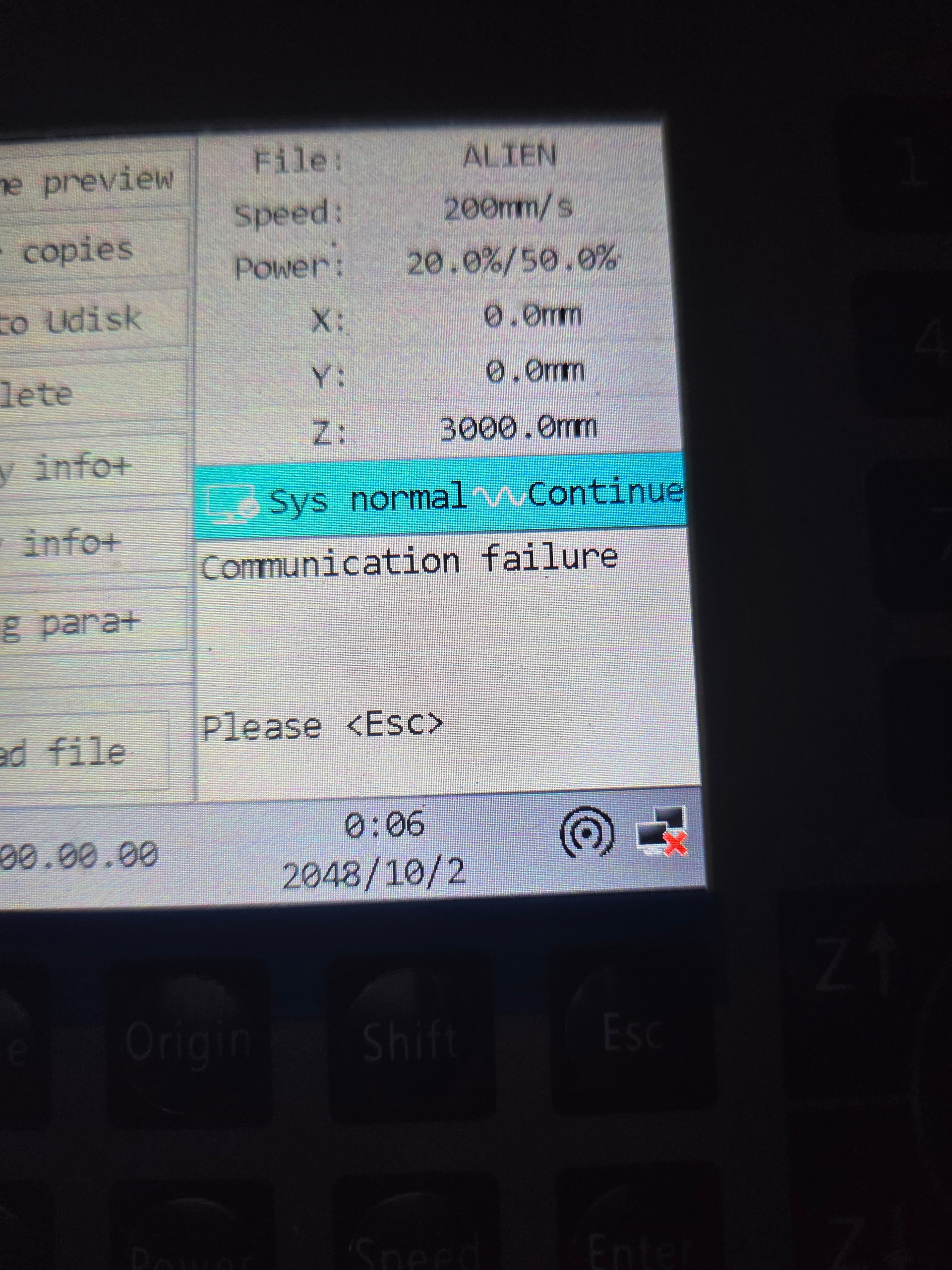
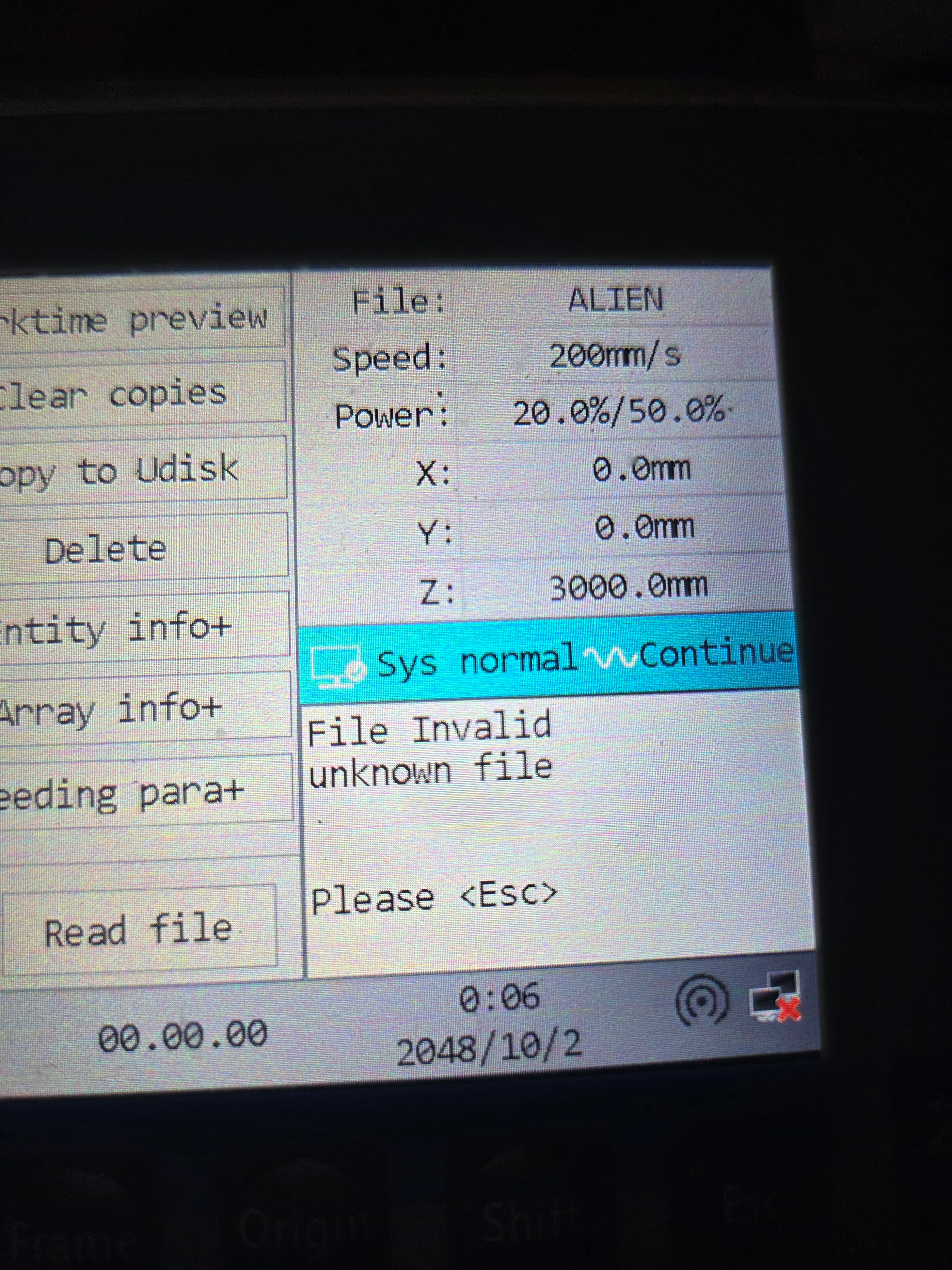
If one of these files is present, i’m from light burn, pressing the file button causes a communication error between the controller and the control boardIf one of these files is present, I’m from light burn, pressing the file button causes a communication error between the controller and the control board.

AlrightIf one of these files is present, I’m from light burn, pressing the file button causes a communication error between the controller and the control board.

I was hopeful, it would work through ethernet. I have successful communications, but again the files are corrupting. I’ve tried several different files, same thing every time

Sorry about the terrible spelling and context.I use speech to text.

Yeah I can successfully connect usb, wi fi, and now ethernet without a router, but I get the same inaccessibility, to the files list if I send a file from light burn through any of the 3 formats

What does the error look like at the control panel? Send a pic please of the error if you see one.

Are files sent from RDWorks ok? If so, what happens if you start the same file from LightBurn using “Run RD File”?

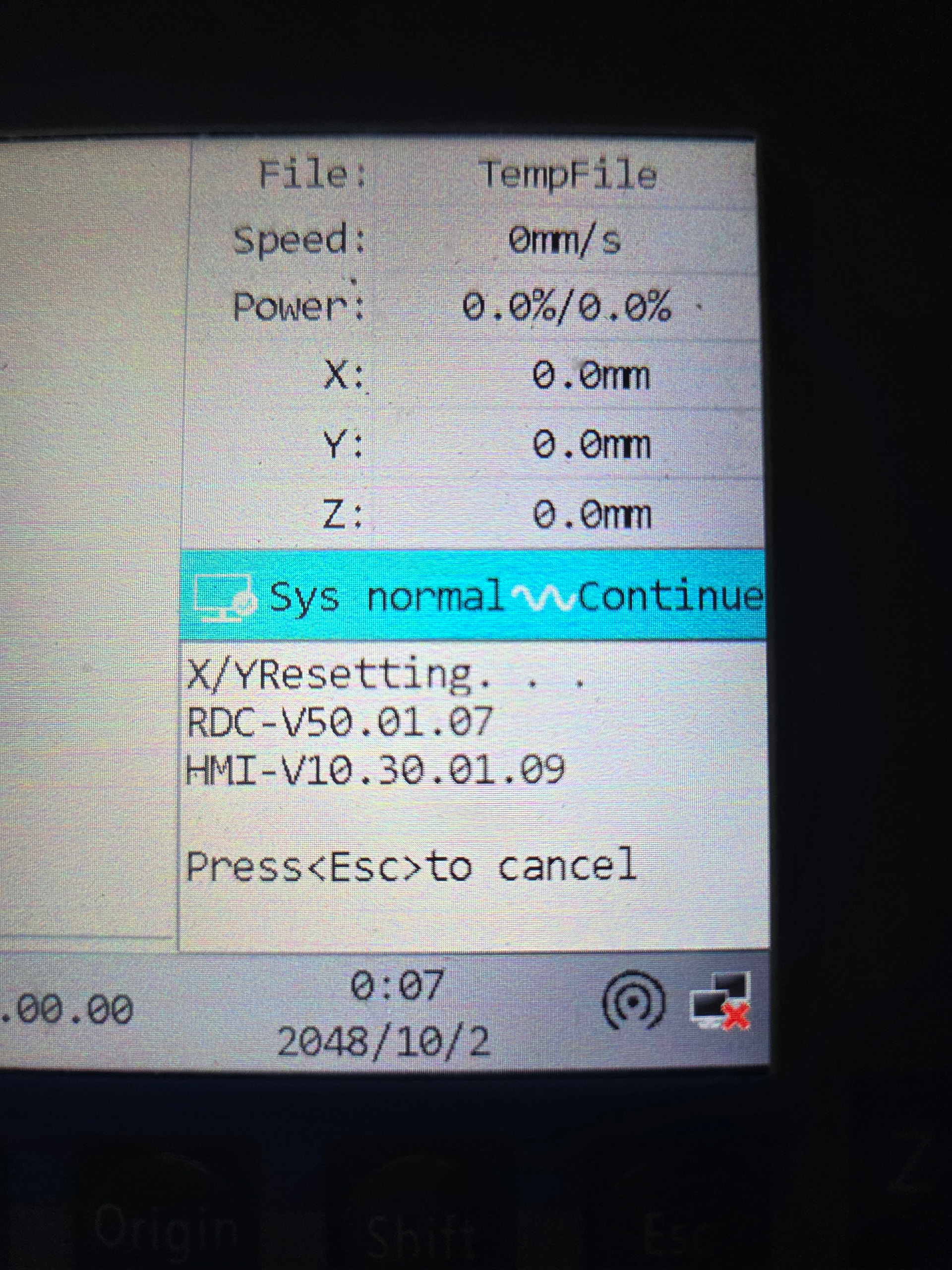
There are really no error codes are visual indicators of a problem. If I send a file from light burn, it acts as if the file transfer.It’s mostly successful although the the control board does not beep indicating receipt of file. Then if I press the file button on the controller, the file menu will appear populated the first time but I have no input controls. And then after about 5 seconds, I get a communication error. R d works files seem just fine, if I have a file from r d works and a file from light bur, the cursor will be free to move around until it touches the light burn file. Then I have communication error again. If the directional buttons, stop working, only escape allows you to continue to clear the corrupted file I have to read docs from Artie works to find the corrupted file and delete it. Once the file is deleted, normal operations

Which is Good News™, of a sort, because you’ve eliminated the usual gotchas.

Now the folks who know what they’re doing can concentrate on the real problem. :slightly_frowning_face:

It’s been a bit of an emotional rollercoaster. Especially when I couldn’t get the board to communicate. It took me quite a while to figure out, and then I needed to update the windows visual c++

The update was pretty straightforward but there was virtually no documentation on it. I had to do deep research in an AI to actually find the problem now that I’ve actually found it. And i’m assuming i’m not going to be the only person getting this tech, it needs documented really wellThe update was pretty straightforward but there was virtually no documentation on it. I had to do deep research in an AI to actually find the problem now that I’ve actually found it. And I’m assuming I’m not going to be the only person getting this tech, it needs documented really well. Kind of feel like I’m on the cusp of a major issue that’s going to be coming. But you’re right document everything and I hand it off to the experts, so if anyone from the team is reading this. If you need any specific information or do you need my control board? Just let me know uh if you give me a list of tests or something to that effect. I’ll do my best to make a video testing each one. Just let me know what you need.

Be very careful with those things, because their replies are exactly the most plausible sequence of words, not useful explanations based on relevant knowledge. They’ll reassure you everything is fine, just as you’re about to step off the edge of the known universe. :frowning:

Google’s deep research works significantly different than that. The first generation AI’s did indeed have basic response. But in the last 6 months alone, they are nearing human cognition interim and response levels.

Defree search acts like a agent loop itself generates a bunch of questions, based on your initial query or input data, then it cycles through those questions over and over again, trying to find as many answers to as many different forms of the same question as it can. And then it crossreferences that data

In this case, I set the target specifically for the 8445S. And the only thing it really got wrong was the the 8445 s could potentially host its own web server for direct accessIn this case, I set the target specifically for the 8445S. And the only thing it really got wrong was the the 8445S could potentially host its own web server for direct access.

ItIn this case, I set the target specifically for the 8445S. And the only thing it really got wrong was the the 8445S could potentially host its own web server for direct access. It does not

I am running an 8445s controller successfully with lightburn, albeit the last version available on Linux.

Regarding file corruption, limit your filename to standard characters, no punctuation or spaces and no longer than 8 characters … Good old MsDos standard… Oh and no suffix either… This is for doing the “Send” of a file via network - Lightburn will tack on the suffix during the upload to the Ruida… Step out of the old MsDos standard and chaos ensues…

Hope this helps…

Ed