Is this saved position function working in Millmage?
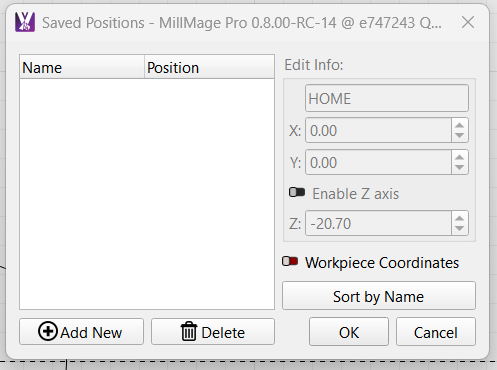
Yes it works, at least for me
Have you read this:
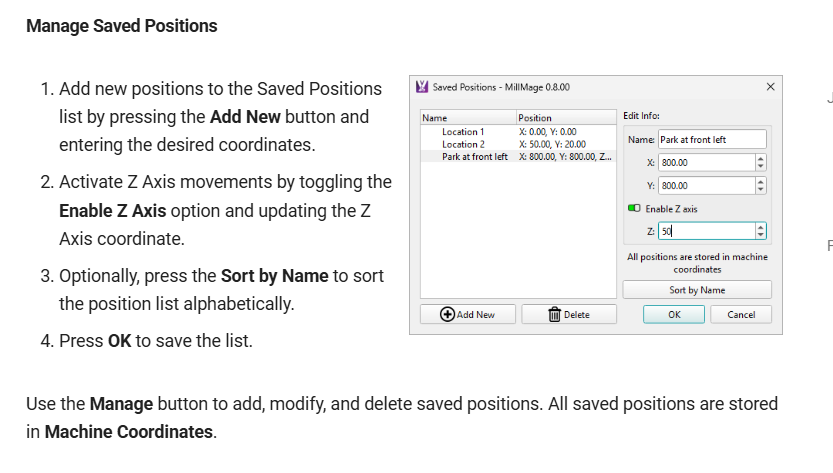
Can you describe how it is not working? It looks like you have valid settings.
I can name the position, enter the coordinates,save the position and it does not work.
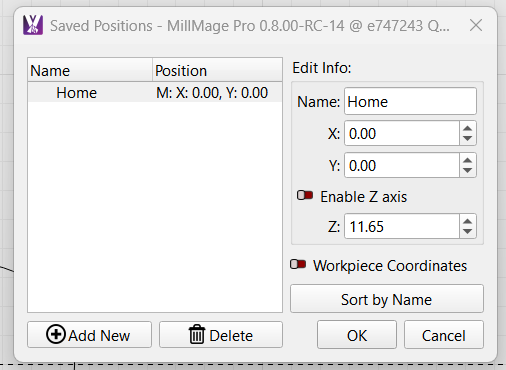

The position does save. I do not know where the M: comes from or if it has any significance?
That tells you whether the GoTo numbers are Machine or Workplace coordinates. It is controlled for each entry with the Workpiece Coordinates switch.
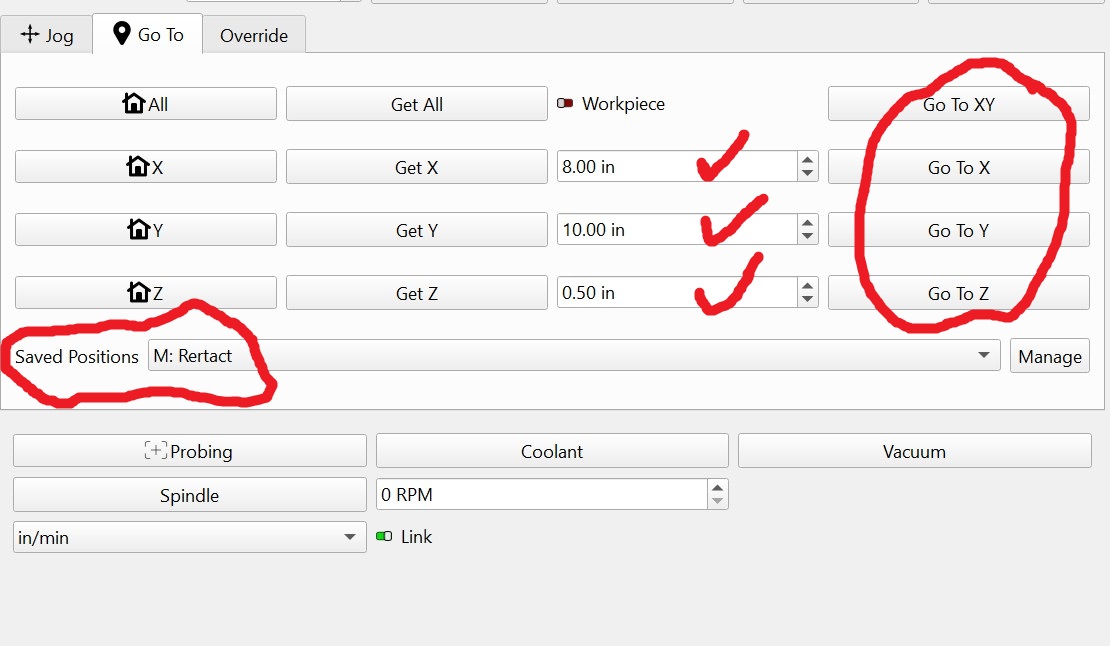
Once you create your GoTo position and click Ok, then you use the Move window, Jog tab to execute the GoTo setting.
- You select your GoTo position in the Saved Positions box (where it says “M: Home” in your image.
- When you make a selection, it will populate the boxes between the Get and Go To columns.
- You can either tweak the values in the boxes or use the Go To… buttons to execute the move.
Let us know if you have additional difficulties.
P.S. Thank you for making me study this feature! I needed to know this myself.
So it is a bit differrant than in lightburn? In Lightburn I can click on the name of saved position in the bar, it highlights to blue and it jogs to the saved position…..I like it!
I also want to mention there is a Home cycle in the Job Control window. If your machine Homes on the front left cormer of the table, you might want to make it a Macro instead and have it bring the table forward for removing parts.
Yes, different because you will not snap off a mill spinning at 10,000 RPM. You have to be more aware of the machine motions for safety.