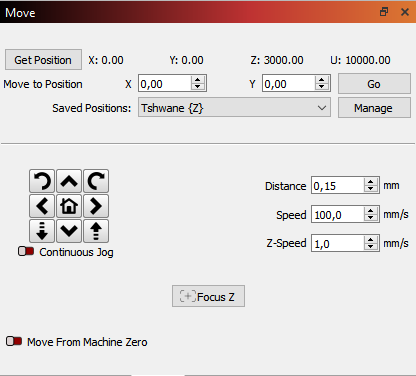
Good day, I started using saved positions to save time. My saved position 1st vanished, and I had to save it all over again. Managed that, when I open the folder, it is there but do not display the saved position on the X & Y axis in the “Move” window . Maybe I am doing it wrong. According to what I understand, if I clicked on the saved folder in “Saved Positions” (Tshwane) it should display the destination in the X & Y axis in the “Move Window” I just press the “Go” tab to move the head to the saved position. Then just hit origin on the laser and send my design to the laser to engrave & cut it. That is not happening, what am I doing wrong here?
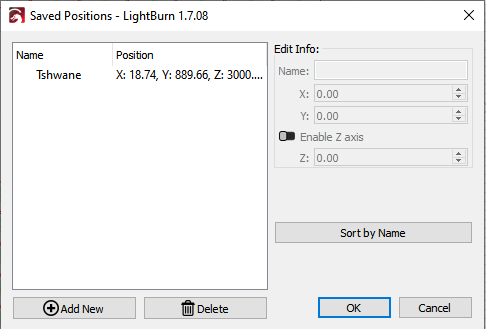
You don’t open the Positions management screen in order to select a position,
just click the dropdown arrow in the Saved Positions box,
click the required saved position from that list,
it will then go to that position. (and display in the MoveTo X & Y)
1 Like
Thank you, such a stupid thing.  Much appreciated.
1 Like
This topic was automatically closed 30 days after the last reply. New replies are no longer allowed.