Following my purchase of the Sculpfun A9 40W several weeks ago, it has finally been fettled and is behaving as expected. Part of the delay in getting it up and running was awaiting parts for the enclosure. The following image is a 300 x 200 x 3mm piece of birch plywood. It was engraved at 40% of the 20 watt power setting (8 watts) with air assist. The laser traversal speed was 1000mm per minute. The total time to engrave the 180 x 180mm jpeg file, which was converted to a vector file using Lightburn’s trace tool, was 9 minutes.
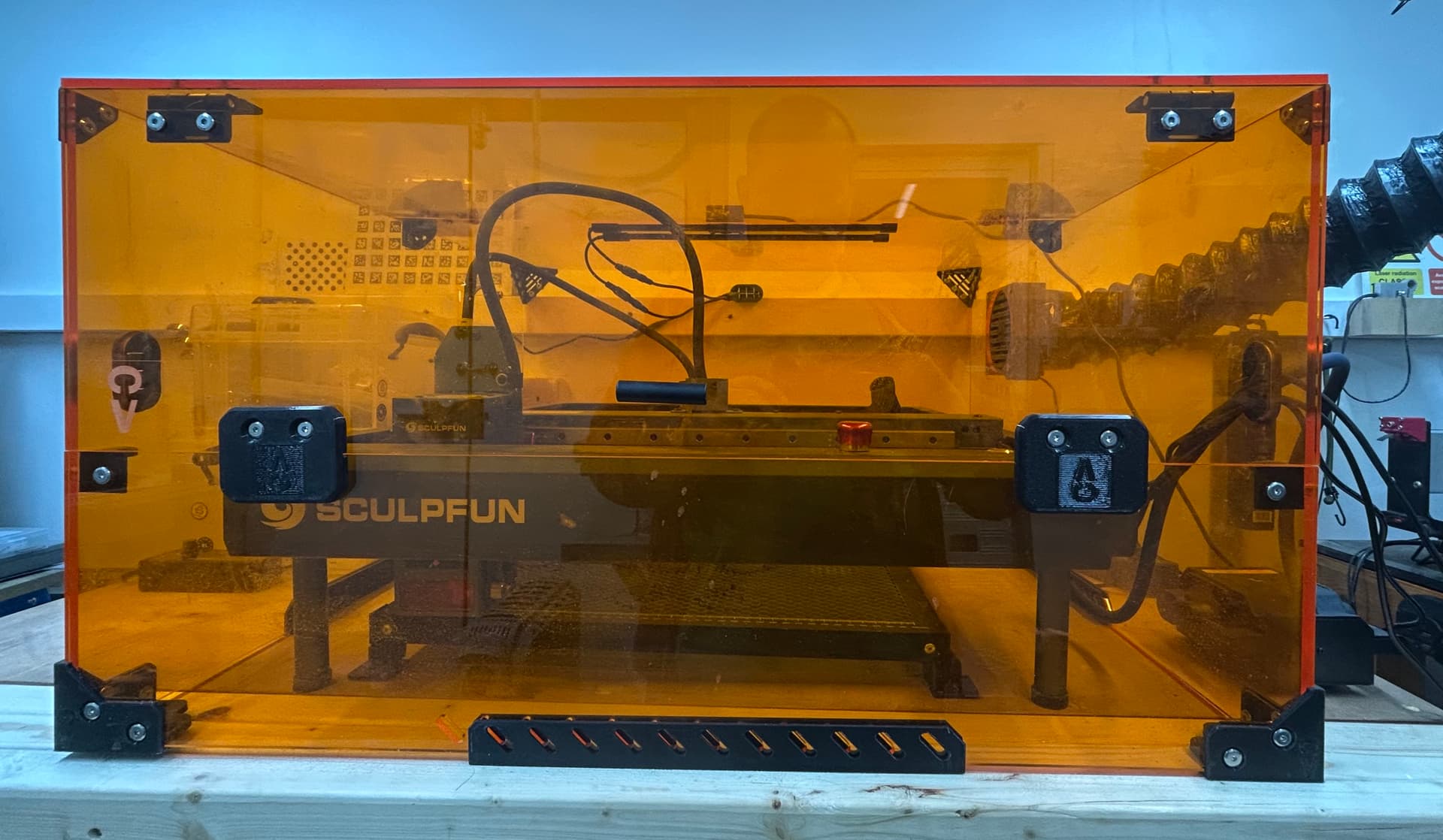
The second image is the completed but open enclosure. It is equipped with a USB camera, 2 rows of LED strip lighting and a 200 CFM extractor fan with a 100mm outlet.
8 watts is a relatively small power output. The air assist prevented any scorch marks. The traversal speed of 1000mm/min provided enough local burn time to engrave the design to a uniform depth of 0.2mm, with the overall effect being that of a machined engraving. Being photographed from the front of the flat plane does not demonstrate the engraved line depth. It can be felt with the fingertips, while showing it photographically is unlikely at such a small depth. Overall, it provides a certainty of engraving the depth of the wood, which creates the impression that the pattern is evenly engraved across the whole surface of the workpiece.
When I etch designs on cutting boards, I like to do the same thing. I want my work to look like a laser did it, not look like it was ink stamped on the material. True, your photo did not show this. You have to take the picture at a shallow angle to see any depth because it is so small.
I do some work for a lady that does ocean resin art on cutting boards. I did one with footprints (think Florida beach) that were 1mm to 1.5mm deep. 20w, 2500mm/m, 35% power, 254LPI, 1 pass, no air. I think if you raise the speed to 3000mm/m and maybe make 2 passes, you can decrease your burn time. Of course, my wood and your wood are likely to be different, so results can vary.
Opinion of One: The more you use the SF-A9, the more you are going to like it.
Hmmm… thank you for the suggestion. I will give that a try. Being retired, the timings are not so important to me. I did not think that 9 minutes was a long time to wait. On the other hand, when doing a complex piece of engraving, anything that shortens the engraving time is welcome.
I like the robustness of the machine. I am looking forward to trying the rotary attachment.
When you hook up the rotary, if it runs (burns image) backwards, just rotate it 180 degrees for a quick fix. Get a combo Chuck/Roller with a tilt head.